In this guide
Go to Settings, Battery, Battery health. Maximum capacity shows the battery's capacity compared to when it was new. The same page has Smart charging, Custom charging limit and Resume charging.
- Device
- Android
- Shown on
- OnePlus Nord 5 (CPH2709), OxygenOS 16.0.5.1201, Android 16
- App
- Settings
- Path
- Settings › Battery › Battery health
- Real screenshots
- 4 of 4 steps
- Checked
- October 2026
- Sources
- 2 official, linked below
Step by step
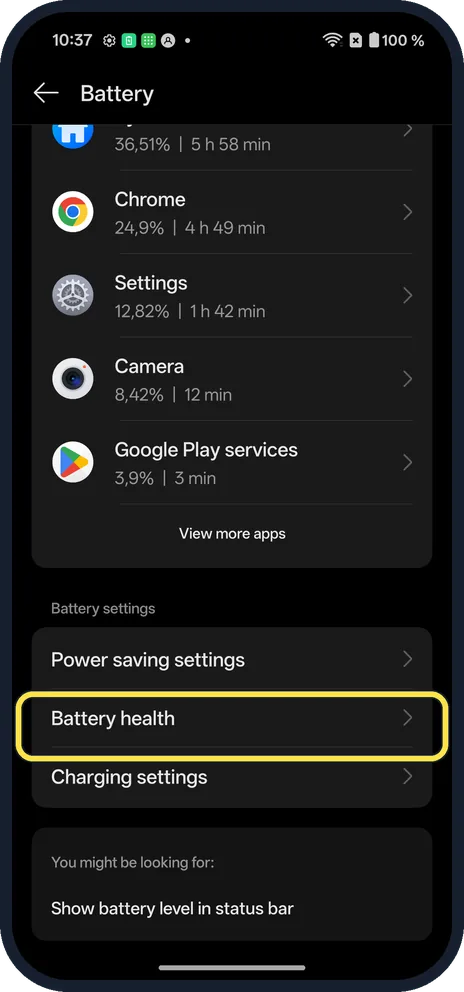
Open Battery health
Open Settings, Battery and tap Battery health.
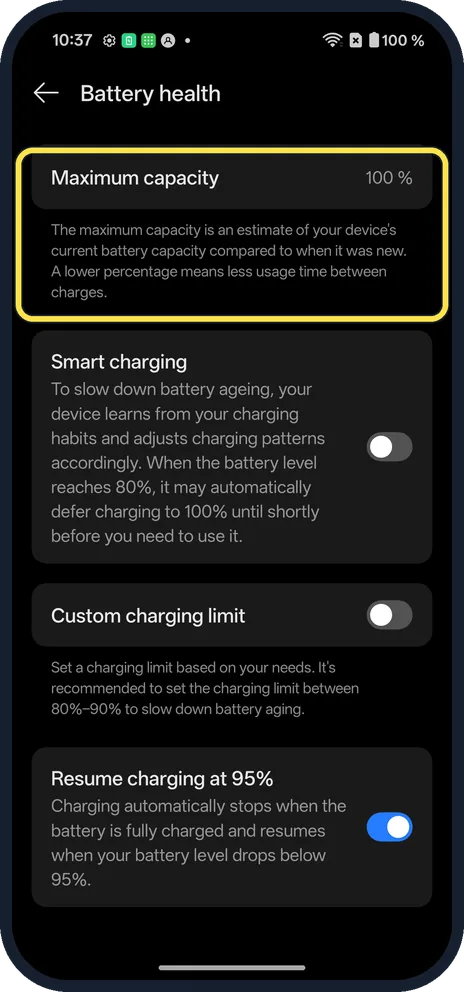
Read Maximum capacity
A lower percentage means less use between charges. Ours said 100%.
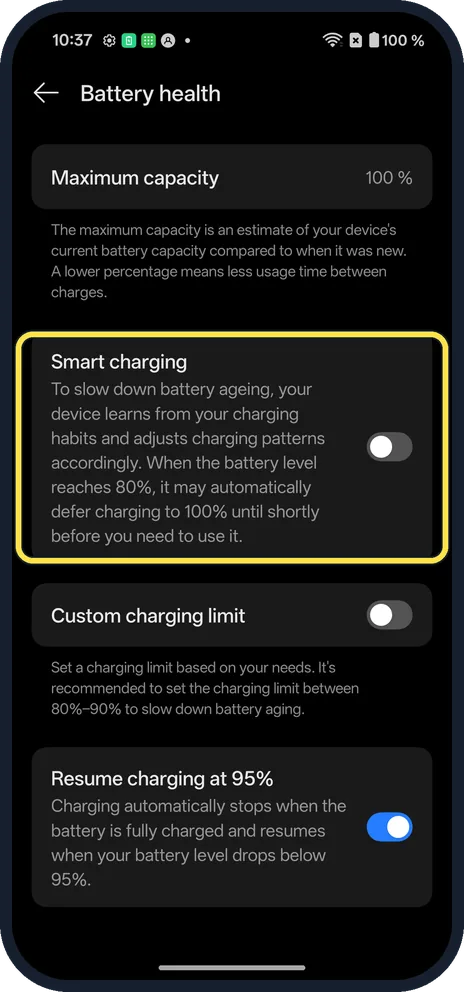
Check Smart charging
It learns your habits and may wait to finish charging. It was off on ours.
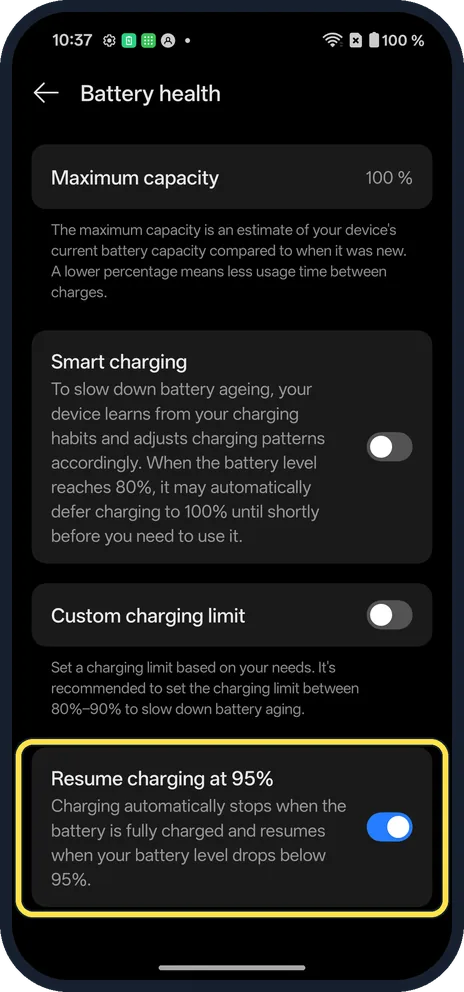
Check Resume charging
Charging stops when full and starts again below the level set: 95% on ours.
If you do not see this option
- OxygenOS 14 (OnePlus manual)? The manual has Settings, Battery, Battery health, Smart charging, as on ours. Source: OxygenOS 14.0 User Manual
- Charge to 80% only? Custom charging limit is on the same page; it was off on ours. More: set a charging limit.
If this does not work
- Health under 80%? Ask OnePlus about a battery replacement.
- Battery drains fast? See which apps use the most battery. Source: Get the most life from your Android battery
About this guide
Batteries hold less charge as they age. Battery health shows how much.
The screenshots are from our OnePlus Nord 5 with OxygenOS 16.0.5.1201 and Android 16, in Dark mode. Ours showed 100%. Nothing was changed.
Good to know
Use power saving mode on a OnePlus.
In short: Settings, Battery, Battery health, Maximum capacity.
Links checked in October 2026. Menus and features can change after software updates. These steps match the version named at the top.
Did this guide work for you?
Sorry about that. What happened?