ONEPLUS
How to see which apps use the most battery on a OnePlus (OxygenOS 16)

In short
Go to Settings, Battery and scroll to the app list. Each app shows its share and screen time for the last 24 hours (or Last 7 days). Tap an app for mAh, foreground and background time, and Force stop.
4 of 4 steps show a real screenshot from our Nord 5. Each step was checked against the maker's own instructions, linked at the end.
Steps
- 1
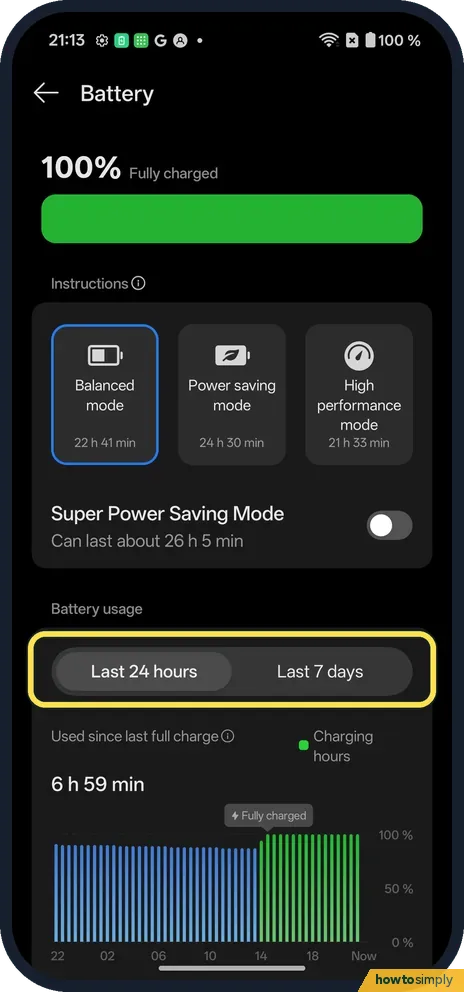
Open Battery
Open Settings, Battery. Under Battery usage pick Last 24 hours or Last 7 days.
- 2
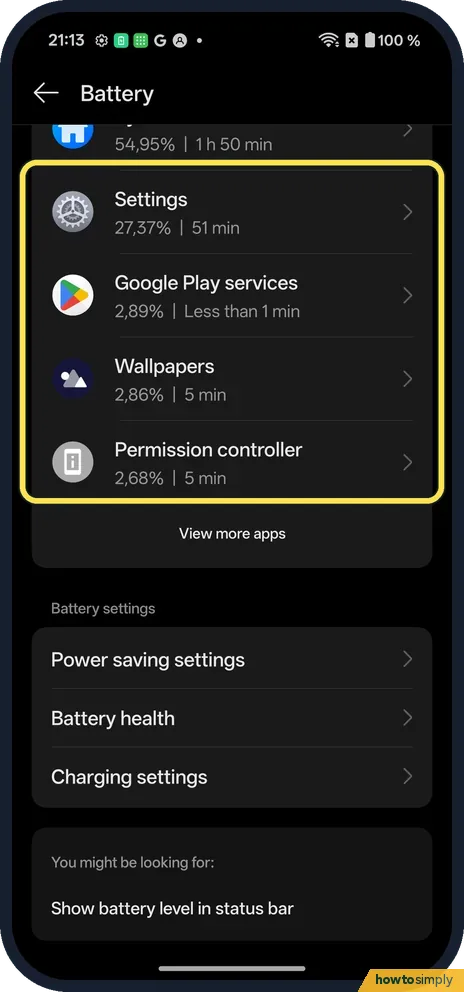
Check the list
Scroll down. Each app shows its share and time.
- 3
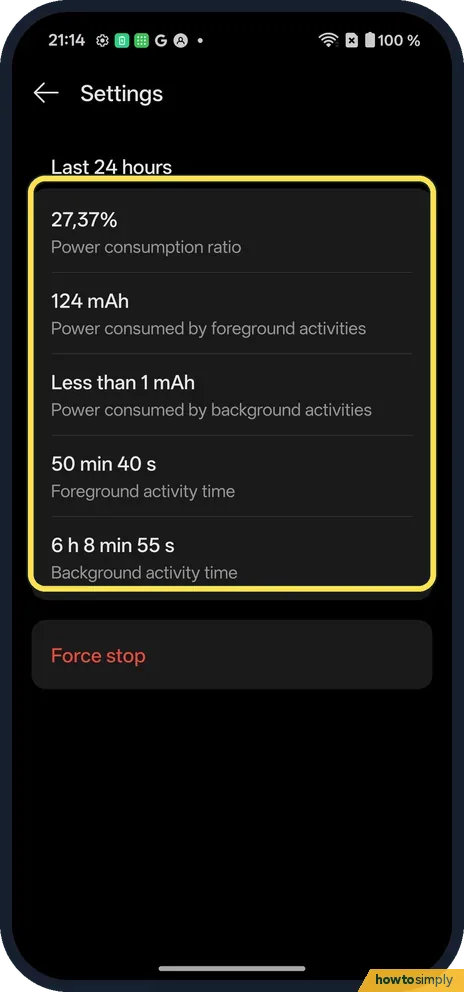
Tap an app
Ours: 124 mAh in the foreground, less than 1 mAh in the background, 50 min 40 s of foreground time.
- 4
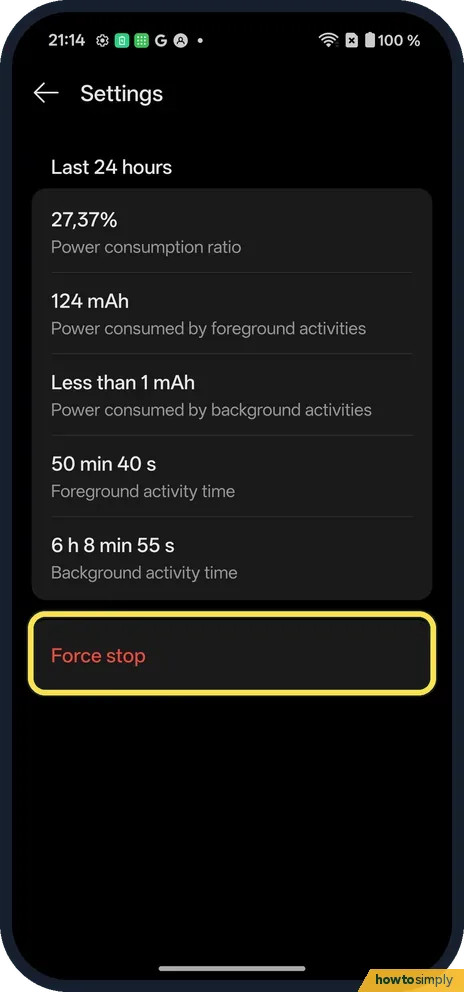
Force stop if needed
Force stop is at the bottom.
If you do not see this option
- Older OxygenOS? OnePlus's OxygenOS 14 manual calls it Battery usage details. Source: OxygenOS 14.0 User Manual
- Week view? Tap Last 7 days above the chart.
- Want to limit one app? OnePlus's OxygenOS 14 manual describes App battery management, under Battery, More settings, where you can choose how much an app may run in the foreground and background. It warns that limiting an app can stop it working properly and delay its notifications. Source: OxygenOS 14.0 User Manual
If this does not work
- One app drains it? Force stop it, or limit its background activity.
- App missing from the list? Tap View more apps under the list.
- Settings near the top of the list? Time spent in Settings counts like any other app. On ours Settings showed 27.37% over 24 hours, so judge the list against what you actually did that day.
- Battery drains but the list looks normal? Google lists things that drain the battery without one app standing out: long navigation, a hotspot, streaming, calls while moving, and a phone that gets hot. Restart the phone and check for system and app updates if the drain continues.
Good to know
Use power saving mode on a OnePlus.
Stop a OnePlus closing apps in the background.
Looking at the list changes nothing, so it is safe to check as often as you like. If you force stop an app, it starts again the next time you open it or when it is needed, and its data is kept. Google's own tips for a longer charge are to restrict apps with high battery use, avoid letting the phone overheat, and switch off Wi-Fi hotspot, Bluetooth or location when you do not need them. If the battery itself seems to be wearing out rather than one app draining it, see check battery health on a OnePlus.
About this guide
- Device
- Android
- Shown on
- OnePlus Nord 5 (CPH2709), OxygenOS 16.0.5.1201, Android 16
- App
- Settings
- Path
- Settings › Battery › Battery usage
- Real screenshots
- 4 of 4 steps
- Checked
- October 2026
- Sources
- 2 official, linked below
Sources
Links checked October 2026. Menus and features can change with updates.Spotted a mistake? Menus change with updates, and we want every step to match your screen. Email us about this page or use the contact form. We read every report, and fixes are listed on What changed.
Liked this guide?
Follow us for new guides and short how-to videos.
Did this guide work for you?
Sorry about that. What happened?