ONEPLUS
How to set a charging limit on a OnePlus (OxygenOS 16)

In short
Go to Settings, Battery, Battery health. Turn on Custom charging limit to stop charging at a level you pick, or Smart charging to hold at 80% and finish shortly before you need the phone. Maximum capacity at the top shows battery health.
8 of 8 steps show a real screenshot from our Nord 5. Each step was checked against the maker's own instructions, linked at the end.
Steps
- 1
Open Battery health
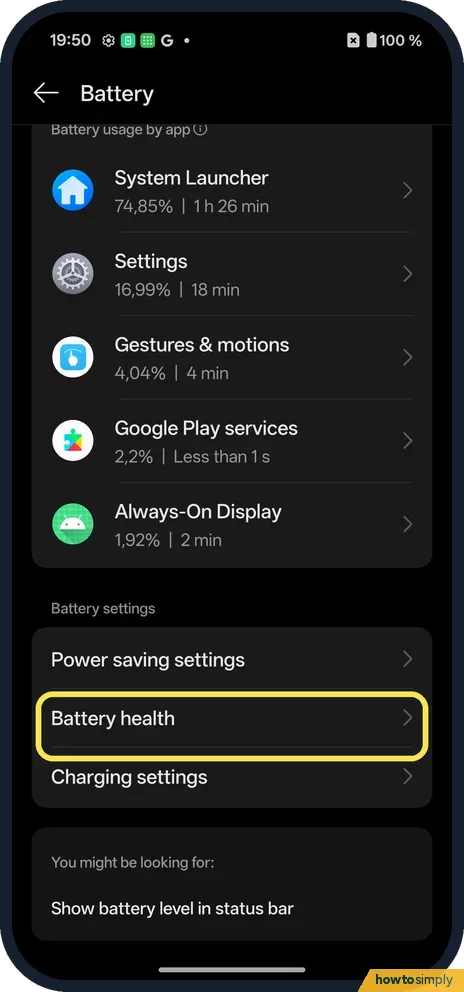
Open Settings, tap Battery and scroll to Battery health, under Battery settings.
- 2
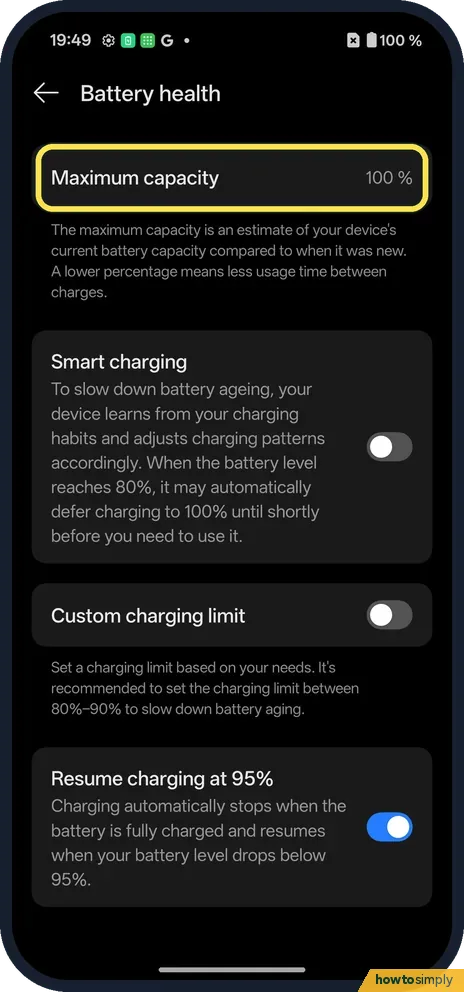
Check Maximum capacity
Ours said 100 %. The page explains it is an estimate of current capacity compared with new; lower means less usage time between charges.
- 3
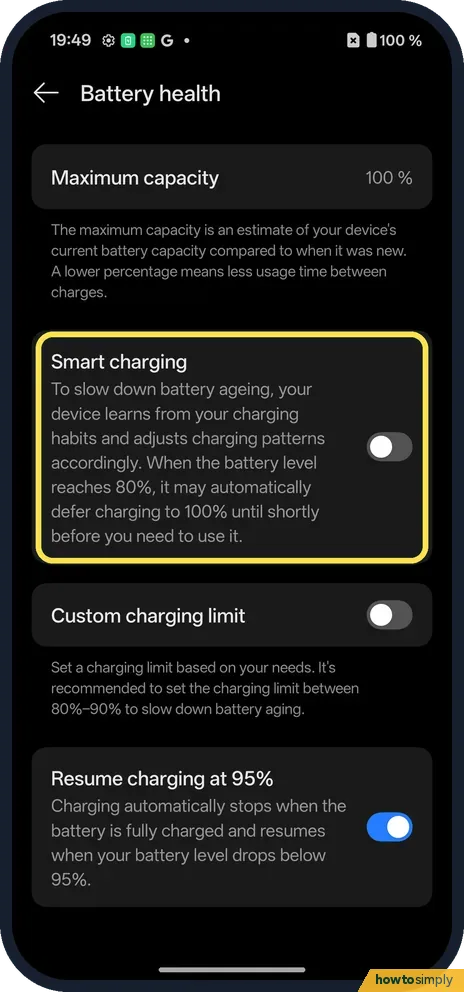
Smart charging
It learns your charging habits. When the battery reaches 80%, it may defer charging to 100% until shortly before you need it.
- 4
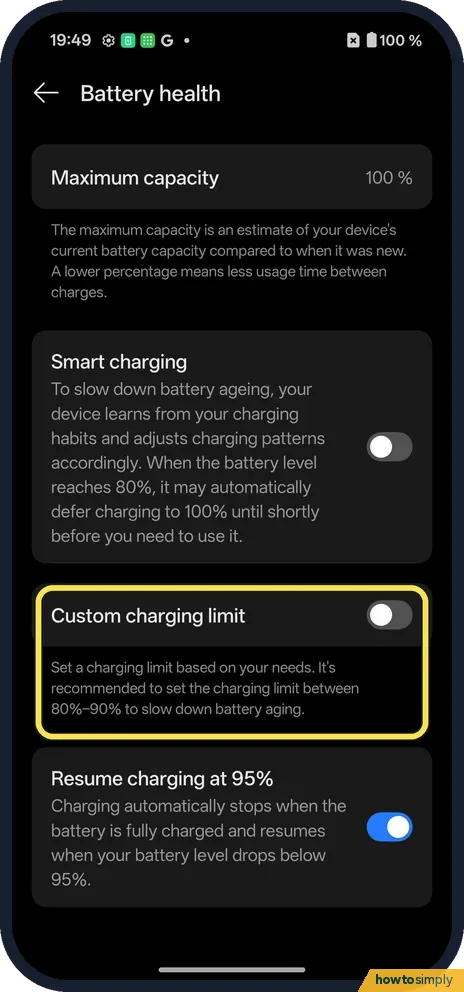
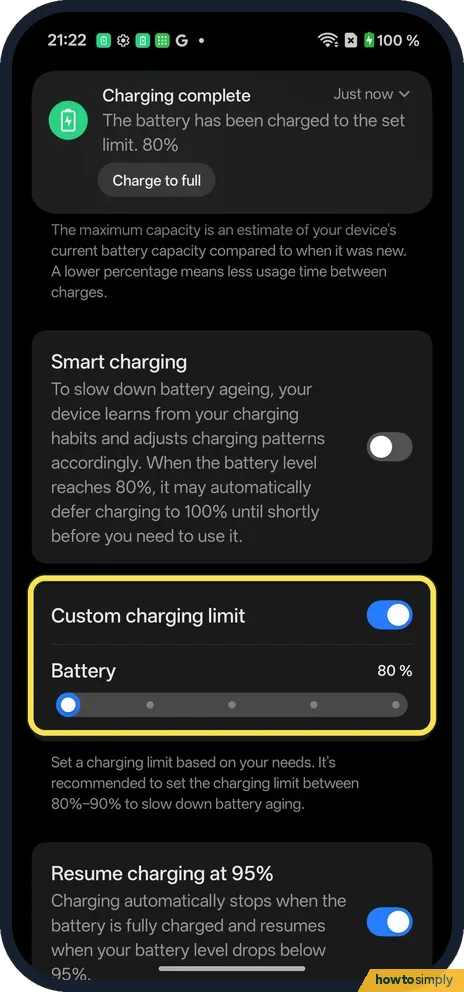
Custom charging limit
Turn it on and set your own limit. The page recommends 80%–90%.
- 5
Pick the limit
A Battery slider appears with five notches: 80, 85, 90, 95 and 100%. Ours started at 90%; we dragged it to 80%.
- 6
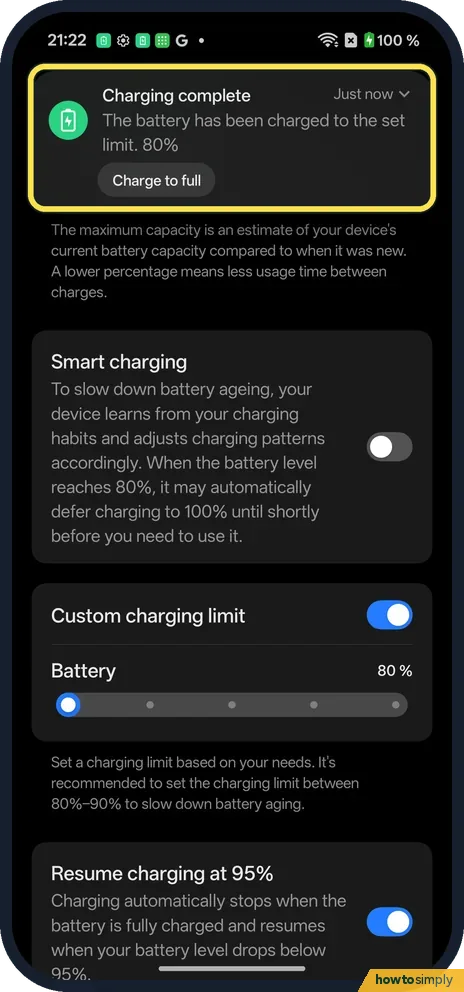
If it is already above the limit
Ours was at 100% when we switched the limit on. A notification said charging was complete at the set limit, with a Charge to full button for one full charge.
- 7
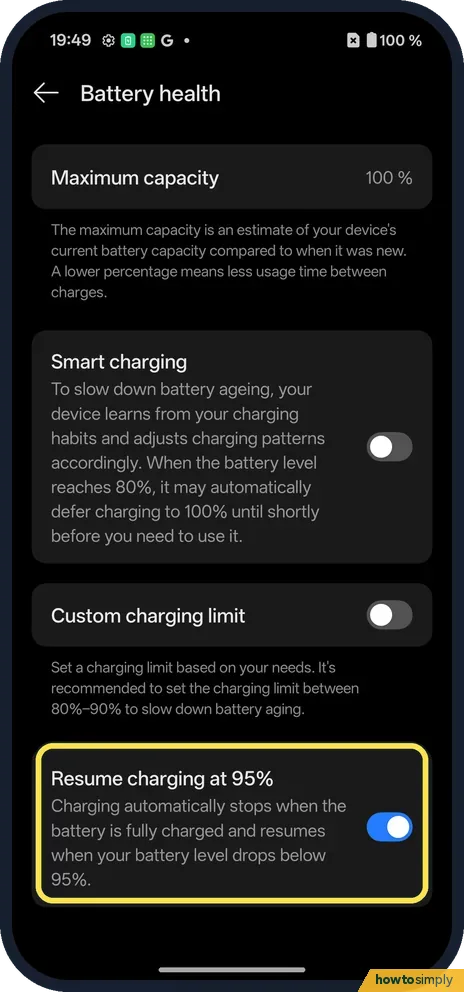
Resume charging at 95%
Charging stops when full and resumes when the battery drops below 95%. It was on on ours.
- 8
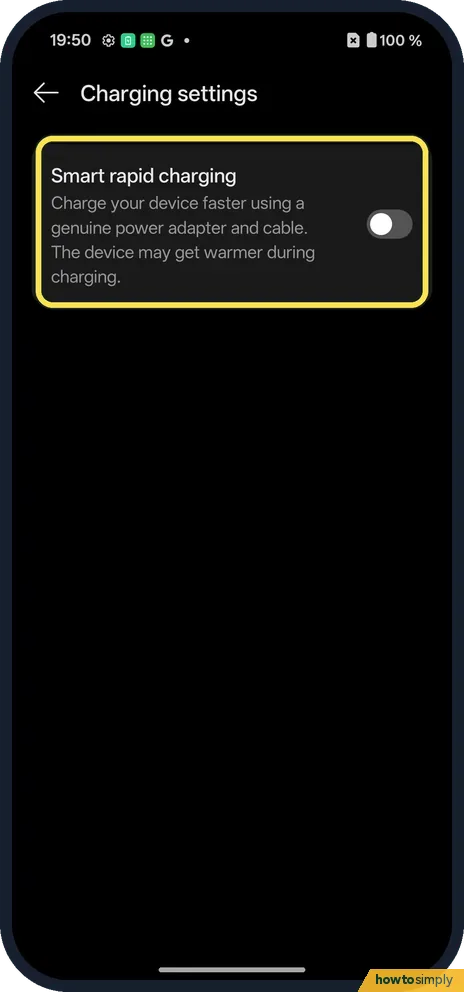
Charging settings
Back on Battery, Charging settings has only Smart rapid charging on our Nord 5: it charges faster with a genuine adapter and cable, and the device may get warmer.
If you do not see this option
- Bypass charging? Our Nord 5 had none: Battery, Charging settings showed only Smart rapid charging.
- Older OxygenOS? OnePlus's OxygenOS 14 manual lists Smart charging under Settings, Battery, Battery health, the same place as ours, but no Custom charging limit. Source: OxygenOS 14.0 User Manual
If this does not work
- Stops at 80% overnight? That is Smart charging. It finishes later.
- Need 100% for a trip? Tap Charge to full in the charging notification, or turn Custom charging limit off.
- Phone charged past the limit? Check Custom charging limit is still on and that you did not tap Charge to full, which allows one full charge.
- Smart charging never seems to kick in? The page says Smart charging learns your charging habits, so it may not hold at 80% until it has learned them. Use Custom charging limit if you want a fixed stop.
Good to know
Keep apps open: stop a OnePlus closing apps in the background.
On a Pixel: limit charging to 80%.
With a limit set, the phone shows as charged at your chosen level, so expect fewer hours between charges than from 100%. Nothing else changes, and switching the limit off lets the next charge go to full. Google also recommends using the charger that came with the phone, as other adapters can charge slowly or not at all. To keep an eye on the result over time, see check battery health on a OnePlus.
About this guide
- Device
- Android
- Shown on
- OnePlus Nord 5 (CPH2709), OxygenOS 16.0.5.1201, Android 16
- App
- Settings
- Path
- Settings › Battery › Battery health
- Real screenshots
- 8 of 8 steps
- Checked
- October 2026
- Sources
- 2 official, linked below
Sources
Links checked October 2026. Menus and features can change with updates.Spotted a mistake? Menus change with updates, and we want every step to match your screen. Email us about this page or use the contact form. We read every report, and fixes are listed on What changed.
Liked this guide?
Follow us for new guides and short how-to videos.
Did this guide work for you?
Sorry about that. What happened?