XIAOMI REDMI
How to check battery health on a Xiaomi phone (HyperOS 3)
Go to Settings, Battery, Battery protection. Battery health shows a percentage, with Cycles, Manufacture date and First use. Under Charging protection you can choose to stop charging at 80%.

4 of 4 steps show a real screenshot from our Redmi Note 15 Pro 5G. Each step was checked against the maker's own instructions, linked at the end.
Steps
- 1
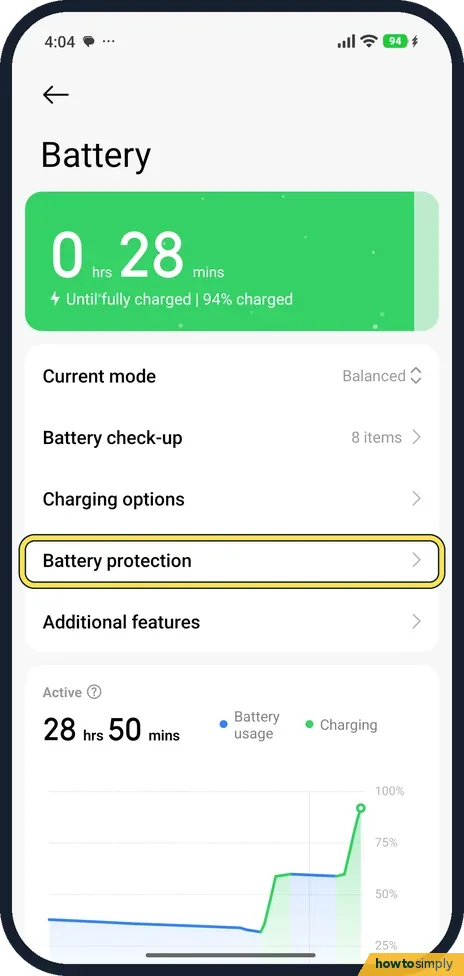
Open Battery protection
Go to Settings, Battery, and tap Battery protection.
- 2
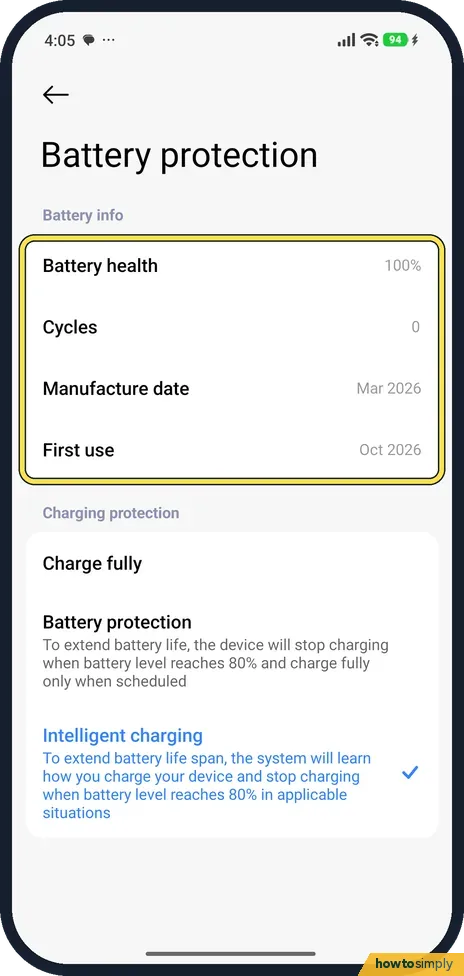
Read Battery health
Our new phone showed Battery health 100%, 0 Cycles, Manufacture date Mar 2026 and First use Oct 2026.
- 3
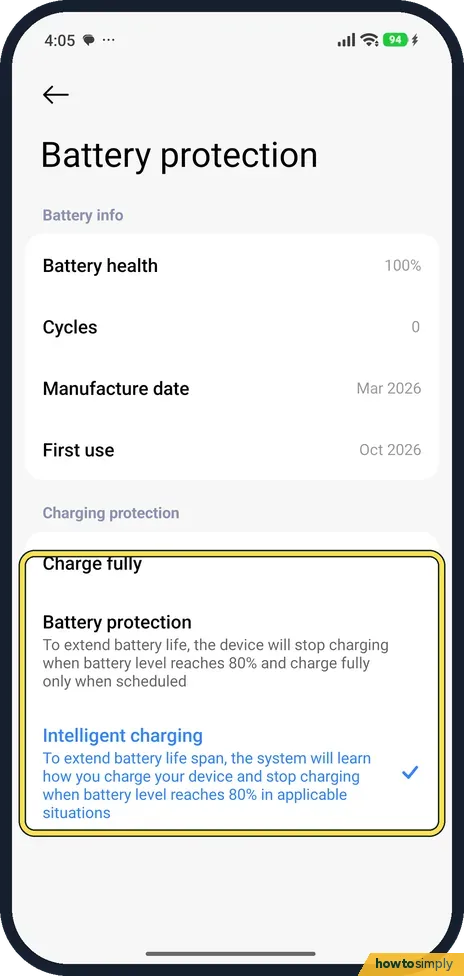
Choose how it charges
Under Charging protection, Charge fully charges to 100%. Battery protection stops at 80% and charges fully only when scheduled. Intelligent charging, selected on ours, stops at 80% when it learns how you charge.
- 4
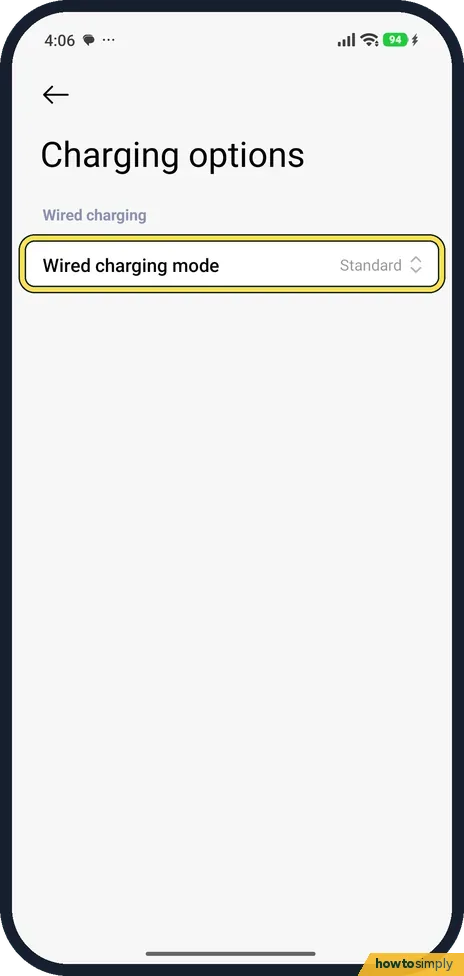
Check the charging mode
Battery, Charging options, shows Wired charging mode. Ours was Standard.
If you do not see this option
- No battery health percentage? Xiaomi says the feature may vary by country, region and model. Source: Generic User Guide for HyperOS 3.0
- No Battery in Settings? Xiaomi says the same battery pages open from the Security app, under Battery. Source: Generic User Guide for HyperOS 3.0
If this does not work
- Phone stops at 80%? Battery protection or Intelligent charging is on. Pick Charge fully if you need 100%.
- Health falling? Health drops slowly as Cycles rise. The 80% charging options are there to slow it.
- Health went up instead of down? Xiaomi calls the figure the measured state of health, so it is a reading, not a fixed value. Watch the trend over months rather than one reading.
- Battery drains fast but health looks fine? Health measures how much charge the battery can hold, not what is using it. Check which apps use the most power on the Battery page, and see battery mode and battery use for the usage chart.
- Phone gets hot while charging? Unplug it, take it out of any thick case and let it cool. Google warns that heat drains the battery faster and can damage it, especially when it is fully charged.
Good to know
Battery modes and app usage: how to change battery mode on a Xiaomi phone.
Looking at Battery protection changes nothing; only the Charging protection choice affects how the phone charges. If you switch to Battery protection or Intelligent charging, the phone will often stop at 80%, which means a little less time between charges each day in exchange for slower wear over the years. You can switch back to Charge fully whenever you need a full battery, for example before a long trip. When health has dropped far enough that the phone no longer lasts a day, contact Xiaomi support or an authorised service centre about a replacement rather than opening the phone yourself. Before handing the phone over for repair, back up first: see how to back up a Xiaomi phone.
What our device showed
- Device
- Xiaomi Redmi Note 15 Pro 5G (25080RABDG)
- Software
- HyperOS 3.0.308.0, Android 16
- Battery health
- 100%
- Cycles
- 0
- Manufacture date
- Mar 2026
- First use
- Oct 2026
- Charging protection
- Intelligent charging selected
- Date checked
- October 2026
Read from our own screenshots of this device. Your phone will show its own figures. See what each Android brand shows.
About this guide
- Device
- Android
- Shown on
- Xiaomi Redmi Note 15 Pro 5G (25080RABDG), HyperOS 3.0.308.0, Android 16
- App
- Settings
- Path
- Settings › Battery › Battery protection: health
- Real screenshots
- 4 of 4 steps
- Checked
- October 2026
- Sources
- 2 official, linked below
Sources
Links checked October 2026. Menus and features can change with updates.Spotted a mistake? Menus change with updates, and we want every step to match your screen. Email us about this page or use the contact form. We read every report, and fixes are listed on What changed.
Liked this guide?
Follow us for new guides and short how-to videos.
Did this guide work for you?
Sorry about that. What happened?