
howtosimply.com/guides/where-telegram-saves-photos-and-files-on-android/ · Checked October 2026 · Google Pixel 10a, Android 17, Telegram 13.1.1
In this guide
On our Pixel 10a, Telegram keeps downloads in Android, media, org.telegram.messenger, Telegram (Telegram Images and Telegram Video), which the Files app can open. Photos only show in the Gallery if Save to Gallery is on in Telegram's Data and Storage.
4 of 4 steps with real screenshots · 1 official source below
- Device
- Android
- Shown on
- Google Pixel 10a, Android 17, Telegram 13.1.1
- App
- Telegram
- Real screenshots
- 4 of 4 steps
- Checked
- October 2026
- Sources
- 1 official, linked below
Step by step
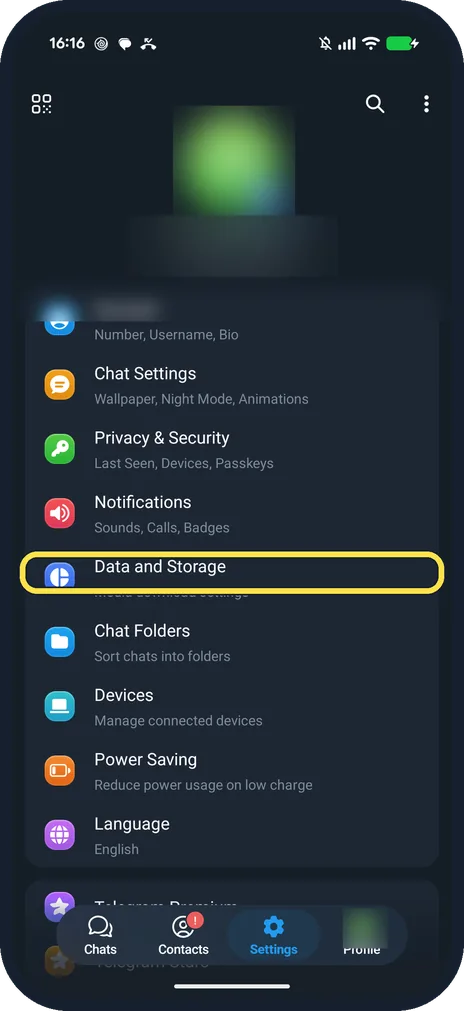
Open Data and Storage in Telegram
Open Settings in Telegram. Data and Storage is below Notifications.
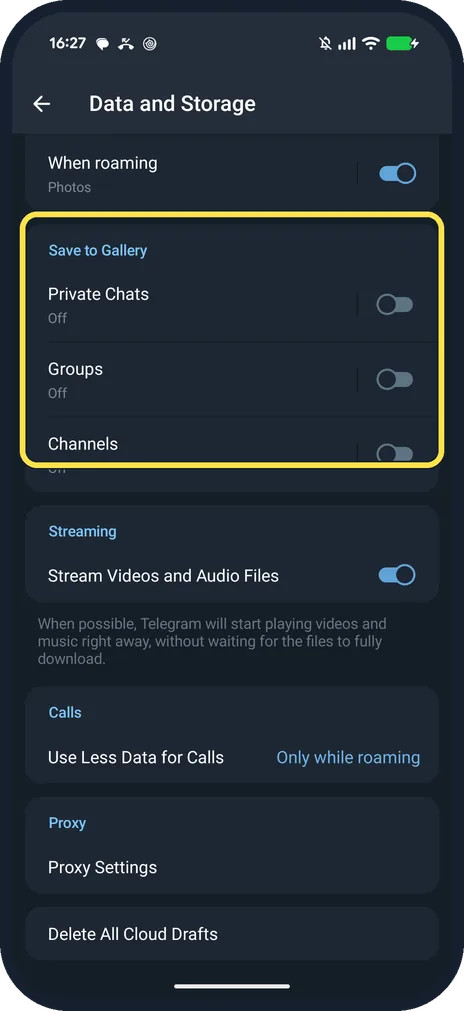
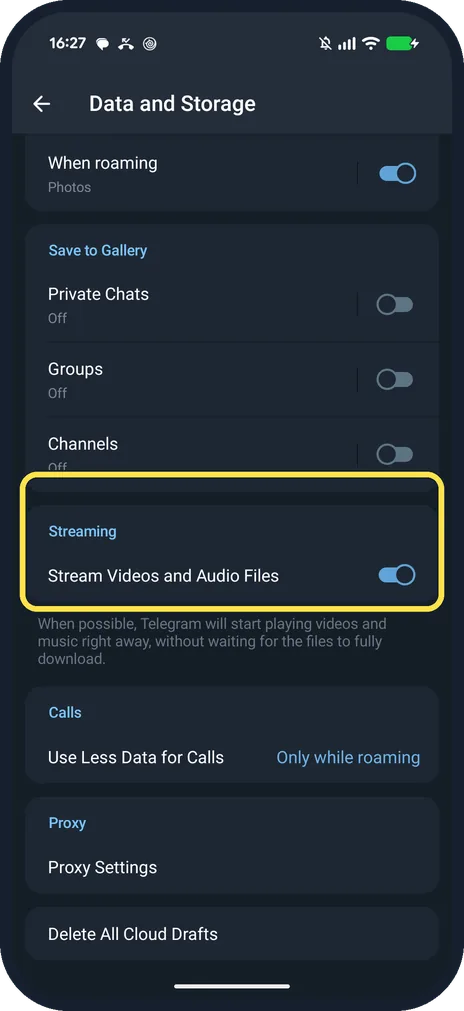
Check Save to Gallery
Private Chats, Groups and Channels each have a switch. Ours were all Off, so nothing went to Google Photos.
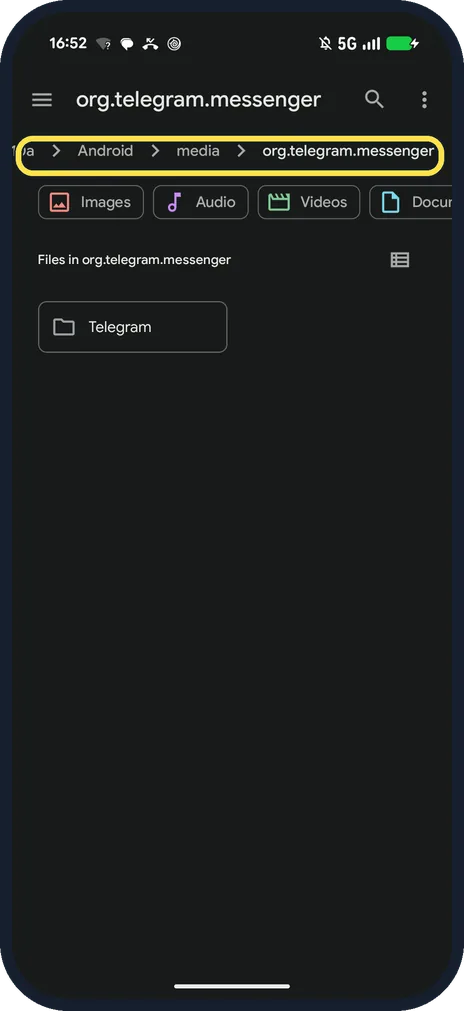
Open the folder in the Files app
Browse to Pixel 10a, Android, media, org.telegram.messenger. The Telegram folder is inside.
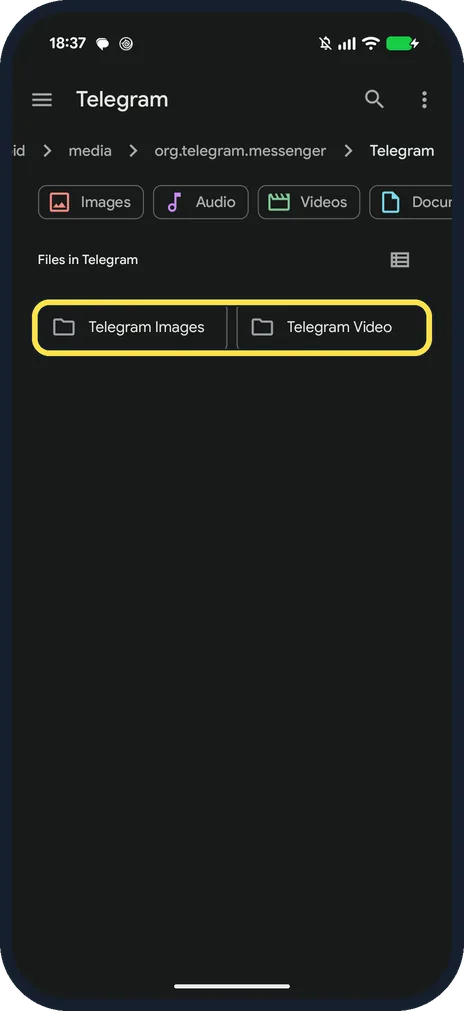
Open the Telegram folder
Ours had two folders: Telegram Images and Telegram Video.
If you do not see this option
- Looking for a storage path setting? Not on our 13.1.1: Data and Storage goes from Save to Gallery to Streaming, Calls and Proxy.
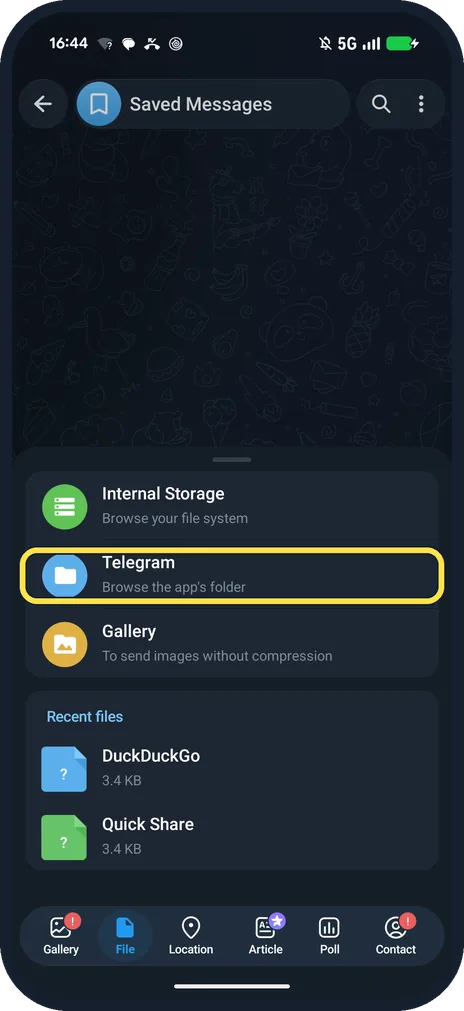
- Files tab in Telegram itself? The paperclip, File sheet has a Telegram row: Browse the app's folder.
If this does not work
- Folder empty? A cache clear empties it. Telegram's Clear Cache dialog says all media will stay in the Telegram cloud and can be re-downloaded.
- Too much space used? Telegram says clearing the cache frees space without logging out: see clear the Telegram cache and stop auto-downloading. Source: How do I log out?
About this guide
Our Telegram 13.1.1 has no setting to change the download folder.
The screenshots are from Telegram 13.1.1 on our Google Pixel 10a with Android 17, in Dark mode, taken on 25 October 2026.
Good to know
To clear space, see clear the Telegram cache.
To save files on purpose, see use Saved Messages.
In short: Files app: Android, media, org.telegram.messenger, Telegram.
Links checked in October 2026. Menus and features can change after software updates. These steps match the version named at the top.
📷 See real photos from the Pixel 10a in our Camera Lab, next to 10 other phones.
Did this guide work for you?
Sorry about that. What happened?