ONEPLUS
How to set a timer on a OnePlus (OxygenOS 16)

In short
Open the Clock app and tap Timer at the bottom. Turn the hour, minute and second wheels, then tap the play button. Or tap a frequently used timer like Brush teeth.
6 of 6 steps show a real screenshot from our Nord 5. Each step was checked against the maker's own instructions, linked at the end.
Steps
- 1
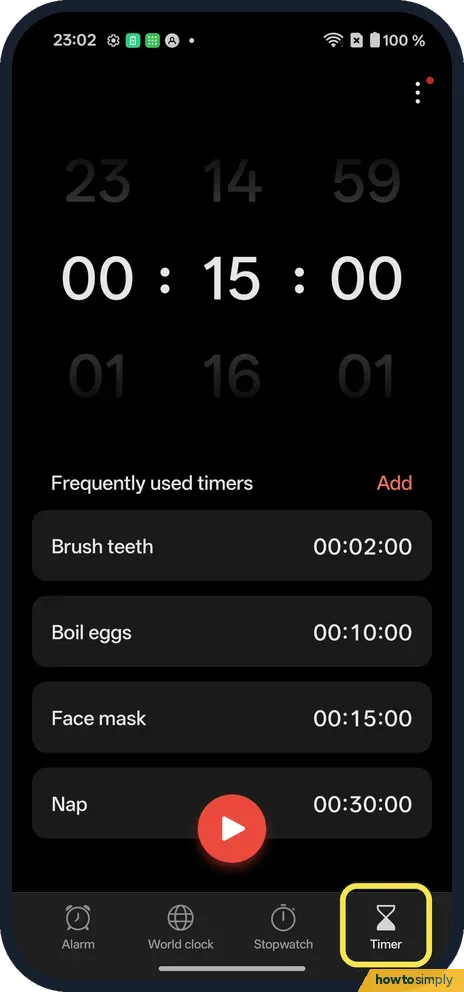
Open Timer
Open Clock and tap Timer at the bottom right.
- 2
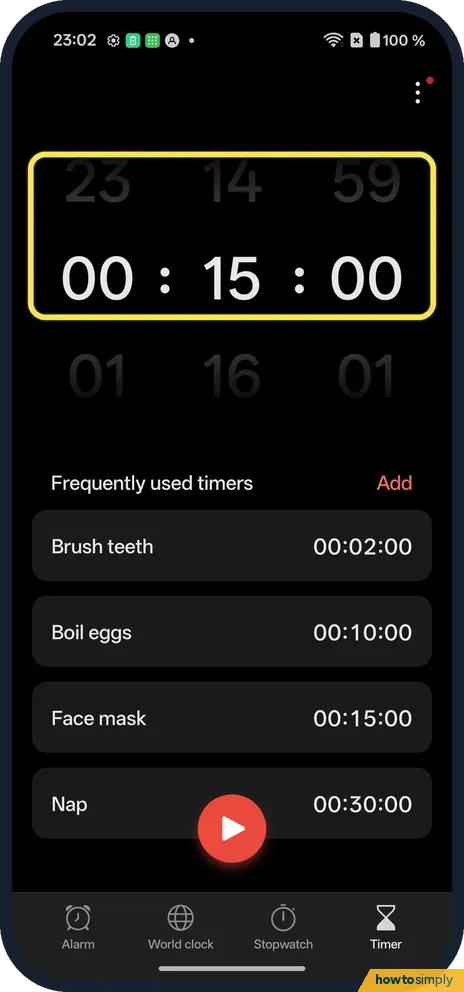
Set the time
Turn the hour, minute and second wheels.
- 3
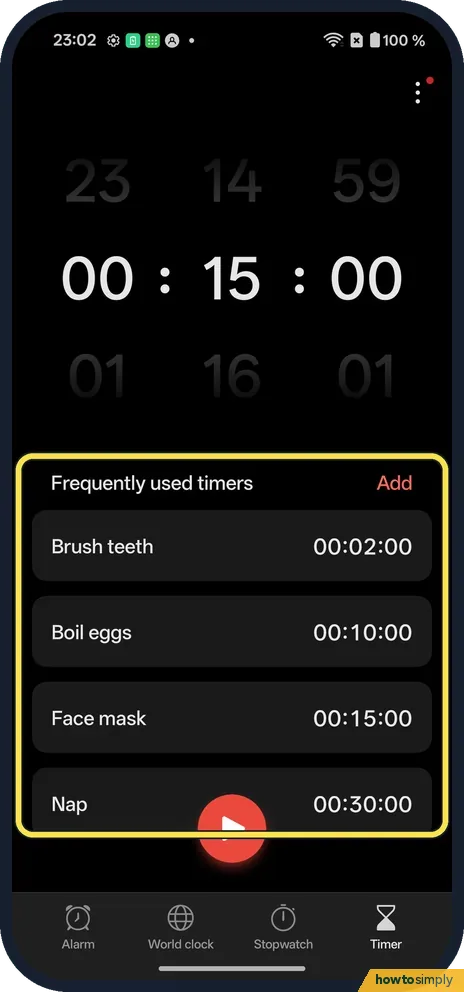
Or pick a preset
Frequently used timers lists Brush teeth, Boil eggs, Face mask and Nap. Add makes your own.
- 4
Tap play
The red button starts it.

- 5
Watch it count down
The ring shows the time left and when it rings.

- 6
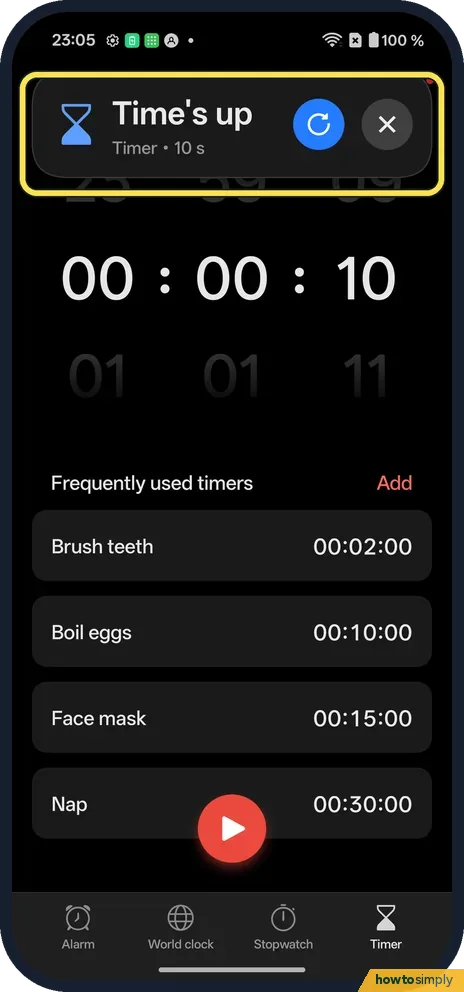
Stop the alert
A Time's up banner showed with Restart and X.
If you do not see this option
- No Timer tab? Open the Clock app itself. Ours had Alarm, World clock, Stopwatch and Timer at the bottom.
- Leaving the app? The OnePlus manual says a running timer stays visible in the status bar. Source: OxygenOS 14.0 User Manual
If this does not work
- No sound? Check the volume sliders. More: change the volume on a OnePlus.
- Missed the alert? In another app, ours showed Time's up as a banner at the top, with Restart and X.
- Timer silent while Do Not Disturb is on? Do Not Disturb can silence sounds or let certain ones through, such as alarms. Check its exceptions if the timer goes off without a sound while it is on.
- Need to stop a timer early? The manual says to go to Clock, Timer and tap the stop button. You can also tap the live card at the top of the screen to jump straight back to the timer.
Good to know
Set and delete an alarm on a OnePlus.
While a timer runs you can use other apps. The OnePlus manual describes it as a live bubble or card at the top of the screen: tap it to go back to Clock, or touch and hold it to expand it. When time is up, tap Restart to run the same length again or X to dismiss it. Timers do not use noticeable battery, and nothing carries on once you dismiss them.
For something that should ring every day at the same time, set an alarm instead. To see the time elsewhere while you wait for a call, add a world clock.
About this guide
- Device
- Android
- Shown on
- OnePlus Nord 5 (CPH2709), OxygenOS 16.0.5.1201, Android 16
- App
- Clock
- Path
- Clock › Timer
- Real screenshots
- 6 of 6 steps
- Checked
- October 2026
- Sources
- 1 official, linked below
Sources
Links checked October 2026. Menus and features can change with updates.Spotted a mistake? Menus change with updates, and we want every step to match your screen. Email us about this page or use the contact form. We read every report, and fixes are listed on What changed.
Liked this guide?
Follow us for new guides and short how-to videos.
Did this guide work for you?
Sorry about that. What happened?