
howtosimply.com/guides/how-to-set-an-app-timer-on-a-samsung-galaxy/ · Checked October 2026 · SM-A576B), One UI 9, Android 17 (build A576BXXU6BZIE · Samsung Galaxy A57
In this guide
Open Settings, Digital Wellbeing, and tap Set timer under App timers. Pick the app, tap Add schedule, choose the days and set the hours and minutes, then Save. Set the time first: on ours the wheels started at 00:00, and saving that made the app Over straight away.
6 of 6 steps with real screenshots · 1 official source below
- Device
- Android
- Shown on
- Samsung Galaxy A57 (SM-A576B), One UI 9, Android 17 (build A576BXXU6BZIE)
- App
- Settings
- Path
- Settings › Digital Wellbeing › Set timer
- Real screenshots
- 6 of 6 steps
- Checked
- October 2026
- Sources
- 1 official, linked below
Step by step
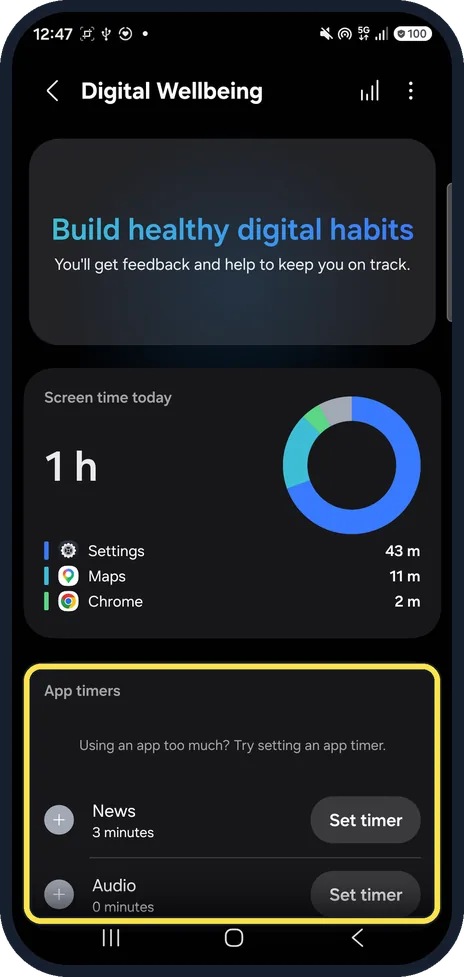
Open App timers
Open Settings, Digital Wellbeing and scroll to App timers. Tap Set timer.
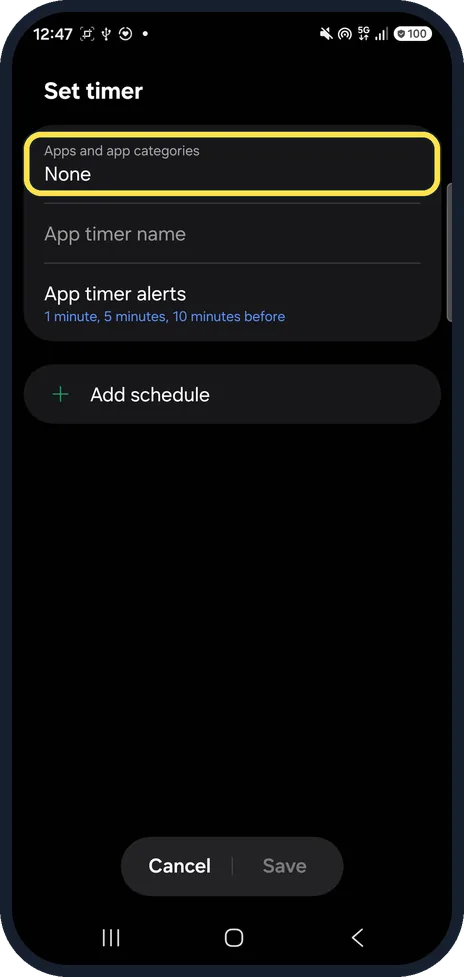
Tap Apps and app categories
The Set timer page starts with None. App timer alerts warn you 1, 5 and 10 minutes before.
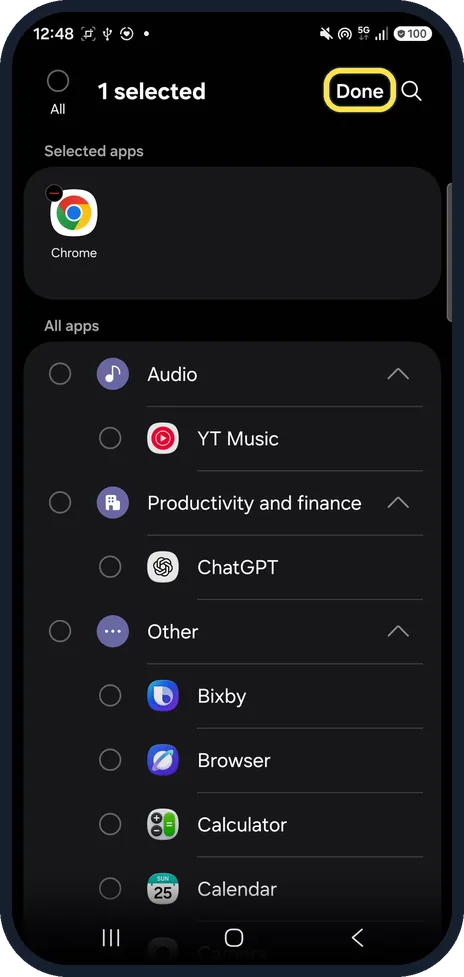
Pick the app and tap Done
Tick one or more apps; ours was Chrome.
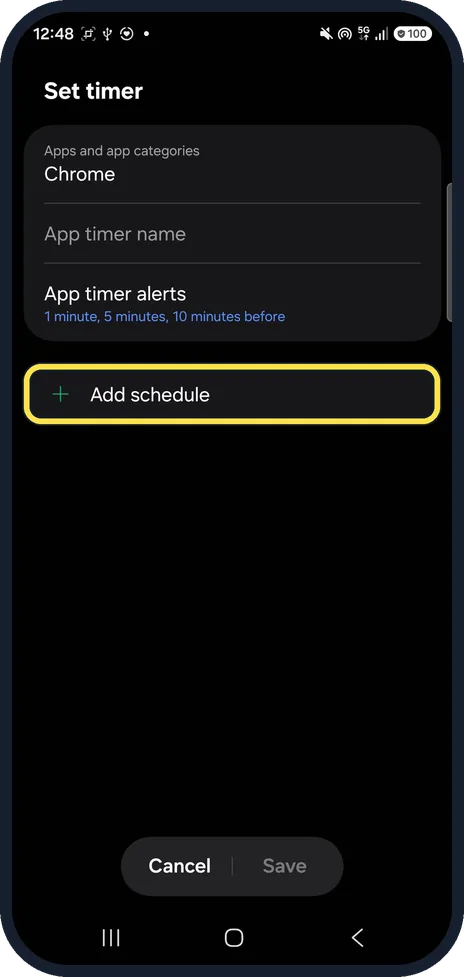
Tap Add schedule
The app is now listed under Apps and app categories.
Choose days and time, then Save
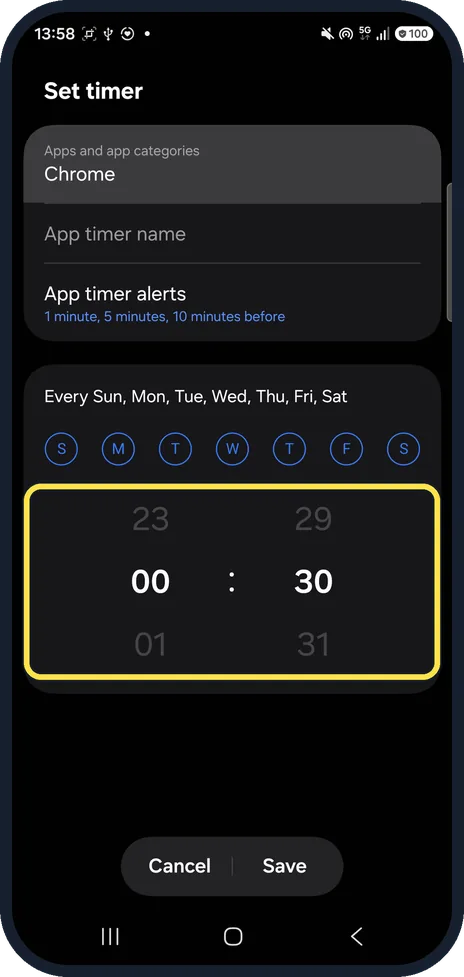
Every day was ticked on ours. The wheels start at 00:00: turn them to your limit first. We set 00:30 for 30 minutes a day.
Check the time left
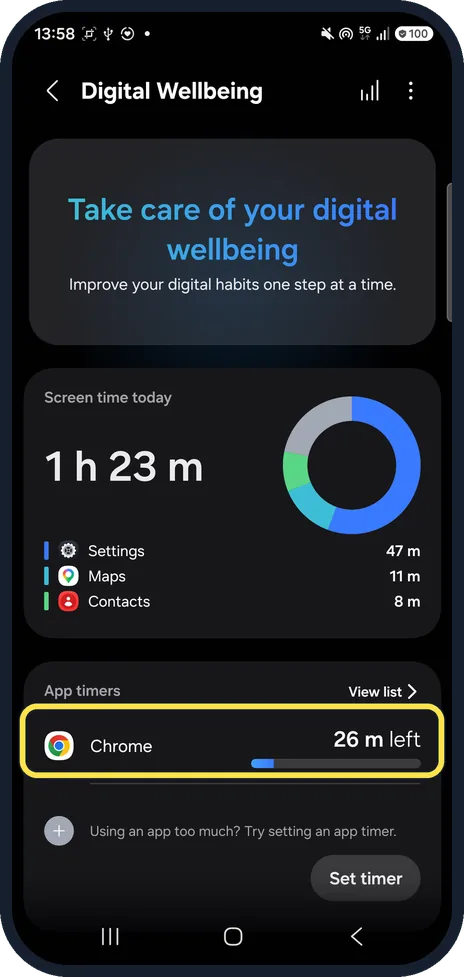
Back on Digital Wellbeing, App timers shows the app with a bar. Ours said Chrome 26 m left.
If you do not see this option
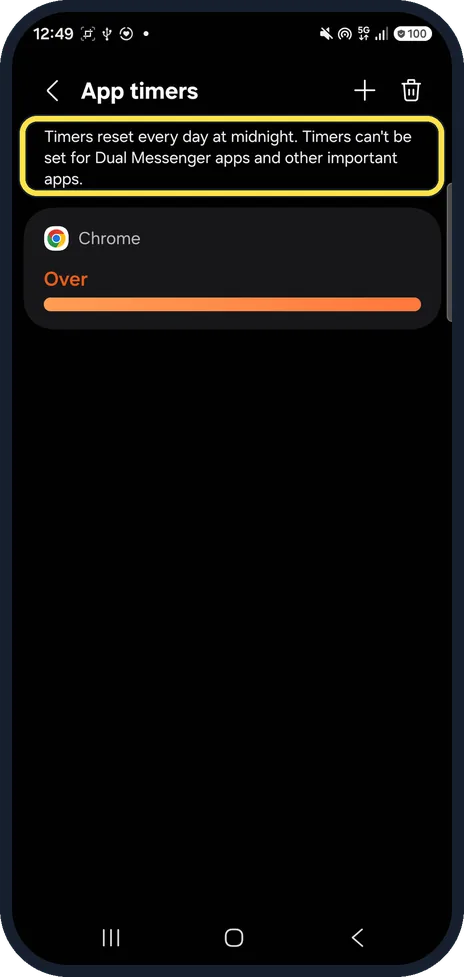
- Can't time an app? The App timers list says: Timers reset every day at midnight. Timers can't be set for Dual Messenger apps and other important apps.
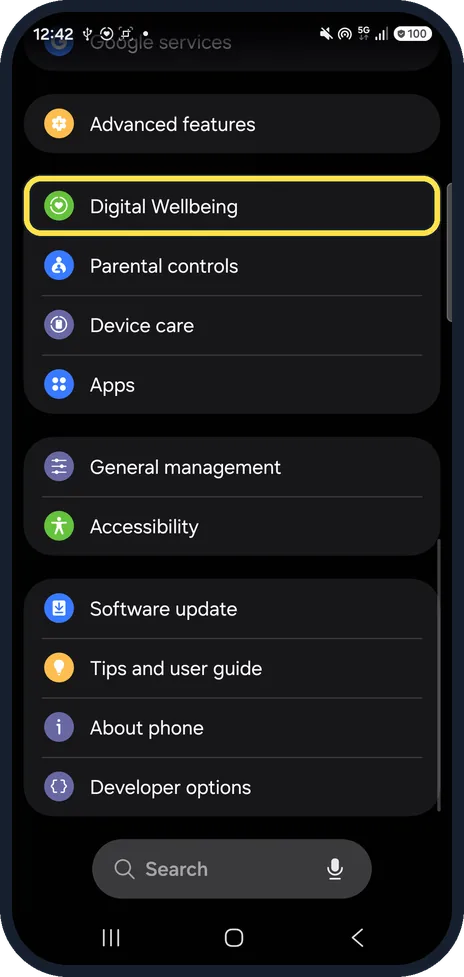
- No Digital Wellbeing in Settings? On ours it is its own row, between Advanced features and Parental controls. Samsung says it needs Android 10 or later, and screens vary by carrier, software version and model. Source: Use Digital Wellbeing features on your Galaxy phone or tablet
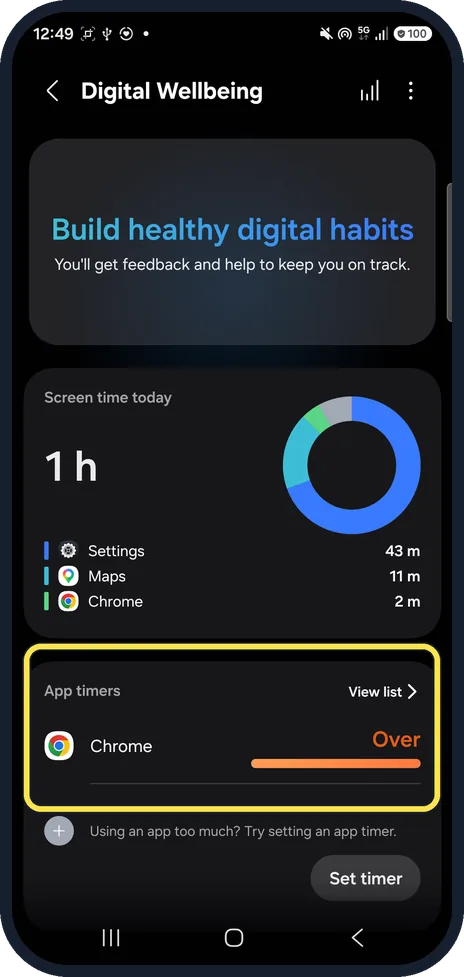
- Where is the list of timers? Tap View list next to App timers on the Digital Wellbeing page. Ours showed Chrome as Over, because we saved it at 00:00.
- Several apps at once? Samsung says you can tap All at the top left of the app list to select everything. Source: Use Digital Wellbeing features on your Galaxy phone or tablet
If this does not work
- App says Over right after saving? The time limit was left at 00:00. Samsung says to tap the app on the App timers tracker, tap the schedule, change the hours and minutes, and tap Save. Source: Use Digital Wellbeing features on your Galaxy phone or tablet
- Need to remove a timer? Samsung says: tap the app on the App timers tracker, then Apps and app categories, then the red minus next to the app. The App timers list also has a bin at the top right. Source: Use Digital Wellbeing features on your Galaxy phone or tablet
About this guide
App timers sit in Digital Wellbeing, which on One UI 9 is its own row in Settings.
The screenshots are from our Samsung Galaxy A57 (SM-A576B) with One UI 9 and Android 17, in Dark mode, taken on 25 October 2026. We set a timer for Chrome, then deleted it.
Good to know
To see where your time goes first, see check screen time on a Galaxy.
In short: Settings, Digital Wellbeing, Set timer, app, Add schedule, time, Save.
Links checked in October 2026. Menus and features can change after software updates. These steps match the version named at the top.
📷 See real photos from the Galaxy A57 in our Camera Lab, next to 10 other phones.
Did this guide work for you?
Sorry about that. What happened?