
howtosimply.com/guides/samsung-galaxy-photos-blurry-or-out-of-focus-fixes/ · Checked October 2026 · Samsung Galaxy A57 5G (SM-A576B), One UI 8.5, Android 16
In this guide
Wipe the camera lens, tap the subject on the screen to focus, hold the phone still and step back if you are very close. If photos stay blurry, open Camera, Settings and tap Reset settings at the bottom. On the Galaxy A57 there is no Scene optimizer or Tracking auto-focus option.
4 of 5 steps with real screenshots · 4 official sources below
- Device
- Android
- Shown on
- Samsung Galaxy A57 5G (SM-A576B), One UI 8.5, Android 16
- App
- Camera
- Path
- Camera › Settings › Reset settings if it persists
- Real screenshots
- 4 of 5 steps
- What we did
- Observed: looked at each screen, changed nothing
- Our phone
- Shown on Galaxy A57, One UI 8.5
- Checked
- October 2026
- Sources
- 4 official, linked below
Step by step
Clean the lens
A fingerprint on the lens makes every photo soft and hazy. Wipe it with a soft cloth; check the case is not covering part of the lens.
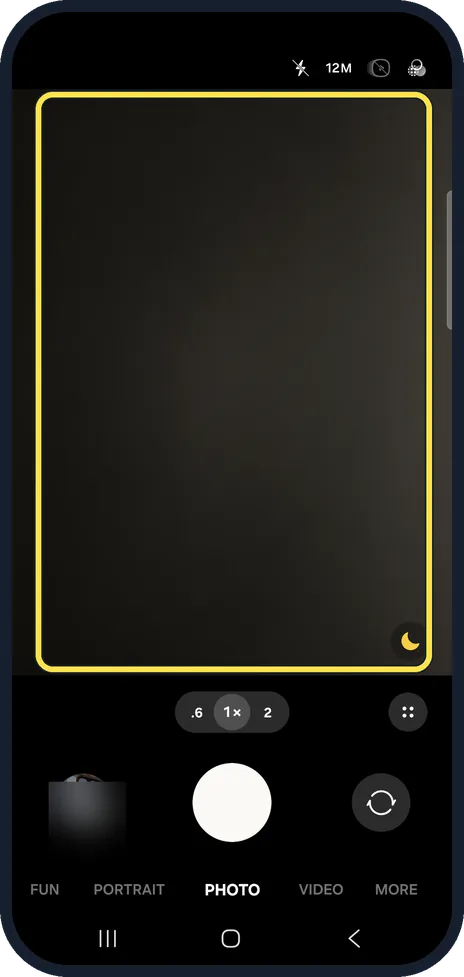
Tap to focus
In the viewfinder, tap the thing you want sharp. The camera focuses and sets the brightness on that spot. Keep still until the shutter sound.
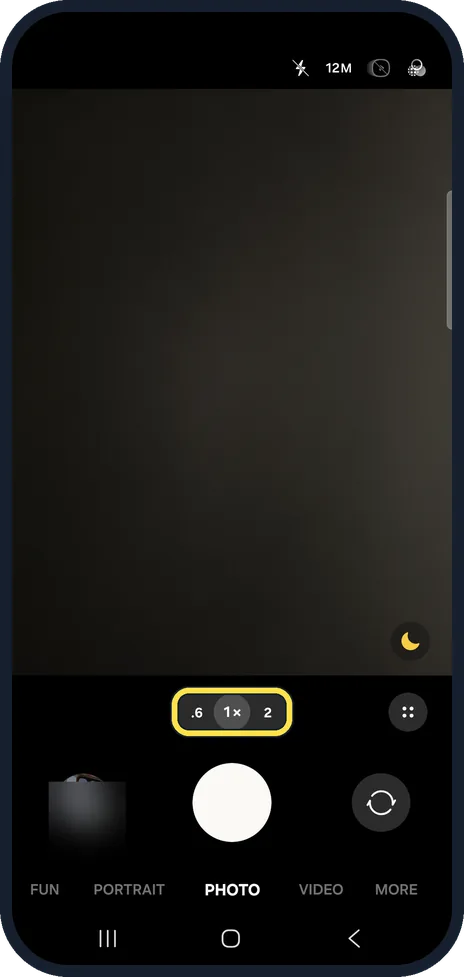
Step back or change the zoom
Very close subjects cannot be in focus. Move back a little, or use the 1x lens instead of the .6 ultra wide for close-ups.
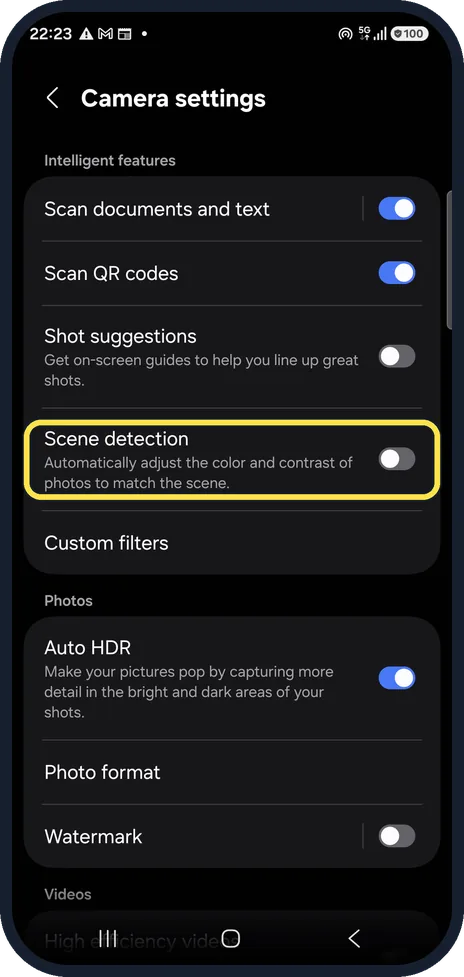
Check the camera settings
Open Camera, the settings gear. The A57 has Scene detection and Shot suggestions here, but not the Scene optimizer and Tracking auto-focus that Samsung's help page mentions for other models.
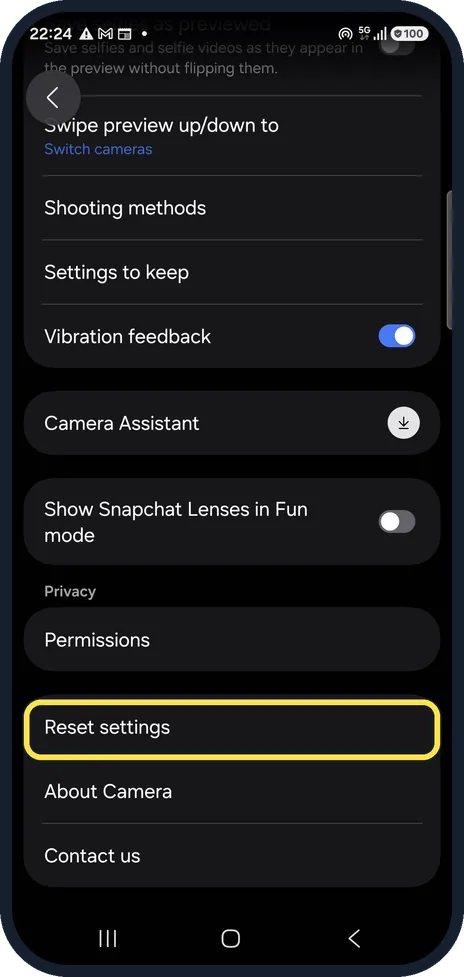
Reset the camera settings
At the bottom of Camera settings, Reset settings puts every camera option back to the default. Your photos stay. We did not tap it.
If you do not see this option
- Your model has Tracking auto-focus Samsung says that with Tracking auto-focus on, the camera locks onto what you touched for 3 seconds, so the rest can look out of focus. Turn it off in Camera settings. Our A57 had no such switch. Source: What to do if my Galaxy phone camera does not focus on the subject?
- Close-ups are blurry around the edge Samsung says some models have a Focus enhancer, a flower icon in the viewfinder, that switches to the ultra-wide camera for close subjects. Source: How to fix blurry or poor photo and video quality on your Samsung Galaxy device
If this does not work
- Still blurry after the reset Samsung suggests updating the software under Settings, Software update, then testing the camera in Safe mode. If focus works there, a recently installed app is the cause. Source: What to do if my Galaxy phone camera does not focus on the subject?
- Photos look foggy or hazy Samsung says this can be condensation inside the camera after a temperature change. It clears on its own. Source: How to fix blurry or poor photo and video quality on your Samsung Galaxy device
- Blurry with a lens protector Samsung says a camera protector or lens cover can cause focus problems. Take it off and try again. Source: How to fix blurry or poor photo and video quality on your Samsung Galaxy device
About this guide
Most blurry phone photos come from a smudged lens, a subject too close for the lens, or movement in low light. Settings only matter after those three.
Good to know
Samsung's page also mentions a Focus enhancer (a flower icon) for close-ups on some models; we did not see one in the A57's viewfinder.
If the camera shows an error instead of a blurry picture, see "Camera failed" on a Samsung Galaxy.
If one lens is always blurry even after cleaning and reset, it may be damaged; Samsung service can check it.
In short: Clean the lens, tap to focus, step back, hold still; Camera, Settings, Reset settings if it persists.
- Samsung Latin: What to do if my Galaxy phone camera does not focus on the subject?
- Samsung US: Galaxy phone or tablet camera does not focus on the subject
- Samsung Latin: How to fix blurry or poor photo and video quality on your Samsung Galaxy device
- Samsung US: Fix blurry or poor photo and video quality on your Samsung Galaxy device
Links checked in October 2026. Menus and features can change after software updates. These steps match the version named at the top.
📷 See real photos from the Galaxy A57 in our Camera Lab, next to 10 other phones.
Did this guide work for you?
Sorry about that. What happened?