ONEPLUS
How to change who can send you files with Quick Share on a OnePlus

In short
Search Settings for Quick Share, or open Settings, Google, Quick Share. Tap Who can share with you and turn on Visible to nearby devices. Then pick Your devices, Contacts, Everyone or Everyone for 10 minutes.
5 of 5 steps show a real screenshot from our Nord 5. Each step was checked against the maker's own instructions, linked at the end.
Steps
- 1
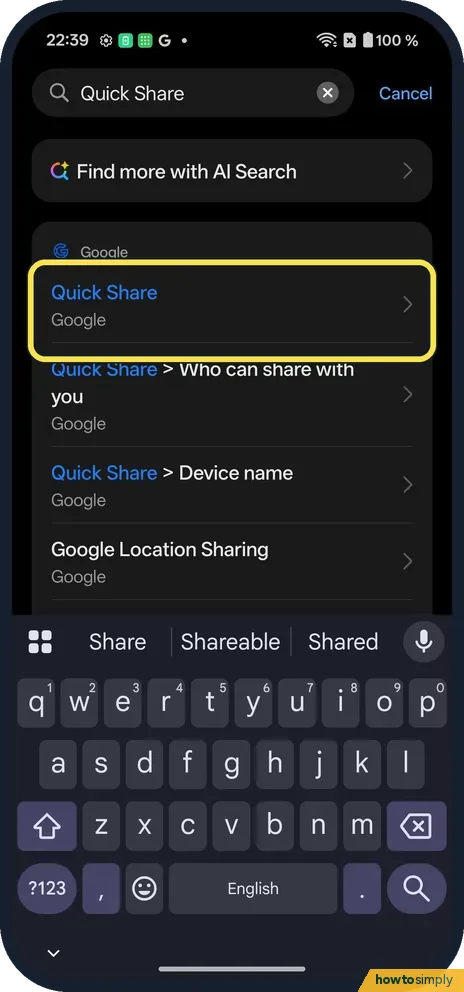
Search for Quick Share
It is under Google.
- 2
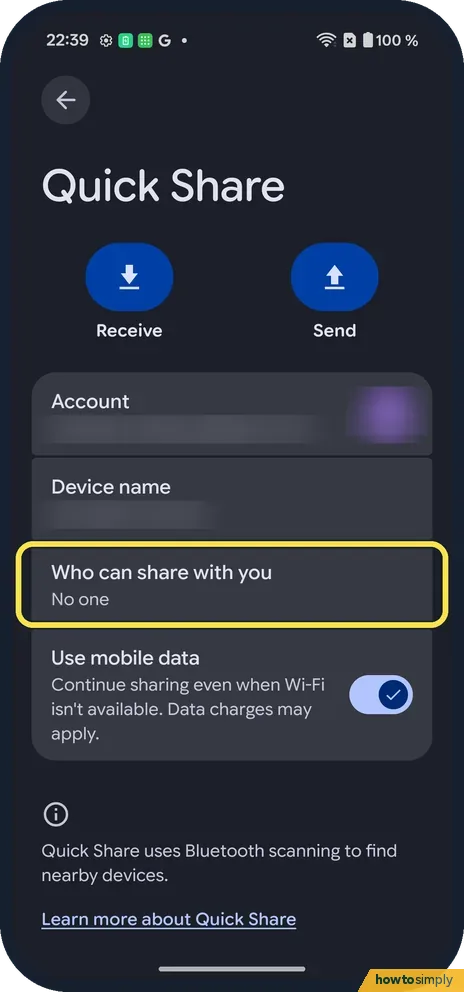
Tap Who can share with you
Ours said No one.
- 3
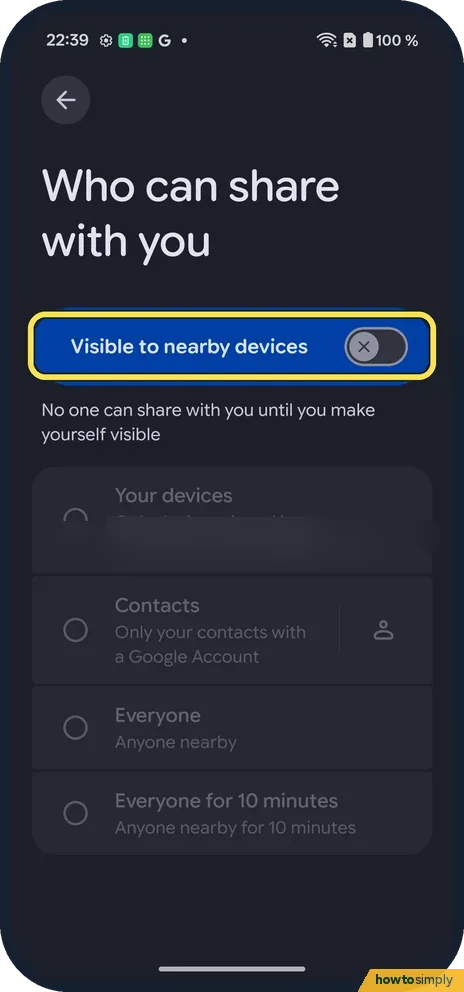
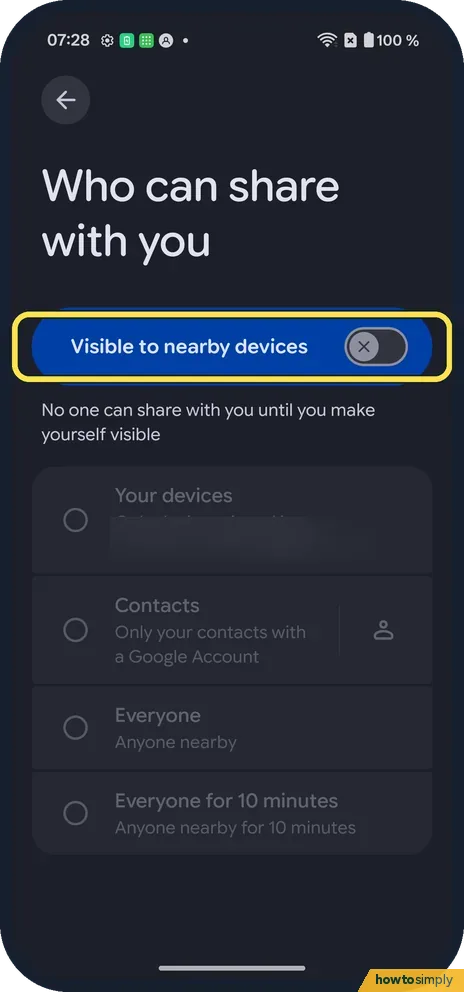
Turn on visibility
Turn on Visible to nearby devices. Ours said: No one can share with you until you make yourself visible.
- 4
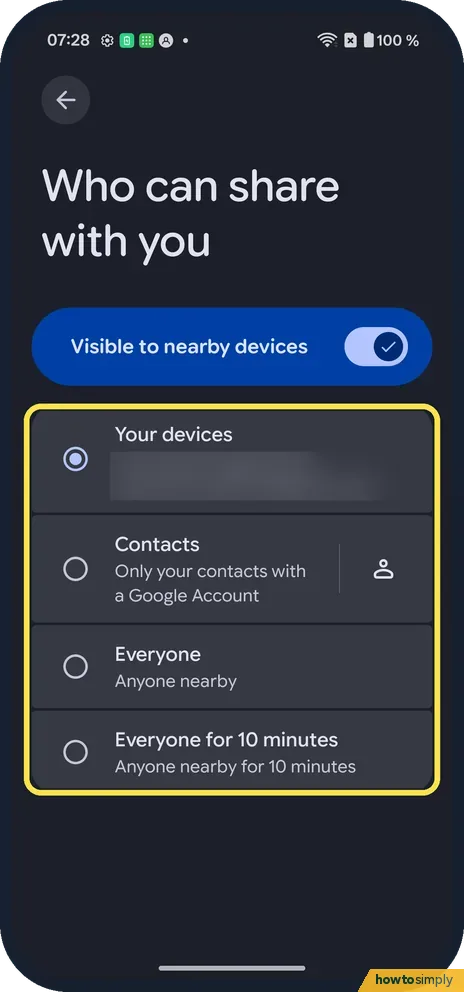
Choose who
Ours turned on with Your devices picked. Contacts, Everyone and Everyone for 10 minutes are below.
- 5
Turn it off again
Switch Visible to nearby devices off. Nobody can share with you until you turn it back on.
If you do not see this option
- No Google row? Search Settings for Quick Share, as we did.
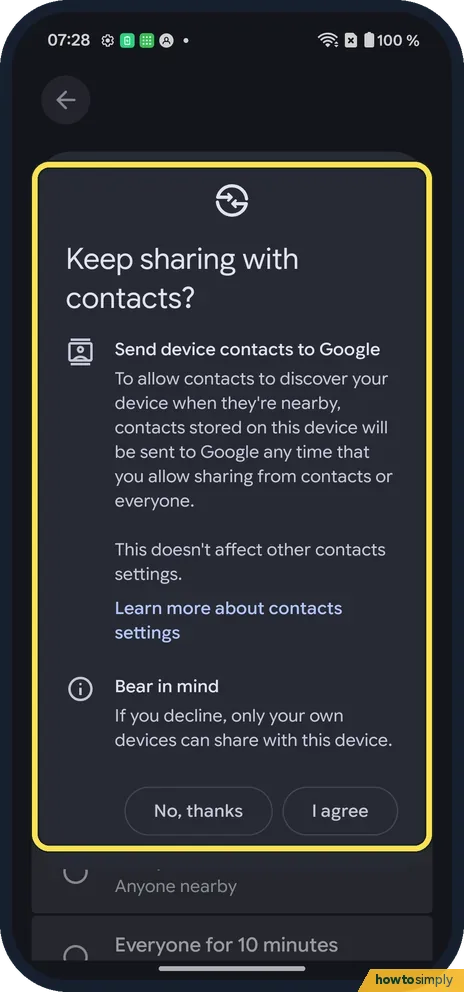
- Contacts asks to send your contacts to Google? Ours asked to Send device contacts to Google before Contacts would work. We tapped No, thanks, so we used Your devices.
If this does not work
- Your phone is not found? Pick Everyone for 10 minutes while you receive.
- Still not found? Google says Bluetooth needs to be on, on both phones. Location only needs to be on for a phone with Android 12 or earlier.
- Screen off and nothing arrives? Google says contacts and other people can only see you while your screen is on and unlocked. Only your own devices on the same Google Account can still reach you with the screen off.
- Transfer keeps failing? Google suggests bringing the phones within about 30 cm of each other, turning aeroplane mode on and off, waiting until nobody else is sending to that phone, and restarting it.
- Wi-Fi dropped during a transfer? Google says Wi-Fi reconnects after you leave the Quick Share page, so finish or cancel the transfer first.
Good to know
Share a Wi-Fi password on a OnePlus.
Received files land in the Files app, under Downloads, in a Quick Share folder, according to Google. Changing who can share with you does not affect sending: you can still send to others whatever you pick here. Being visible uses Bluetooth, so it needs to stay on. Google also describes a Receive mode on the Quick Share page that makes the phone visible to anyone nearby for as long as you stay on that screen, which is handy for a one-off file. If you want to check a file was not harmful after receiving it, see scan for harmful apps with Play Protect.
About this guide
- Device
- Android
- Shown on
- OnePlus Nord 5 (CPH2709), OxygenOS 16.0.5.1201, Android 16
- App
- Settings
- Path
- Settings › Google › Quick Share
- Real screenshots
- 5 of 5 steps
- Checked
- October 2026
- Sources
- 1 official, linked below
Sources
Links checked October 2026. Menus and features can change with updates.Spotted a mistake? Menus change with updates, and we want every step to match your screen. Email us about this page or use the contact form. We read every report, and fixes are listed on What changed.
Liked this guide?
Follow us for new guides and short how-to videos.
Did this guide work for you?
Sorry about that. What happened?