
howtosimply.com/guides/how-to-save-a-still-photo-from-a-video-on-a-samsung-galaxy/ · Checked October 2026 · SM-A576B), One UI 9, Android 17 (build A576BXXU6BZIE · Samsung Galaxy A57
In this guide
Open the video in Gallery, pause on the frame you want and tap the capture icon at the bottom left of the player. The still is saved straight away; on ours it went to DCIM/Videocaptures, the Video captures album in Gallery.
3 of 3 steps with real screenshots · 1 official source below
- Device
- Android
- Shown on
- Samsung Galaxy A57 (SM-A576B), One UI 9, Android 17 (build A576BXXU6BZIE)
- Real screenshots
- 3 of 3 steps
- Checked
- October 2026
- Sources
- 1 official, linked below
Step by step
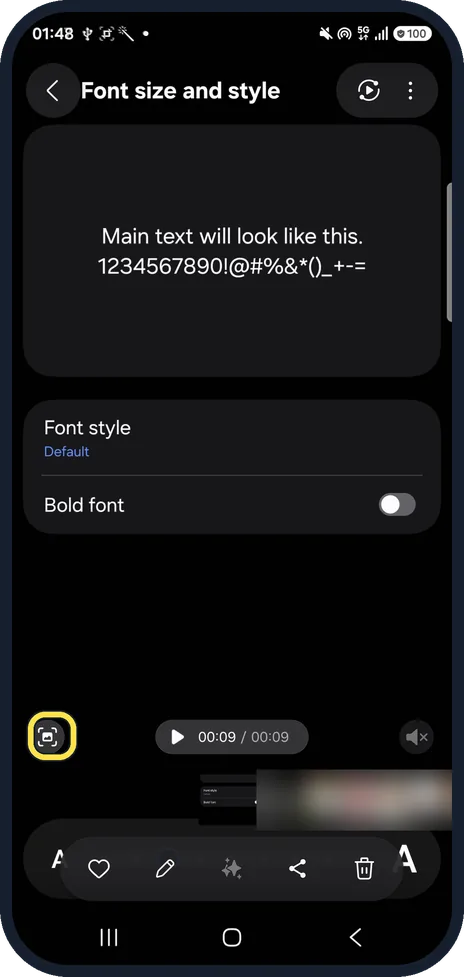
Pause the video on your frame
Open the video in Gallery, tap it to show the controls and pause on the frame you want. Tap the capture icon at the bottom left of the player.
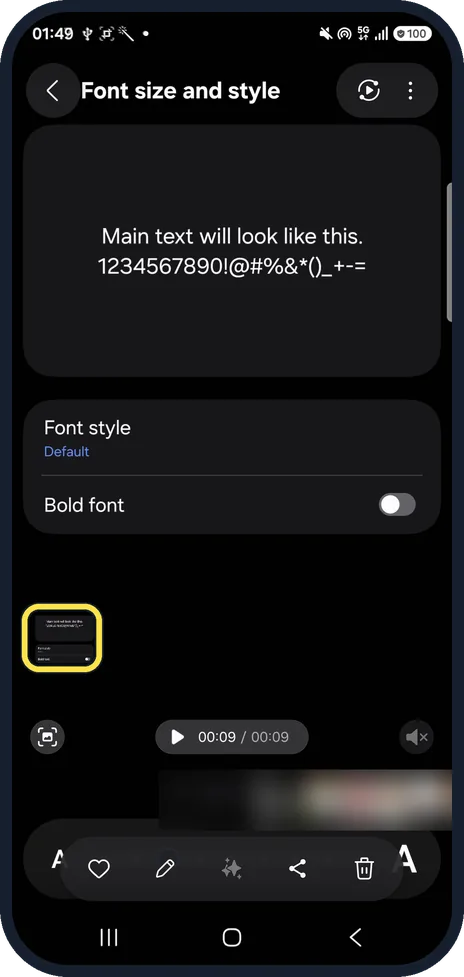
Find the still
A small preview appears at the bottom left; tap it to open the still. It is saved in Gallery already (DCIM/Videocaptures on ours).
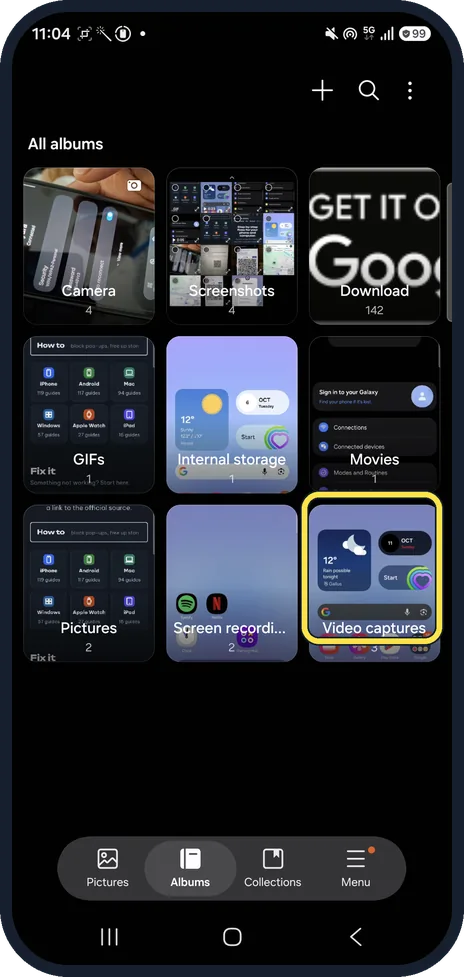
Find it later in Albums
In Gallery, tap Albums at the bottom. Ours had a Video captures album at the end of the list, with every frame we had captured.
If you do not see this option
- Can't find the album? Samsung says to open Gallery, Albums, View all: frame captures are in the Video captures folder. Source: How to capture an image from a video frame
- Playing the video in Google Photos? Its player has no capture button. Tap Edit instead: Google says to tap Export frame, the camera icon above the timeline on ours, to save the frame as a photo. Source: Edit your videos with Google Photos
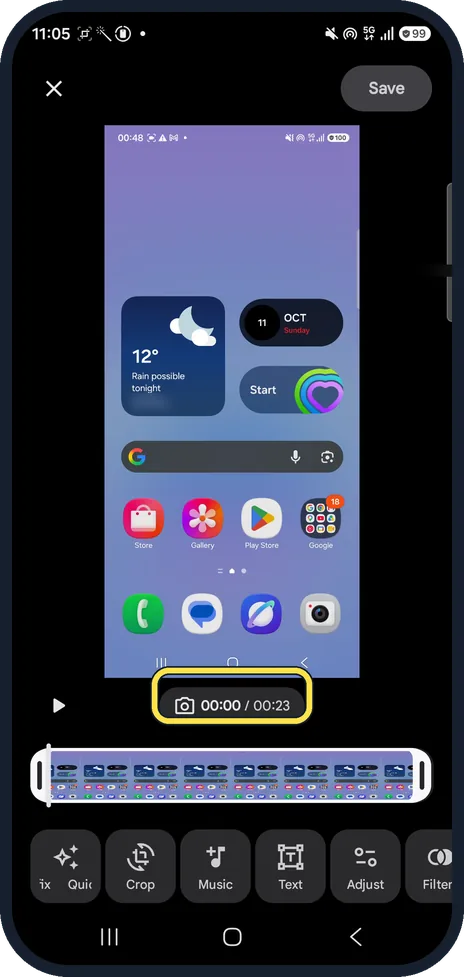
If this does not work
- No capture icon? Tap the video once to show the player controls; the icon sits at their bottom left.
- Want the whole screen instead? See how to take a screenshot on a Samsung Galaxy.
About this guide
Samsung Gallery has a capture button in its video player, so you don't need a screenshot with the player controls on top.
The screenshots are from our Samsung Galaxy A57 with One UI 9 and Android 17, in Dark mode, taken on 24 October 2026. We captured a frame from a short test clip, then deleted the clip and the still.
Good to know
Cut the clip down: how to trim a video on a Samsung Galaxy.
In short: Gallery, open the video, pause, capture icon bottom left. Saved in Video captures.
Links checked in October 2026. Menus and features can change after software updates. These steps match the version named at the top.
Did this guide work for you?
Sorry about that. What happened?