
howtosimply.com/guides/how-to-turn-off-lock-screen-magazine-on-an-oppo-phone/ · Checked October 2026 · CPH2689, EEA), ColorOS 16.0.5, Android 16 (build CPH2689_16.0.5.1001(EX01) · OPPO Reno13 5G
In this guide
Open Settings, Home screen, Lock screen & style, Lock screen settings, Lock Screen Magazine and turn the switch off. ColorOS then asks why: tap Turn off, or tick a reason and tap Submit.
4 of 4 steps with real screenshots · 1 official source below
- Device
- Android
- Shown on
- OPPO Reno13 5G (CPH2689, EEA), ColorOS 16.0.5, Android 16 (build CPH2689_16.0.5.1001(EX01))
- App
- Settings
- Path
- Settings › Home screen › Lock screen & style › Lock screen settings
- Real screenshots
- 4 of 4 steps
- Checked
- October 2026
- Sources
- 1 official, linked below
Step by step
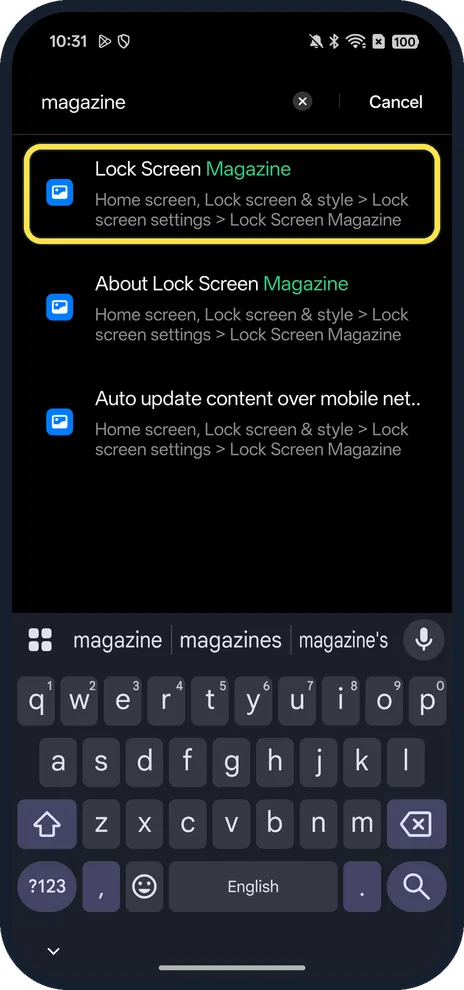
Search Settings for magazine
Or go Home screen, Lock screen & style, Lock screen settings, Lock Screen Magazine.
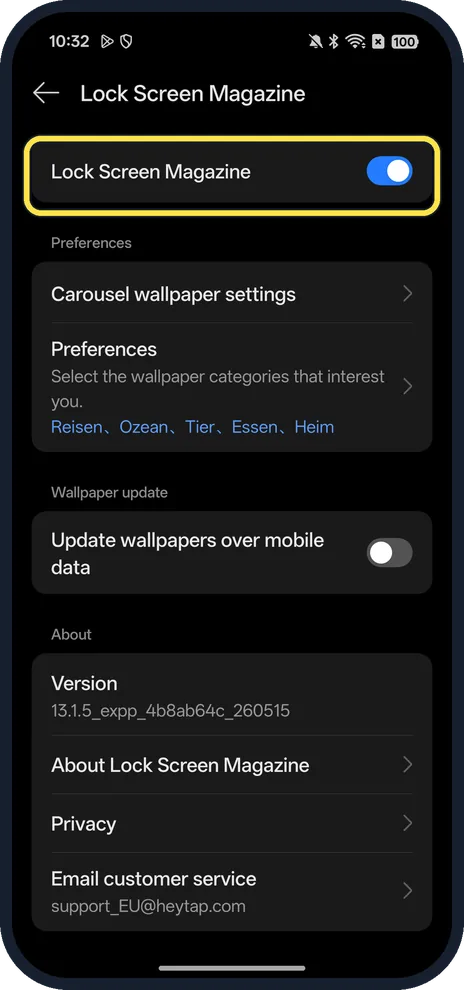
Turn off Lock Screen Magazine
The switch at the top.
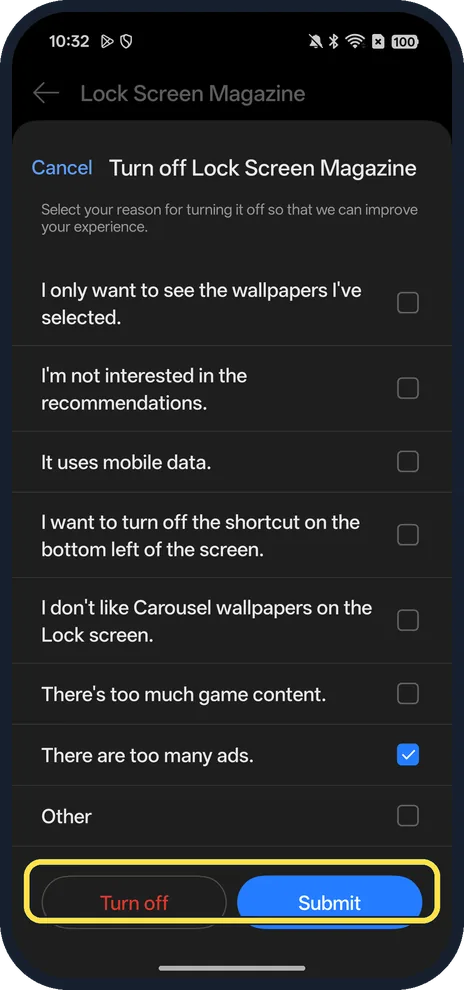
Tap Turn off, or pick a reason and Submit
Reasons on ours included There are too many ads and I'm not interested in the recommendations.
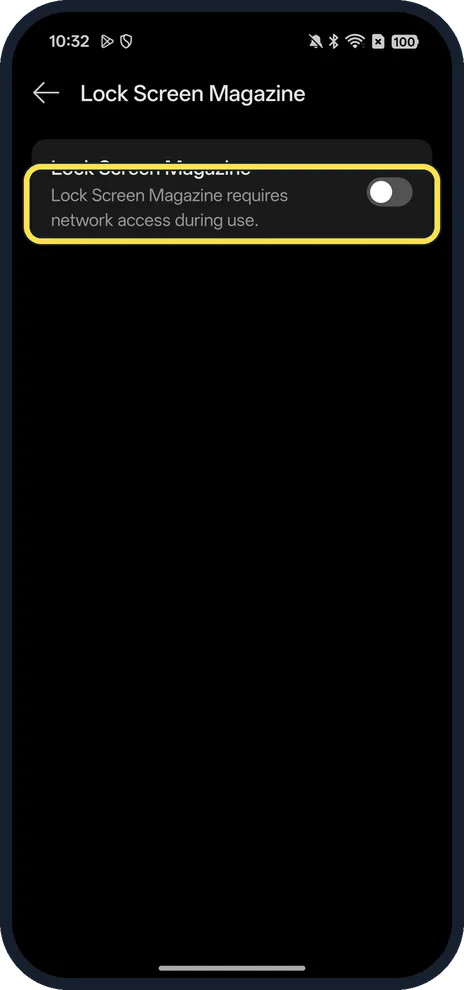
Check it is off
Ours said: Lock Screen Magazine requires network access during use.
If you do not see this option
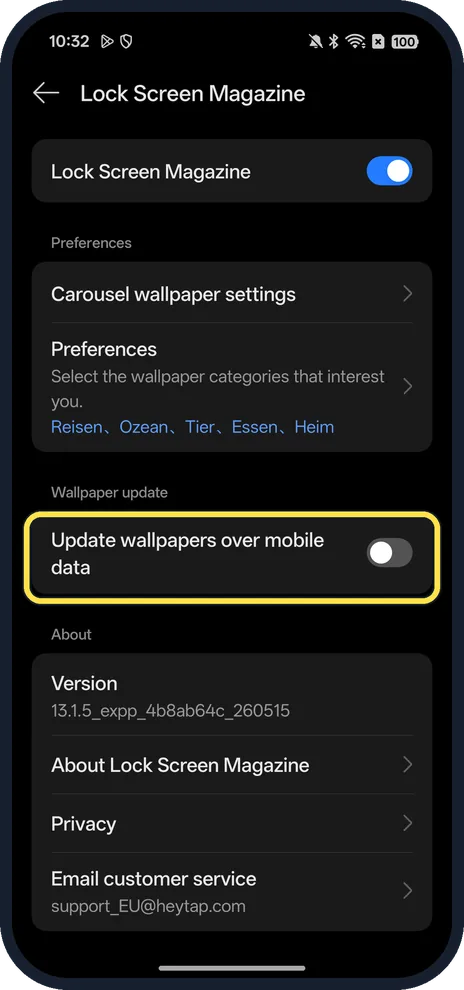
- Keep it but save data? Update wallpapers over mobile data is a switch on the same page; it was off in ours.
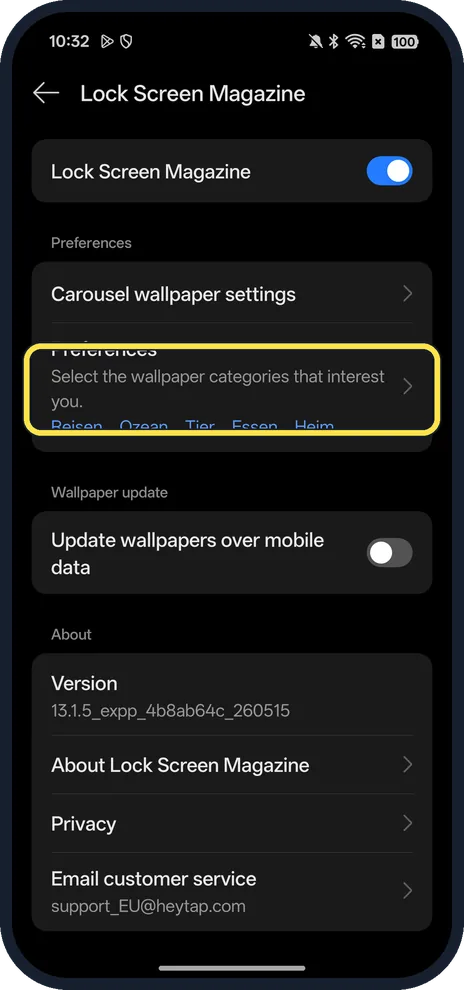
- Only some topics? Preferences: select the wallpaper categories that interest you.
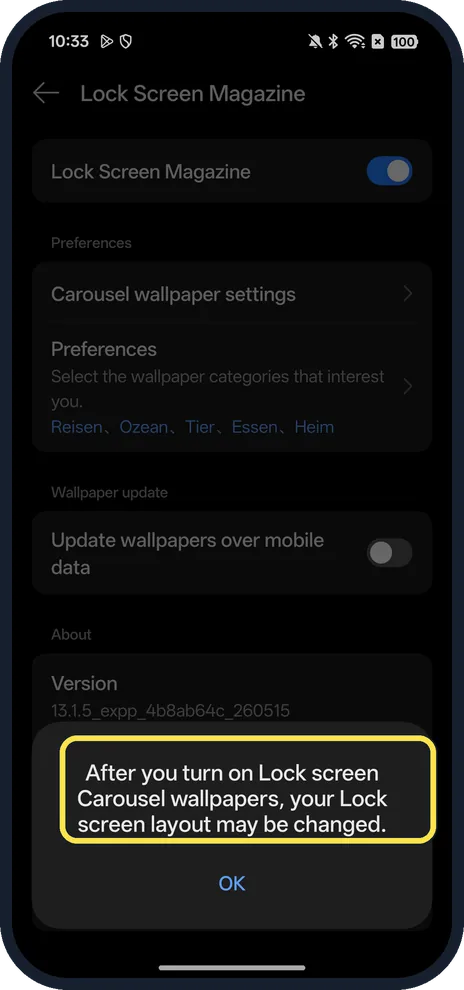
- Turning it back on? ColorOS warns: After you turn on Lock screen Carousel wallpapers, your Lock screen layout may be changed. Tap OK.
If this does not work
- Want one fixed picture? Set a wallpaper after turning the magazine off. OPPO's ColorOS 11 guide put the wallpaper under Settings, Home Screen and Lock Screen Magazine, Set Wallpaper. Source: ColorOS 11 User Guide
- Worried about data? The page notes the magazine needs network access; keep Update wallpapers over mobile data off.
About this guide
Lock Screen Magazine changes the lock screen picture through the day (ColorOS also calls it Carousel wallpapers).
The screenshots are from our OPPO Reno13 5G, the European model CPH2689, with ColorOS 16.0.5 and Android 16 (build CPH2689_16.0.5.1001(EX01)), in Dark mode. It was on in ours; we turned it off for the screenshots and back on.
Good to know
To choose your own picture, see change the wallpaper.
For the other ad switches, see turn off ads and recommendations.
In short: Settings, Home screen, Lock screen & style, Lock screen settings, Lock Screen Magazine off.
Links checked in October 2026. Menus and features can change after software updates. These steps match the version named at the top.
Did this guide work for you?
Sorry about that. What happened?