
howtosimply.com/guides/play-store-not-downloading-apps-on-a-samsung-galaxy-fixes/ · Checked October 2026 · Samsung Galaxy A57 5G (SM-A576B), One UI 8.5, Android 16
In this guide
Check that the Play Store's App download preference is not set to Over Wi-Fi only while you are on mobile data, and that the phone has free storage. Then open Settings, Apps, Google Play Store, Storage and tap Clear cache, and restart the phone.
4 of 5 steps with real screenshots · 1 official source below
- Device
- Android
- Shown on
- Samsung Galaxy A57 5G (SM-A576B), One UI 8.5, Android 16
- App
- Play Store
- Real screenshots
- 4 of 5 steps
- What we did
- Observed: looked at each screen, changed nothing
- Our phone
- Shown on Galaxy A57, One UI 8.5
- Checked
- October 2026
- Sources
- 1 official, linked below
Step by step
Check the download preference
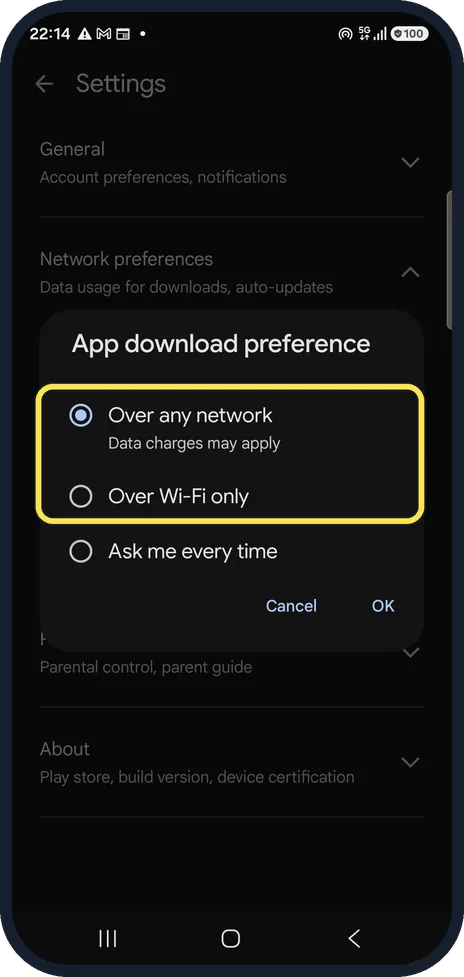
In the Play Store, tap your profile picture, Settings, Network preferences, App download preference. Over Wi-Fi only makes downloads wait until you are on Wi-Fi. Ours is set to Over any network.
Ask every time if you are unsure
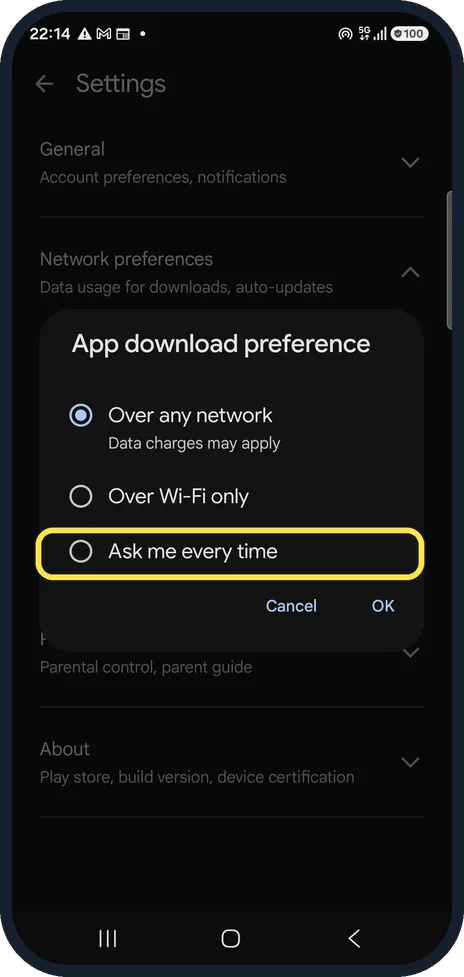
Ask me every time lets you decide for each download. We pressed Cancel and changed nothing.
Make sure there is free space
An app needs room for the download and for installing it. Samsung advises freeing space when less than 1 GB is left; Settings, Device care, Storage shows how full the phone is.
Clear the Play Store cache
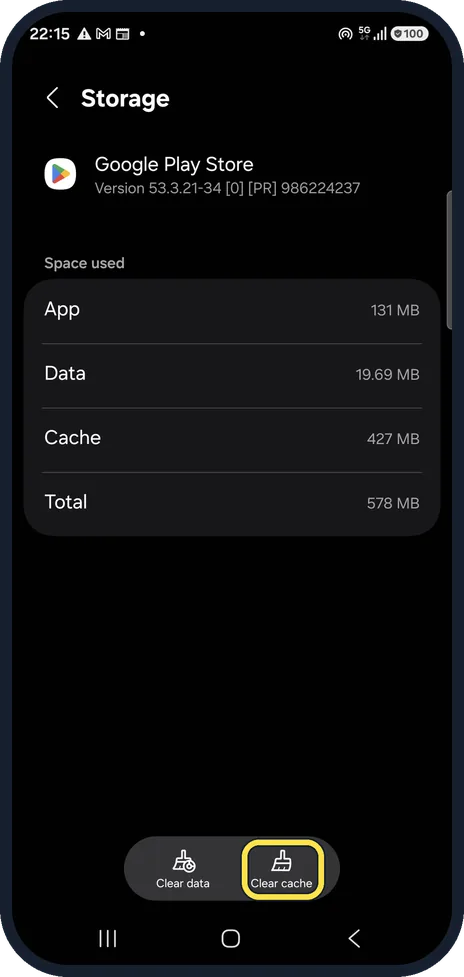
Open Settings, Apps, Google Play Store, Storage and tap Clear cache. Ours held 427 MB of cache. Clearing it keeps your account and your apps.
Restart and try again
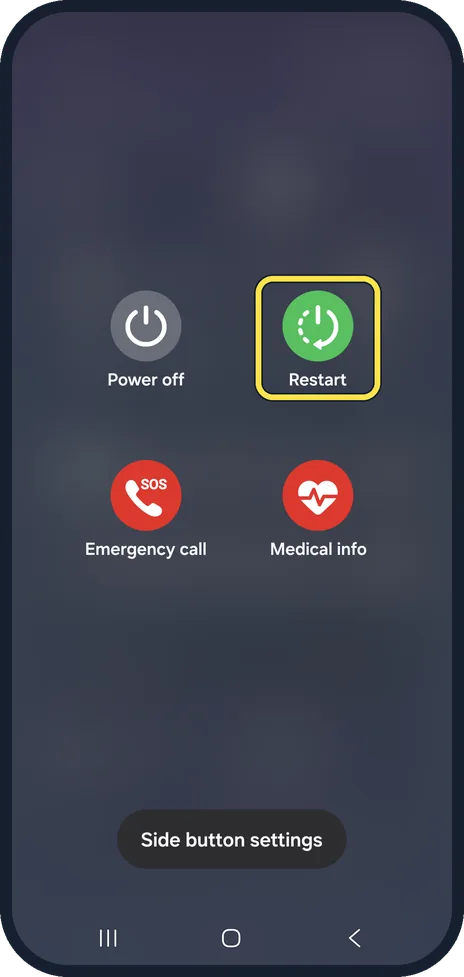
Restart the phone, open the Play Store and start the download again.
About this guide
A download that never starts usually waits for Wi-Fi, for free space or for other downloads in the queue. A download that fails with an error is more often a damaged Play Store cache.
Good to know
If a download says Pending, other downloads or updates are ahead of it: Download pending in Google Play explains the queue.
If nothing helps, Samsung suggests removing your Google account from the phone and adding it again (Settings, Accounts and backup). Low storage is the other common cause: how to check and free up storage on a Samsung Galaxy.
In short: Play Store, profile, Settings, Network preferences: not Over Wi-Fi only on mobile data. Free space, clear the Play Store cache, restart.
Links checked in October 2026. Menus and features can change after software updates. These steps match the version named at the top.
📷 See real photos from the Galaxy A57 in our Camera Lab, next to 10 other phones.
Did this guide work for you?
Sorry about that. What happened?