ONEPLUS
How to turn on camera grid lines on a OnePlus (OxygenOS 16)

In short
Open the Camera, tap the three lines at the top right, then Settings, Composition assistance. Tap Grid and guides and pick Grid. Diagonal lines and Golden spiral are the other choices.
7 of 7 steps show a real screenshot from our Nord 5. Each step was checked against the maker's own instructions, linked at the end.
Steps
- 1
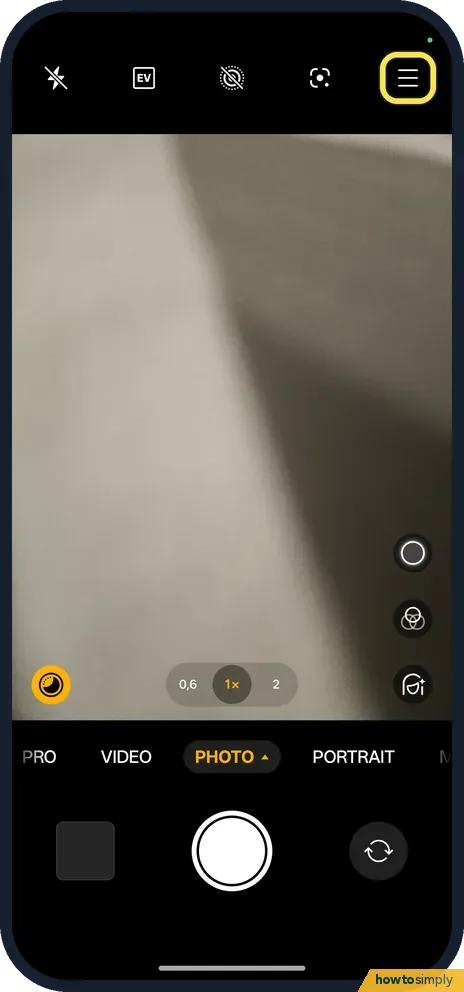
Open the camera menu
Tap the three lines at the top right.
- 2
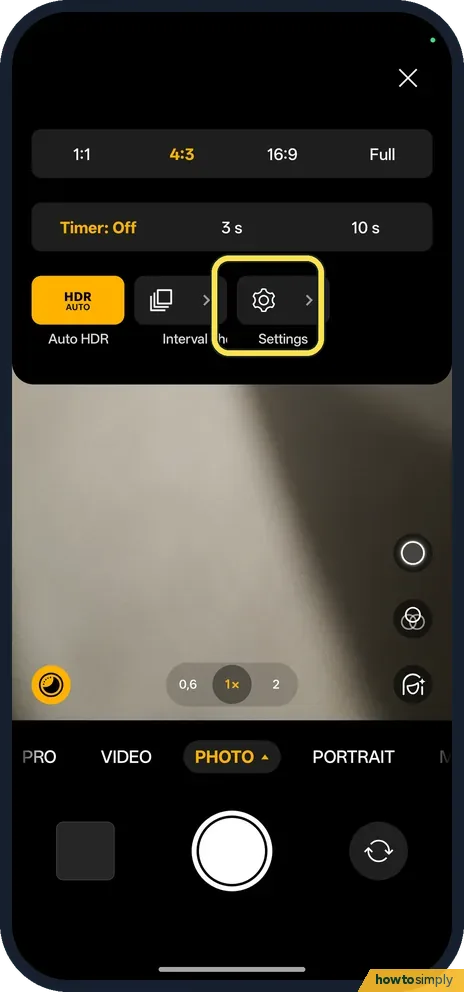
Tap Settings
The gear is in the menu.
- 3
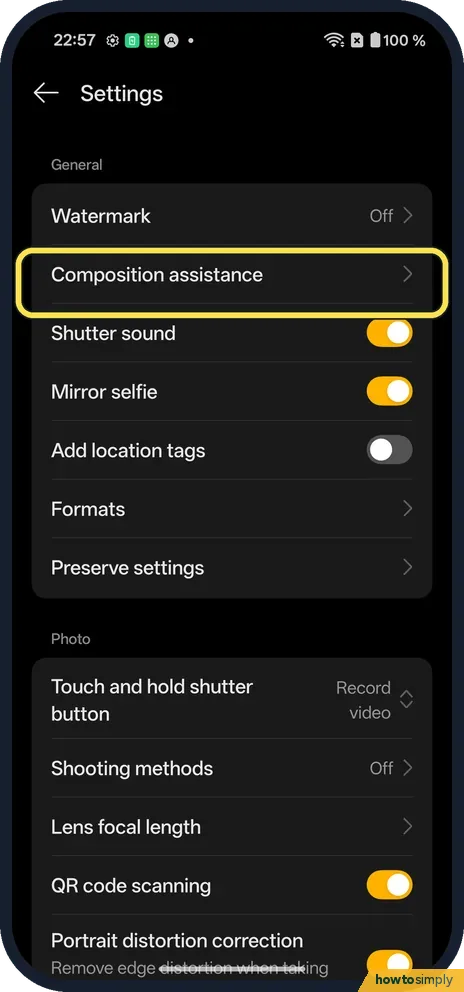
Tap Composition assistance
It is under General.
- 4
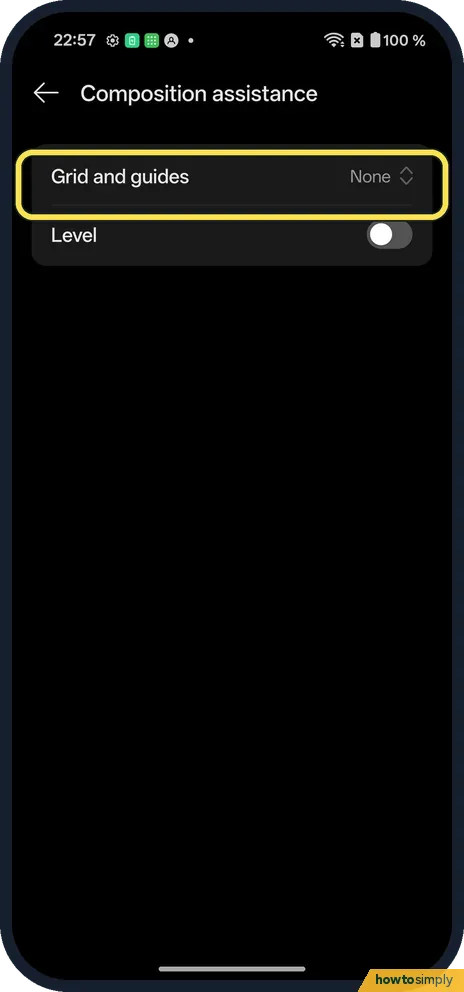
Tap Grid and guides
It said None on ours. Level is below it.
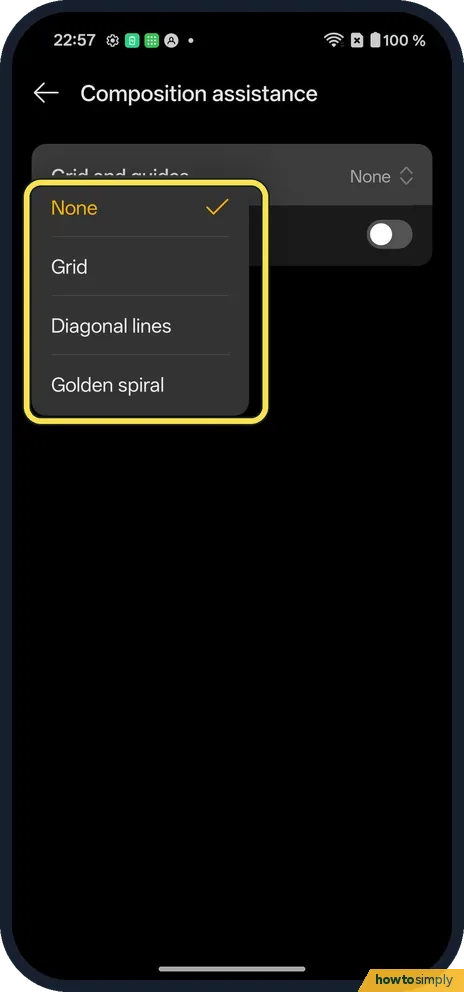
- 5
Pick Grid
The choices are None, Grid, Diagonal lines and Golden spiral.
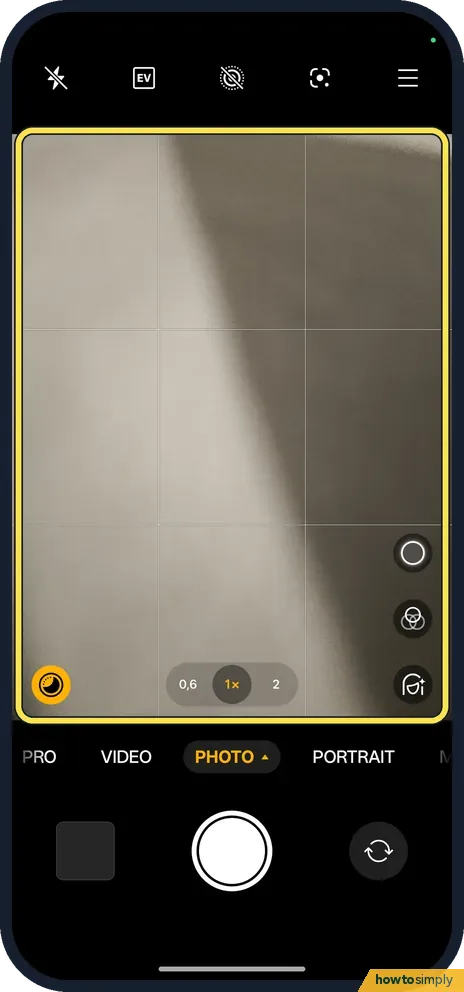
- 6
See the grid
The viewfinder shows the lines.
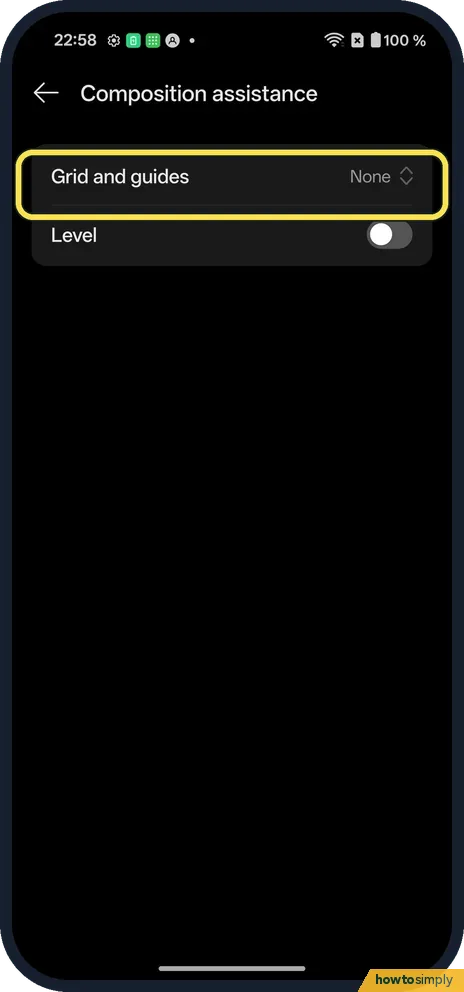
- 7
Turn it off
Pick None again.
If you do not see this option
- Looking in the phone's Settings? The grid is only in the Camera's own Settings, from the three lines at the top right.
- On OxygenOS 14? The OnePlus manual calls the row Grid and guides too, with grid, diagonal and golden spiral lines. Source: OxygenOS 14.0 User Manual
If this does not work
- Grid gone? Open Composition assistance and check Grid and guides is not None; ours started on None.
- Want a straight horizon? Turn on Level under Grid and guides. It was off on ours.
- Lines appear in the photo? They should not. The grid is only drawn on the viewfinder to help you line things up, and the saved photo has no lines. If you see lines in a picture, check whether you are looking at a screenshot of the camera instead.
- Lines too faint to see? Thin white lines can vanish against a bright sky or a white wall. Tilt the phone slightly so a darker area is behind the lines, or try Diagonal lines for a different pattern.
Good to know
Turn off the camera shutter sound on a OnePlus.
Grid and guides only changes what you see while framing a shot. Photos and videos are saved exactly as before, with no lines and no change in size, quality or battery use. The camera keeps your choice, so the grid is there each time you open it until you pick None again. Diagonal lines help with shots that run corner to corner, such as roads or stairs, and Golden spiral helps place a subject along a gentle curve.
OnePlus's manual lists Grid and guides alongside other camera settings in the same menu, such as Shutter sound, Mirror selfie and Record location. If you share photos, it is worth checking Record location too. See remove location from a photo before sharing on a OnePlus.
About this guide
- Device
- Android
- Shown on
- OnePlus Nord 5 (CPH2709), OxygenOS 16.0.5.1201, Android 16
- App
- Camera
- Path
- Camera › Menu › Settings › Composition assistance
- Real screenshots
- 7 of 7 steps
- Checked
- October 2026
- Sources
- 1 official, linked below
Sources
Links checked October 2026. Menus and features can change with updates.Spotted a mistake? Menus change with updates, and we want every step to match your screen. Email us about this page or use the contact form. We read every report, and fixes are listed on What changed.
Liked this guide?
Follow us for new guides and short how-to videos.
Did this guide work for you?
Sorry about that. What happened?