
howtosimply.com/guides/how-to-check-a-samsung-galaxy-for-harmful-apps-with-play-protect/ · Checked October 2026 · Samsung Galaxy A57 5G (SM-A576B), One UI 8.5, Android 16
In this guide
Open Settings, Security and privacy, App security and tap Google Play Protect. It shows when your apps were last scanned; tap Scan to check again now. Samsung's own App protection, on the same page, adds a second check.
6 of 6 steps with real screenshots · 1 official source below
- Device
- Android
- Shown on
- Samsung Galaxy A57 5G (SM-A576B), One UI 8.5, Android 16
- App
- Settings
- Path
- Settings › Security and privacy › App security
- Real screenshots
- 6 of 6 steps
- What we did
- Observed: looked at each screen, changed nothing
- Our phone
- Shown on Galaxy A57, One UI 8.5
- Checked
- October 2026
- Sources
- 1 official, linked below
Step by step
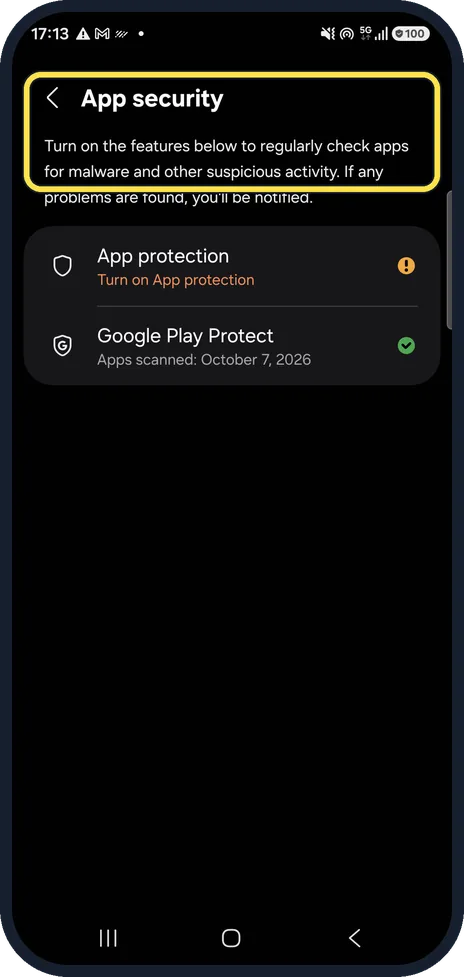
Open App security
Open Settings, Security and privacy and tap App security. It lists both protections.
Watch these steps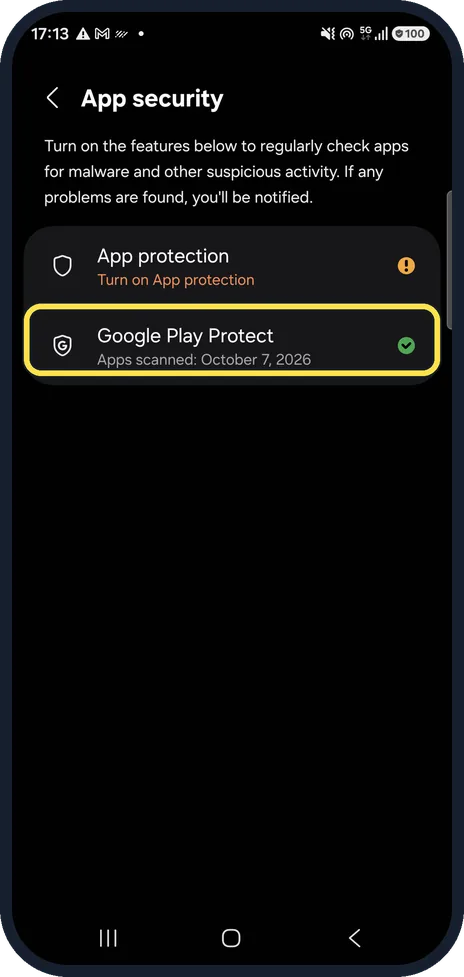
Check Google Play Protect
Under Google Play Protect, ours says Apps scanned: October 7, 2026, with a green tick. Tap it to open Play Protect.
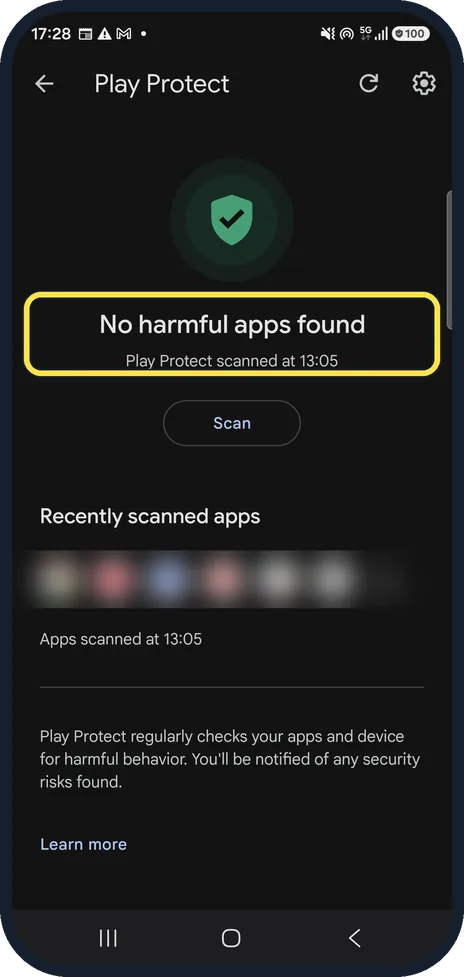
Read the result
Play Protect shows the result of the last scan and when it ran. Ours: No harmful apps found, scanned at 13:05.
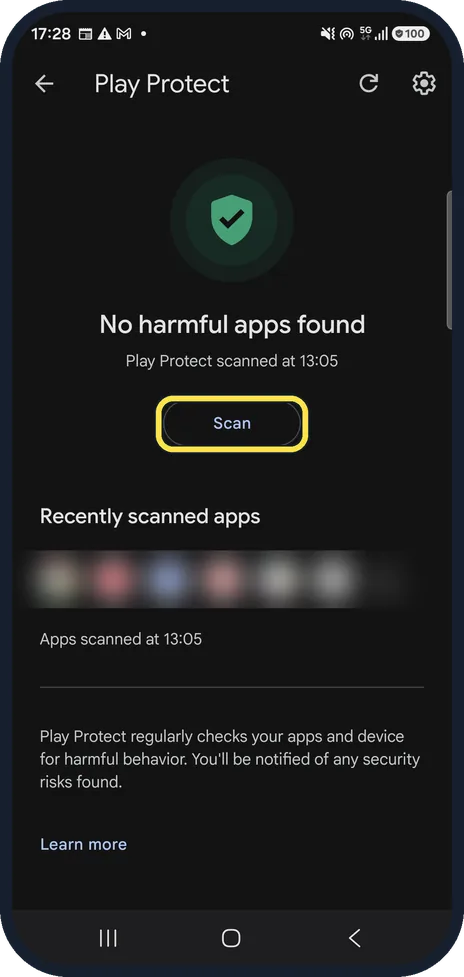
Scan now
Tap Scan to check all apps again. The page says you'll be notified of any security risks found.
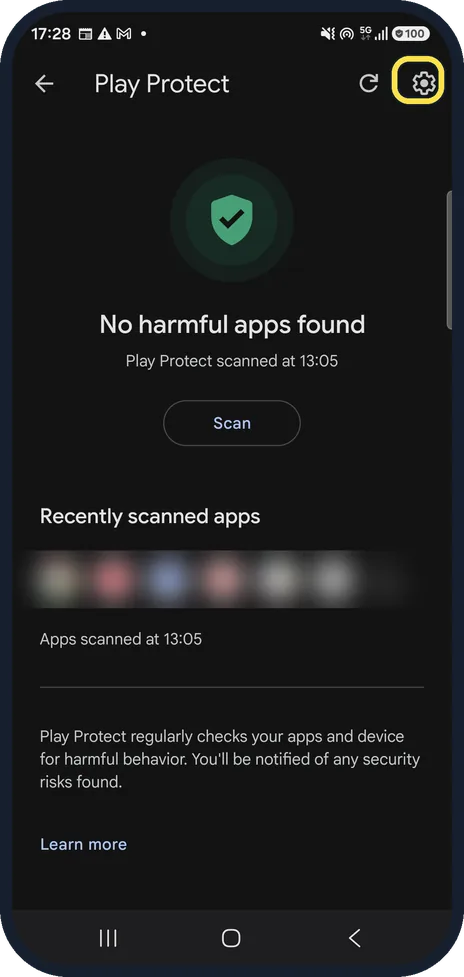
Check that scanning is on
Tap the gear at the top right to open Play Protect settings.
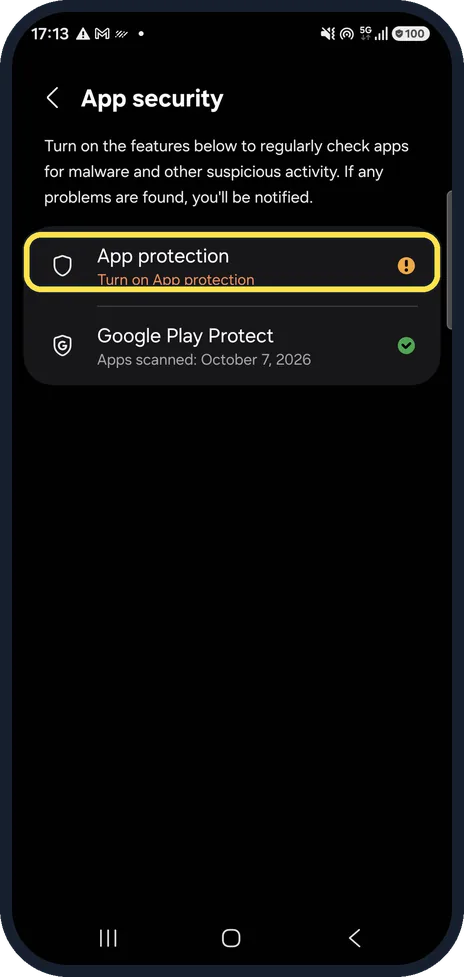
Turn on Samsung App protection
Back on App security, App protection says Turn on App protection in orange on ours. Tap it to add Samsung's scanner as well.
Watch these steps
If you do not see this option
- There is no App security page Google gives a route through the Play Store: open Google Play, tap your profile icon at the top right, then Play Protect. Source: Use Google Play Protect to help keep your apps safe & your data private
- Play Protect is not offered at all Google says to check that the phone is Play Protect certified: Play Store, profile icon, Settings, About. Source: Use Google Play Protect to help keep your apps safe & your data private
If this does not work
- Scanning is switched off Google says Play Protect is on by default but can be turned off. Turn it back on: Play Store, profile icon, Play Protect, Settings, Scan apps with Play Protect. Source: Use Google Play Protect to help keep your apps safe & your data private
- An app is flagged as harmful Google says Play Protect warns you about it and may turn the app off or remove it. Uninstall it if Play Protect has not already. Source: Use Google Play Protect to help keep your apps safe & your data private
About this guide
Google Play Protect checks the apps on your phone for harmful behaviour. A Galaxy also has Samsung's own App protection.
Good to know
Pop-ups and ads appearing over other apps are often caused by an app: pop-up ads on a Samsung Galaxy.
In short: Settings, Security and privacy, App security, Google Play Protect: read the result, tap Scan. Turn on App protection too.
Links checked in October 2026. Menus and features can change after software updates. These steps match the version named at the top.
📷 See real photos from the Galaxy A57 in our Camera Lab, next to 10 other phones.
Did this guide work for you?
Sorry about that. What happened?