
howtosimply.com/guides/how-to-clear-an-app-s-cache-on-a-samsung-galaxy/ · Checked October 2026 · Samsung Galaxy A57 5G (SM-A576B), One UI 8.5, Android 16
In this guide
Open Settings, Apps, tap the app, then Storage, and tap Clear cache at the bottom. This removes temporary files and keeps your login and data. Clear data resets the app to how it was when installed.
6 of 6 steps with real screenshots · 1 official source below
- Device
- Android
- Shown on
- Samsung Galaxy A57 5G (SM-A576B), One UI 8.5, Android 16
- App
- Settings
- Path
- Settings › Apps
- Real screenshots
- 6 of 6 steps
- What we did
- Observed: looked at each screen, changed nothing
- Our phone
- Shown on Galaxy A57, One UI 8.5
- Checked
- October 2026
- Sources
- 1 official, linked below
Step by step
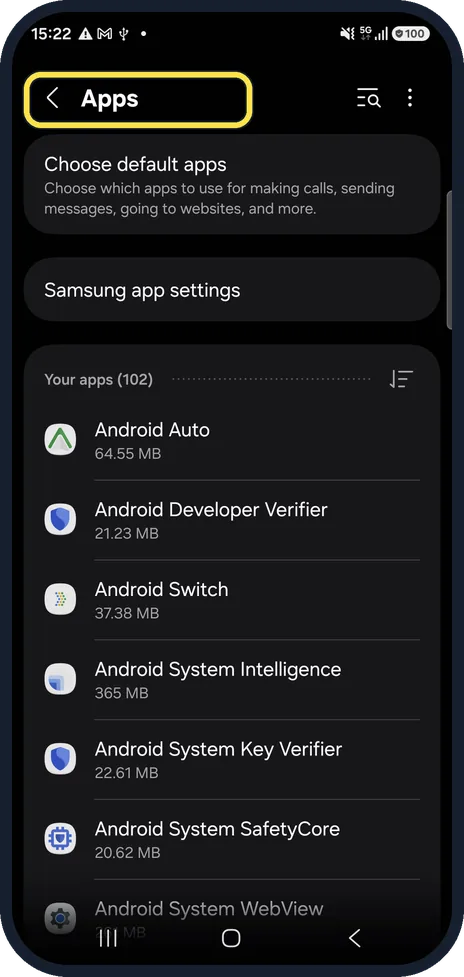
Open Apps
Open Settings and tap Apps. The Apps page opens and lists your apps with their size, under Your apps.
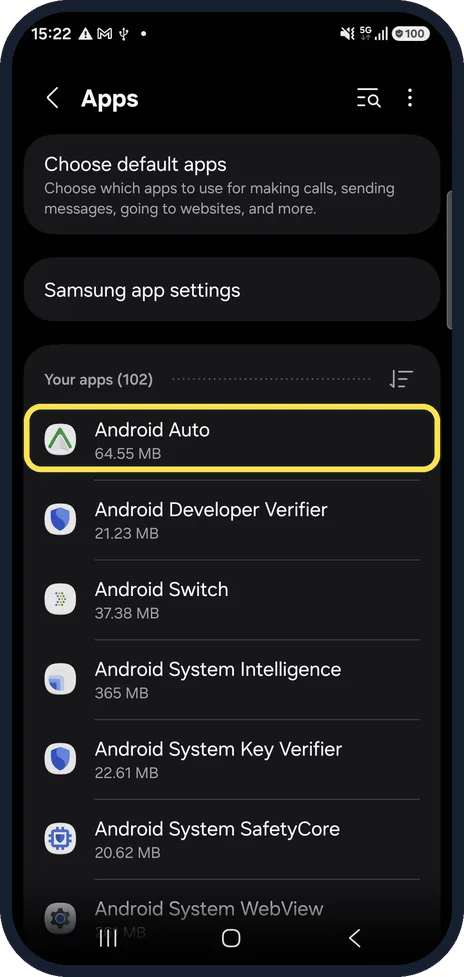
Tap the app
Scroll or use the search icon at the top, then tap the app. In our screenshot the box is on Android Auto, the first row under Your apps (102); our example app, Calculator, is further down the list. The App info page opens.
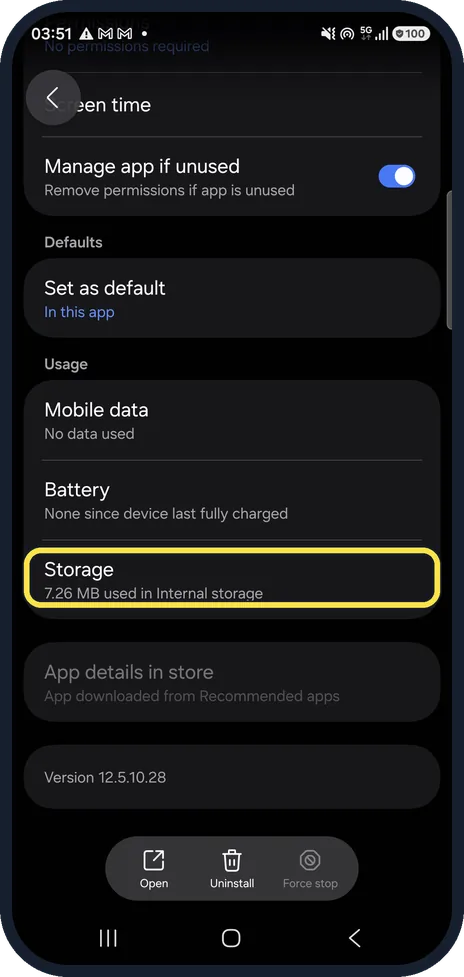
Tap Storage
Scroll down the App info page to the Usage group and tap Storage.
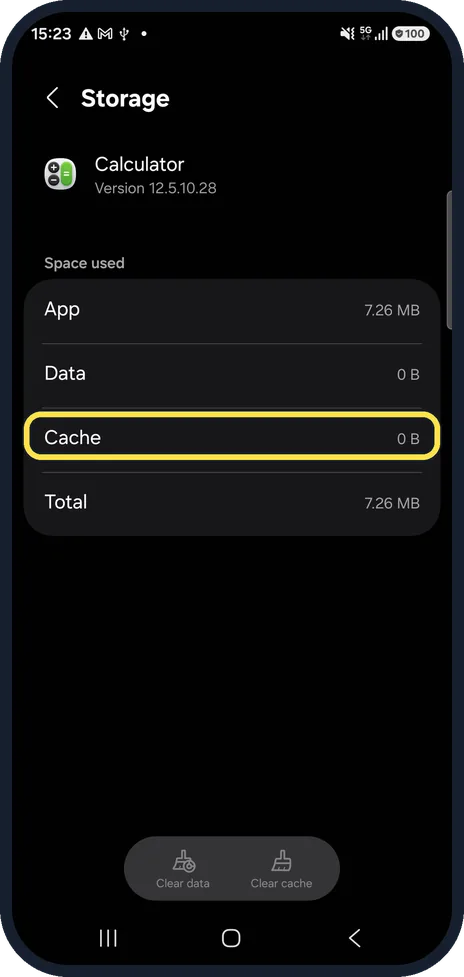
Look at Cache
Space used shows the app, its data and its cache separately. A large cache is worth clearing. On our Calculator, Cache reads 0 B.
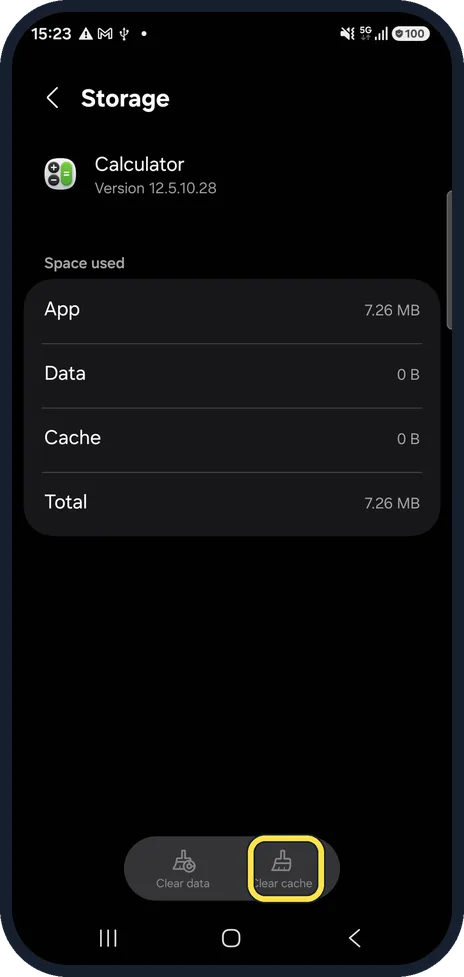
Tap Clear cache
At the bottom right. If the cache has anything in it, the figure drops to 0 B. Ours already read 0 B, so the button is greyed out.
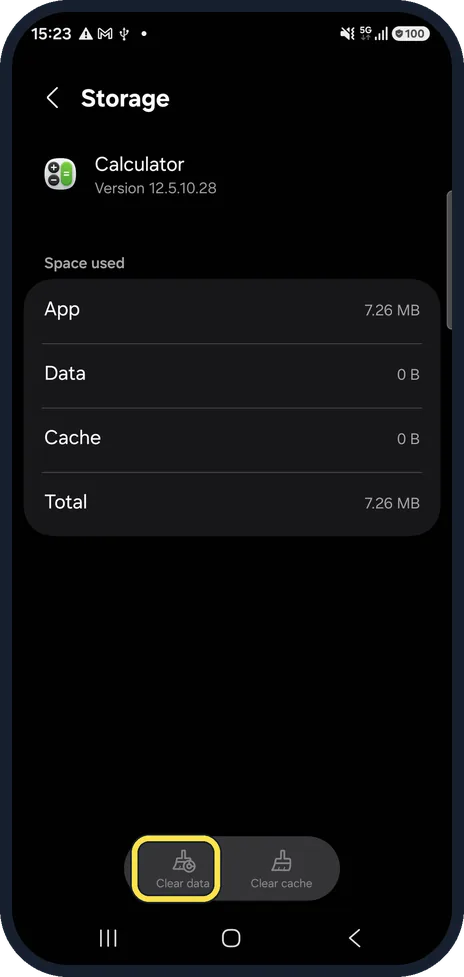
Clear data only if needed
Clear data, at the bottom left, deletes the app's settings, logins and offline files. It is greyed out when Data reads 0 B, as on our Calculator. Samsung says it resets the app to its factory default settings.
If you do not see this option
- You want to clear every app at once Samsung says the only way to clear the cache and data of all apps at once is a factory reset, which erases the phone. Source: Improve app performance by clearing cache and data on your Samsung Galaxy
- Clear data does nothing for a system app Samsung says some system apps do not allow their data to be cleared. Source: Improve app performance by clearing cache and data on your Samsung Galaxy
If this does not work
- The app still misbehaves Samsung suggests uninstalling and reinstalling it: touch and hold its icon, tap Uninstall, then install it again from the Play Store or Galaxy Store. Source: Improve app performance by clearing cache and data on your Samsung Galaxy
- The phone is still short of space Samsung suggests removing files you do not need, such as images, videos and recordings, and using Device care. Source: Improve app performance by clearing cache and data on your Samsung Galaxy
About this guide
When one app misbehaves, crashes or shows old content, clearing its cache is the safe first step. Our example is the Calculator app, whose cache was already empty.
We did not tap Clear cache or Clear data.
Good to know
To free space on the whole phone instead: how to check and free up storage on a Samsung Galaxy phone.
In short: Settings, Apps, the app, Storage, Clear cache. Clear data only as a last resort.
Links checked in October 2026. Menus and features can change after software updates. These steps match the version named at the top.
📷 See real photos from the Galaxy A57 in our Camera Lab, next to 10 other phones.
Did this guide work for you?
Sorry about that. What happened?