
howtosimply.com/guides/how-to-turn-on-captions-and-change-caption-size-in-youtube-on-android/ · Checked October 2026 · build CP3A.261005.005 · Google Pixel 10a, Android 17
In this guide
For one video, tap the video, the gear and Captions, and pick a language. For their size, open YouTube Settings, Captions: it opens Android's Caption preferences, where Caption size and style, Caption size sets the text size.
8 of 8 steps with real screenshots · 2 official sources below
- Device
- Android
- Shown on
- Google Pixel 10a, Android 17 (build CP3A.261005.005)
- App
- YouTube
- Real screenshots
- 8 of 8 steps
- Checked
- October 2026
- Sources
- 2 official, linked below
Step by step
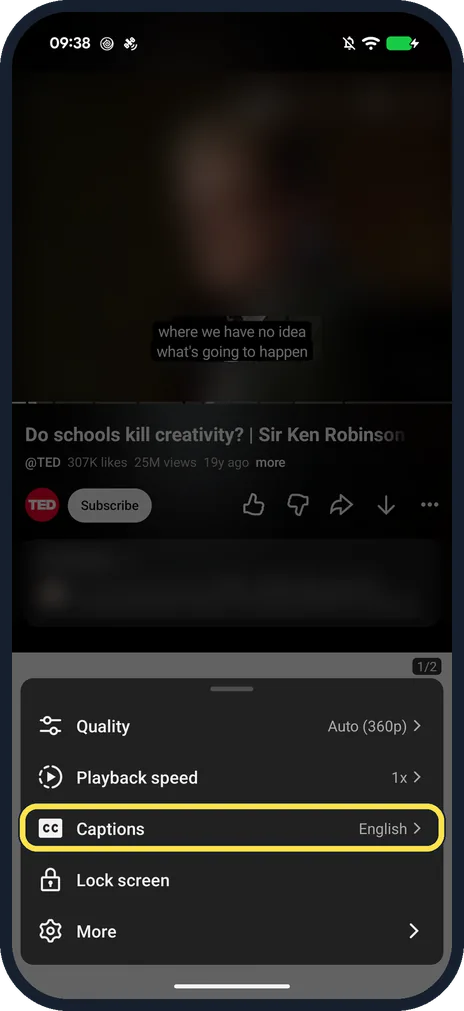
Turn on captions in the player
Tap the video, then the gear, and tap Captions. On a TED talk ours read Captions, English.
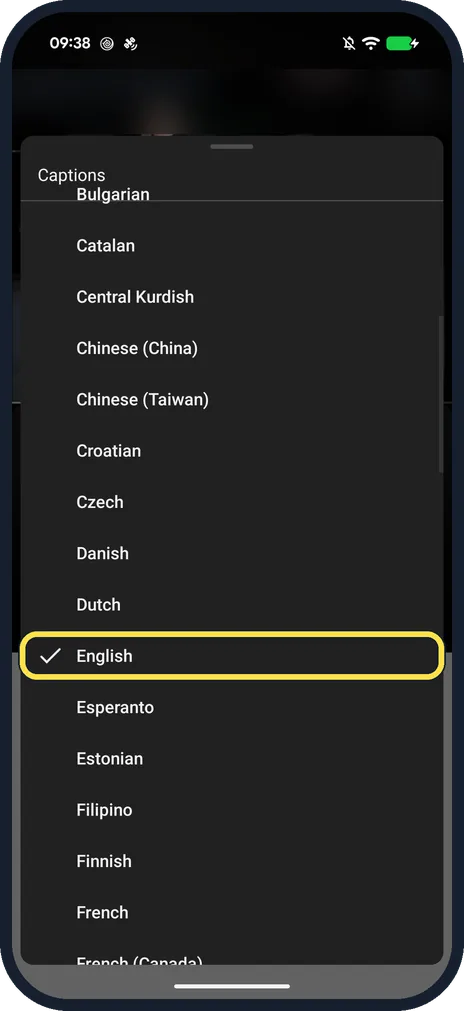
Pick a language
The list starts with Turn off captions. English had the tick on ours; captions were already on.
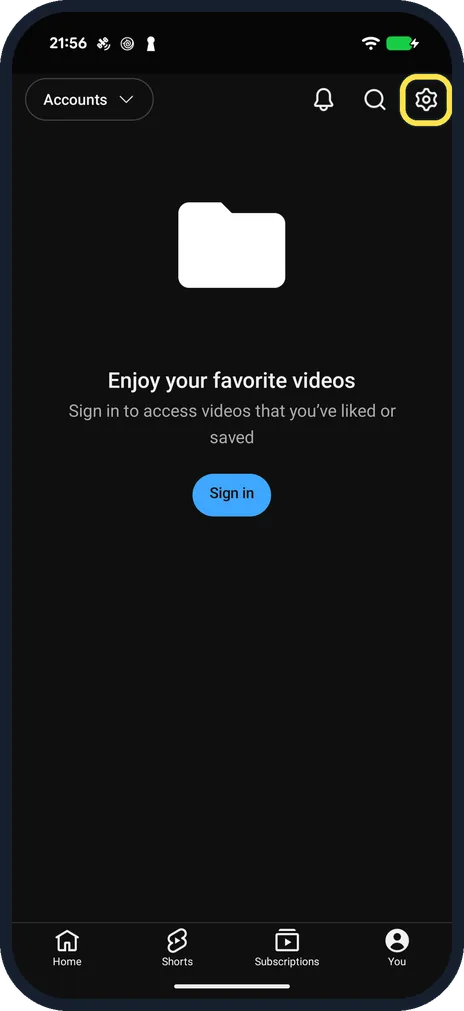
Open YouTube settings
Tap You at the bottom right, then the gear at the top right.
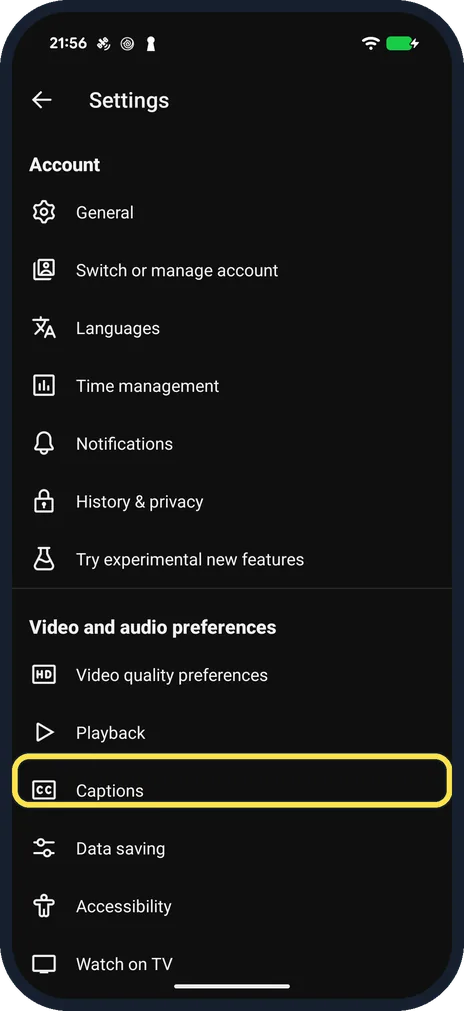
Tap Captions
It is under Video and audio preferences. It opens the phone's own Caption preferences page.
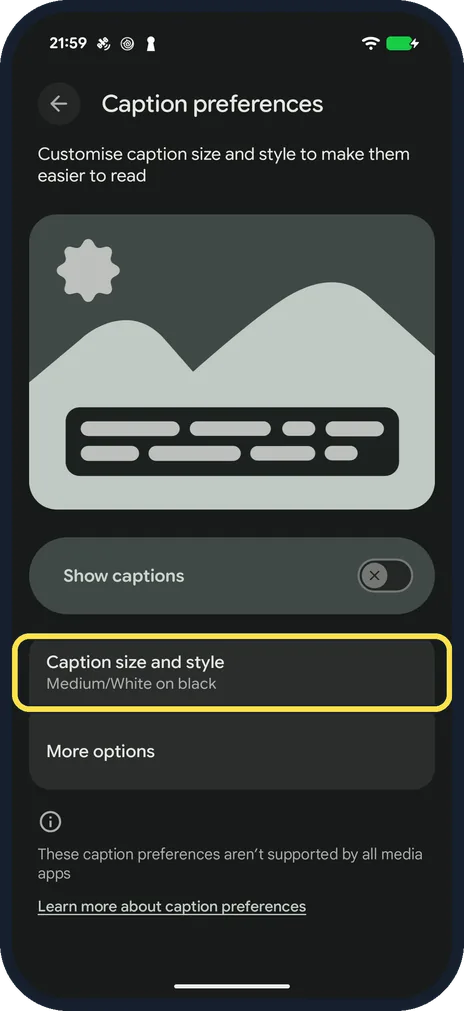
Tap Caption size and style
Ours read Medium/White on black. Show captions above it switches captions on in apps that follow this page.
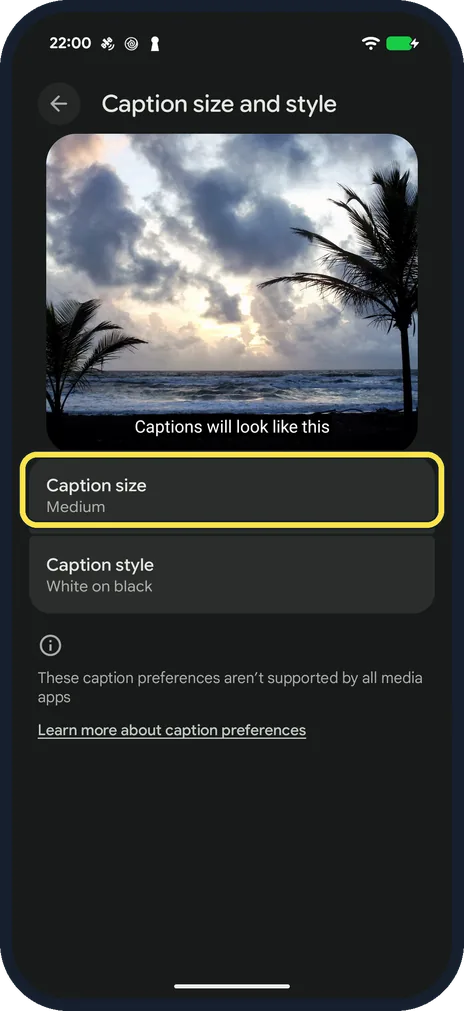
Tap Caption size
A preview at the top shows how captions will look. Caption style below sets the colours.
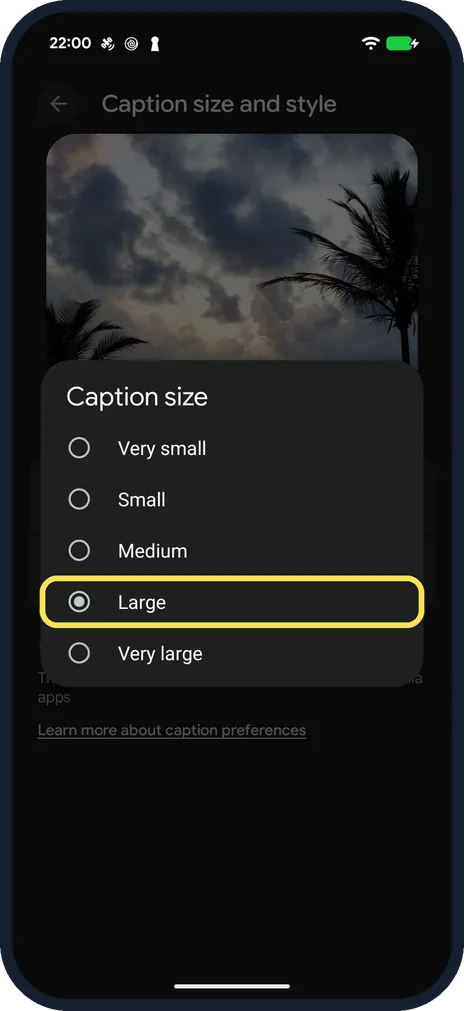
Pick a size
Very small, Small, Medium, Large or Very large. We picked Large.
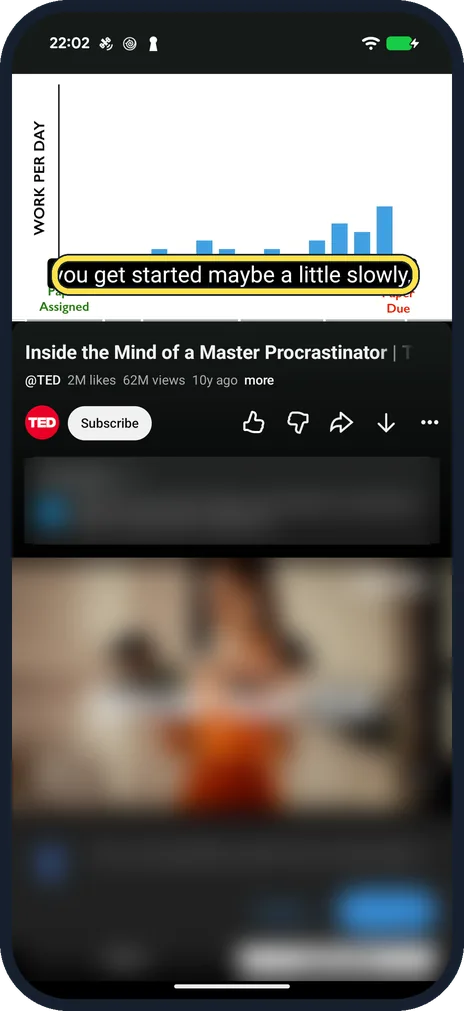
Check a video
On a TED talk with captions turned on in the player, the text was larger straight away.
If you do not see this option
- The Captions row says Unavailable The video has no captions: our Big Buck Bunny test video had none, the TED talk did.
- Captions is not in YouTube settings Open the phone's Settings and search for Caption preferences; YouTube's Captions row opened that same page on our Pixel.
If this does not work
- Captions do not appear Show captions in Caption preferences was off on ours; captions still showed once we picked them in the player (step 1).
- Your language is not in the list Tap Auto-translate in the Captions menu and pick the language there, as YouTube Help describes for captions in other languages. Source: Manage caption settings (Android)
- Captions disappear when the sound is off In the player, tap the gear, then Captions, and turn on Show when muted. YouTube Help says this is available on phones and tablets. Source: Manage caption settings (Android)
About this guide
YouTube does not have its own caption size setting on Android. It uses the phone's caption preferences, which also apply to other apps.
The screenshots are from the YouTube app on our Google Pixel 10a with Android 17 (build CP3A.261005.005), in dark mode, signed out of YouTube. Other people's videos and comments are blurred. We set the size back to Medium afterwards.
Good to know
The Caption preferences page notes that not every media app supports these settings.
To go back to the usual size, pick Medium again under Caption size; ours started on Medium.
In short: Player: gear, Captions. Size: YouTube Settings, Captions, Caption size and style, Caption size.
Links checked in October 2026. Menus and features can change after software updates. These steps match the version named at the top.
📷 See real photos from the Pixel 10a in our Camera Lab, next to 10 other phones.
Did this guide work for you?
Sorry about that. What happened?