ONEPLUS
How to scan for harmful apps with Play Protect on a OnePlus

In short
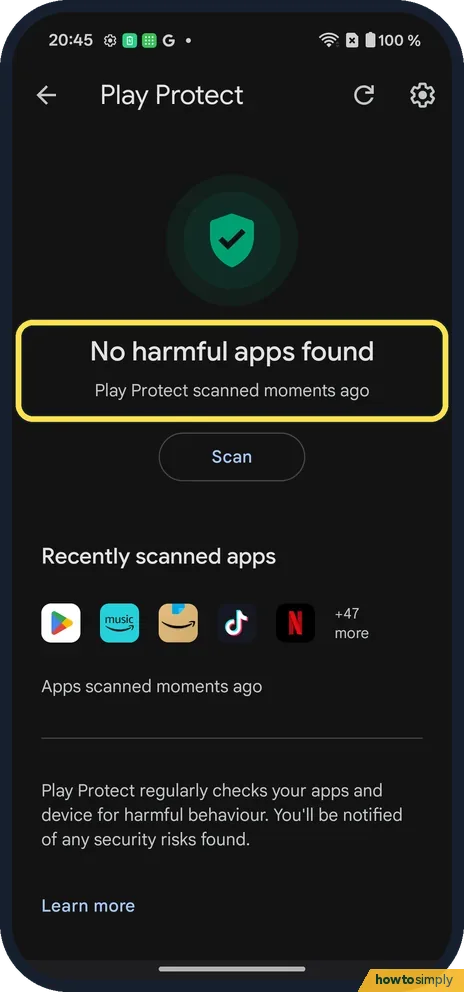
Go to Settings, Security and privacy, App security and tap Google Play Protect. Tap Scan. Ours said No harmful apps found, Play Protect scanned moments ago.
5 of 5 steps show a real screenshot from our Nord 5. Each step was checked against the maker's own instructions, linked at the end.
Steps
- 1
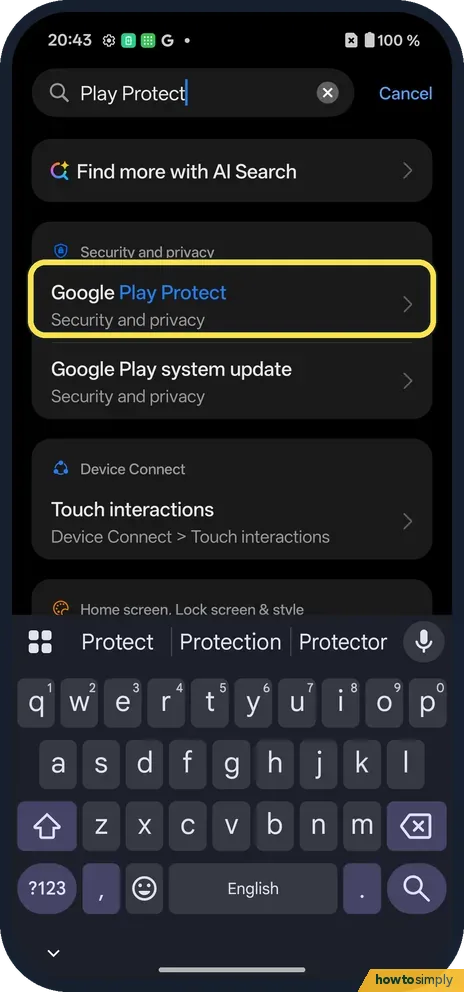
Search or open App security
Searching Play Protect finds Google Play Protect under Security and privacy.
- 2
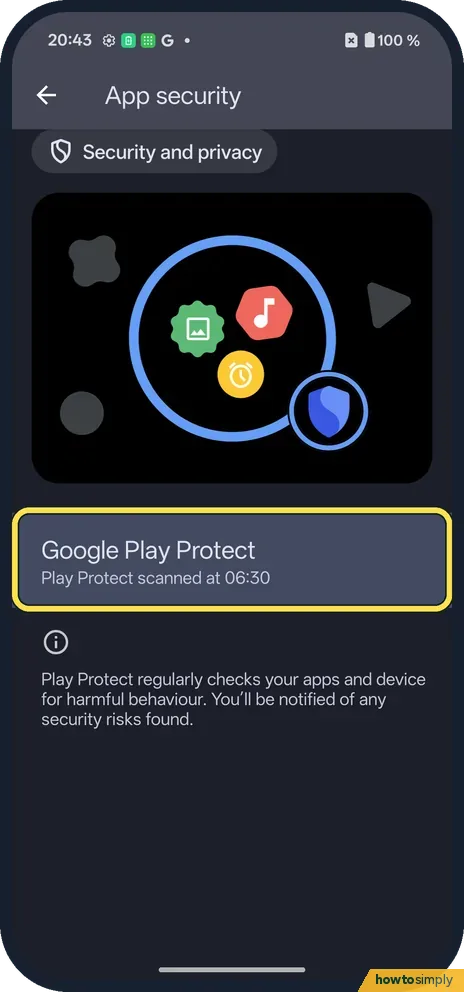
Tap Google Play Protect
On App security it is under the picture.
- 3
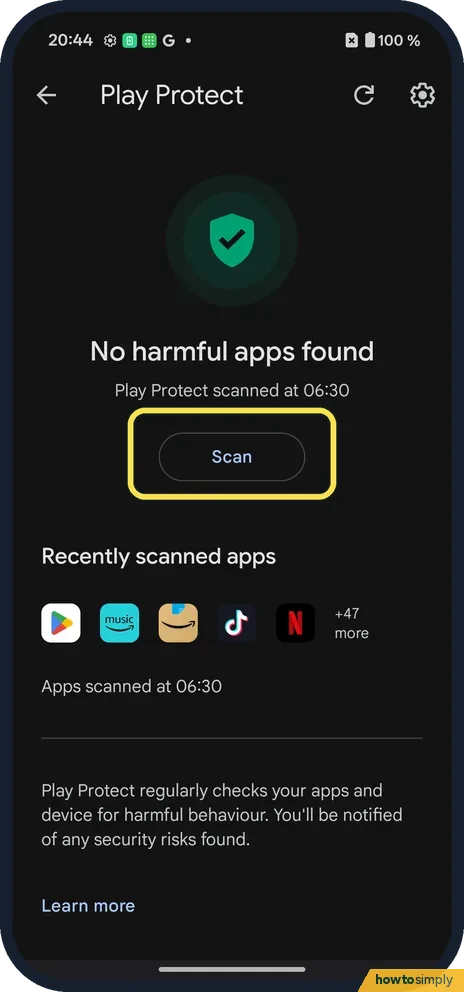
Tap Scan
Ours said No harmful apps found, scanned at 06:30.
- 4
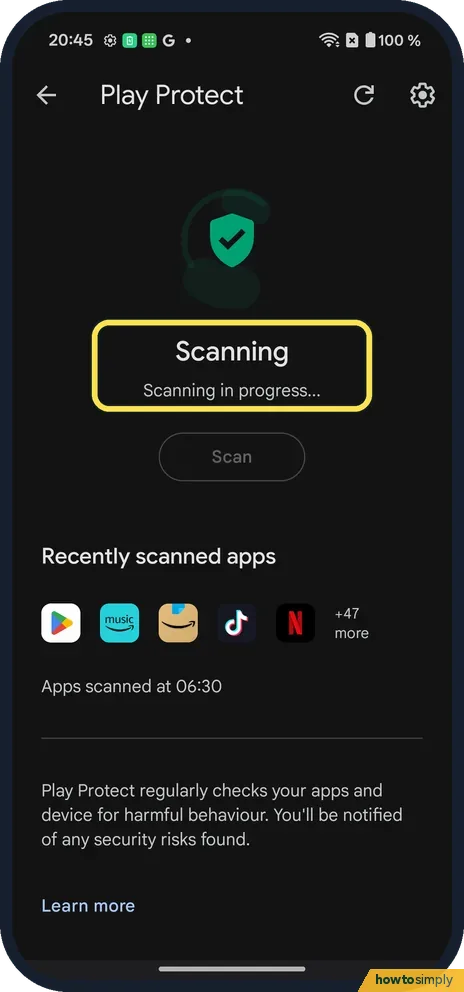
Wait
Scanning in progress shows while it checks.
- 5
Read the result
No harmful apps found, Play Protect scanned moments ago.
If you do not see this option
- From the Play Store? Google says Play Protect is also in the Play Store app, under your profile picture. Source: Use Google Play Protect to help keep your apps safe & your data private
- Play Protect turned off? Turn it back on with the gear at the top right of the Play Protect page. Source: Use Google Play Protect to help keep your apps safe & your data private
If this does not work
- It finds something? Follow its suggestion to remove the app.
- Scan does nothing? Check you are online, then tap Scan again. Ours showed Scanning in progress first.
- An app vanished after a warning? Google says Play Protect may disable a harmful app until you uninstall it, or remove it automatically, usually with a notification saying it was removed. Check your notifications for the app's name.
- Asked to send an app to Google? This happens with apps installed from outside the Play Store. Google says scanning such an app sends its details for a code-level check, and you get a result shortly after.
- Play Store says Device is not certified? Google says certification and Play Protect work separately. Open the Play Store, tap your profile icon, Settings, About, and use Fix device issue under Play Protect certification.
Good to know
Change app permissions on a OnePlus.
A manual scan changes nothing on its own unless something harmful is found. Google says Play Protect also checks apps when you install them and scans the phone from time to time, so you do not need to tap Scan every day. Running one after installing an app from outside the Play Store, or when the phone behaves oddly, is a sensible habit.
For apps you installed outside the Play Store, Google describes a setting called Improve harmful app detection that lets Play Protect send unknown apps to Google automatically. If you are cleaning up old apps, check their permissions too, and see installing apps from unknown sources before you add anything new.
About this guide
- Device
- Android
- Shown on
- OnePlus Nord 5 (CPH2709), OxygenOS 16.0.5.1201, Android 16
- App
- Settings
- Path
- Settings › Security and privacy › App security
- Real screenshots
- 5 of 5 steps
- Checked
- October 2026
- Sources
- 1 official, linked below
Sources
Links checked October 2026. Menus and features can change with updates.Spotted a mistake? Menus change with updates, and we want every step to match your screen. Email us about this page or use the contact form. We read every report, and fixes are listed on What changed.
Liked this guide?
Follow us for new guides and short how-to videos.
Did this guide work for you?
Sorry about that. What happened?