
macOS 27 compared with macOS 26: We rewrote this guide on macOS 27.0.1 (MacBook Neo): it now has 4 steps instead of 8. The macOS 26 page keeps the steps and screenshots as they were.
howtosimply.com/guides/macbook-not-charging-8-fixes-to-try/ · Checked October 2026 · MacBook Neo · macOS 27.0.1
In this guide
Unplug the power adapter from the socket, wait 30 seconds and plug it in again, then try another socket and another USB-C cable. Restart the MacBook, read the charge state under System Settings, Battery, and install macOS updates.
4 of 4 steps with real screenshots · 2 official sources below
- Device
- Mac
- Shown on
- macOS 27.0.1 (MacBook Neo)
- App
- System Settings
- Real screenshots
- 4 of 4 steps
- Checked
- October 2026
- Sources
- 2 official, linked below
Step by step
Zoomed in on the setting. Tap to see the whole screenTap the picture to see it full size Check the adapter, socket and cable
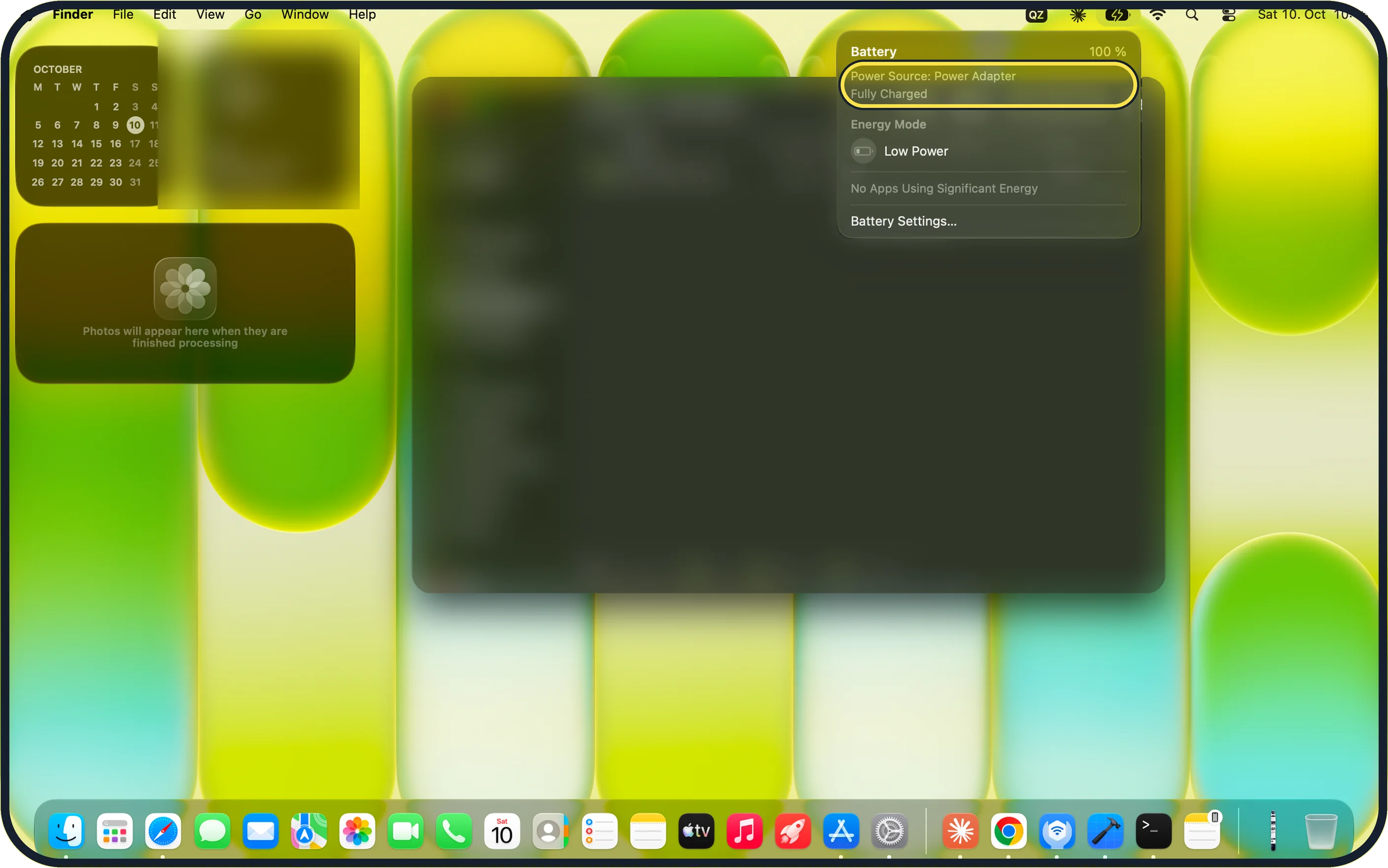
Take the power adapter out of the wall socket, wait 30 seconds and put it back. If it then charges, Apple's adapter article says the socket may share a circuit with lights with ballasts or fridges: use a socket on a different circuit or a UPS. Try another socket, without an extension lead, and another USB-C cable made for charging. Then click the battery icon in the menu bar: on our MacBook Neo it reads Power Source: Power Adapter and Fully Charged.
Zoomed in on the setting. Tap to see the whole screenTap the picture to see it full size Restart the MacBook
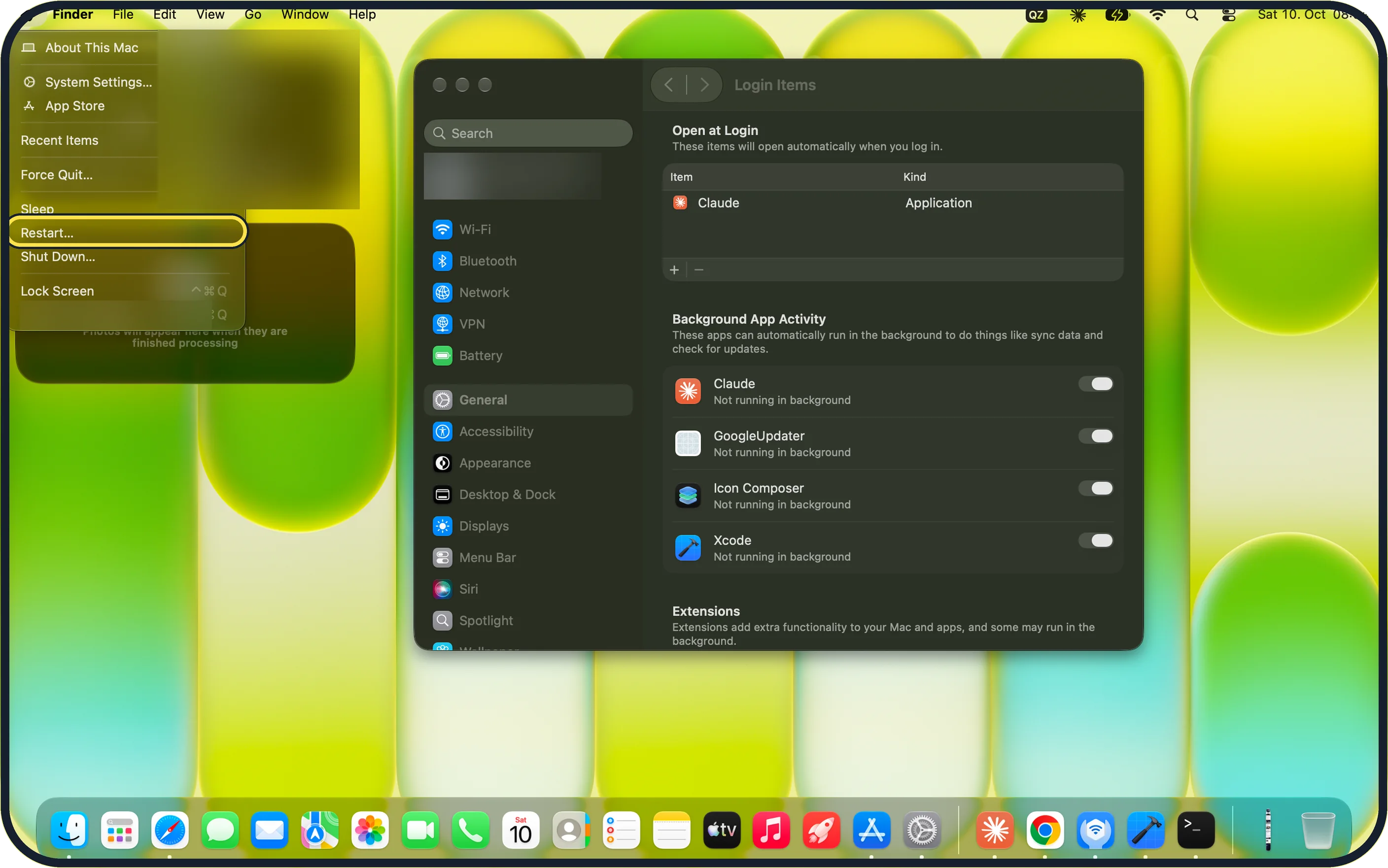
Choose Apple menu, Restart…. On our MacBook Neo, Restart… sits between Sleep and Shut Down….
Zoomed in on the setting. Tap to see the whole screenTap the picture to see it full size Read the battery status
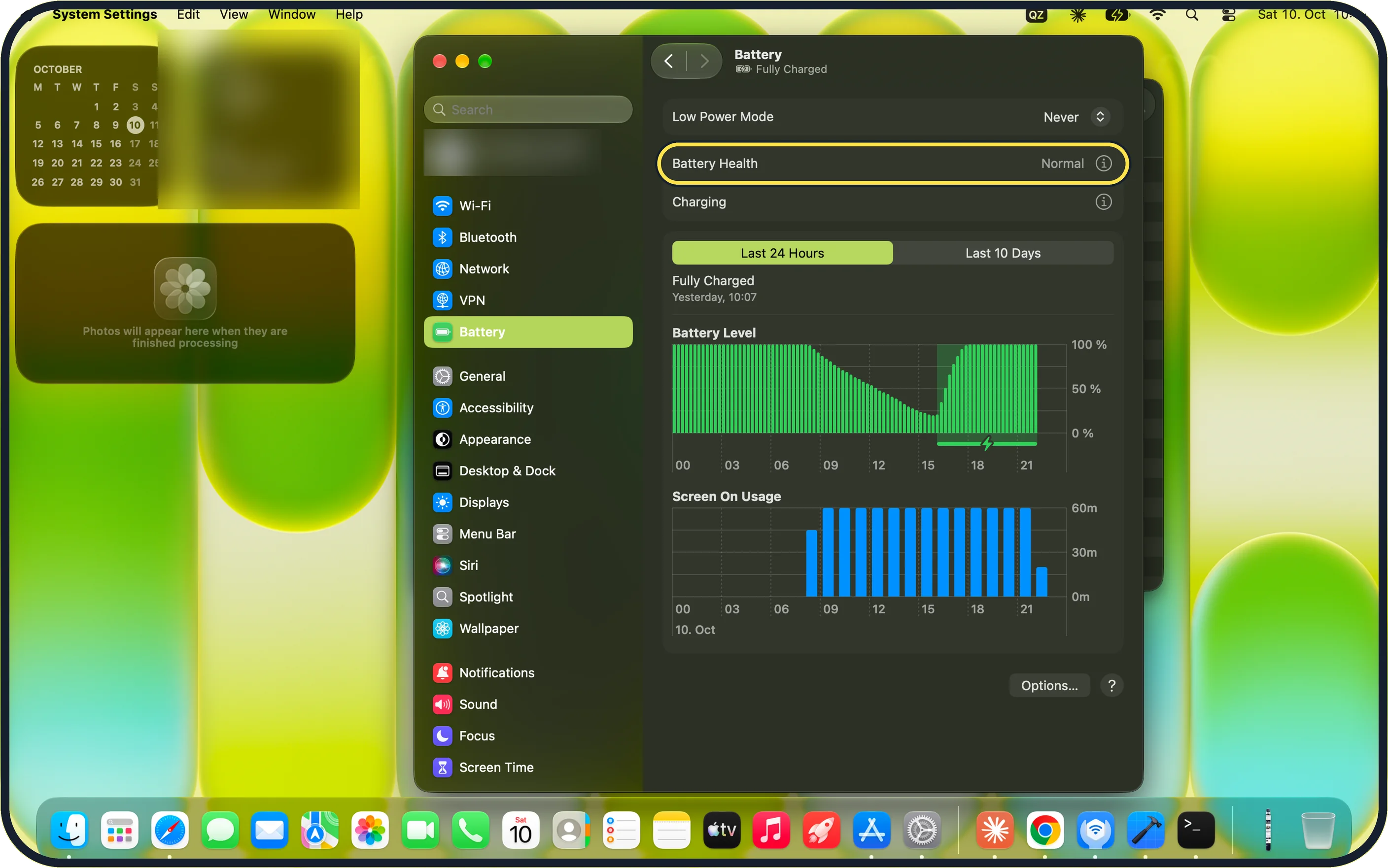
Open System Settings, Battery. Our MacBook Neo shows Low Power Mode (Never), Battery Health: Normal and a Charging row with an (i) button. The battery icon in the menu bar also lists the Power Source and the charge state.
Zoomed in on the setting. Tap to see the whole screenTap the picture to see it full size Install updates
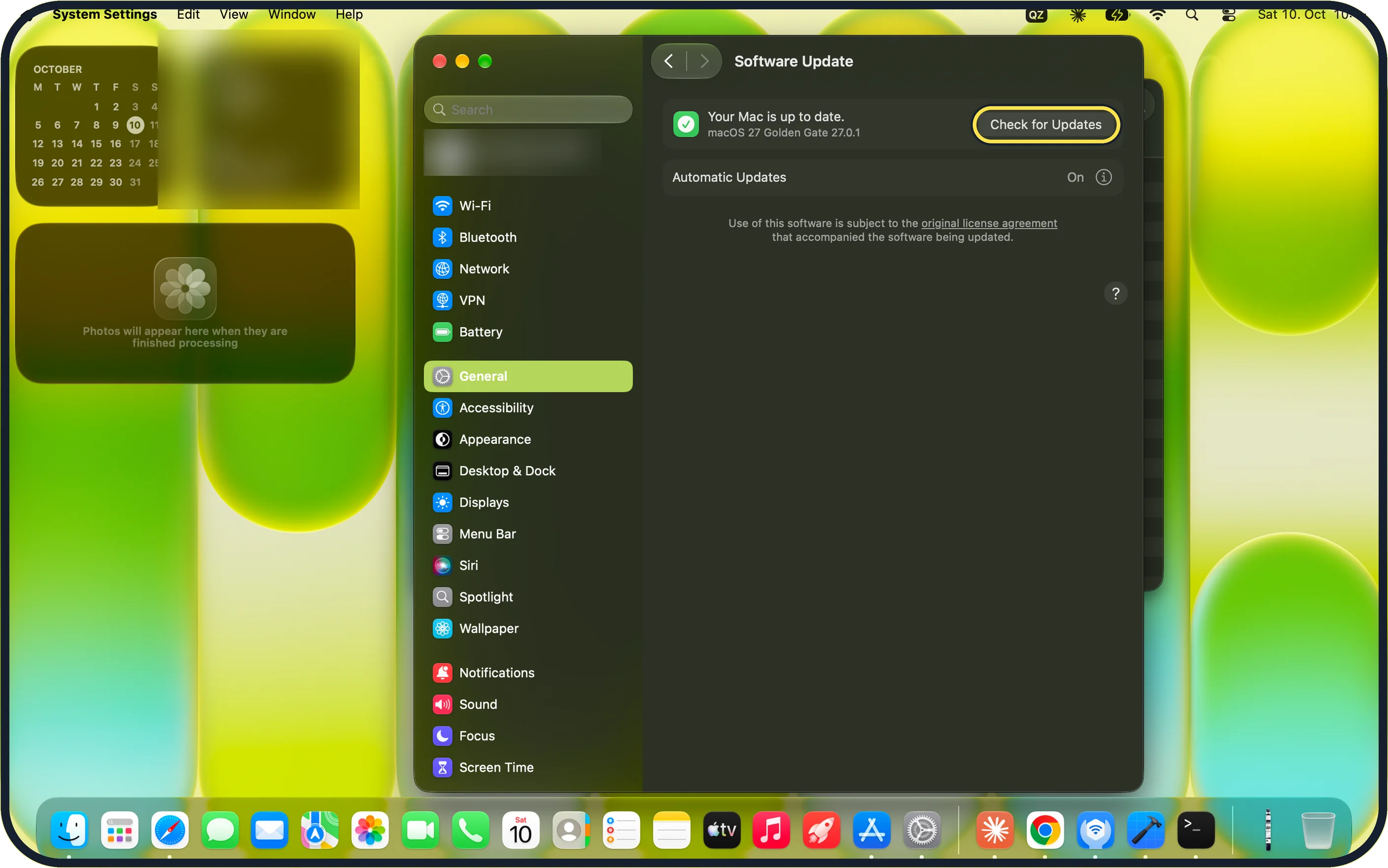
Open System Settings, General, Software Update, click Check for Updates and install what is offered. Our MacBook Neo shows Your Mac is up to date (macOS 27 Golden Gate 27.0.1) and Automatic Updates: On. Apple's macOS 27 guide notes that a laptop must have its power adapter plugged in to download updates automatically.
If you do not see this option
- No Not Charging message On our MacBook Neo the battery menu showed Power Source: Power Adapter and Fully Charged, so there was no Not Charging line to read.
- No Optimized Battery Charging switch on the page Apple's macOS 27 guide puts Optimized Battery Charging behind the button next to Battery Health. On our MacBook Neo there is also a separate Charging row with its own (i) button.
If this does not work
- Clean the port Look into the USB-C port with a torch and remove fluff carefully, without metal tools. Then check the battery menu again: on our MacBook Neo it names the Power Source.
- Try another plug or cable on the adapter Apple's adapter article: try another Apple AC plug on the adapter, or the Apple Power Adapter Extension Cable (sold separately). Source: If your USB-C power adapter isn't charging your Mac laptop
- You use an adapter from another maker Try the Apple power adapter and cable that came with the Mac. Apple's adapter article says a replacement should be a USB-C power adapter with equal or greater wattage than the original. Source: If your USB-C power adapter isn't charging your Mac laptop
- Still not charging after a restart Apple's adapter article: shut down the Mac, close the display for 30 seconds, then open it and try charging again. If the battery menu still shows no power adapter, take the Mac, adapter and cable to Apple or an authorised service provider. Source: If your USB-C power adapter isn't charging your Mac laptop
About this guide
A MacBook that does not charge can have a problem with the socket, the cable or the adapter. Work through the list from the top.
Screenshots: MacBook Neo, macOS 27.0.1, dark mode.
Good to know
If nothing helps, Apple or an authorised service provider can test the adapter and the MacBook.
If the MacBook does not start at all: Mac won't turn on: 7 things to try before a repair.
Checking the battery itself: how to check battery health on a MacBook.
In short: Replug the adapter, other socket, other cable, clean the port, restart, read the battery status, update.
- Apple Support: If your USB-C power adapter isn't charging your Mac laptop
- Apple Support: If your Mac battery status is "Not Charging"
Links checked in October 2026. Menus and features can change after software updates. These steps match the version named at the top.
Did this guide work for you?
Sorry about that. What happened?