
howtosimply.com/guides/whats-new-in-macos-27-2-on-a-macbook-neo/ · Checked October 2026 · MacBook Neo · macOS 27.2
In this guide
- Check you have macOS 27.2
- Software Update shows 27.2
- Siri settings have two new rows
- Excluded Apps keeps apps away from Siri
- Suggestions has one switch per app
- Brightness shows a pill split into steps
- Volume uses the same pill
- Siri languages: the classic Siri list
- If you do not see this option
- If this does not work
- Good to know
- Sources
On our MacBook Neo, macOS 27.2 (26B123) added two Siri settings, Excluded Apps and Suggestions, and a new brightness and volume pill split into steps. The new Podcasts sections and the Siri AI features did not show on our Mac.
8 of 8 steps with real screenshots · 2 official sources below
- Device
- Mac
- Shown on
- macOS 27.2 (MacBook Neo)
- App
- System Settings
- Real screenshots
- 8 of 8 steps
- Checked
- October 2026
- Sources
- 2 official, linked below
Step by step
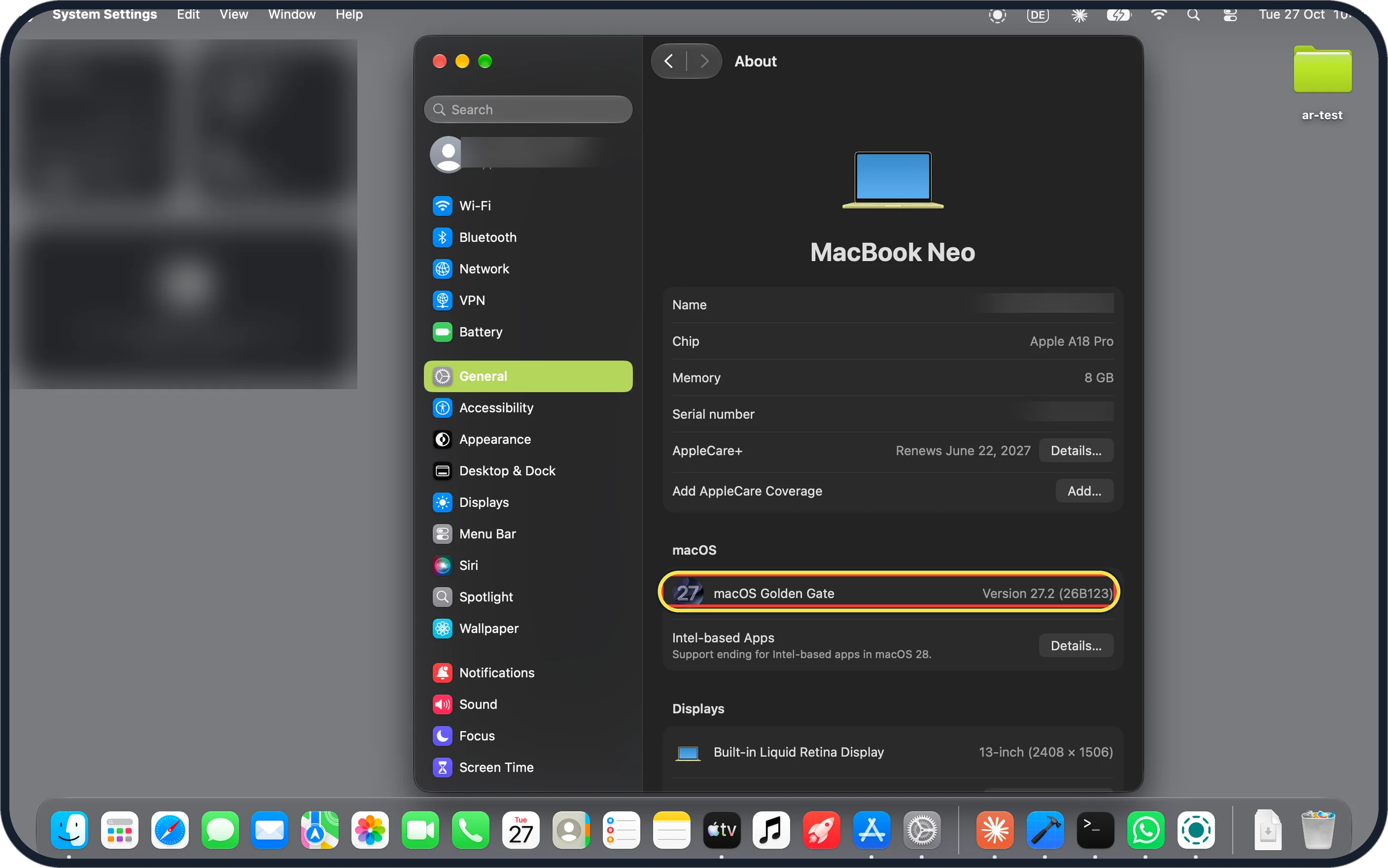
Zoomed in on the setting. Tap to see the whole screenTap the picture to see it full size Check you have macOS 27.2
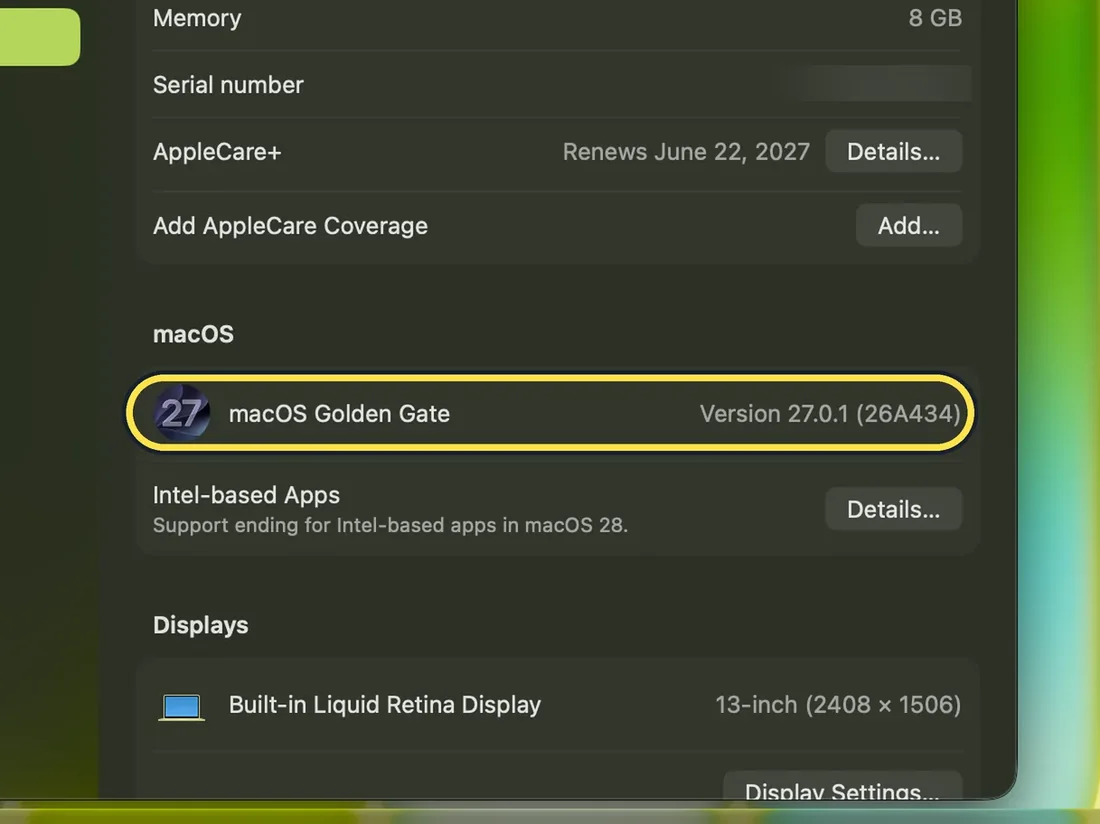
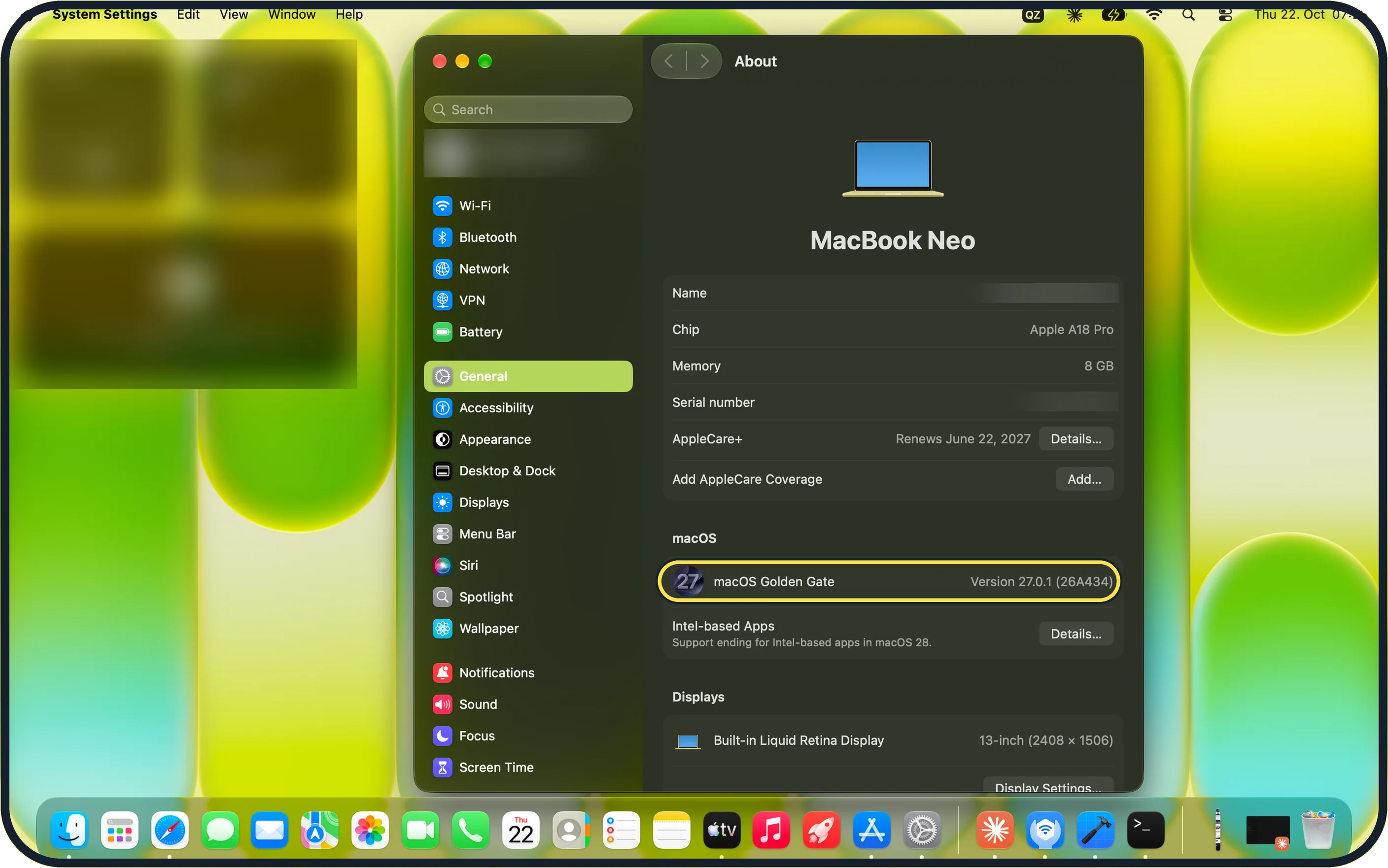
Open System Settings, then General, About. Ours says macOS Golden Gate, Version 27.2 (26B123). Before the update it said Version 27.0.1 (26A434).
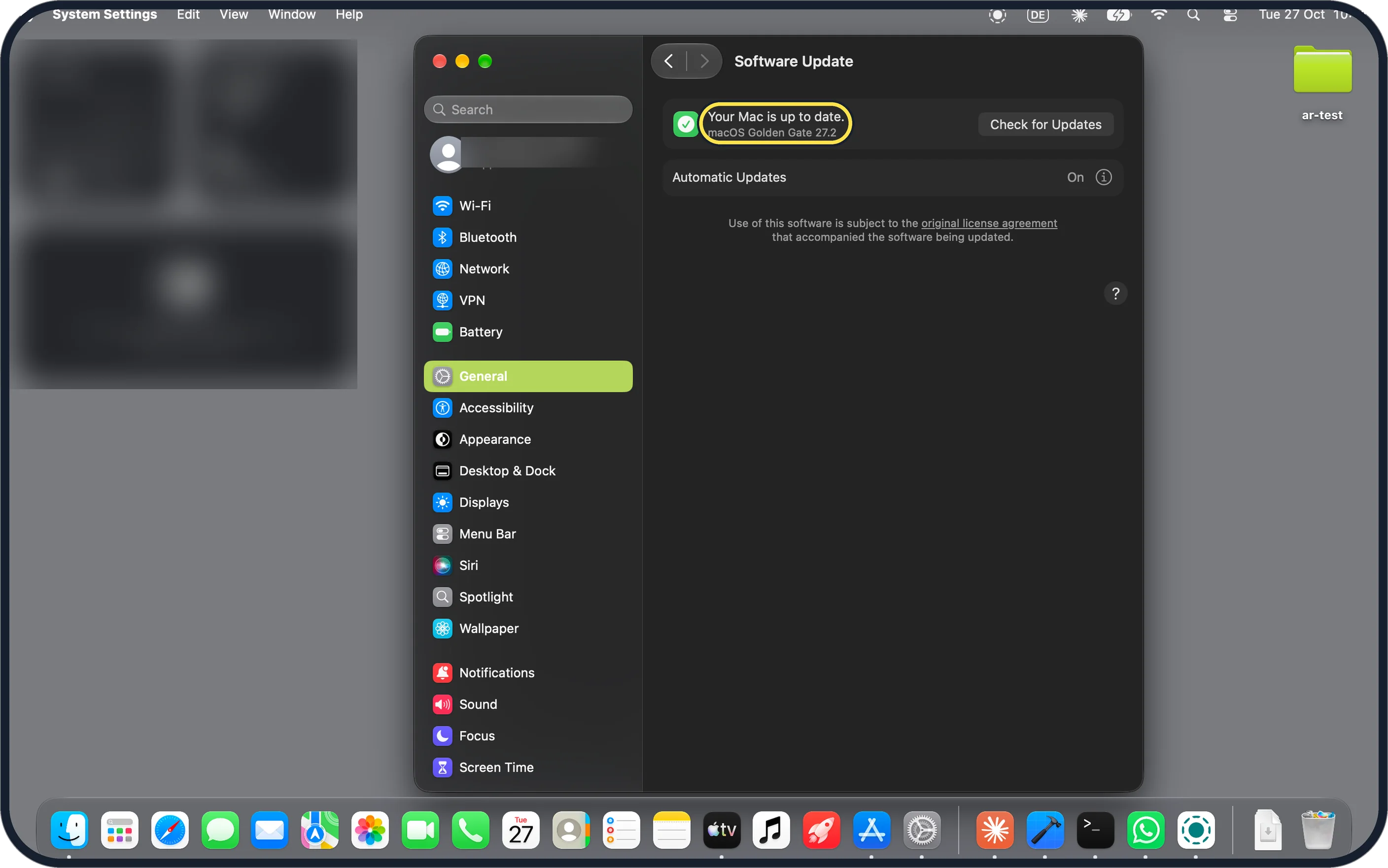
Zoomed in on the setting. Tap to see the whole screenTap the picture to see it full size Software Update shows 27.2
General, Software Update on ours said Your Mac is up to date, macOS Golden Gate 27.2, with Automatic Updates On. To get it, see how to update macOS on your Mac.
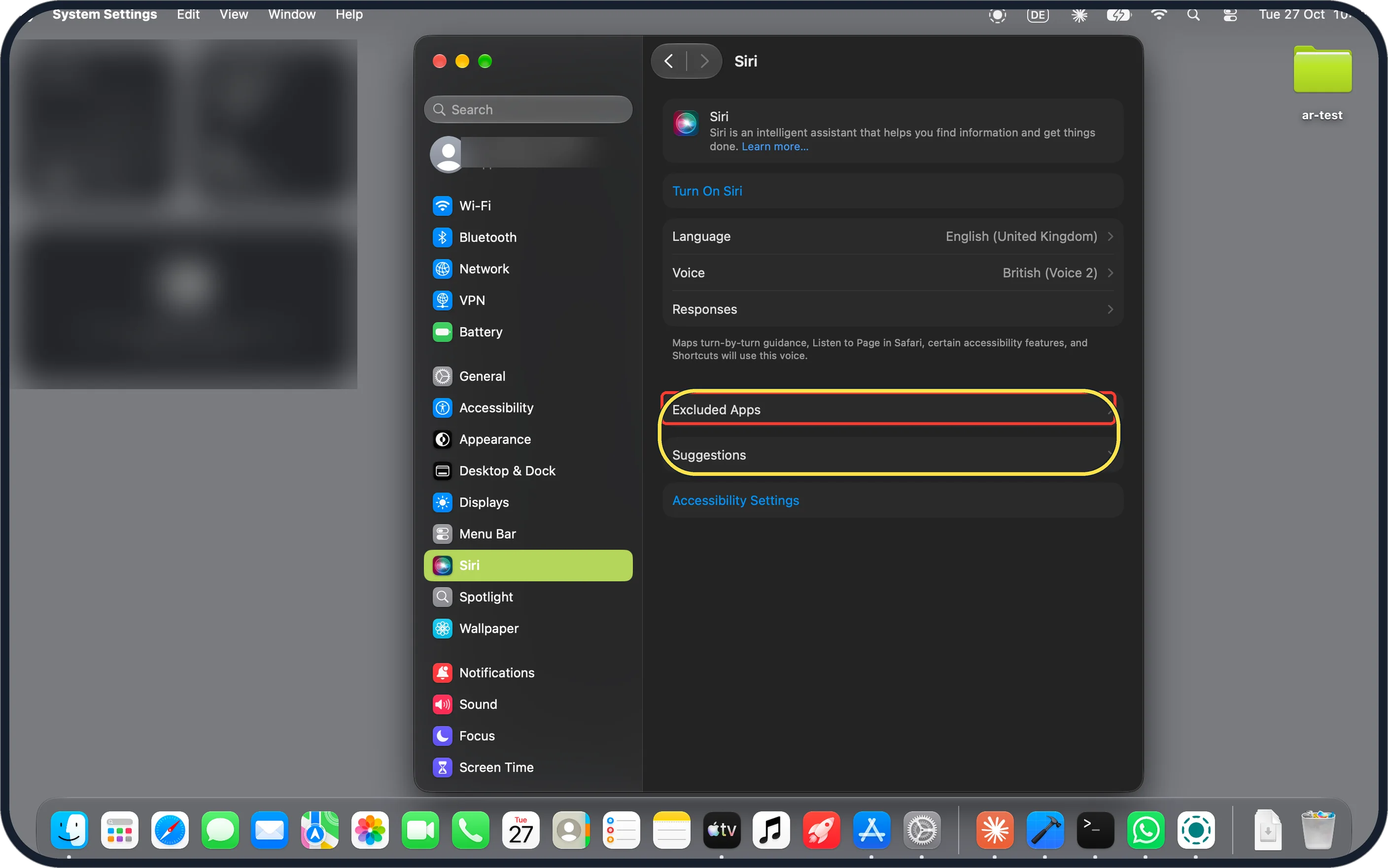
Zoomed in on the setting. Tap to see the whole screenTap the picture to see it full size Siri settings have two new rows
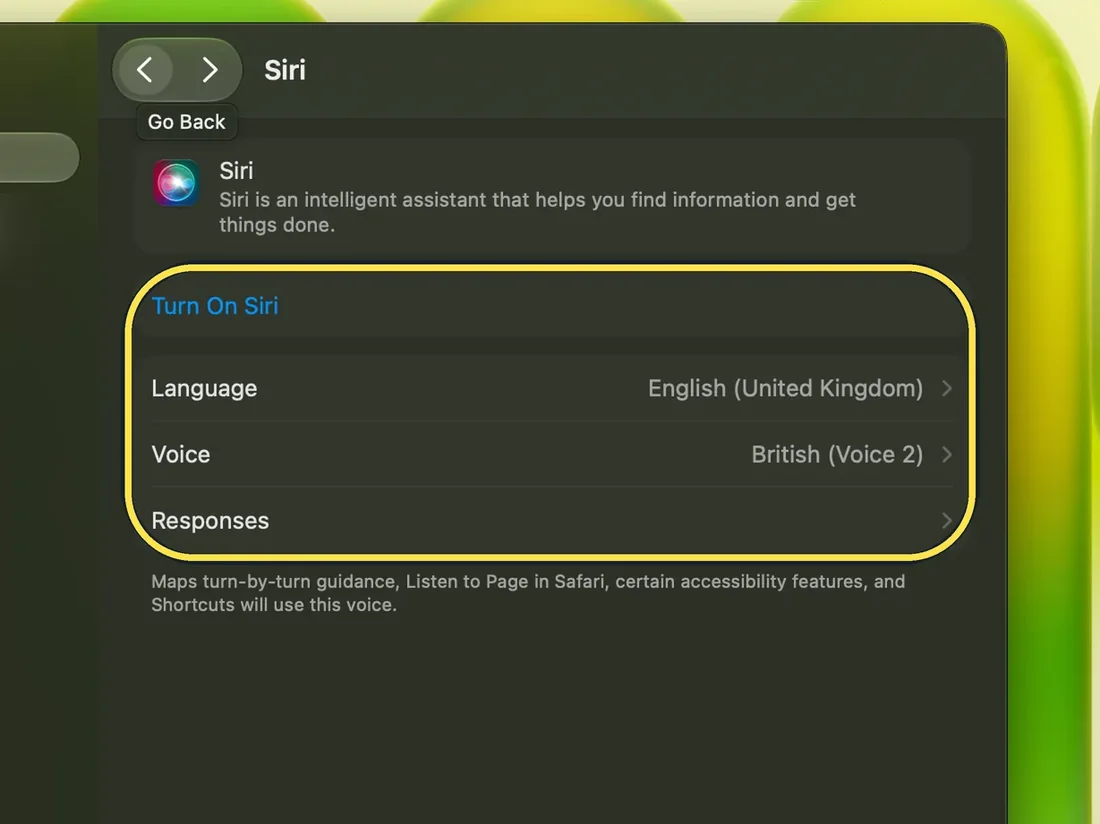
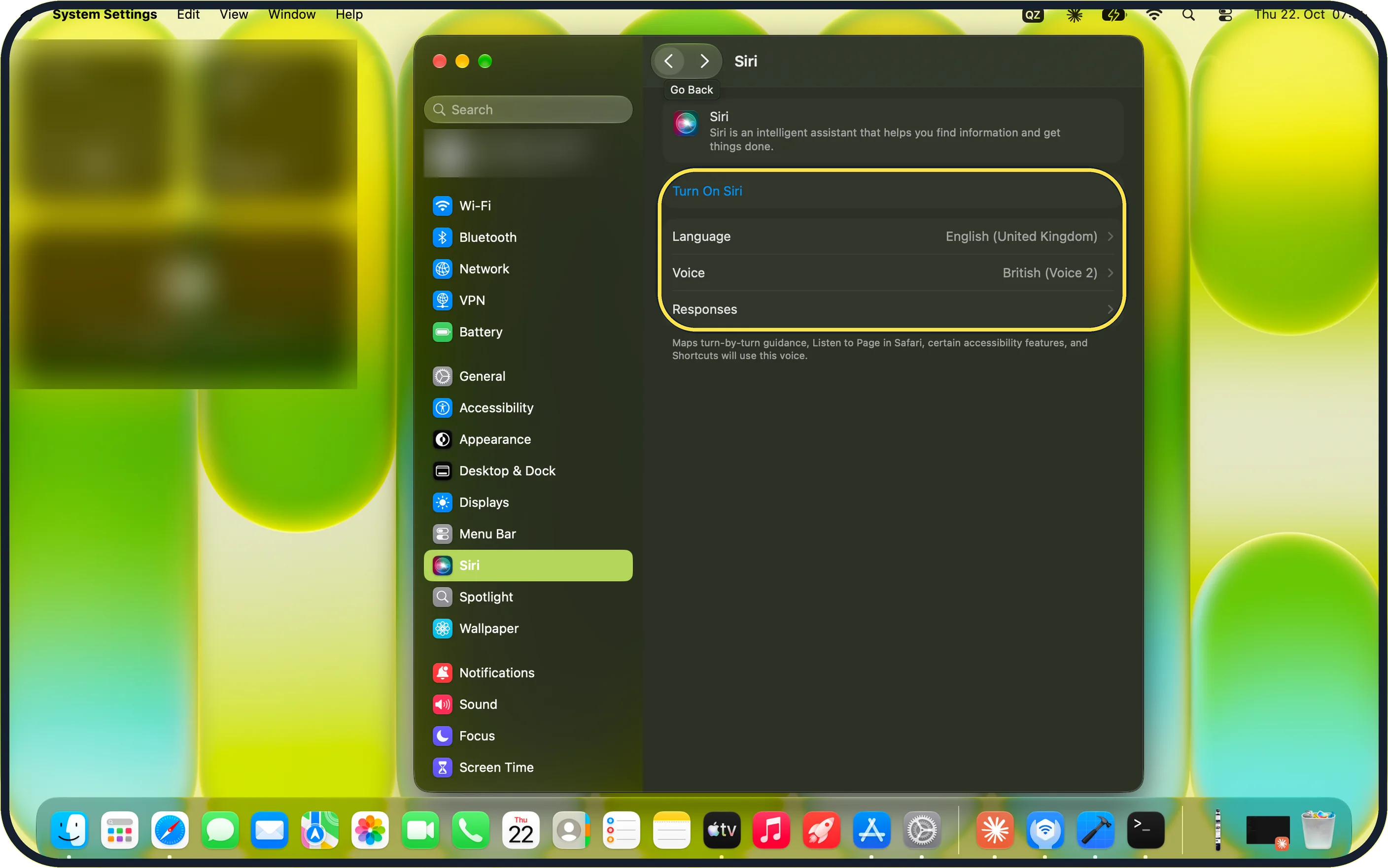
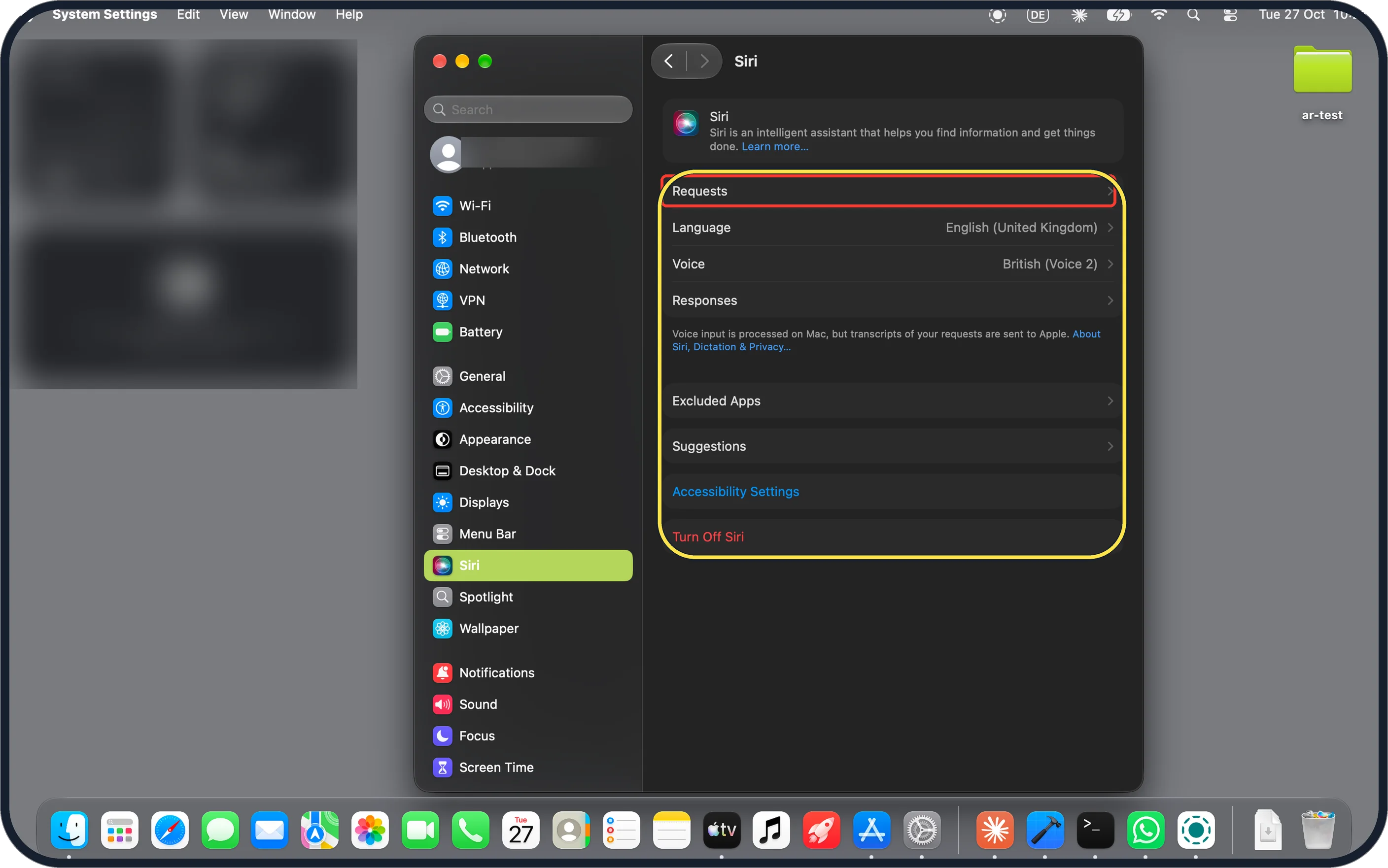
System Settings, Siri now lists Excluded Apps and Suggestions below Responses. On macOS 27.0.1 our Siri page ended at Responses. Both rows were there with Siri switched off.
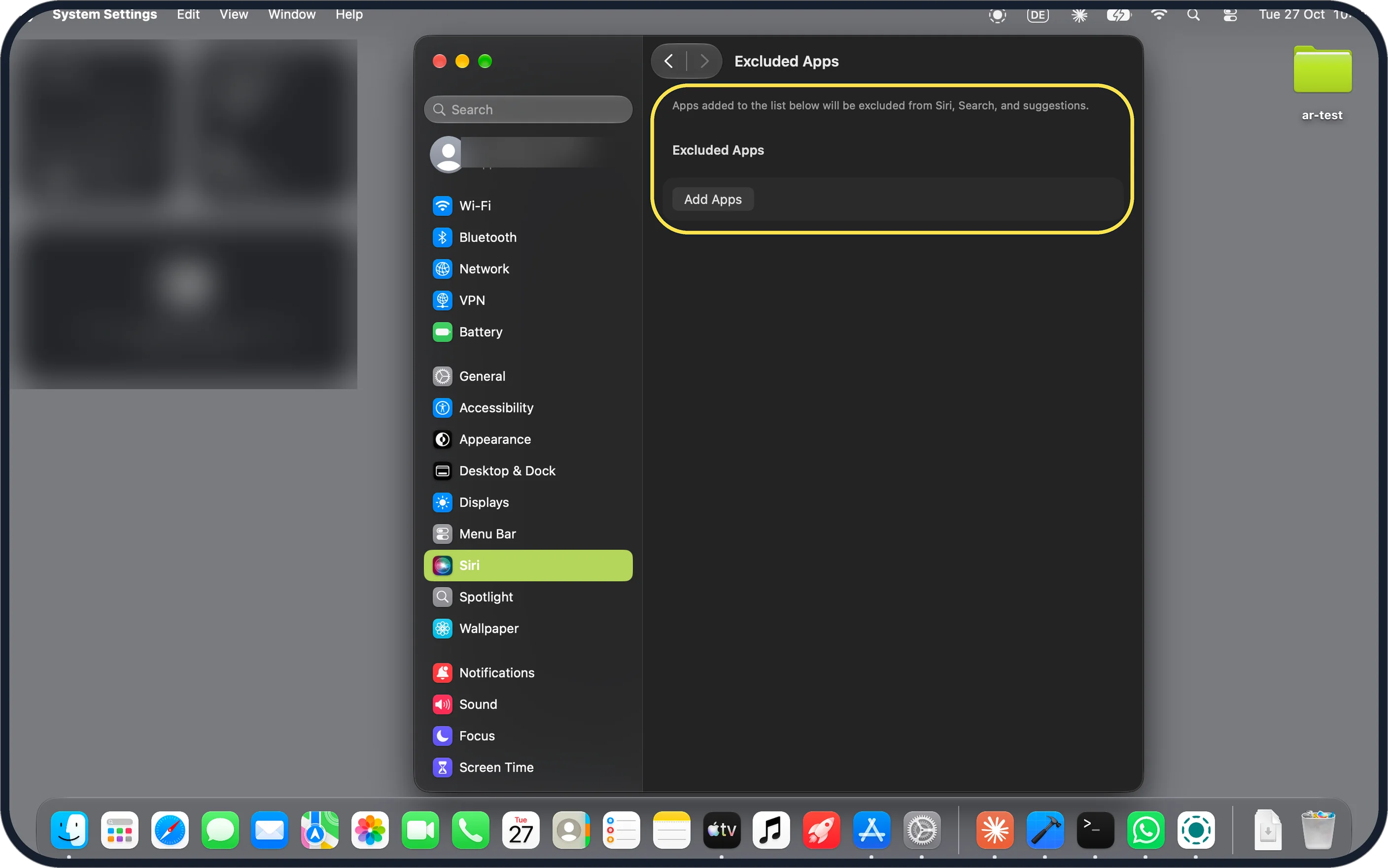
Zoomed in on the setting. Tap to see the whole screenTap the picture to see it full size Excluded Apps keeps apps away from Siri
The page says: Apps added to the list below will be excluded from Siri, Search, and suggestions. Ours was empty, with an Add Apps button. Steps: how to stop Siri using an app on a Mac.
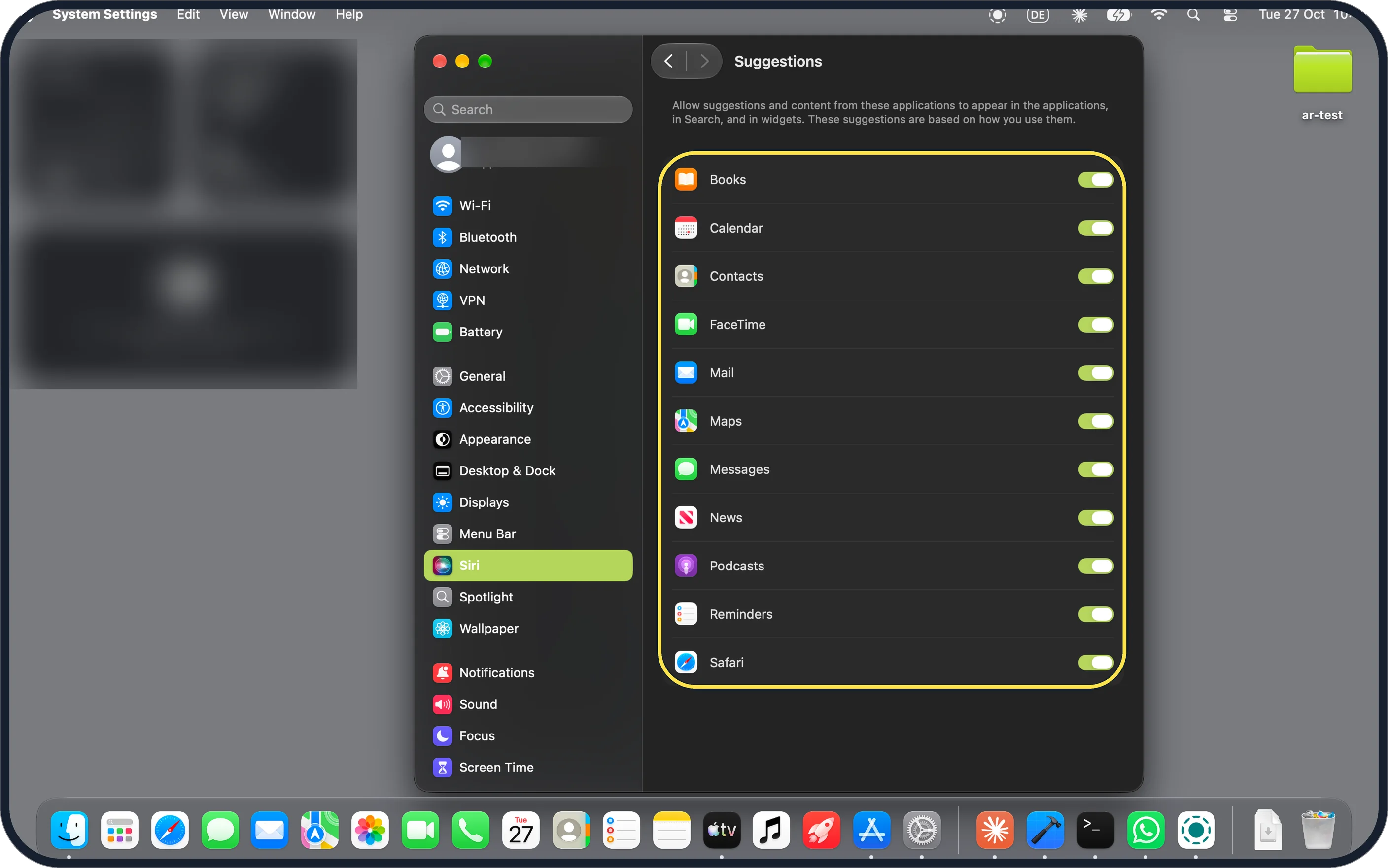
Zoomed in on the setting. Tap to see the whole screenTap the picture to see it full size Suggestions has one switch per app
It lets suggestions and content from these apps appear in apps, in Search and in widgets, based on how you use them. Ours listed 11 apps, from Books to Safari, all on. We did not change any.
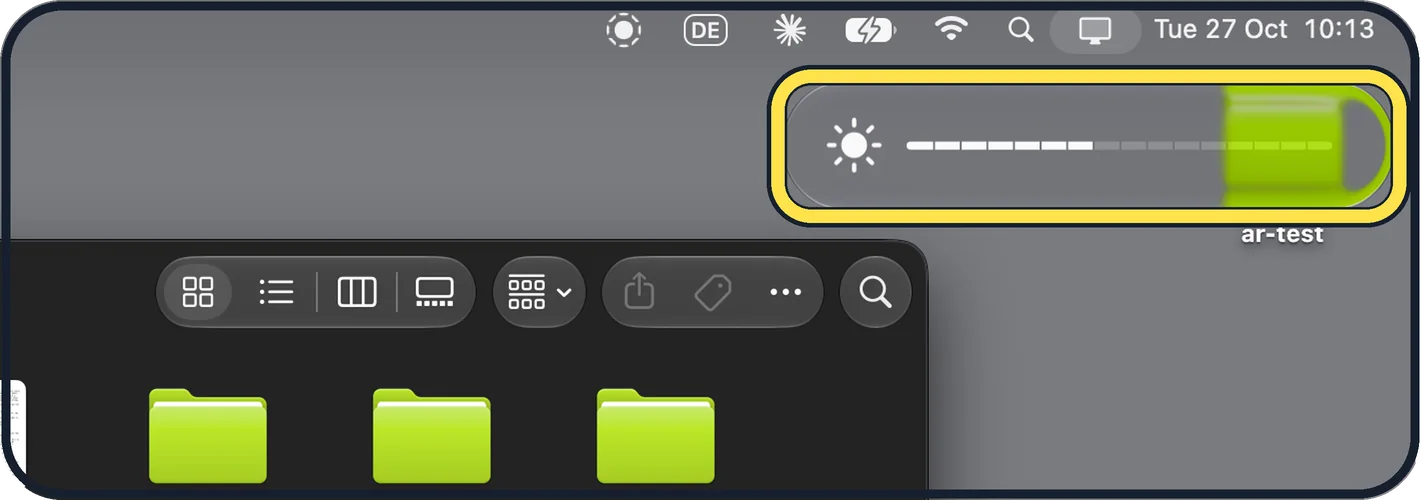
Zoomed in on the setting. Tap to see the whole screenTap the picture to see it full size Brightness shows a pill split into steps
When we changed the brightness, a pill appeared at the top right with a sun icon and a bar split into short segments, not a smooth bar. Apple's release notes do not mention it.
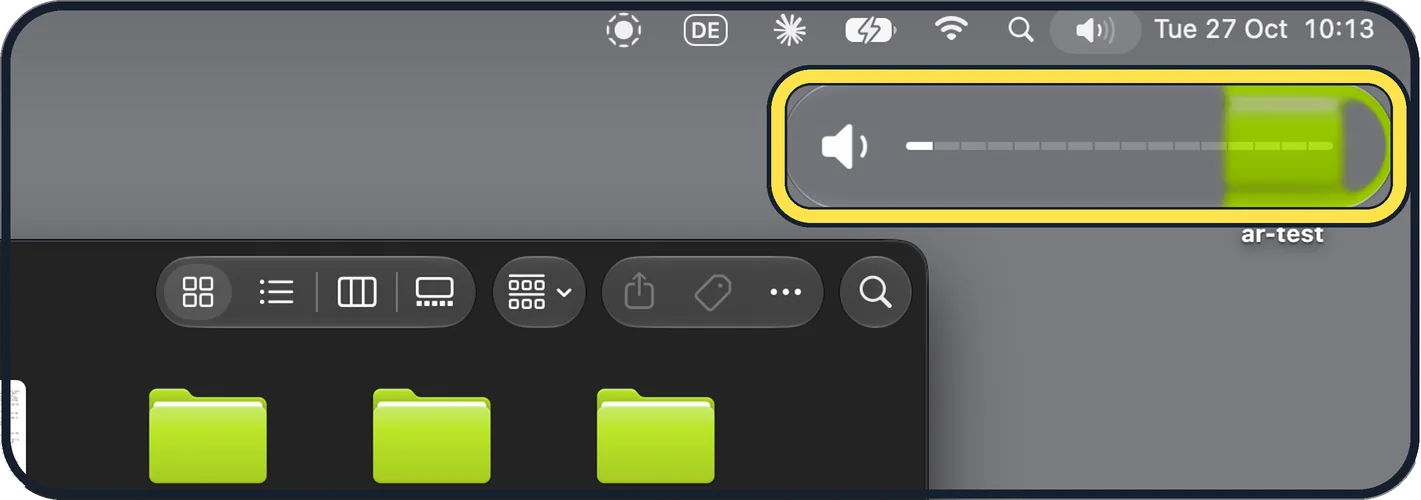
Zoomed in on the setting. Tap to see the whole screenTap the picture to see it full size Volume uses the same pill
It has a speaker icon and the same segments. We raised the volume one step to take this, then set it back to muted.
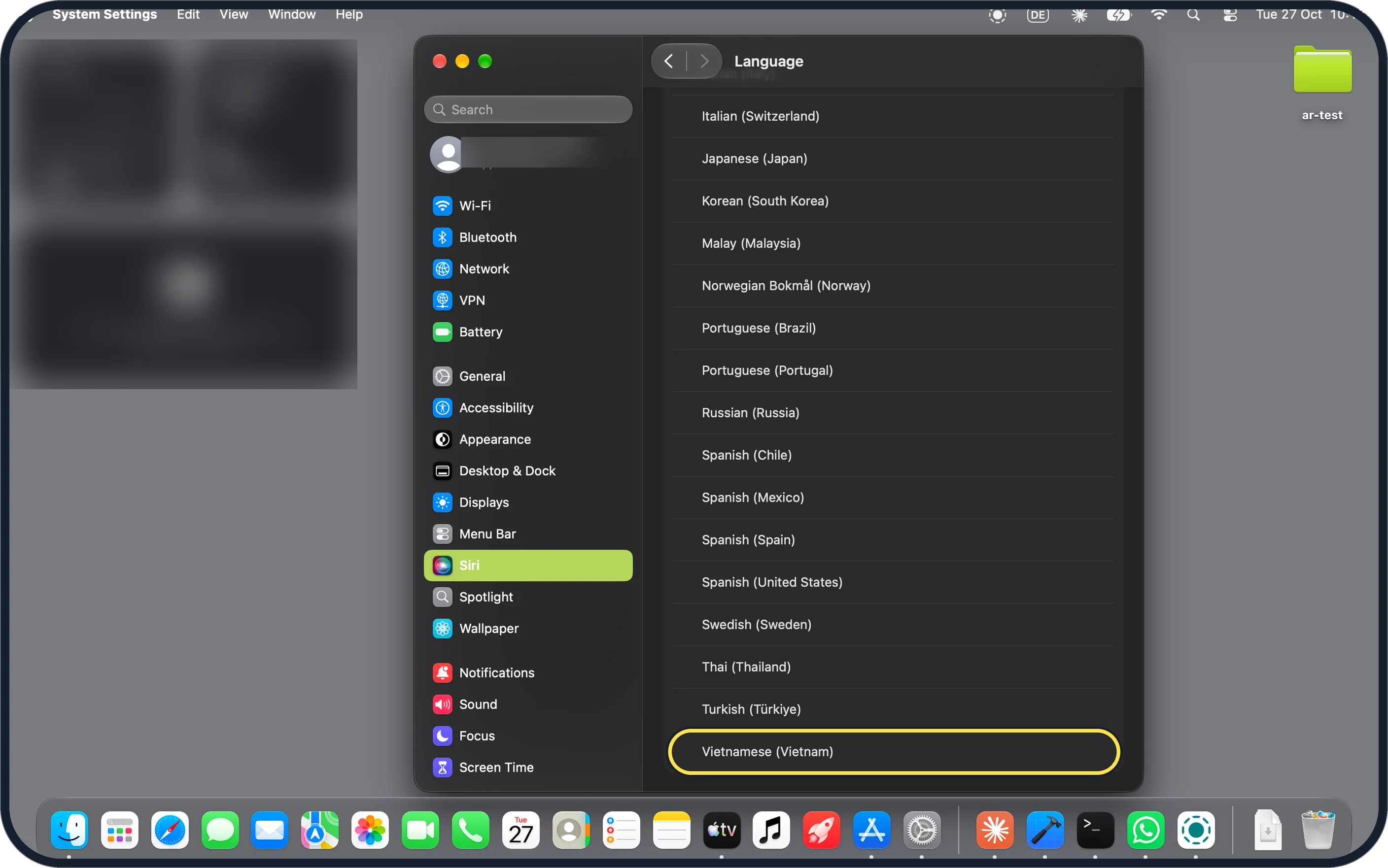
Zoomed in on the setting. Tap to see the whole screenTap the picture to see it full size Siri languages: the classic Siri list
Siri, Language runs from Arabic (Saudi Arabia) at the top to Vietnamese (Vietnam) at the end, with Japanese (Japan), Korean (South Korea), Portuguese and Spanish entries near the end. Our Siri language, English (United Kingdom), shows on the Siri page in step 3. The five new languages in Apple's notes, French, Japanese, Korean, Portuguese and Spanish, are for Siri AI.
If you do not see this option
- No Excluded Apps or Suggestions rows? They came with macOS 27.2. On macOS 27.0.1 our Siri page had only Turn On Siri, Language, Voice and Responses. Source: What's new in the updates for macOS 27 Golden Gate
Zoomed in on the setting. Tap to see the whole screen - No New Episodes or Continue Playing in Podcasts? Apple's release notes say the Podcasts Home tab now has these two sections. Our Podcasts follows no shows, and we did not see them on our Mac, so we cannot show them. Source: What's new in the updates for macOS 27 Golden Gate
- No Siri AI in mainland China? Apple's macOS 27.2 notes say Siri AI is not available in mainland China. Source: What's new in the updates for macOS 27 Golden Gate
If this does not work
- Still on macOS 27.0.1? Our About page said Version 27.0.1 (26A434) before the update. Go to General, Software Update and click Check for Updates. See how to update macOS on your Mac.
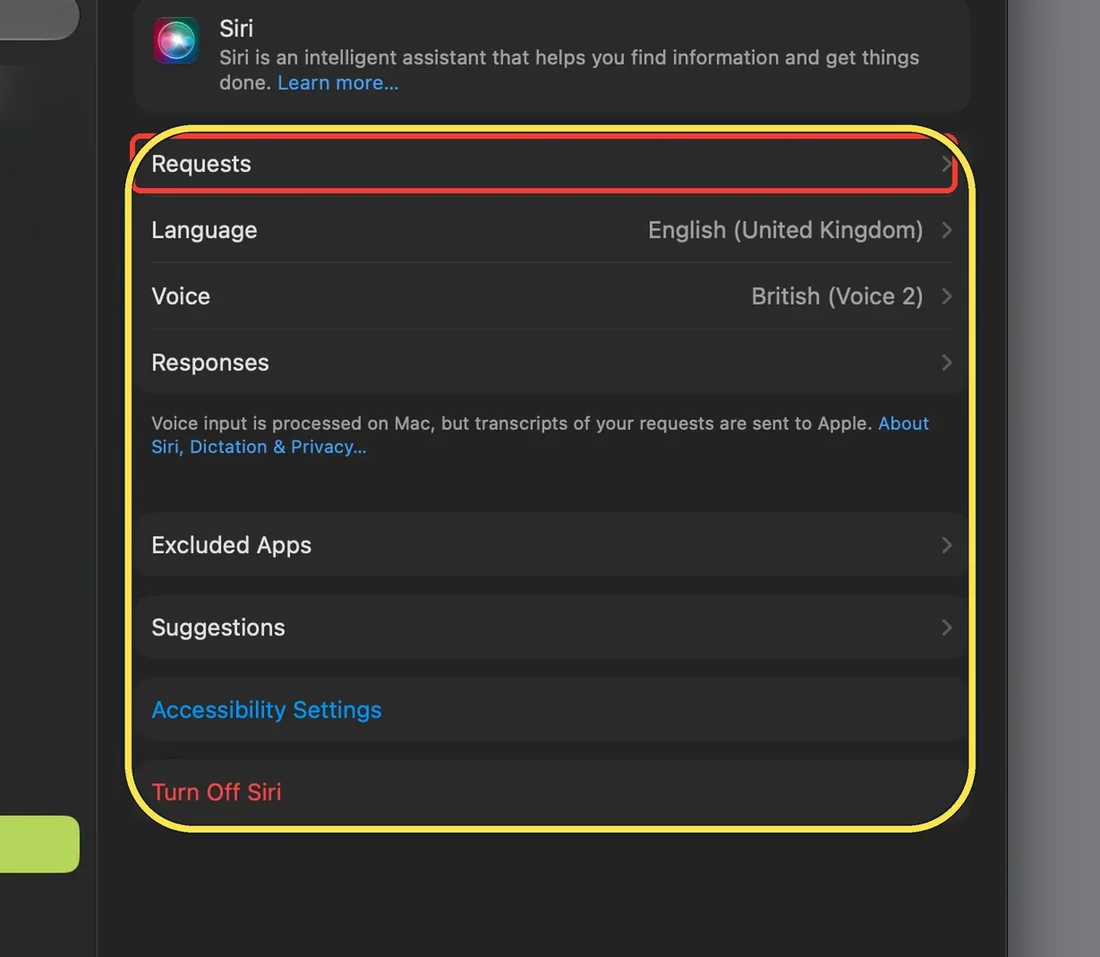
Zoomed in on the setting. Tap to see the whole screen - No Try Siri AI (Beta) row, even with Siri on? Apple's notes list Siri AI recalling past conversations and Write with Siri in Mail. Apple says Siri AI is a beta: in System Settings, Siri, click Try Siri AI (Beta), turning Siri on first, and you join a waitlist. It needs macOS 27 on a MacBook Neo or a Mac with M1 or later, the Mac and Siri set to the same supported language (currently English), and an Apple Account in an eligible region; in the EU, a Mac works with an EU account region and both languages in English. We turned Siri on: our page showed Requests, Language (English (United Kingdom)), Voice, Responses, Excluded Apps, Suggestions and Turn Off Siri, but no Try Siri AI (Beta) row. We did not check our account region or the Mac's own language setting, so we cannot say which rule applied. The red box is from our capture. Sources: What's new in the updates for macOS 27 Golden Gate, How to get Siri AI
Zoomed in on the setting. Tap to see the whole screen - Other 27.2 changes not on our Mac? Apple's notes also list Suggestions in Messages, edits to Shared Albums in Photos, SynthID watermarking to help tell if an image was made or changed with generative tools, and sign-language interpreters in FaceTime calls. These need real chats, shared albums, such images or a call, so we did not check them. Source: What's new in the updates for macOS 27 Golden Gate
About this guide
We compared the same screens on our MacBook Neo before the update, on macOS 27.0.1 (26A434) on 22 October 2026, and after it, on macOS 27.2 (26B123) on 27 October 2026. Both sets are in Dark mode. Siri was off for these screens; afterwards we turned it on once to look for Siri AI, then off again.
EU limits: Apple says Siri AI is not available on iPhone, iPad or Apple Watch in the EU. On a Mac in the EU it needs an Apple Account region in the EU, with both the Mac and Siri set to English. Our Mac's region was changed from Germany to the United Kingdom on update day, so the newer screenshots show UK dates.
Good to know
To keep an app out of Siri, Search and suggestions, see how to stop Siri using an app on a Mac.
To install the update, see how to update macOS on your Mac.
In short: macOS 27.2 on our Neo: Siri, Excluded Apps and Suggestions are new; brightness and volume use a stepped pill; no Siri AI on our Mac.
Links checked in October 2026. Menus and features can change after software updates. These steps match the version named at the top.
📷 Camera Lab: the same 6 scenes photographed with 11 phones, side by side.
Did this guide work for you?
Sorry about that. What happened?