
howtosimply.com/guides/how-to-hide-notifications-on-the-lock-screen-on-a-oneplus/ · Checked October 2026 · OnePlus Nord 5 (CPH2709), OxygenOS 16.0.5.1201, Android 16
In this guide
Go to Settings, Notifications & Quick Settings. To hide the text, switch on Hide notification details on Lock screen. To hide them completely, tap the Lock screen tile and switch off Show Lock screen notifications, or switch off single apps there.
- Device
- Android
- Shown on
- OnePlus Nord 5 (CPH2709), OxygenOS 16.0.5.1201, Android 16
- App
- Settings
- Path
- Settings › Notifications & Quick Settings › Lock screen
- Real screenshots
- 4 of 4 steps
- Checked
- October 2026
- Sources
- 1 official, linked below
Step by step
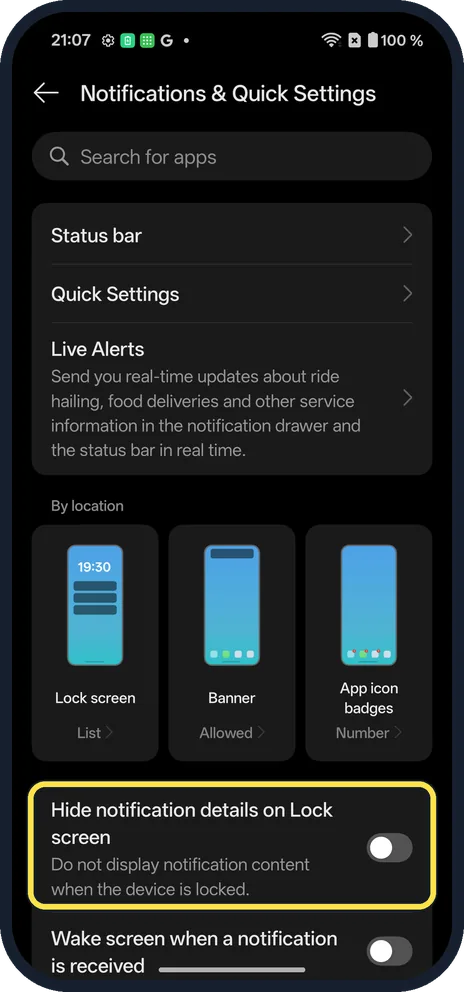
Hide the details
On Notifications & Quick Settings, switch on Hide notification details on Lock screen. Notifications still show, without their content.
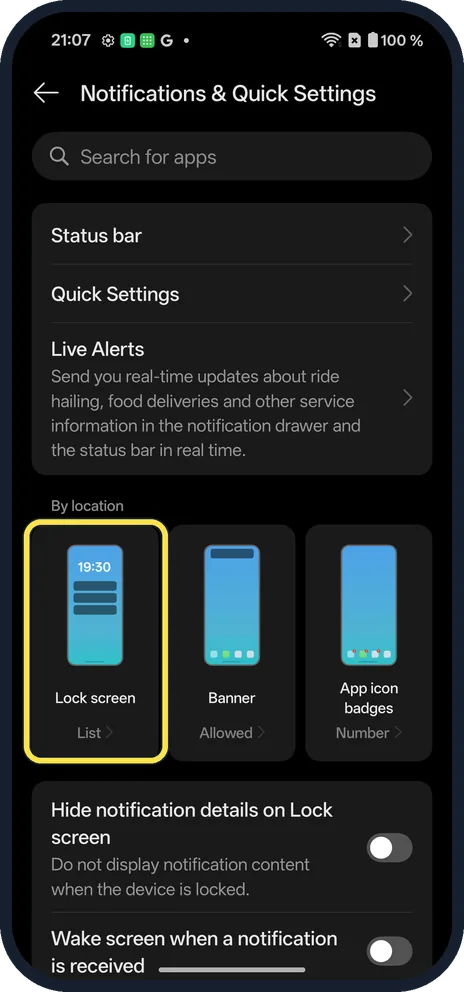
Or open Lock screen
Under By location, tap the Lock screen tile (List on ours).
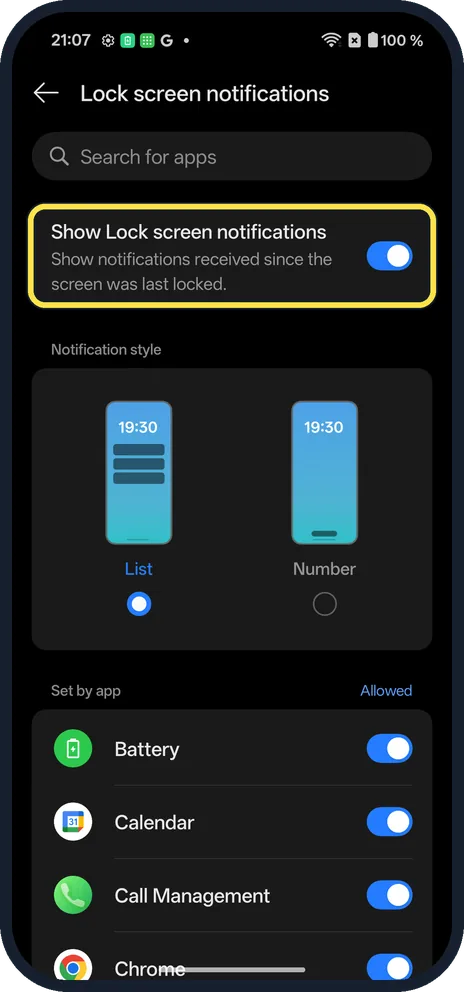
Switch them off
Show Lock screen notifications turns them all off.
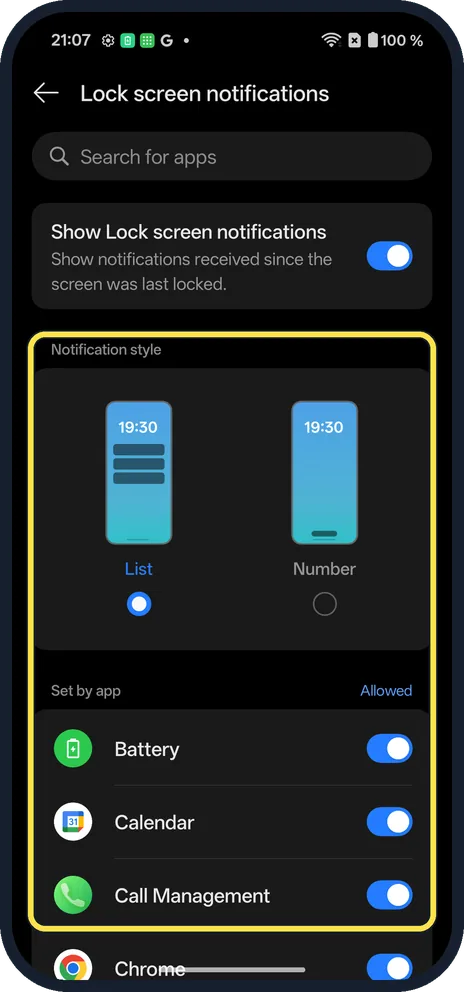
Or pick the style and apps
Notification style is List or Number. Set by app has a switch for each app.
If you do not see this option
- No "hide sensitive" choice in Lock screen? On ours it is a separate switch on the Notifications & Quick Settings page.
- Older OxygenOS? OnePlus's OxygenOS 14 manual has these under Notifications & status bar. Source: OxygenOS 14.0 User Manual
If this does not work
- Screen wakes for every message? Wake screen when a notification is received is just below; switch it off.
- One app still shows? Switch that app off under Set by app.
About this guide
Lock screen notifications can show message text to anyone who picks up your phone.
The screenshots are from our OnePlus Nord 5 with OxygenOS 16.0.5.1201 and Android 16, in Dark mode. Notifications showed on the Lock screen as a List, and details were not hidden. We changed nothing.
Good to know
Turn off notifications for one app on a OnePlus.
In short: Notifications & Quick Settings: Hide notification details, or Lock screen tile.
Links checked in October 2026. Menus and features can change after software updates. These steps match the version named at the top.
Did this guide work for you?
Sorry about that. What happened?