ONEPLUS
How to turn on notification snoozing on a OnePlus (OxygenOS 16)

In short
Snoozing is off by default on OxygenOS 16. Go to Settings, Notifications & Quick Settings, More settings and turn on Notification snoozing, or search Settings for snooze.
3 of 3 steps show a real screenshot from our Nord 5. Each step was checked against the maker's own instructions, linked at the end.
Steps
- 1
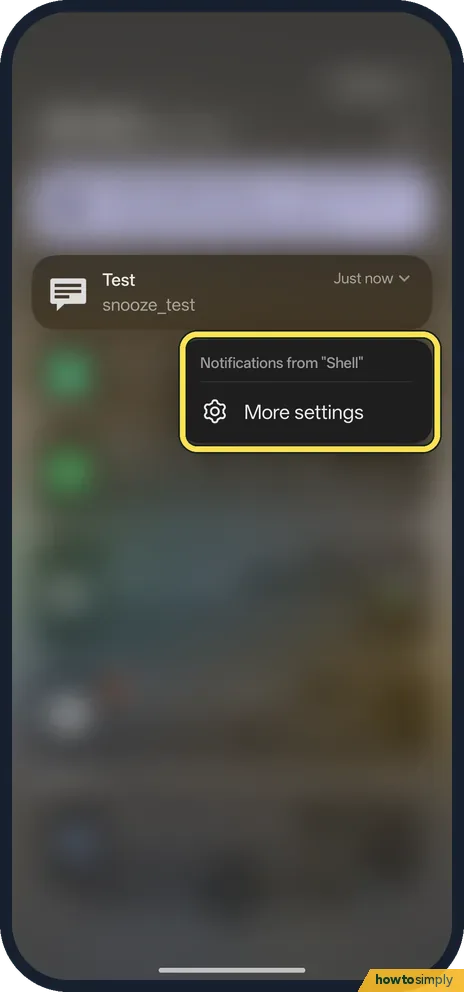
See why there is no snooze
With it off, touching and holding a notification only showed Notifications from the app and More settings.
- 2
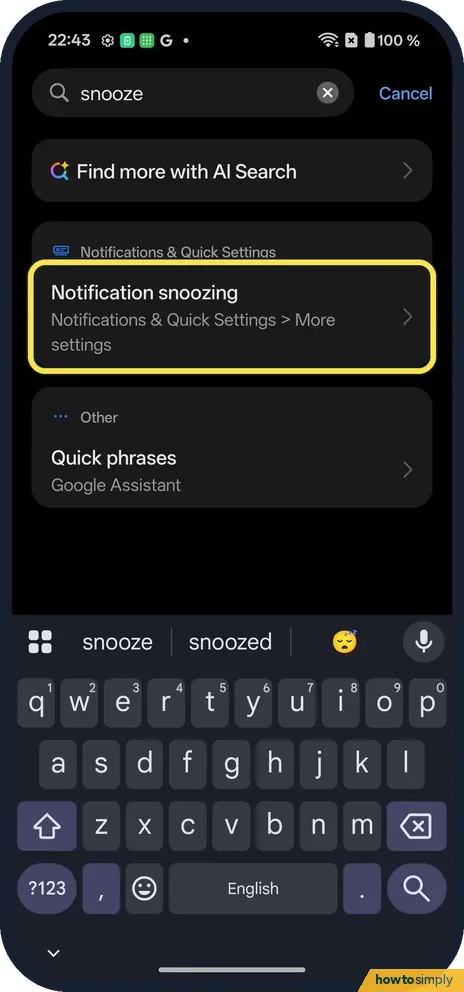
Search for snooze
Notification snoozing is under Notifications & Quick Settings, More settings.
- 3
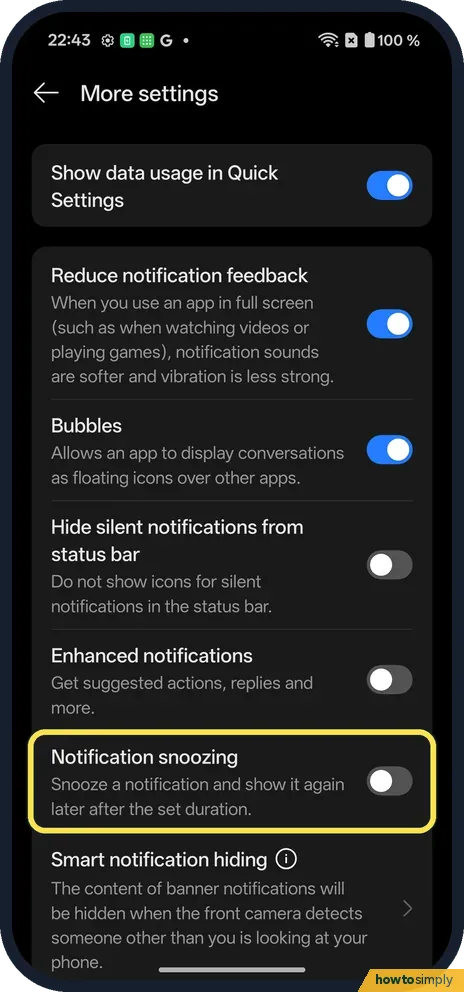
Turn it on
Notification snoozing: snooze a notification and show it again later after the set duration.
If you do not see this option
- On OxygenOS 14? The OnePlus manual puts it under Settings, Notifications & status bar, More settings, Allow notification snoozing. Source: OxygenOS 14.0 User Manual
- Can't find it? Search Settings for snooze, as we did.
- Switch greyed out or missing? On a work phone, your organisation's device policy can limit notification settings. Ask your IT team, or check the setting in your personal profile rather than the work one.
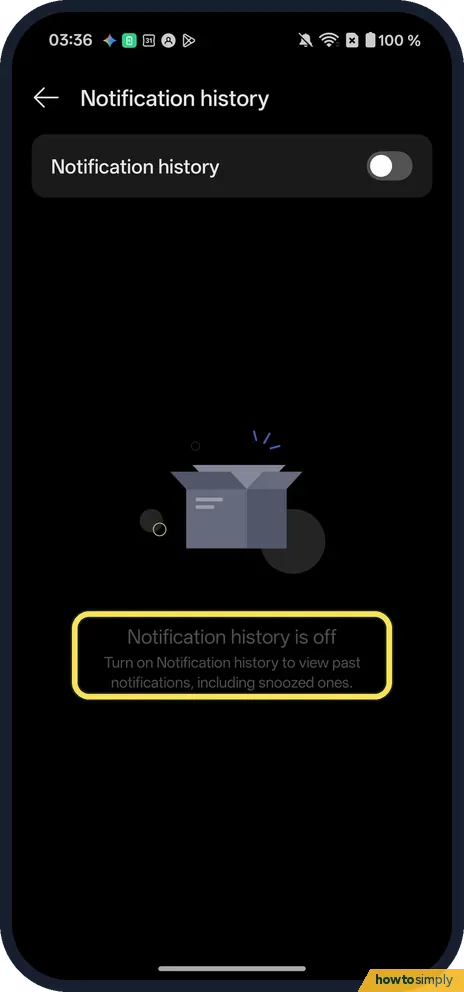
- Notification history off? It was off on ours. Its page said Notification history is off: turn on Notification history to view past notifications, including snoozed ones.
If this does not work
- No snooze option on a notification? Turn the switch on first. With it off, ours showed only Notifications from the app and More settings.
- Snoozed one disappeared? It comes back after the set time.
- Want a snoozed one back early? Google says notification history, on devices that have it, lists snoozed notifications alongside recently dismissed ones. The OxygenOS 14 manual places Notification history in the same More settings list as snoozing, and so does our OxygenOS 16 phone.
- Snoozed notification never returned? If you opened the app in the meantime and read the message, the app may have withdrawn its own notification. Open the app itself to check nothing was missed.
- Snooze time too short or long? Google's Android instructions say you can change how long a notification is snoozed when you snooze it, by tapping the Down arrow. The exact choice of times can vary by phone.
Good to know
Hide notifications on the lock screen on a OnePlus.
Turning the switch on only adds the option; nothing is snoozed until you choose to. Notifications that are not snoozed behave exactly as before. To undo it, return to More settings and turn Notification snoozing off.
Snoozing is useful when a notification needs action, but not right now, such as a reply you want to send after a meeting. If you need the whole phone quiet for a while instead, a mode such as Focus mode on a OnePlus or Do Not Disturb is a better fit than snoozing notifications one by one.
About this guide
- Device
- Android
- Shown on
- OnePlus Nord 5 (CPH2709), OxygenOS 16.0.5.1201, Android 16
- App
- Settings
- Path
- Settings › Notifications & Quick Settings › More settings › Notification snoozing
- Real screenshots
- 3 of 3 steps
- Checked
- October 2026
- Sources
- 2 official, linked below
Sources
Links checked October 2026. Menus and features can change with updates.Spotted a mistake? Menus change with updates, and we want every step to match your screen. Email us about this page or use the contact form. We read every report, and fixes are listed on What changed.
Liked this guide?
Follow us for new guides and short how-to videos.
Did this guide work for you?
Sorry about that. What happened?