
howtosimply.com/guides/how-to-change-voice-input-on-the-samsung-keyboard/ · Checked October 2026 · SM-A576B), One UI 9, Android 17 (build A576BXXU6BZIE · Samsung Galaxy A57
In this guide
Open Settings, General management, Samsung Keyboard settings and tap Voice input. Choose Samsung voice input, Google Voice Typing or None. Samsung voice input was selected on our Galaxy A57.
- Device
- Android
- Shown on
- Samsung Galaxy A57 (SM-A576B), One UI 9, Android 17 (build A576BXXU6BZIE)
- App
- Settings
- Path
- Settings › General management › Samsung Keyboard settings › Voice input
- Real screenshots
- 4 of 4 steps
- Checked
- October 2026
- Sources
- 1 official, linked below
Step by step
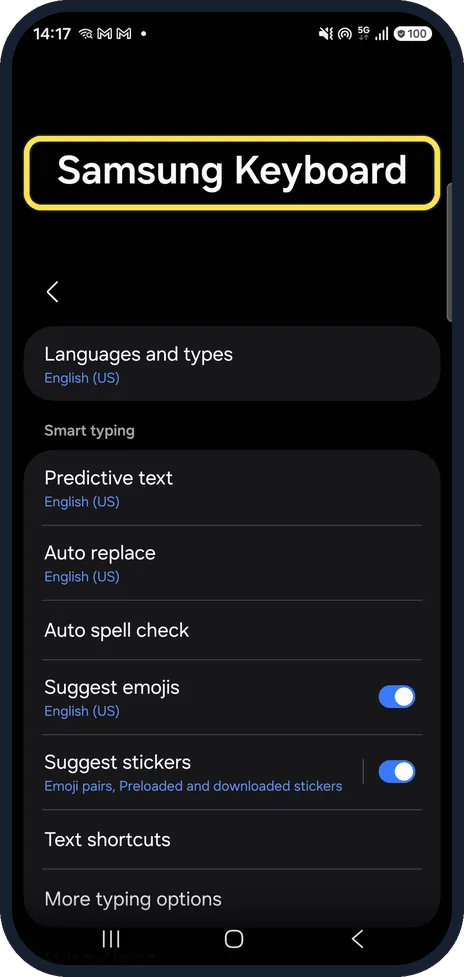
Open Samsung Keyboard settings
Open Settings, General management, Samsung Keyboard settings.
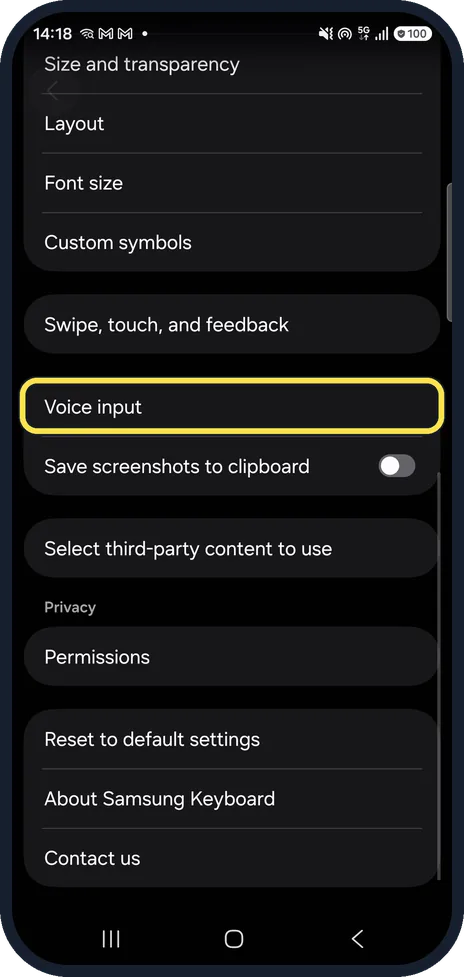
Tap Voice input
Scroll down past Size and transparency, Layout and Font size. Voice input sits above Save screenshots to clipboard.
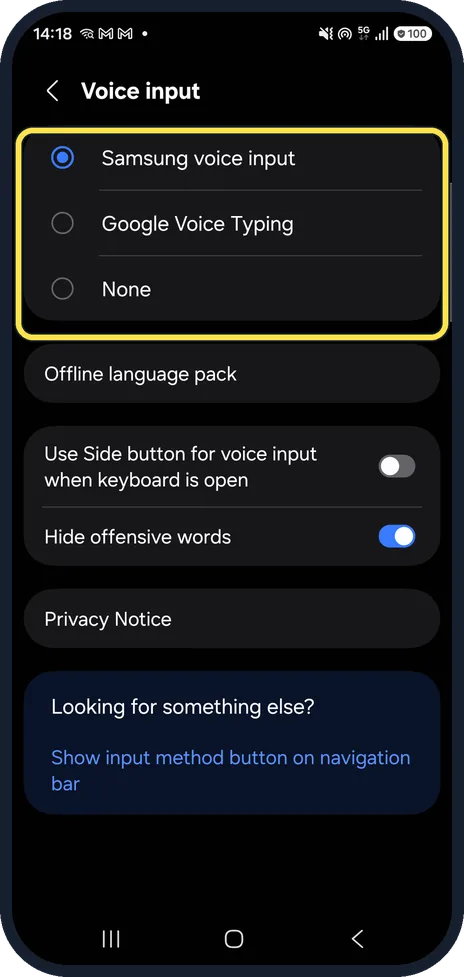
Choose the service
Ours offered Samsung voice input (selected), Google Voice Typing and None. None removes voice typing from the keyboard.
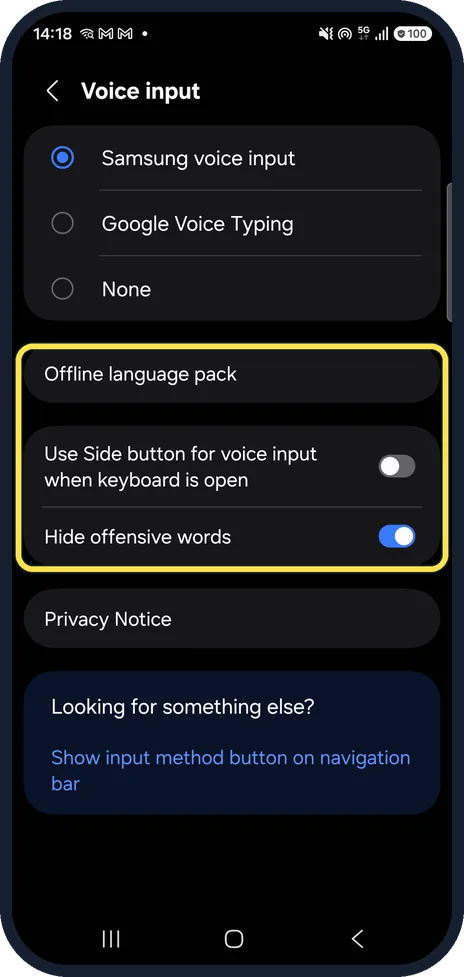
Check the other options
Below are Offline language pack, Use Side button for voice input when keyboard is open (Off on ours) and Hide offensive words (On).
If you do not see this option
- No Voice input row? Samsung says Samsung voice input only works with the Samsung Keyboard. Check that it is your keyboard, then search Settings for "Voice input". Source: Adjust keyboard settings on your Galaxy phone or tablet
- No microphone on the keyboard? Voice input may be set to None. Pick Samsung voice input or Google Voice Typing (step 3).
If this does not work
- Voice typing without internet? Download your language under Offline language pack. Source: Adjust keyboard settings on your Galaxy phone or tablet
- Words blanked out? Hide offensive words was On on ours. Switch it off if real words get hidden.
About this guide
The microphone in Samsung Keyboard can use Samsung's or Google's voice typing.
The screenshots are from our Samsung Galaxy A57 with One UI 9 and Android 17 (build A576BXXU6BZIE), in Dark mode, taken on 18 October 2026. We looked at the choices and changed nothing.
Good to know
Use the clipboard on a Samsung keyboard. Turn off keyboard sound and vibration.
In short: Settings, General management, Samsung Keyboard settings, Voice input, pick a service.
Links checked in October 2026. Menus and features can change after software updates. These steps match the version named at the top.
Did this guide work for you?
Sorry about that. What happened?