
howtosimply.com/guides/samsung-keyboard-lagging-6-fixes/ · Checked October 2026 · Samsung Galaxy A57 5G (SM-A576B), One UI 8.5, Android 16
In this guide
Restart the phone, then open Settings, General management, Samsung Keyboard settings. Switch off Suggest emojis and Suggest stickers, check for a keyboard update under About Samsung Keyboard, clear the keyboard's cache under Settings, Apps, Samsung Keyboard, Storage, and use Reset to default settings as the last step.
8 of 8 steps with real screenshots · 1 official source below
- Device
- Android
- Shown on
- Samsung Galaxy A57 5G (SM-A576B), One UI 8.5, Android 16
- App
- Settings
- Real screenshots
- 8 of 8 steps
- Checked
- October 2026
- Sources
- 1 official, linked below
Step by step
Restart the phone
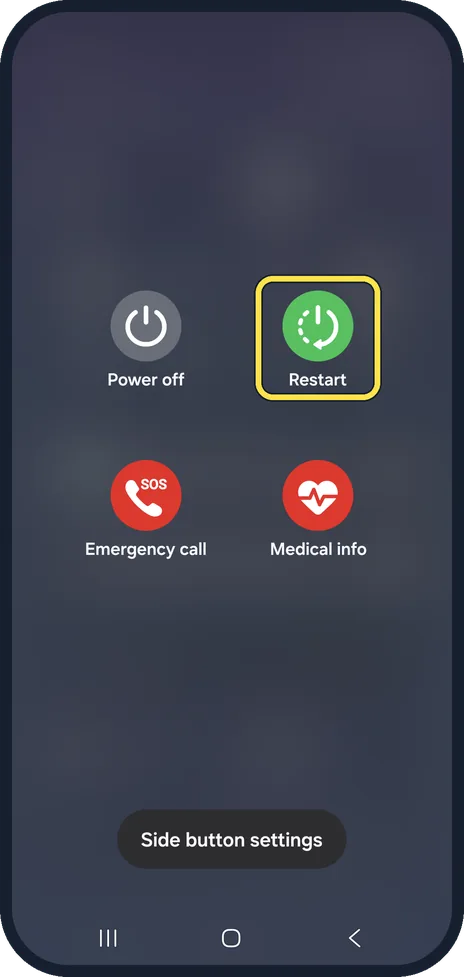
Samsung says to press and hold the Power key and tap Restart, or swipe down with two fingers and tap the power icon. On our Galaxy A57 the power menu shows Power off, Restart, Emergency call and Medical info.
Watch these steps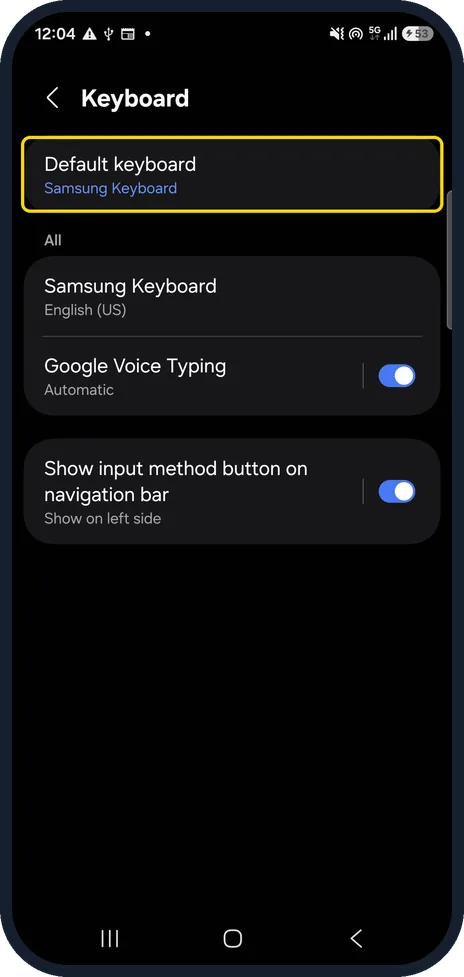
Check the default keyboard
Samsung's fix page says to make the preinstalled Samsung Keyboard the default, under General management, Keyboard list and default. On our Galaxy A57 with One UI 8.5 that row is just called Keyboard, and Default keyboard already said Samsung Keyboard.
Go to the Samsung Keyboard page
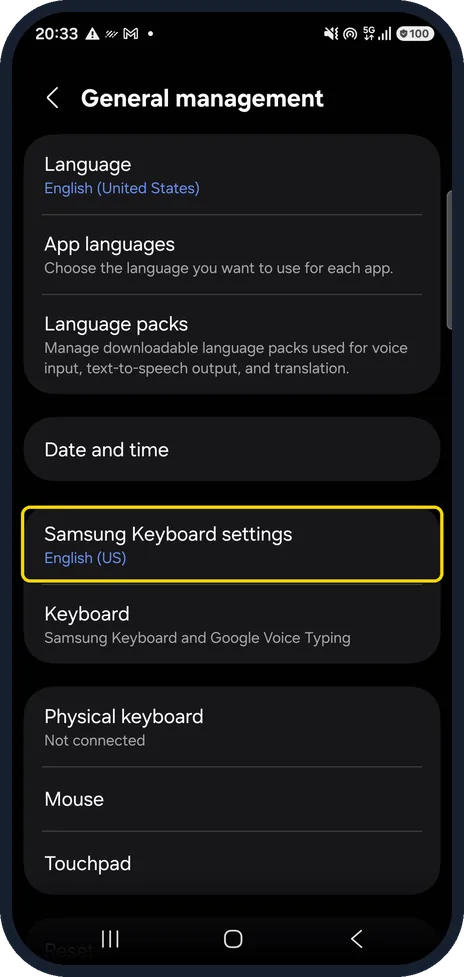
Open Settings, General management and tap Samsung Keyboard settings. On our Galaxy A57 the row shows English (US) under its name. The Samsung Keyboard page opens, with Predictive text under Smart typing.
Switch off the extra suggestions
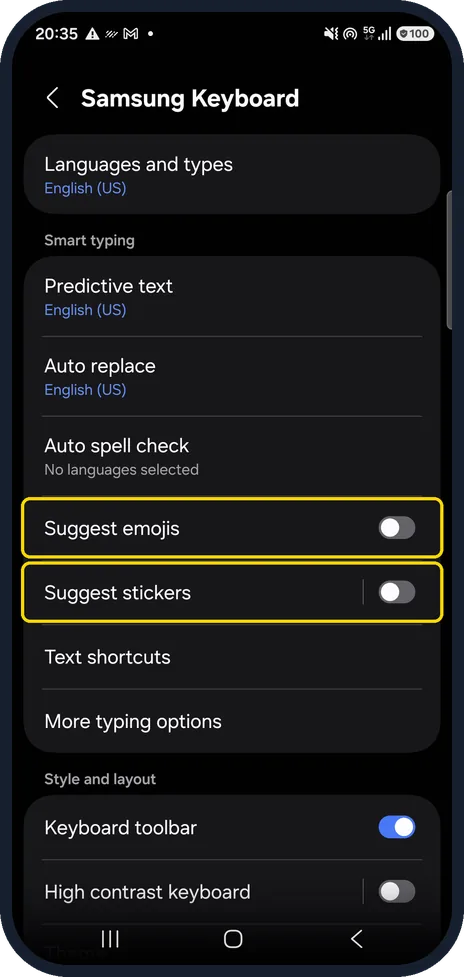
On our Galaxy A57, Suggest emojis and Suggest stickers were both on. Switch them off, as in our screenshot, and try typing again. If the lag goes, leave them off.
Test without Predictive text
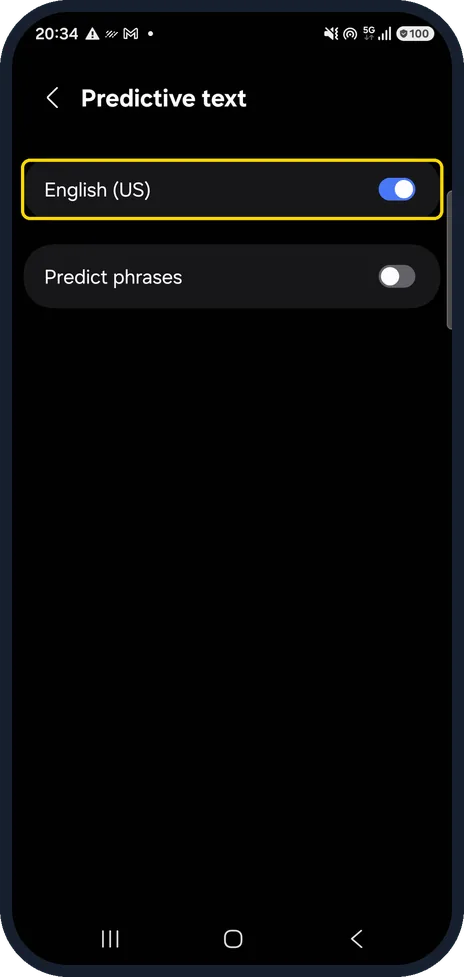
Tap Predictive text. On our Galaxy A57 with One UI 8.5 the page has an English (US) switch, which was on, and Predict phrases, which was off. Switch English (US) off for a moment. If typing becomes smooth, leave it off, or switch it back on later to test again.
Clear the keyboard's cache
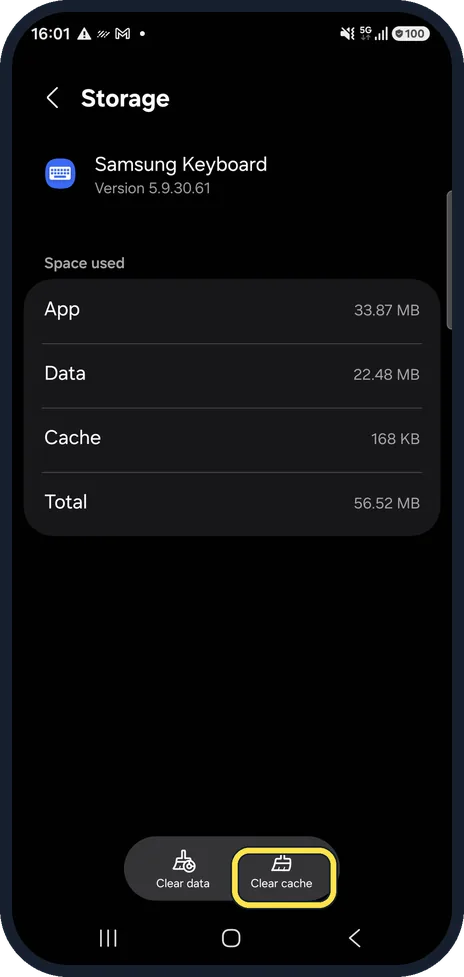
Settings, Apps, Samsung Keyboard, Storage, Clear cache. If Samsung Keyboard is not in the Apps list, Samsung says to tap the sort icon and turn on Show system apps. Samsung's own fix goes on to Clear data, which also erases your keyboard settings and saved words, so try Clear cache first.
Check for a keyboard update
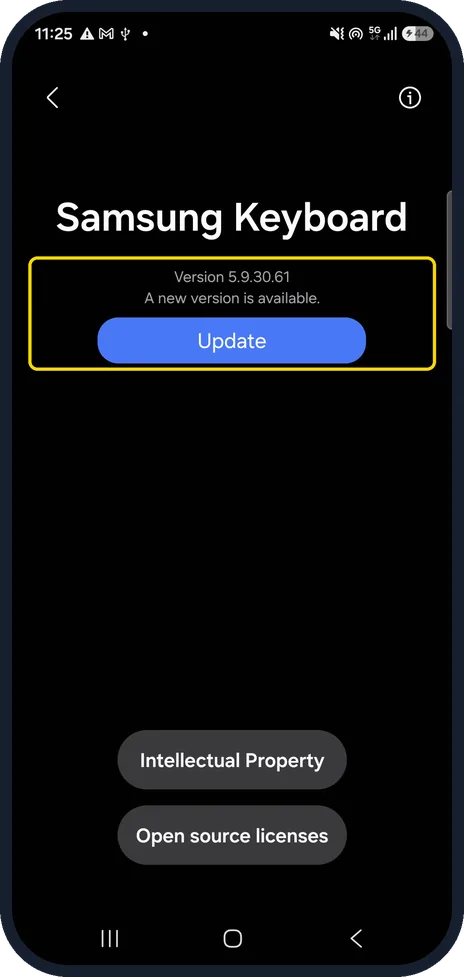
At the bottom of the Samsung Keyboard page, tap About Samsung Keyboard, below Reset to default settings. The About page opens. On our Galaxy A57 it showed Version 5.9.30.61, the note A new version is available, and an Update button. We did not tap Update.
Reset to default settings
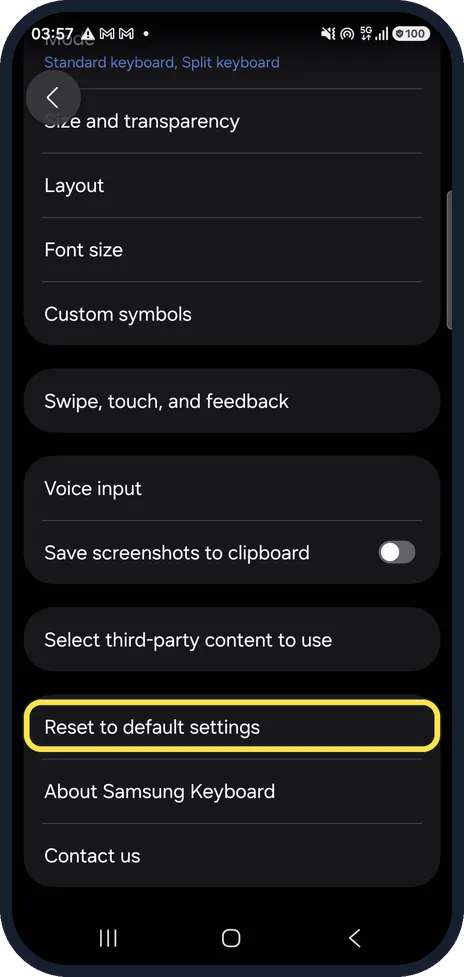
Near the bottom of the Samsung Keyboard page, tap Reset to default settings, above About Samsung Keyboard. Use it last: it puts every keyboard setting back to the default.
Watch these steps
If you do not see this option
- No Keyboard list and default row On our Galaxy A57 with One UI 8.5 it is Settings, General management, Keyboard, with Default keyboard at the top. Source: How do I fix my Samsung keyboard from lagging?
- Samsung Keyboard is not in the Apps list Samsung says to tap the sort icon in Settings, Apps and turn on Show system apps. Source: How do I fix my Samsung keyboard from lagging?
- No Update button on the About page Then the phone knows of no newer version. On our Galaxy A57 the page said A new version is available above the Update button.
If this does not work
- Also check for a system update Samsung's fix page also lists Settings, Software update for system updates. Source: How do I fix my Samsung keyboard from lagging?
- Still slow after all steps Samsung says to close all running apps with Optimize now in Device care. Source: How do I fix my Samsung keyboard from lagging?
About this guide
Samsung's own fix for a lagging keyboard is a restart, the keyboard's cache and data, a software update and making Samsung Keyboard the default. We add the suggestion switches that sit on the same settings page. The fixes are in the order we would try them, quickest first.
We changed nothing on our phone except the two suggestion switches in step 4, which we switched off for the screenshot and back on straight after.
Good to know
If the whole phone is slow, not only the keyboard, check its storage: how to check and free up storage on a Samsung Galaxy phone.
In short: Restart; Samsung Keyboard as default; Samsung Keyboard settings: suggestions off, test Predictive text; clear cache; About Samsung Keyboard for an update; reset to default last.
Links checked in October 2026. Menus and features can change after software updates. These steps match the version named at the top.
📷 See real photos from the Galaxy A57 in our Camera Lab, next to 10 other phones.
Did this guide work for you?
Sorry about that. What happened?