In this guide
Swipe down from the top and drag the brightness slider. In Settings, Display & brightness, there is the same slider and the Auto brightness switch, which sets the brightness from the light around you.
- Device
- Android
- Shown on
- OnePlus Nord 5 (CPH2709), OxygenOS 16.0.5.1201, Android 16
- App
- Settings
- Path
- Settings › Display & brightness
- Real screenshots
- 5 of 5 steps
- Checked
- October 2026
- Sources
- 2 official, linked below
Step by step
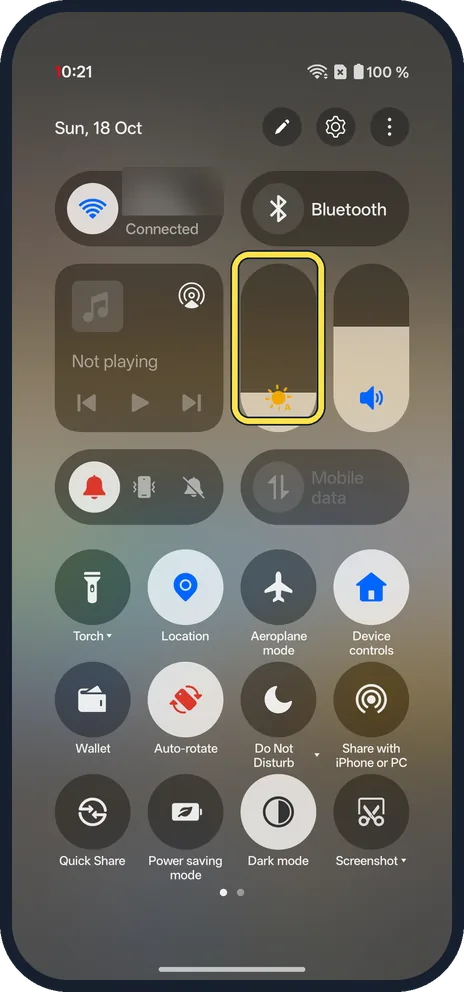
Use the slider
Swipe down from the top right for Quick Settings. The brightness slider sits next to the volume slider; an A on its sun icon means Auto brightness is on. Drag it up or down.
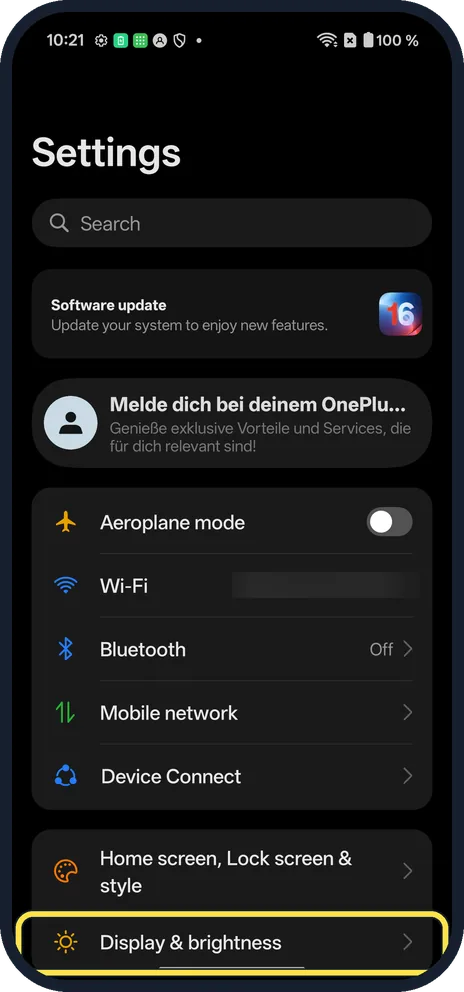
Open Display & brightness
For more, open Settings and tap Display & brightness.
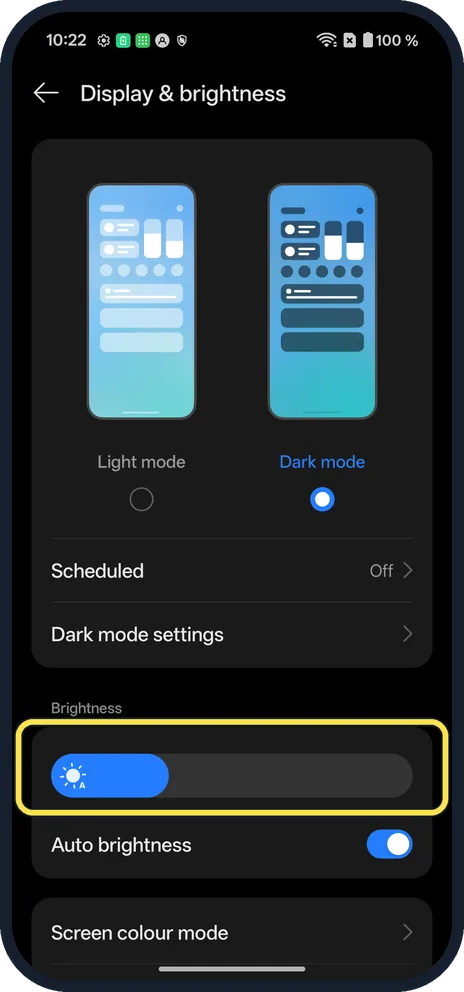
Find Brightness
On OxygenOS 16 the Brightness slider and Auto brightness are under Dark mode settings.
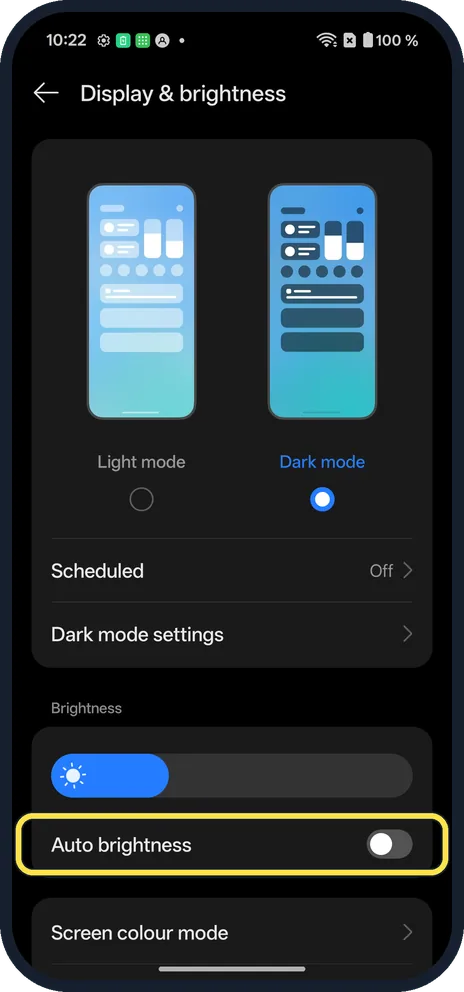
Turn off Auto brightness
Turn it off if the screen keeps changing by itself. Your slider setting then stays.
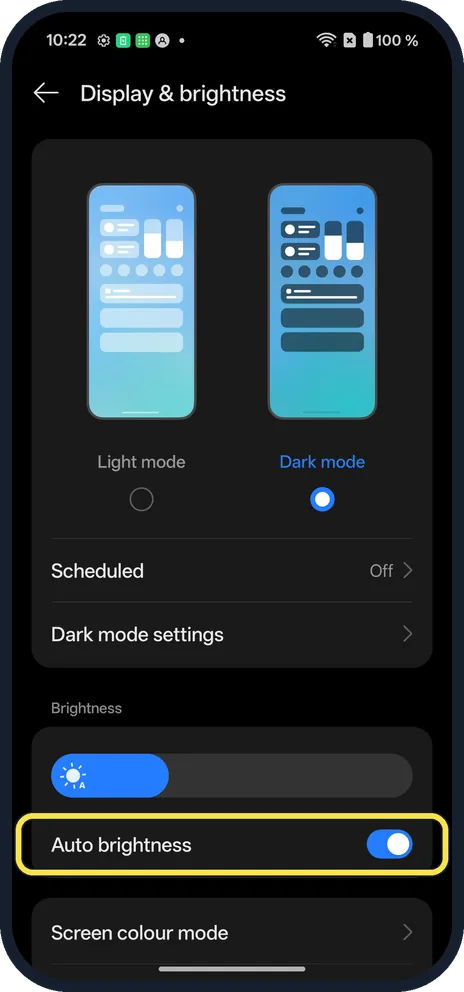
Turn Auto brightness back on
We turned it back on, as it was.
If you do not see this option
- No slider when you swipe down? One swipe from the top left opens only notifications with the Split layout. Swipe from the top right. More: notification shade and Quick Settings.
- OxygenOS 14 (OnePlus manual)? The manual puts the slider and Auto brightness in Settings, Display & brightness too, as on our OxygenOS 16 phone. Source: OxygenOS 14.0 User Manual
If this does not work
- Gets darker by itself? Auto brightness is on, or Power saving mode is: power saving mode. Source: Get the most life from your Android battery
- Changes during games? The OnePlus manual says you can lock the brightness while playing in Game Assistant. Source: OxygenOS 14.0 User Manual
About this guide
Brightness is quickest to change from Quick Settings.
The screenshots are from our OnePlus Nord 5 with OxygenOS 16.0.5.1201 and Android 16, in Dark mode. We turned Auto brightness off, then on again. We blurred our Wi-Fi name.
Good to know
Turn auto-rotate on or off on a OnePlus.
In short: Swipe down and drag the slider. Settings, Display & brightness for Auto brightness.
Links checked in October 2026. Menus and features can change after software updates. These steps match the version named at the top.
Did this guide work for you?
Sorry about that. What happened?