In this guide
Open Settings, Location and switch Use location on or off. Wi-Fi and Bluetooth scanning are on the same page. Which apps may use your location is in Permission manager, Location.
- Device
- Android
- Shown on
- OnePlus Nord 5 (CPH2709), OxygenOS 16.0.5.1201, Android 16
- App
- Settings
- Path
- Settings › Location
- Real screenshots
- 7 of 7 steps
- Checked
- October 2026
- Sources
- 2 official, linked below
Step by step
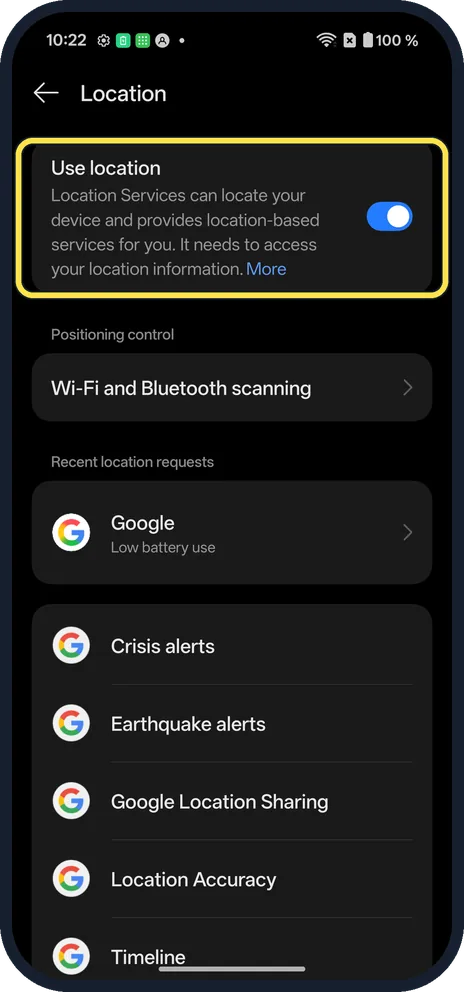
Open Location
Open Settings and tap Location. Use location is at the top.
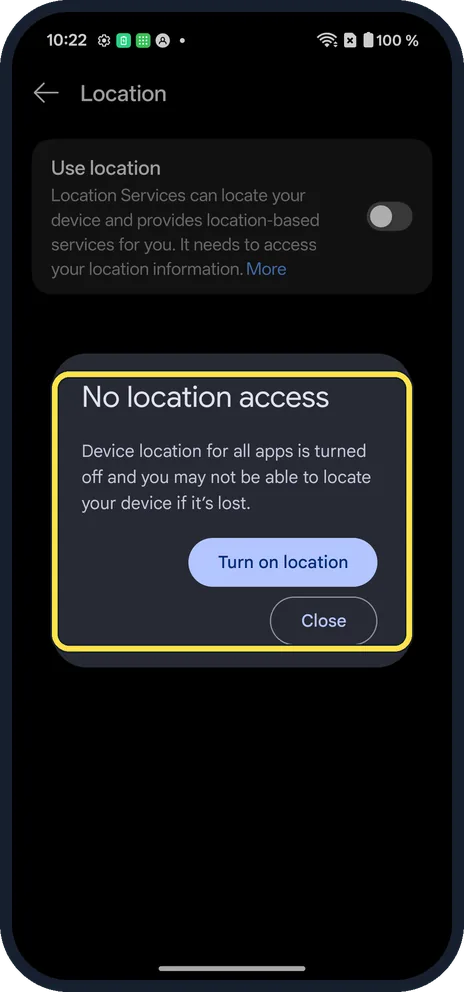
Switch it off
Turning it off showed No location access: you may not be able to locate your device if it's lost. Tap Turn on location or Close.
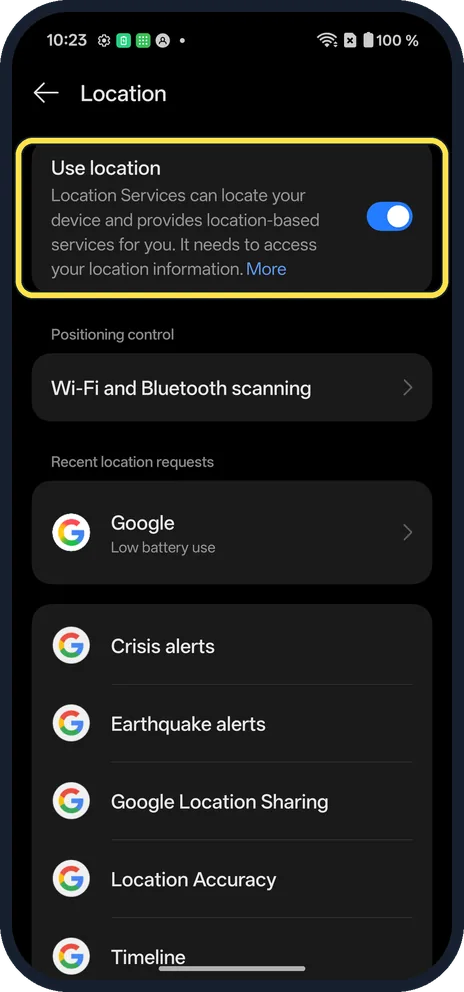
Switch it back on
Tap Use location again. Ours came back on.
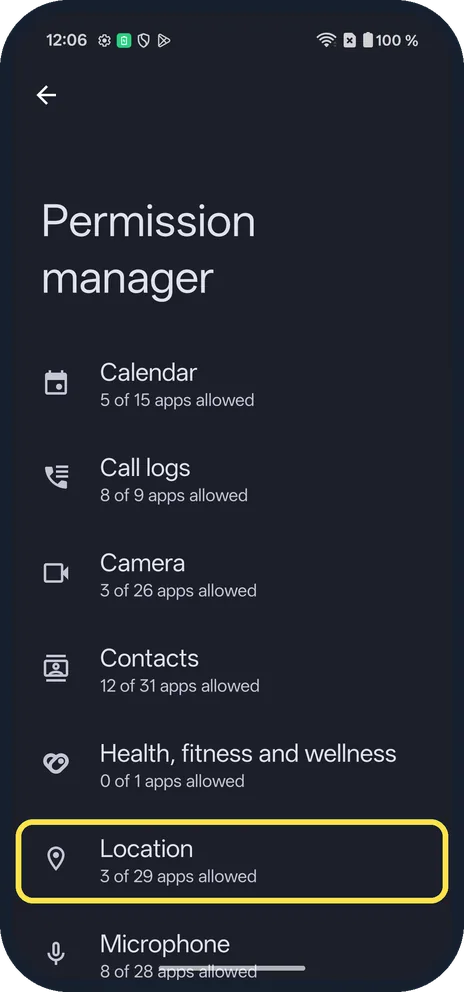
Open Permission manager
Open Settings, Security and privacy, Privacy controls, Permission manager, and tap Location.
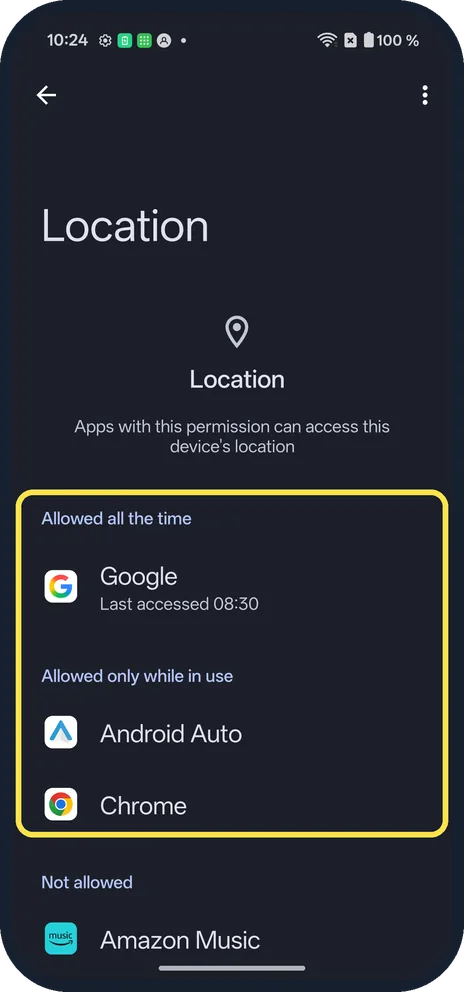
Choose which apps can use it
Apps are listed under Allowed all the time, Allowed only while in use and Not allowed. Tap one to change it.
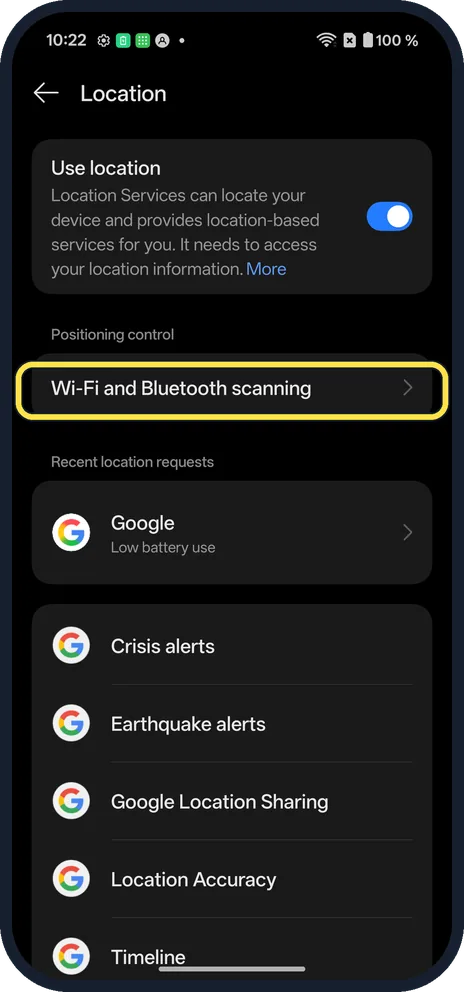
Tap Wi-Fi and Bluetooth scanning
It is under Positioning control on the Location page.
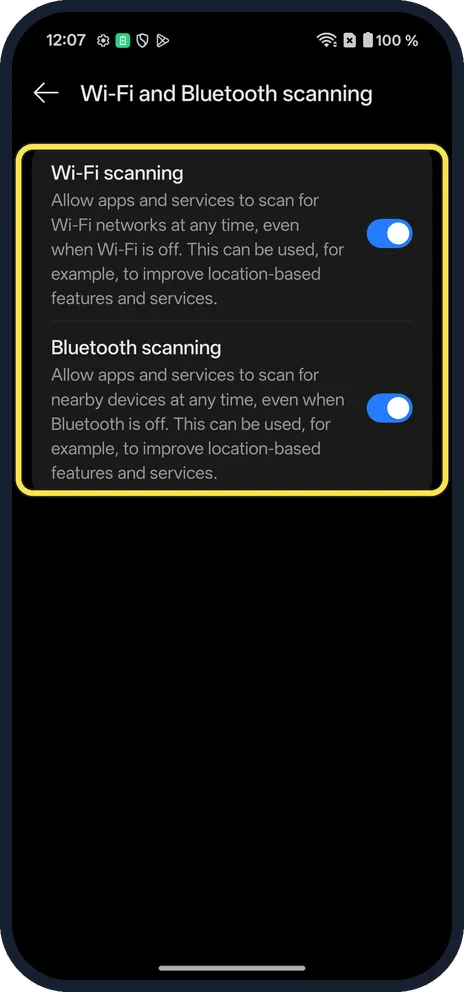
Check both switches
Wi-Fi scanning and Bluetooth scanning were both on. They let apps scan even when Wi-Fi or Bluetooth is off.
If you do not see this option
- OxygenOS 14 (OnePlus manual)? The manual calls the switch Location Services, and has Wi-Fi scanning and Bluetooth scanning as switches on Location itself. Ours says Use location and puts them on their own page. Source: OxygenOS 14.0 User Manual
- Location Accuracy? It is a row on the Location page on ours, below the alert rows. Source: Manage your Android device's location settings
If this does not work
- App can't find you? Check Use location is on and the app is allowed in Permission manager. Source: Manage your Android device's location settings
- Battery draining? Set apps to Allowed only while in use. Source: Manage your Android device's location settings
About this guide
Location lets maps, weather and Find Hub know where the phone is.
The screenshots are from our OnePlus Nord 5 with OxygenOS 16.0.5.1201 and Android 16, in Dark mode. We switched Location off, then on again. Some screenshots were retaken after the 18 October 2026 patch (version CPH2709_16.0.5.1201(EX01C10P02)).
Good to know
Change app permissions on a OnePlus.
In short: Settings, Location, Use location. Apps in Permission manager, Location.
- Google Account Help: Manage your Android device's location settings
- OnePlus: OxygenOS 14.0 User Manual
Links checked in October 2026. Menus and features can change after software updates. These steps match the version named at the top.
Did this guide work for you?
Sorry about that. What happened?