
howtosimply.com/guides/how-to-remove-location-from-a-photo-before-sharing-on-a-oneplus/ · Checked October 2026 · OnePlus Nord 5 (CPH2709), OxygenOS 16.0.5.1201(EX01C10P02), Android 16
In this guide
In Photos, open the photo and tap Share. Tap Privacy and compatibility under "Share 1 photo", tick Remove location (and Remove other properties if you like) and tap Done. To stop new photos getting a location, switch off Add location tags in Camera settings.
- Device
- Android
- Shown on
- OnePlus Nord 5 (CPH2709), OxygenOS 16.0.5.1201(EX01C10P02), Android 16
- App
- Photos
- Path
- Photos › Share › Privacy and compatibility › Remove location
- Real screenshots
- 4 of 4 steps
- Checked
- October 2026
- Sources
- 1 official, linked below
Step by step
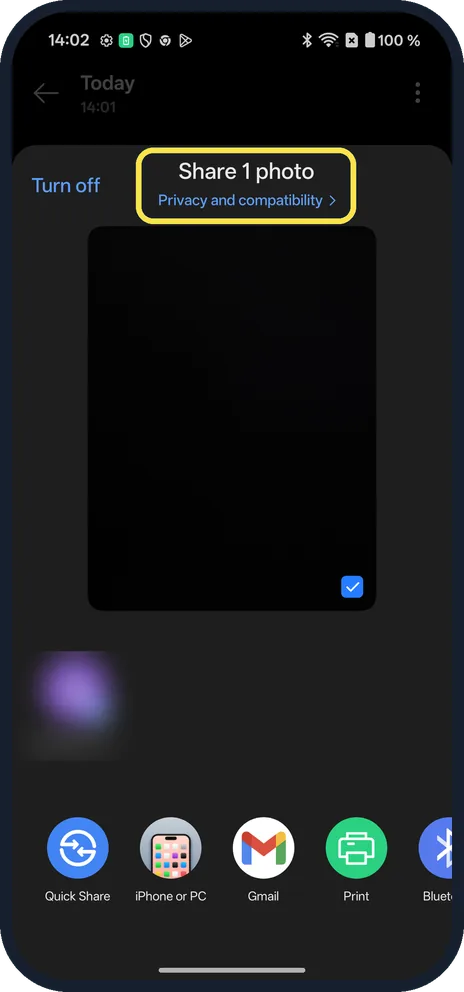
Tap Privacy and compatibility
Open the photo in Photos and tap Share. Under "Share 1 photo", tap Privacy and compatibility.
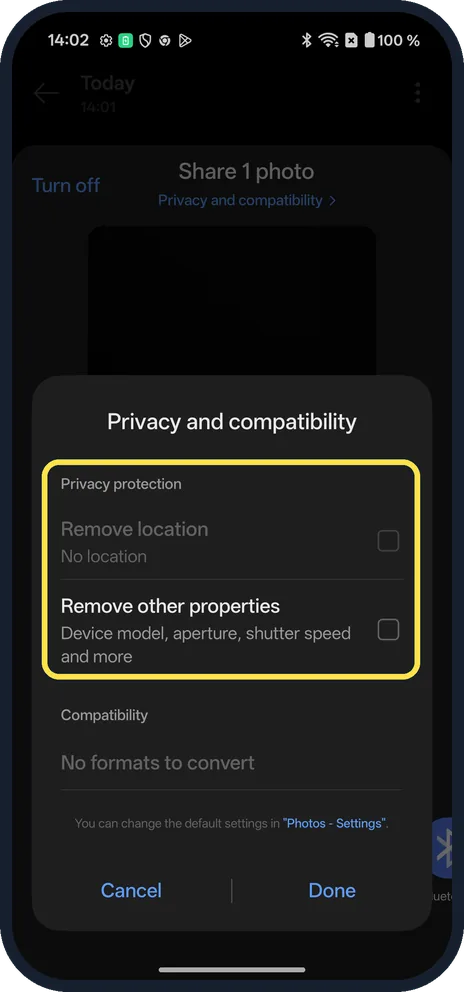
Tick Remove location
Under Privacy protection, tick Remove location. Remove other properties strips the device model, aperture, shutter speed and more. On ours Remove location was greyed out with "No location": the photo had none.
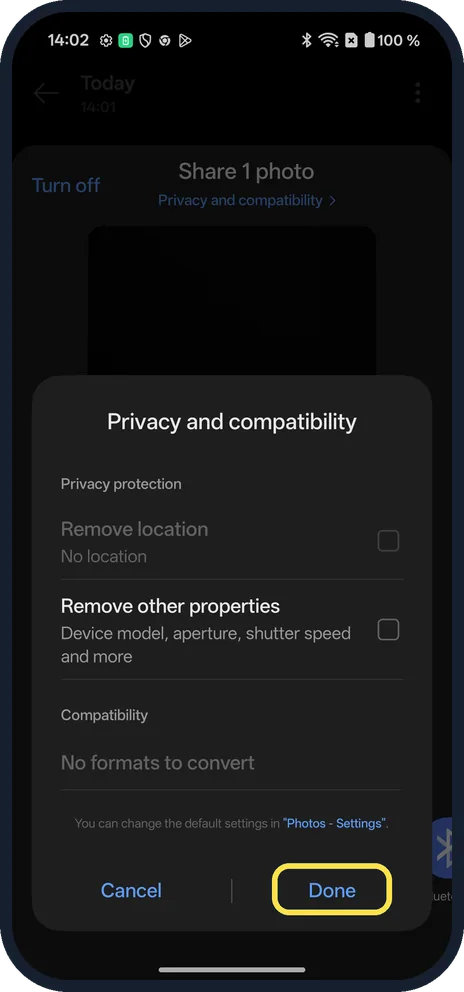
Tap Done
Then pick the app to share with. The box notes you can change the defaults in Photos settings.
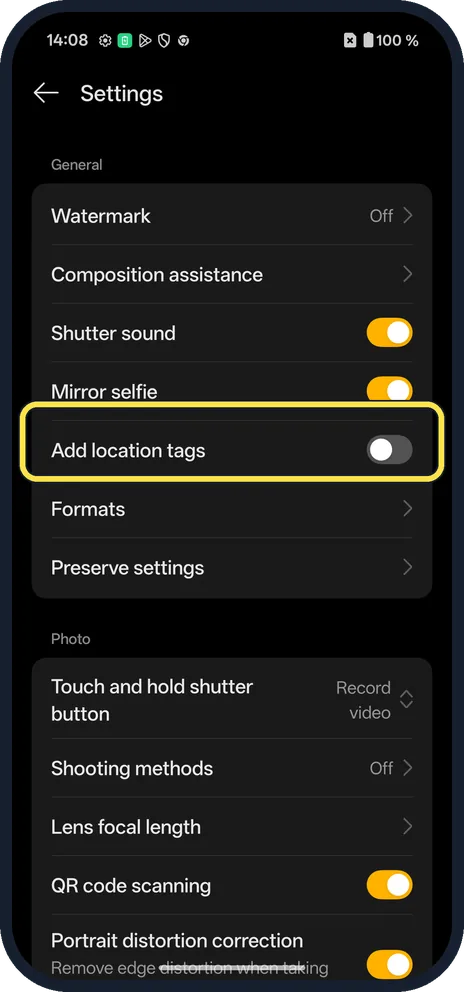
Stop tagging new photos
In Camera, open the menu and Settings. Under General, Add location tags was Off on ours.
If you do not see this option
- Remove location greyed out? The photo has no location. Ours said "No location".
- On an older OxygenOS version? OnePlus's OxygenOS 14 manual puts the same Remove location and Remove other properties switches in Photos, Settings, Privacy protection, where they apply to every share. The share-sheet box on ours points to the same Photos settings. Source: OxygenOS 14.0 User Manual
If this does not work
- No Privacy and compatibility link? Share from the Photos app; other apps use their own share sheet.
- Location still on new photos? Check Add location tags in Camera settings (step 4). The phone-wide switch is in OnePlus location settings too. Source: OxygenOS 14.0 User Manual
About this guide
OxygenOS can strip a photo's location as you share it, from a link at the top of the share sheet.
The screenshots are from our OnePlus Nord 5 with OxygenOS 16.0.5.1201(EX01C10P02) and Android 16, in Dark mode, taken on 18 October 2026. Our test photo had no location, so Remove location was greyed out; we tapped Cancel.
Good to know
On a Galaxy: remove location from a photo on a Samsung Galaxy.
In short: Photos, Share, Privacy and compatibility, Remove location, Done.
Links checked in October 2026. Menus and features can change after software updates. These steps match the version named at the top.
Did this guide work for you?
Sorry about that. What happened?