
howtosimply.com/guides/how-to-change-the-device-name-on-a-oneplus/ · Checked October 2026 · OnePlus Nord 5 (CPH2709), OxygenOS 16.0.5.1201, Android 16
In this guide
Go to Settings, About device and tap Device name. Type a new name (up to 32 characters) and tap Save. Others see it over Bluetooth and Wi-Fi Direct.
- Device
- Android
- Shown on
- OnePlus Nord 5 (CPH2709), OxygenOS 16.0.5.1201, Android 16
- App
- Settings
- Path
- Settings › About device › Device name
- Real screenshots
- 3 of 3 steps
- Checked
- October 2026
- Sources
- 1 official, linked below
Step by step
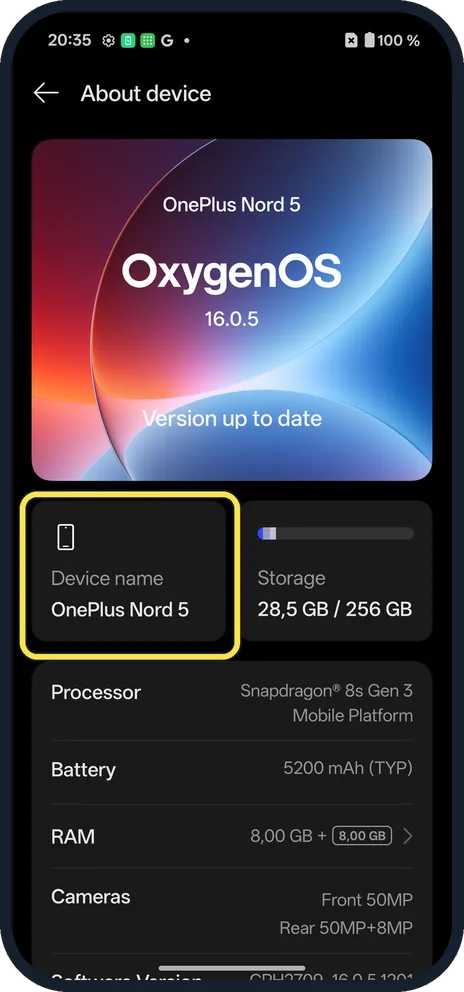
Tap Device name
Open Settings, About device. Device name is the tile on the left.
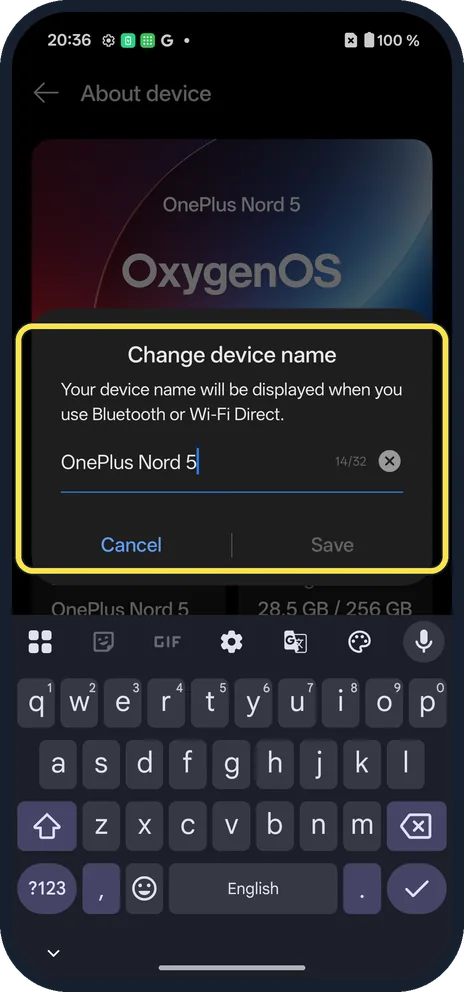
Type the new name
The box says the name is shown when you use Bluetooth or Wi-Fi Direct. The counter showed 14/32.
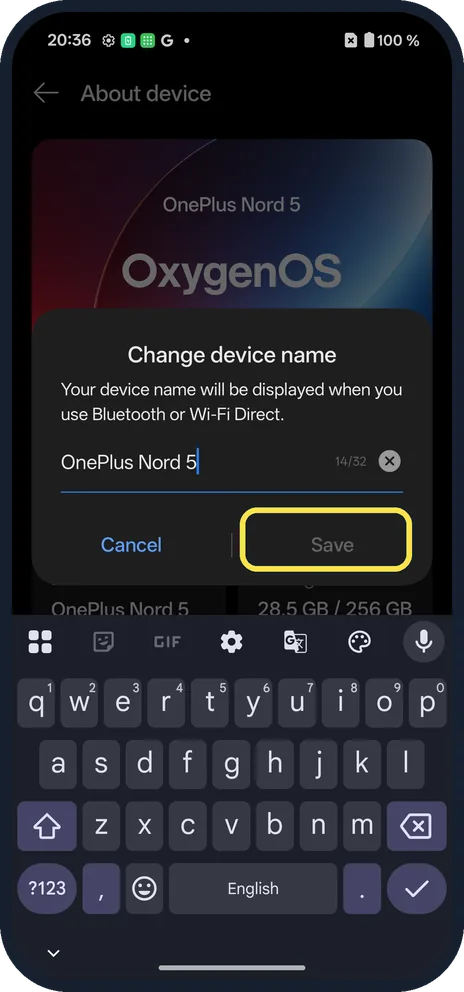
Tap Save
Save stays grey until you change the name. We tapped Cancel.
If you do not see this option
- Hotspot name? Personal hotspot has its own name. We have no SIM to show it.
- Older OxygenOS? The OxygenOS 14 manual shows the same About device page with the device name at the top. Source: OxygenOS 14.0 User Manual
If this does not work
- Old name still shows on a car or PC? Remove and pair the phone again.
- Save greyed out? Change at least one character.
About this guide
The device name is what other phones and computers see.
The screenshots are from our OnePlus Nord 5 with OxygenOS 16.0.5.1201 and Android 16, in Dark mode. Ours was OnePlus Nord 5. We tapped Cancel.
Good to know
Find the model and IMEI on a OnePlus.
In short: Settings, About device, Device name, Save.
Links checked in October 2026. Menus and features can change after software updates. These steps match the version named at the top.
Did this guide work for you?
Sorry about that. What happened?