ONEPLUS
How to use the Privacy dashboard on a OnePlus (OxygenOS 16)

In short
Go to Settings, Security and privacy, Privacy dashboard. It shows which apps used Location, Camera and Microphone in the past 24 hours. Tap one for a timeline.
6 of 6 steps show a real screenshot from our Nord 5. Each step was checked against the maker's own instructions, linked at the end.
Steps
- 1
Open Privacy dashboard
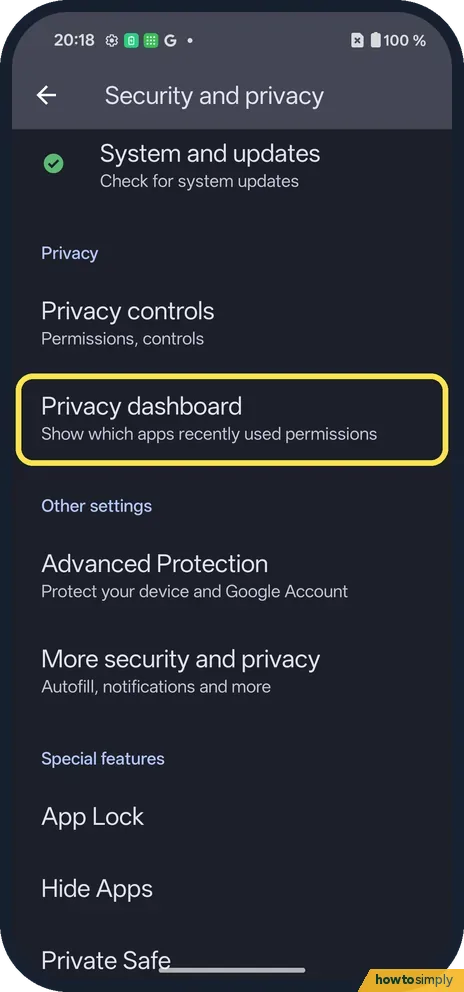
Open Settings, Security and privacy. Privacy dashboard is in the Privacy group, below Privacy controls.
- 2
Read the circle
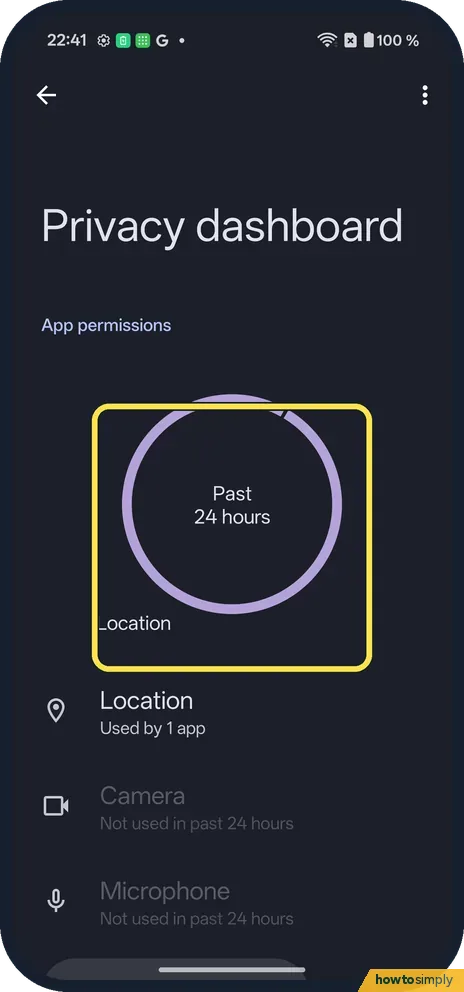
It shows the past 24 hours. Location was the only permission used on ours.
- 3
Tap a permission
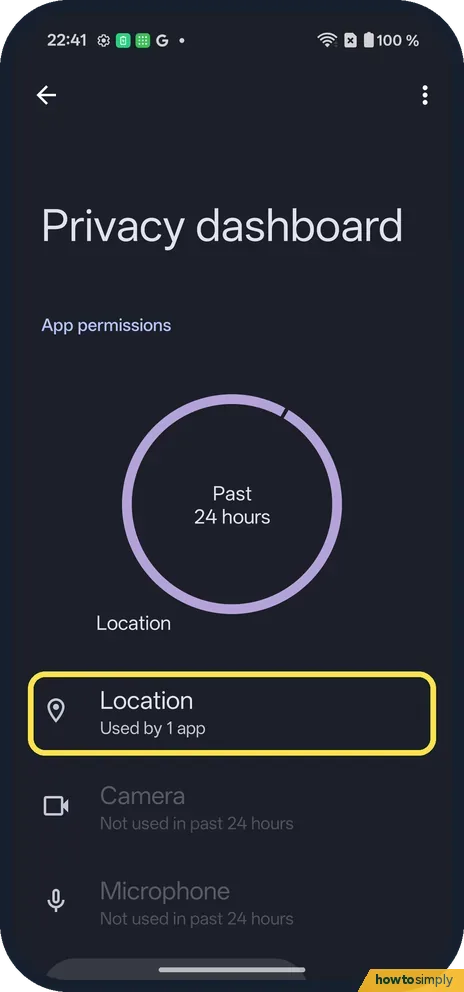
Location: Used by 1 app. Camera and Microphone said Not used in past 24 hours.
- 4
Check the timeline
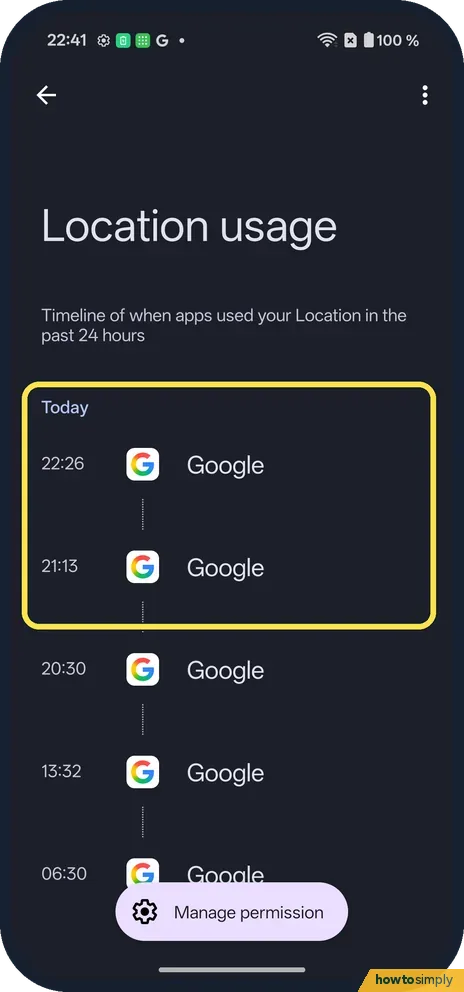
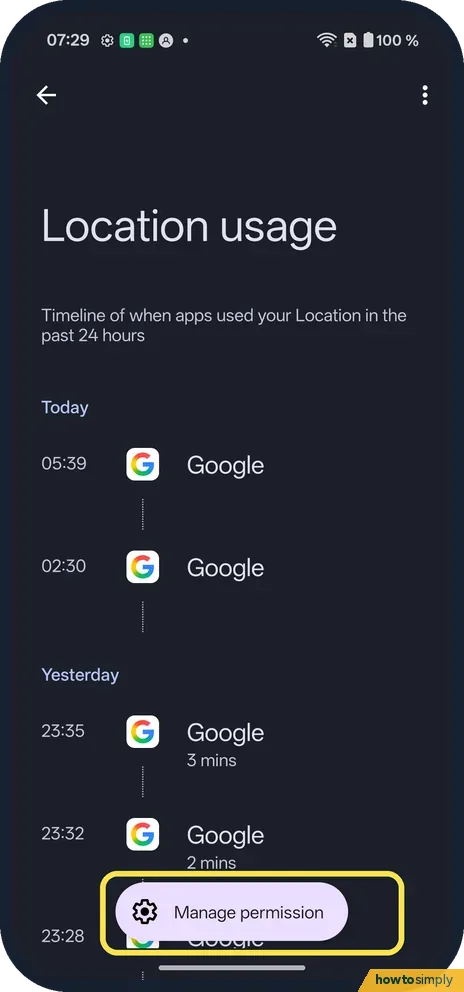
Location usage lists each time, with the app: Google at 22:26 and 21:13 on ours.
- 5
Tap Manage permission
It floats at the bottom of the timeline.
- 6
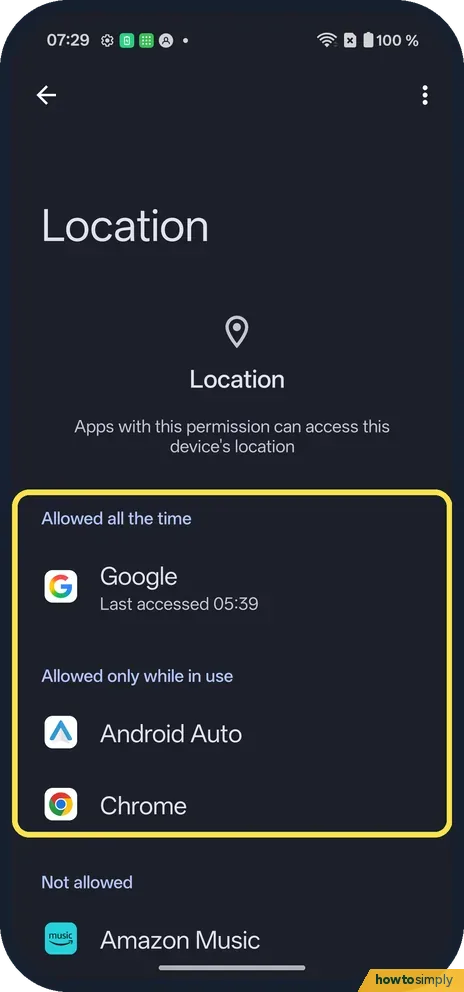
Change an app's access
Ours listed Google under Allowed all the time, and Android Auto and Chrome under Allowed only while in use. Tap an app to change it.
If you do not see this option
- No Privacy dashboard? Google says it needs Android 12 or later. Source: Manage permissions from the privacy dashboard
- On OxygenOS 14? The OnePlus manual has its privacy settings under Settings, Privacy. Ours has Security and privacy. Source: OxygenOS 14.0 User Manual
If this does not work
- Too much location use? Change the app's Location permission to Ask every time.
- Camera used and you don't know why? Tap Camera on the dashboard to see which app, then turn off camera access.
- Need an app's use from last week? Ours showed only the past 24 hours. Google's help says the period depends on the Android version, with 7 days on some. Check the dashboard again soon after you notice something odd.
- Want to see every app with a permission, used or not? The dashboard only lists recent use. Google describes Permission manager under Privacy, where you tap a permission type to see every app that has it. On our Nord 5 it is under Security and privacy, Privacy controls, Permission manager: Control app access to your data.
- Google listed but you did not open it? Ours listed Google under Allowed all the time. Google's help says All the time lets an app use location even when you are not using it. If you do not want that, change it to Allow only while using the app.
Good to know
See Wi-Fi data usage by app on a OnePlus.
Opening the dashboard changes nothing. Only the permission you change in Manage permission takes effect, and it applies straight away. To undo it, go back to the same app and pick the old choice. An app with less access may ask you again the next time it needs the permission, or a feature in it may stop working until you allow it.
For apps you rarely use, Google's help describes Pause app activity if unused in an app's settings, which removes its permissions after a while. To block the camera or microphone for every app at once, see camera and microphone access, and for the full list per app, change app permissions.
About this guide
- Device
- Android
- Shown on
- OnePlus Nord 5 (CPH2709), OxygenOS 16.0.5.1201, Android 16
- App
- Settings
- Path
- Settings › Security and privacy › Privacy dashboard
- Real screenshots
- 6 of 6 steps
- Checked
- October 2026
- Sources
- 2 official, linked below
Sources
Links checked October 2026. Menus and features can change with updates.Spotted a mistake? Menus change with updates, and we want every step to match your screen. Email us about this page or use the contact form. We read every report, and fixes are listed on What changed.
Liked this guide?
Follow us for new guides and short how-to videos.
Did this guide work for you?
Sorry about that. What happened?