
howtosimply.com/guides/where-live-activities-show-on-an-iphone-17e-without-a-dynamic-island/ · Checked October 2026 · iPhone 17e · iOS 27.0.1
In this guide
The iPhone 17e has no Dynamic Island, so a Live Activity such as a running timer does not show at the top of the Home Screen. Swipe down from the top to see it on the Lock Screen and in Notification Centre, with its own controls. There was no Live Activities switch in Settings, Apps, Clock on ours.
- Device
- iPhone
- Shown on
- iOS 27.0.1 (iPhone 17e)
- App
- Clock
- Path
- Clock › Timers › Lock Screen / Notification Centre
- Real screenshots
- 4 of 4 steps
- Checked
- October 2026
- Sources
- 1 official, linked below
Step by step
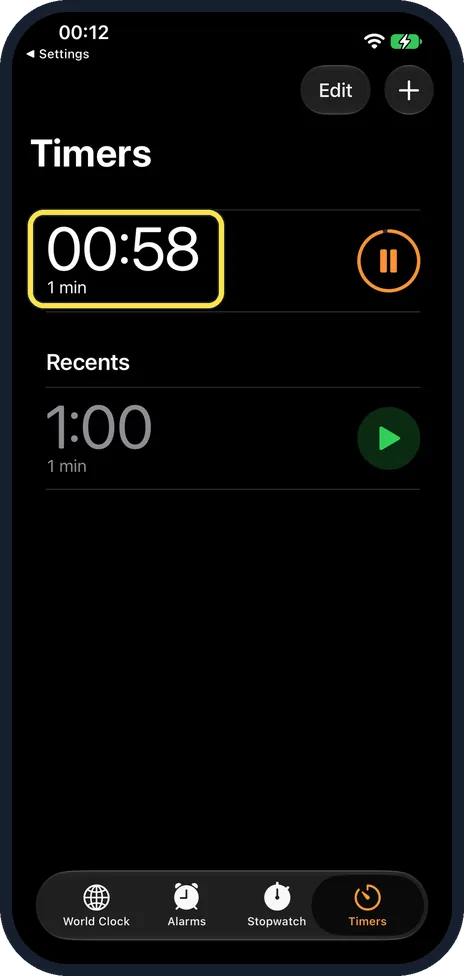
Start something that has a Live Activity
We started a 1-minute timer in Clock, Timers.
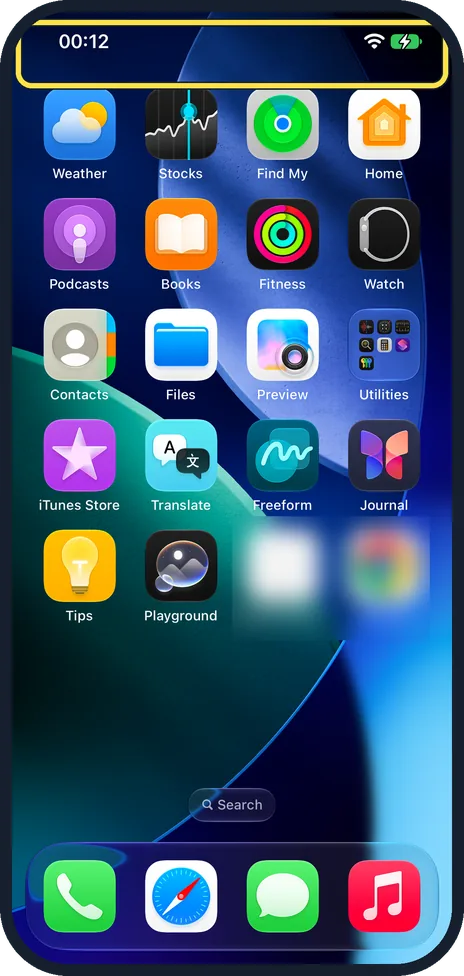
Go to the Home Screen
At the top there is only the time and the Wi-Fi and battery icons: no timer pill.
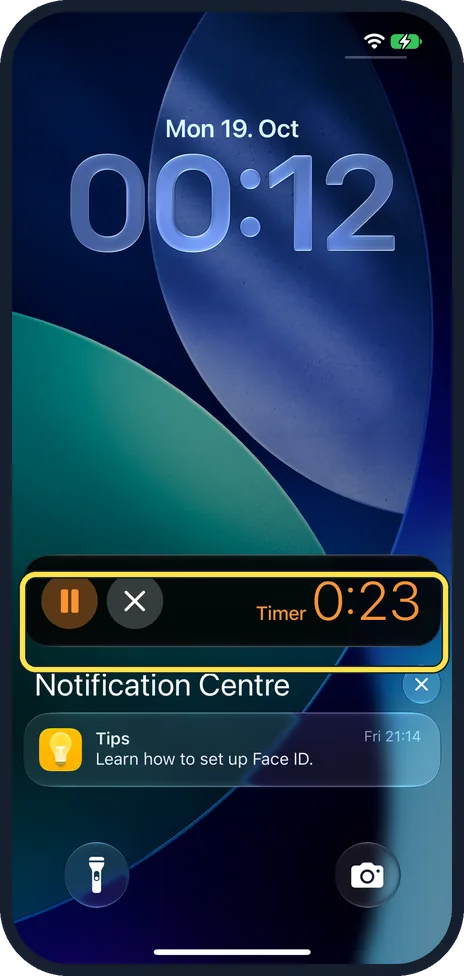
Swipe down from the top
The timer shows as a Live Activity above Notification Centre, with pause and stop buttons and the time left.
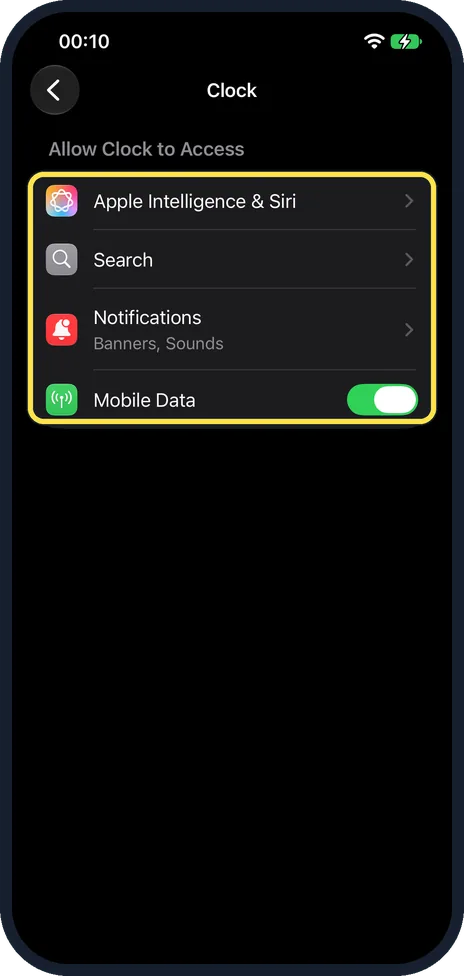
Check the Clock settings
In Settings, Apps, Clock there were only Apple Intelligence & Siri, Search, Notifications and Mobile Data. Searching Settings for Live Activities found no switch either.
If you do not see this option
- On an iPhone with the Dynamic Island? Apple says you touch and hold the activity in the Dynamic Island to see more, and swipe it up to make it smaller. Source: View Live Activities in the Dynamic Island on iPhone
If this does not work
- No Live Activity at all? The app has to support it. A Clock timer did on ours.
- Missing from the Lock Screen? Check that notifications for that app are allowed: iPhone notifications not showing: 7 settings to check.
About this guide
Apple's Live Activities page talks about the Dynamic Island, the pill at the top of newer iPhones. The 17e has a notch-style cut-out instead.
The screenshots are from our iPhone 17e with iOS 27.0.1, in Dark mode. We ran a 1-minute timer in Clock.
Good to know
For video that keeps playing over other apps, see how to use Picture in Picture on an iPhone.
In short: No Dynamic Island on the 17e: swipe down from the top to see Live Activities on the Lock Screen and in Notification Centre.
Links checked in October 2026. Menus and features can change after software updates. These steps match the version named at the top.
Did this guide work for you?
Sorry about that. What happened?