
howtosimply.com/guides/samsung-galaxy-volume-too-low-6-fixes/ · Checked October 2026 · Samsung Galaxy A57 5G (SM-A576B), One UI 8.5, Android 16
In this guide
Open Settings, Sounds and vibration, Volume and raise the Media slider. Turn on Use Volume buttons for media, check that the left/right balance under Accessibility, Hearing enhancements is in the middle, switch Bluetooth off for a test and clean the speaker openings.
5 of 6 steps with real screenshots · 1 official source below
- Device
- Android
- Shown on
- Samsung Galaxy A57 5G (SM-A576B), One UI 8.5, Android 16
- App
- Settings
- Real screenshots
- 5 of 6 steps
- What we did
- Observed: looked at each screen, changed nothing
- Our phone
- Shown on Galaxy A57, One UI 8.5
- Checked
- October 2026
- Sources
- 1 official, linked below
Step by step
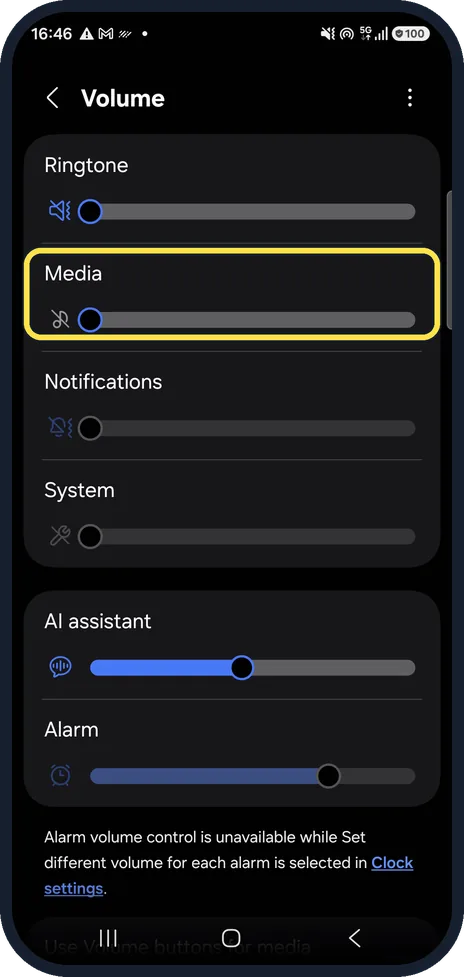
Raise the Media slider
Settings, Sounds and vibration, Volume has separate sliders for Ringtone, Media, Notifications, System, AI assistant and Alarm. Videos and music use Media. In our picture Media is all the way down, which mutes videos and music: drag it to the right.
Watch these steps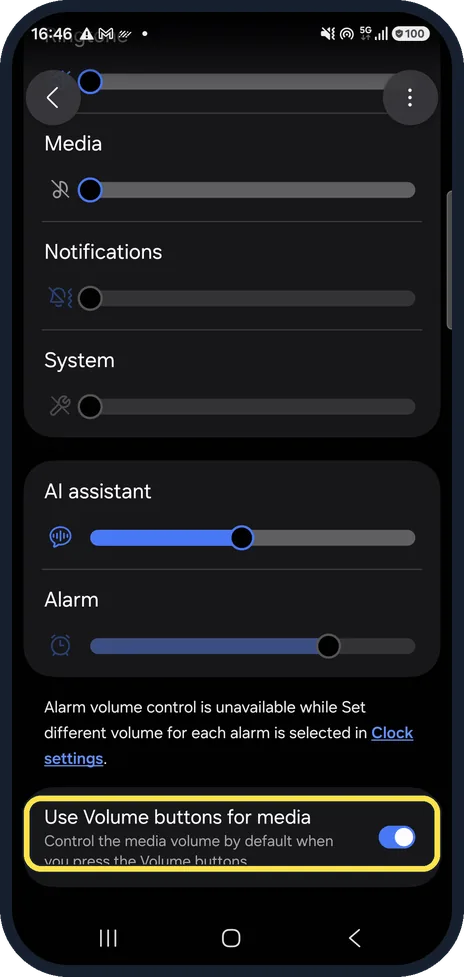
Let the volume buttons control media
At the bottom of the same page, Use Volume buttons for media makes the side buttons change media volume by default. It was on on our phone.
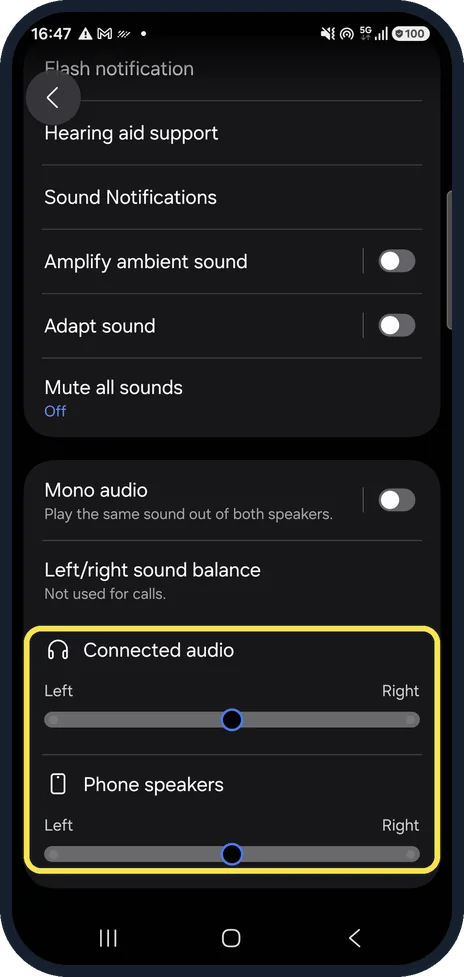
Center the left/right balance
Settings, Accessibility, Hearing enhancements, Left/right sound balance. If the slider for the phone speakers or connected audio is pushed to one side, one side sounds quiet. Ours were in the middle.
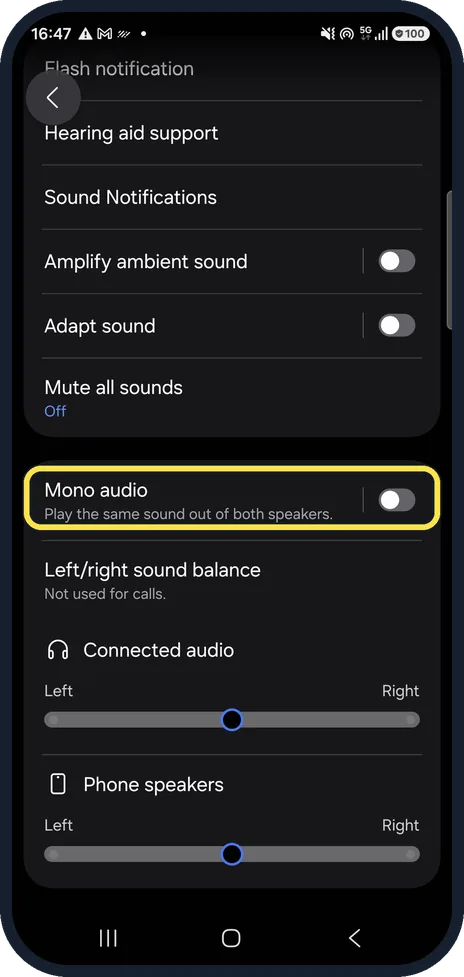
Check Mono audio
On the same page, Mono audio plays the same sound from both speakers. Turn it on if one earbud or speaker seems to miss parts of the sound. It was off on our phone.
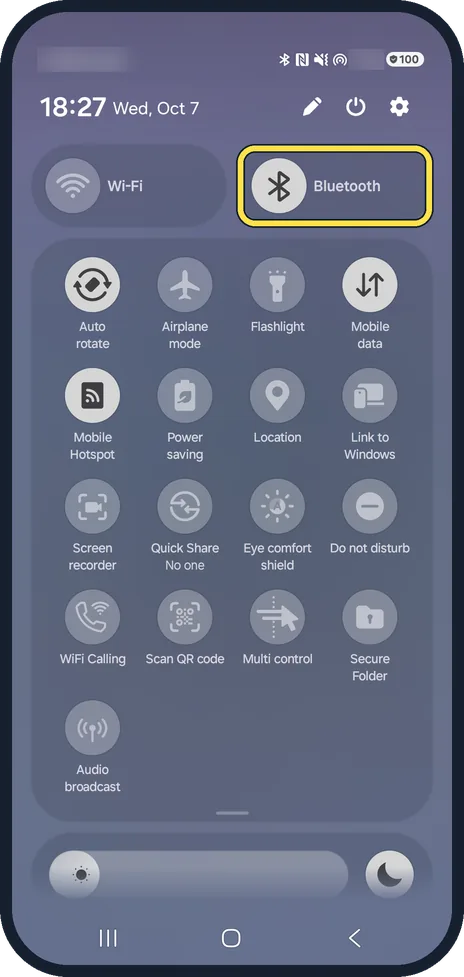
Switch Bluetooth off for a test
Sound may be going to earbuds or a speaker you forgot about. Swipe down and turn Bluetooth off, then try again. On our Galaxy, Bluetooth was on.
Clean the speaker and remove the case
Brush the speaker openings gently with a dry toothbrush and take off any case that may cover them.
Watch these steps
If you do not see this option
- It is quiet in one app only Samsung suggests checking whether the sound is low in every app or only some. A problem in one app may need that app reinstalled. Source: Fix Galaxy Sound Not Working
- A case or screen film covers the phone Samsung says a case or protective film over the small air vent hole near the camera lens can affect the sound. Take it off and test again. Source: Fix Galaxy Sound Not Working
If this does not work
- It is still quiet Samsung suggests starting the phone in Safe mode and testing the sound there. If it is louder, a downloaded app is the cause. Source: Fix Galaxy Sound Not Working
- The phone got wet or was dropped Samsung says water or damage can affect the speaker. Let it dry fully, and contact Samsung Support if you suspect damage. Source: Fix Galaxy Sound Not Working
About this guide
When videos and music are quiet even at full volume, check the separate volume sliders first, then the balance and accessibility settings, then the speaker itself.
Good to know
No sound at all? no sound on a Samsung Galaxy phone.
Dolby Atmos and the equalizer are under Settings, Sounds and vibration, Sound quality and effects. On our phone, opening that page first asked for permission to find nearby devices; we left the prompt unanswered.
In short: Volume, Media slider up; Use Volume buttons for media on; balance centered; Bluetooth off for a test; clean speaker.
Links checked in October 2026. Menus and features can change after software updates. These steps match the version named at the top.
📷 See real photos from the Galaxy A57 in our Camera Lab, next to 10 other phones.
Did this guide work for you?
Sorry about that. What happened?