
howtosimply.com/guides/how-to-turn-on-the-torch-with-the-volume-button-on-an-oppo-phone/ · Checked October 2026 · CPH2689, EEA), ColorOS 16.0.5, Android 16 (build CPH2689_16.0.5.1001(EX01) · OPPO Reno13 5G
In this guide
Open Settings, Accessibility & convenience, Gestures & motions and turn on Turn on/off torch with volume button. Then, with the screen off, press and hold Volume Down. It was off on our Reno13 and does not work during media playback.
3 of 3 steps with real screenshots · 1 official source below
- Device
- Android
- Shown on
- OPPO Reno13 5G (CPH2689, EEA), ColorOS 16.0.5, Android 16 (build CPH2689_16.0.5.1001(EX01))
- App
- Settings
- Path
- Settings › Accessibility & convenience › Gestures & motions
- Real screenshots
- 3 of 3 steps
- Checked
- October 2026
- Sources
- 1 official, linked below
Step by step
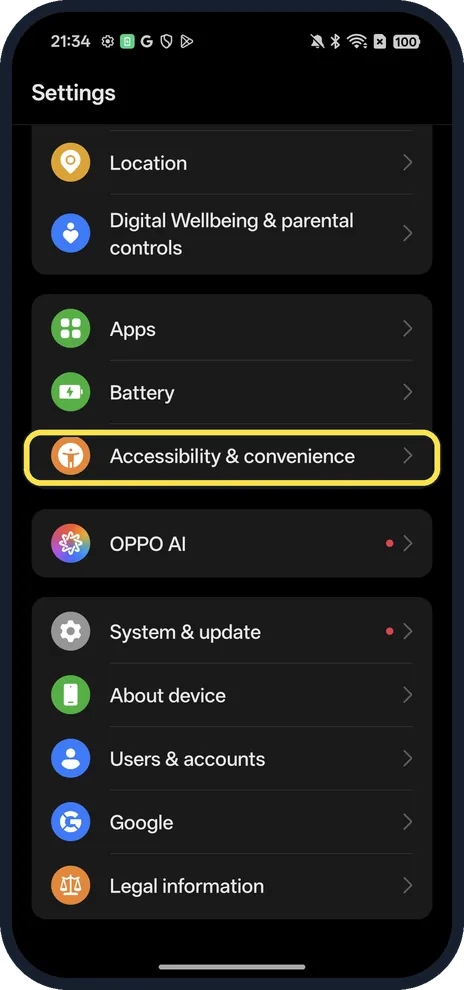
Open Accessibility & convenience
Open Settings and scroll down.
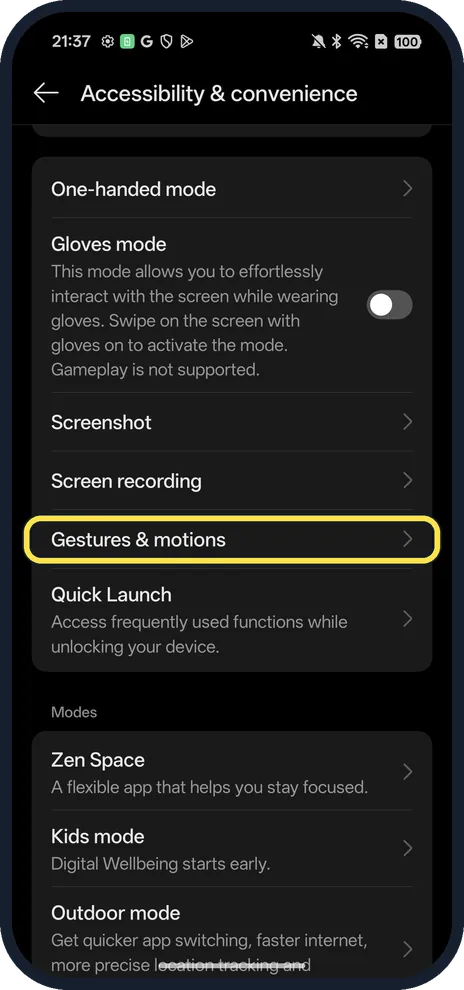
Tap Gestures & motions
Below Screenshot and Screen recording.
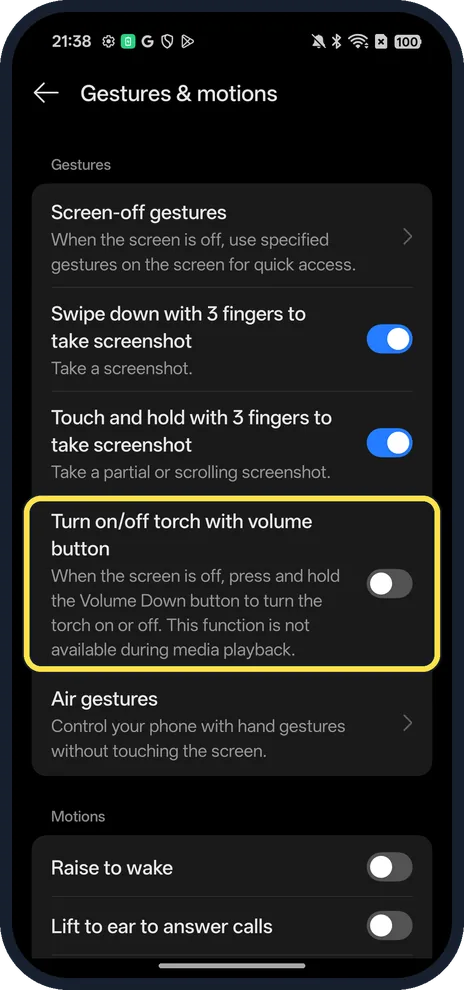
Turn on Turn on/off torch with volume button
When the screen is off, press and hold Volume Down to turn the torch on or off.
If you do not see this option
- No torch switch on Gestures & motions? We saw it on our Reno13 on ColorOS 16.0.5 only. Without it, use the torch in Control Center, which is where OPPO's own flash troubleshooting starts. Source: Why Is My OPPO Camera Flash Not Working
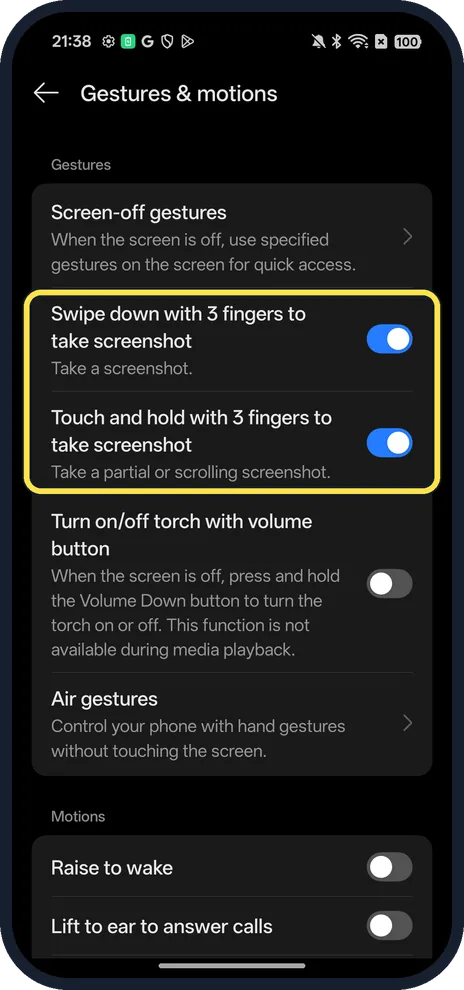
- Looking for the screenshot gestures? The same page has Swipe down with 3 fingers and Touch and hold with 3 fingers (both on, on ours).
If this does not work
- Doesn't work while music or video plays? The switch's own description on our phone says it is not available during media playback. Pause the media first.
- Torch won't come on at all? OPPO says the flash cannot be turned on when the battery is below 15 %. Charge the phone and try again. Source: Why Is My OPPO Camera Flash Not Working
- Still nothing? OPPO says only one app can use the camera at a time, so close any app using it from recent tasks, then restart the phone. Source: Why Is My OPPO Camera Flash Not Working
- Torch won't turn off? OPPO says to open Control Center and turn the flashlight off there. Source: Why Is My OPPO Camera Flash Not Working
About this guide
The screenshots are from our OPPO Reno13 5G, the European model CPH2689, with ColorOS 16.0.5 and Android 16 (build CPH2689_16.0.5.1001(EX01)), in Dark mode. We did not switch it on.
Good to know
To capture the screen with gestures, take a screenshot on an OPPO phone.
To change what the side key does, change what the Power button does.
In short: Settings, Accessibility & convenience, Gestures & motions, torch with volume button.
Links checked in October 2026. Menus and features can change after software updates. These steps match the version named at the top.
Did this guide work for you?
Sorry about that. What happened?