ONEPLUS
How to change the volume on a OnePlus (OxygenOS 16)

In short
Press a volume button and drag the slider on the right. Tap the three dots under it to see four sliders: Media, Ring, Notification and Alarm. Settings, Sound & vibration has the same sliders and Volume button function.
5 of 5 steps show a real screenshot from our Nord 5. Each step was checked against the maker's own instructions, linked at the end.
Steps
- 1
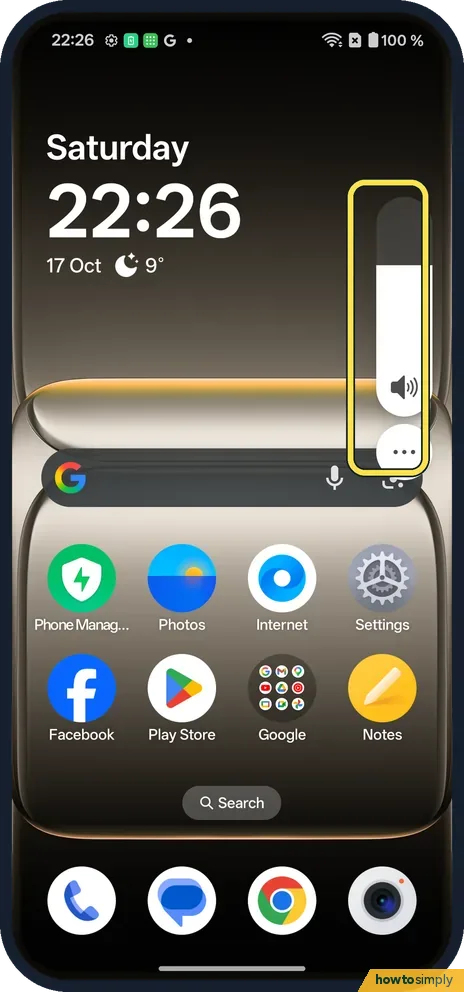
Press a volume button
A slim slider shows on the right. Drag it, or tap the three dots under it.
- 2
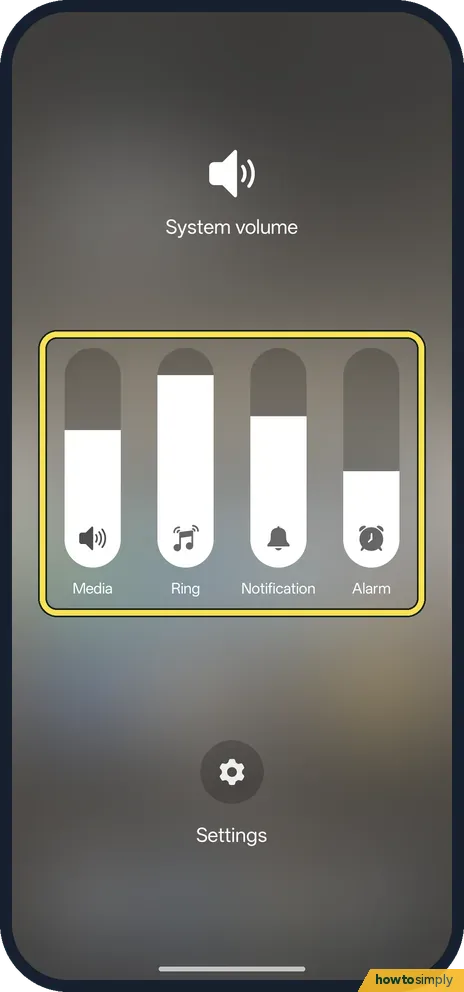
See all four sliders
System volume opens with Media, Ring, Notification and Alarm.
- 3
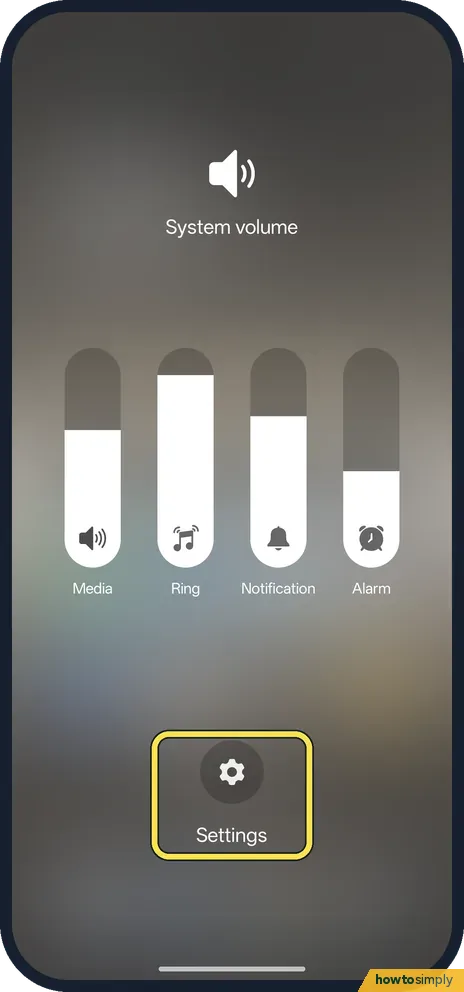
Or open Settings
Tap Settings, under the sliders, for Sound & vibration.
- 4
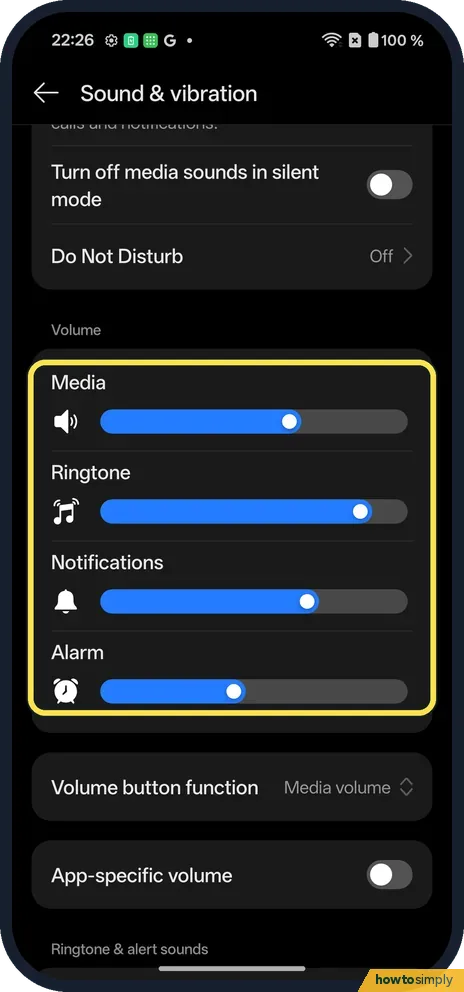
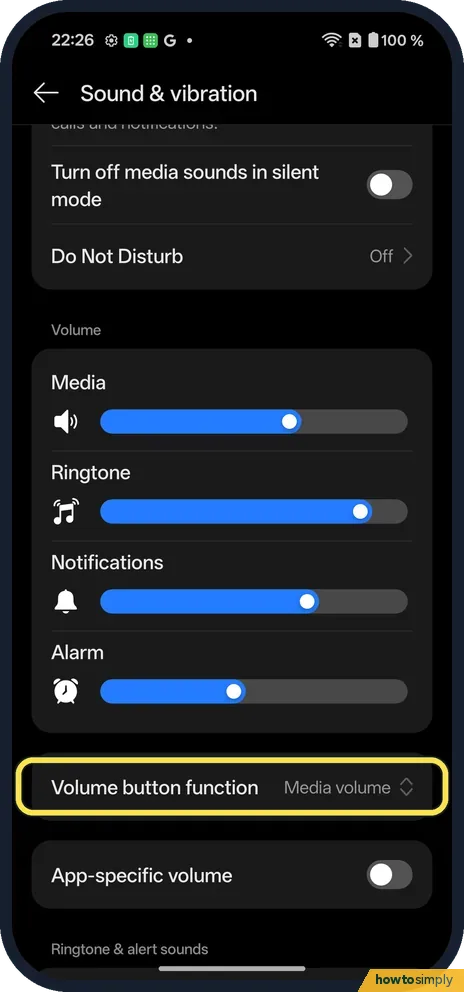
Set each sound
Under Volume: Media, Ringtone, Notifications and Alarm.
- 5
Choose what the buttons change
Volume button function said Media volume on ours.
If you do not see this option
- On OxygenOS 14? The OnePlus manual calls the page Sounds & vibration. Ours says Sound & vibration. Source: OxygenOS 14.0 User Manual
- Looking for an Alert Slider? Our Nord 5 has a Plus Key on the side, listed in its specs, and no slider. Ring, Vibrate and Silent are in Quick Settings: put a OnePlus on silent or vibrate. Source: OnePlus Nord 5 specs
- One app louder than others? App-specific volume is below Volume button function. It was off on ours. How to use it: App-specific volume on a OnePlus.
If this does not work
- Alarm too quiet? The Alarm slider is separate. Check it.
- Buttons change the wrong sound? Check Volume button function.
- Caller too quiet on a call? Google says to press a volume button during the call. That changes the other person's volume, which is separate from the four sliders in the panel.
- Volume buttons take photos instead? In the Camera, OnePlus's manual says the volume keys can be set to act as the shutter or zoom. Outside the Camera they change volume as normal.
- Sound still quiet on headphones? Bluetooth headphones and speakers often have their own volume as well. Turn them up too, and check Media is not low on the phone.
- Media still silent with the slider up? The app itself can keep sound off. Check the app's own volume or mute button, then any mute switch on the video or game you are playing.
Good to know
Change the ringtone and vibration on a OnePlus.
Each slider stays where you leave it until you change it. Media sets the sound for music, videos and games; Ring for incoming calls; Notification for messages and alerts; Alarm for the Clock app. Raising Media all the way on headphones for long periods can harm hearing, so keep it at a comfortable level.
Google also notes that pressing a volume button while the phone is ringing silences that call without declining it. To quiet everything at once for a while, see put a OnePlus on silent or vibrate.
About this guide
- Device
- Android
- Shown on
- OnePlus Nord 5 (CPH2709), OxygenOS 16.0.5.1201, Android 16
- Starts in
- The phone's buttons
- Real screenshots
- 5 of 5 steps
- Checked
- October 2026
- Sources
- 3 official, linked below
Sources
Links checked October 2026. Menus and features can change with updates.Spotted a mistake? Menus change with updates, and we want every step to match your screen. Email us about this page or use the contact form. We read every report, and fixes are listed on What changed.
Liked this guide?
Follow us for new guides and short how-to videos.
Did this guide work for you?
Sorry about that. What happened?