
howtosimply.com/guides/samsung-galaxy-running-slow-6-fixes/ · Checked October 2026 · Samsung Galaxy A57 5G (SM-A576B), One UI 8.5, Android 16
In this guide
Open Settings, Device care and tap Optimize now. Then check Storage and Memory on the same page, turn on Auto restart under Auto optimization, install any software update and restart the phone.
9 of 9 steps with real screenshots · 1 official source below
- Device
- Android
- Shown on
- Samsung Galaxy A57 5G (SM-A576B), One UI 8.5, Android 16
- App
- Settings
- Real screenshots
- 9 of 9 steps
- Our phone
- Shown on Galaxy A57, One UI 8.5
- Checked
- October 2026
- Sources
- 1 official, linked below
Step by step
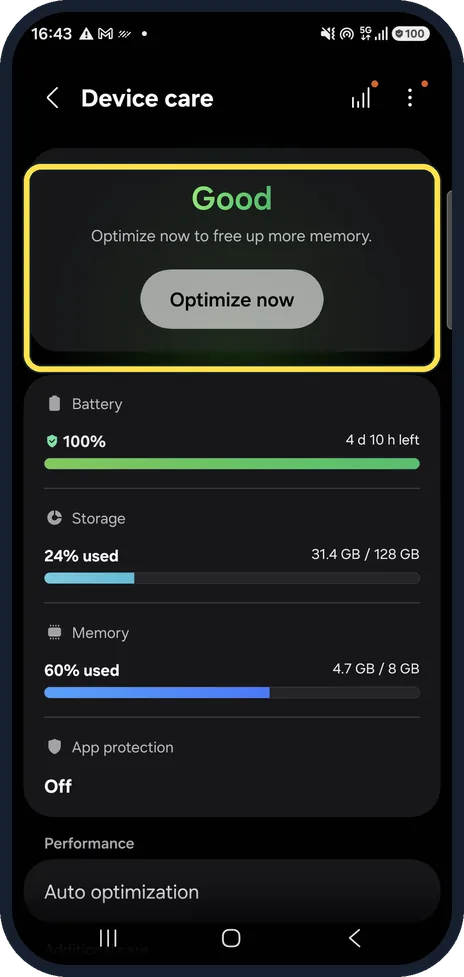
Tap Optimize now
Open Settings, then Device care. The top card rates the phone and offers Optimize now, which closes background apps and frees memory.
On our Galaxy the card said Good before we tapped it.
Watch these steps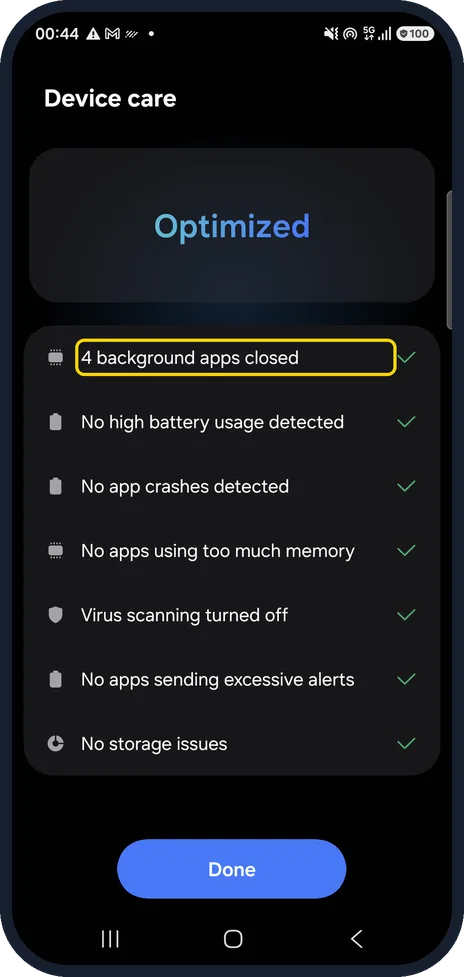
Check the results
A list shows what Device care found and fixed. On our Galaxy it said Optimized, with 4 background apps closed, No apps using too much memory and No storage issues.
Tap Done.
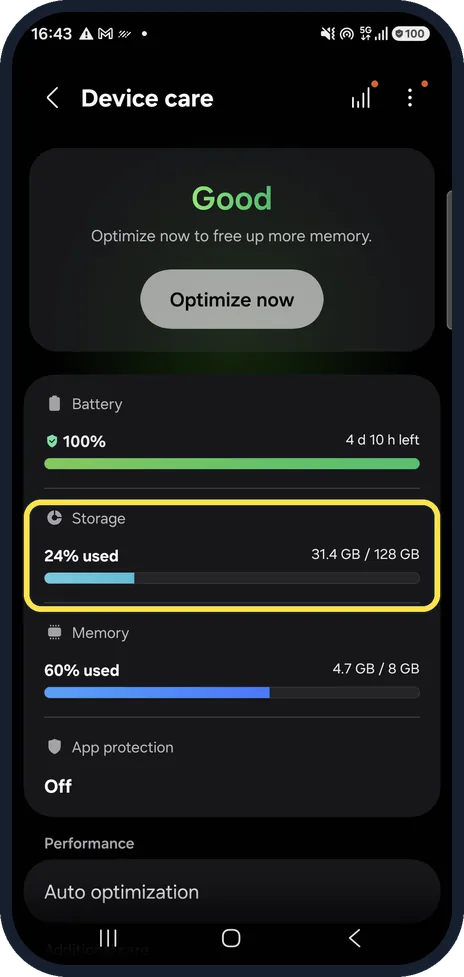
Free up storage
Storage shows how full the phone is. A nearly full phone slows down; tap Storage to find large files and unused apps.
Ours was 24% used (31.4 GB / 128 GB).
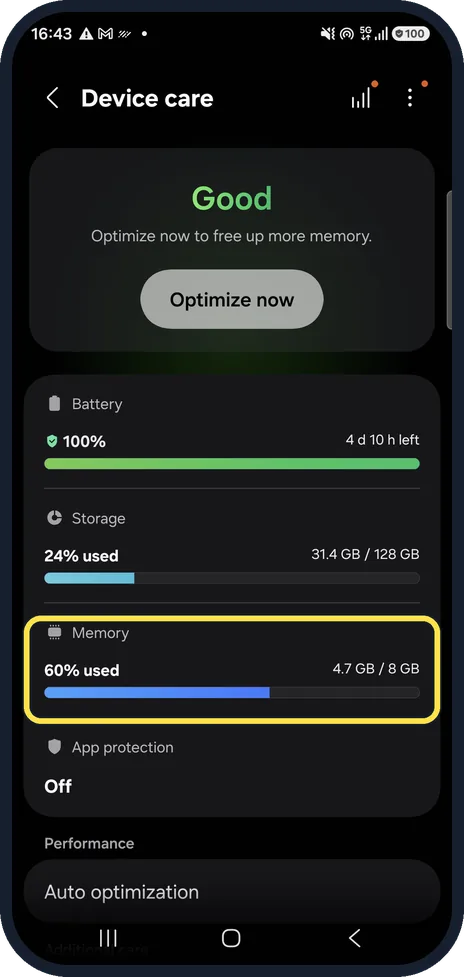
Check Memory
Memory shows how much RAM is in use.
On our Galaxy it read 60% used (4.7 GB / 8 GB) before Optimize now.
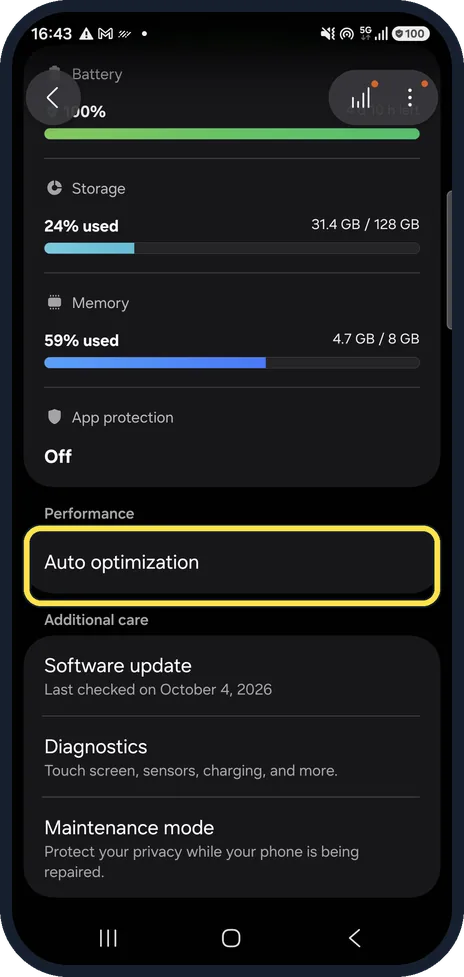
Tap Auto optimization
On the Device care page, scroll down to Performance and tap Auto optimization.
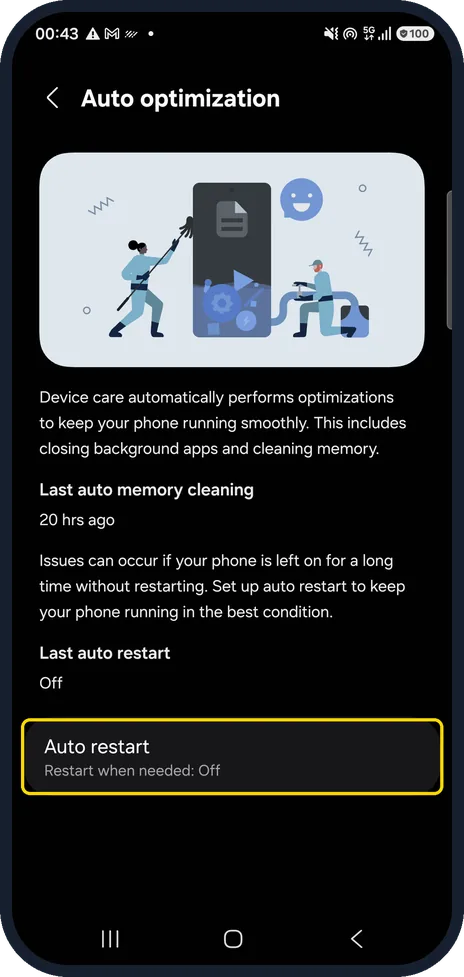
Turn on Auto restart
Tap Auto restart and turn it on, so the phone restarts itself when needed.
On our Galaxy it read Restart when needed: Off, and Last auto restart showed Off.
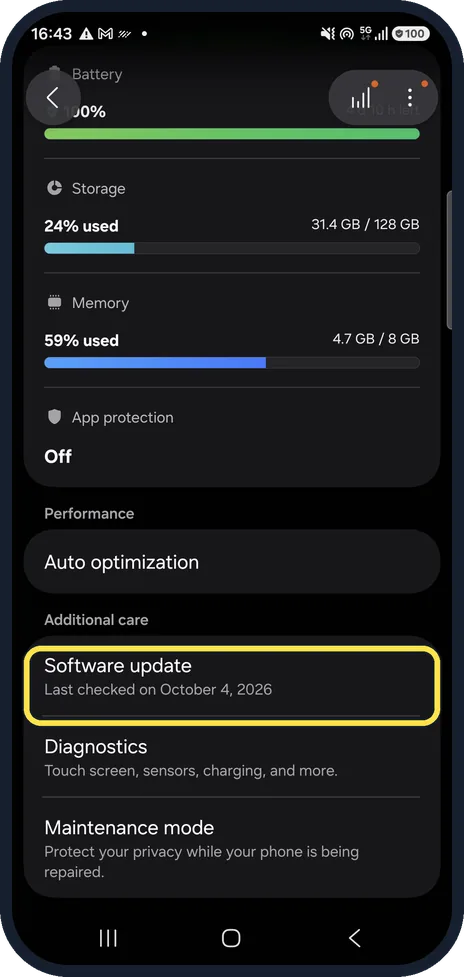
Install software updates
Go back to Device care and tap Software update under Additional care. Updates fix bugs that slow the phone down.
Ours had last checked on October 4, 2026.
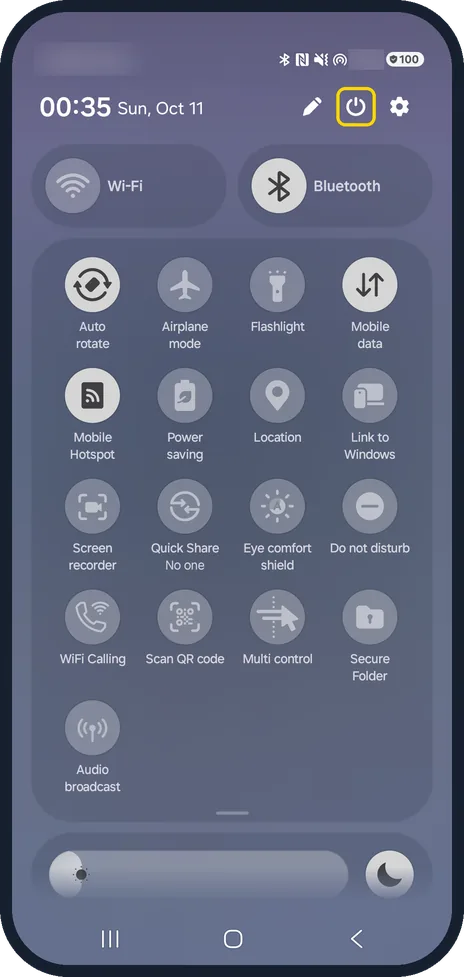
Open the power menu
Swipe down from the top of the screen to open the quick panel fully.
Tap the power icon at the top, between the pencil and the settings cog.
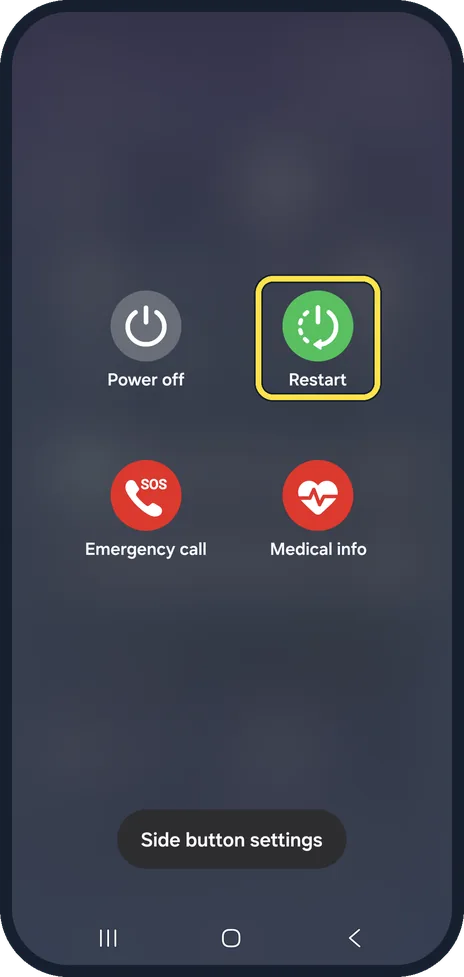
Tap Restart
Tap Restart. A restart clears apps that hang in the background.
Watch these steps
If you do not see this option
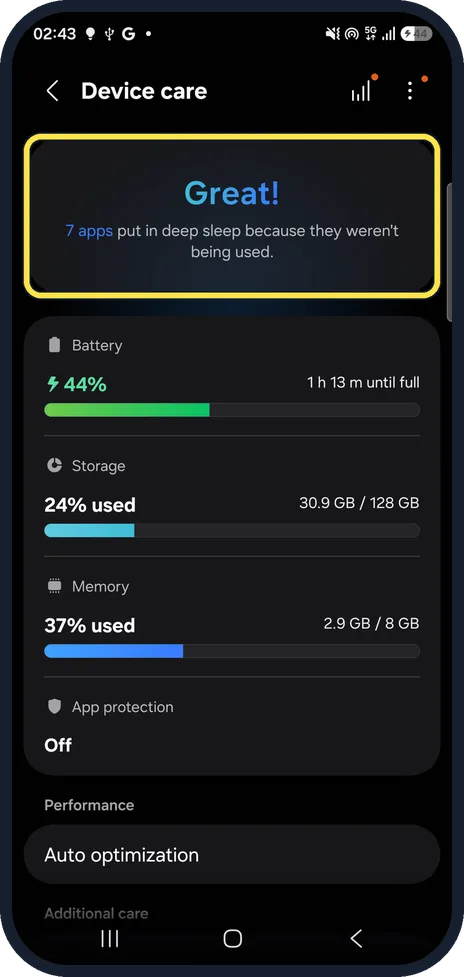
- Your Galaxy runs One UI 9. Device care has no Optimize now button. On our Galaxy A57 after the One UI 9.0 update, the top card said Great! and that 7 apps were put in deep sleep because they weren't being used. Storage and Memory are listed below it, and Auto optimization further down.
- Auto restart is not on the Device care page It sits one level down. On our Galaxy you tap Auto optimization under Performance, and Auto restart is the last row on that page.
- Software update is not near the top Scroll down past Performance. On our Galaxy it is under Additional care, above Diagnostics and Maintenance mode.
- No power icon in the quick panel Pull the quick panel all the way down. On our Galaxy the power icon sits at the top right, next to the settings cog.
If this does not work
- Still slow after Optimize now Look at the results list. Ours reported No apps using too much memory and No storage issues; if yours lists a problem, deal with that first, for example by freeing storage.
- The phone slows down again after a few days Turn on Auto restart. The Auto optimization page itself warns that issues can occur if your phone is left on for a long time without restarting.
- Storage stays nearly full Samsung says a phone with little free storage slows down. Remove large files and apps you no longer use, then check Storage again. Source: Why is my Samsung phone slowing down & how can I speed it up
About this guide
A Galaxy that feels slow usually has too little free storage, too many apps running, or has not restarted for a long time. Device care shows storage and memory use on one page, and its Auto optimization page lets the phone restart itself.
We tapped Optimize now on our phone but changed no settings.
Good to know
Storage full? how to check and free up storage on a Samsung Galaxy phone.
Phone restarting by itself? Samsung Galaxy keeps restarting? 7 things to check.
Only typing is slow? Samsung Keyboard lagging? 6 fixes.
In short: Device care: Optimize now, check Storage and Memory, Auto restart on, update, restart.
Links checked in October 2026. Menus and features can change after software updates. These steps match the version named at the top.
📷 See real photos from the Galaxy A57 in our Camera Lab, next to 10 other phones.
Did this guide work for you?
Sorry about that. What happened?