
howtosimply.com/guides/how-to-turn-on-auto-delete-messages-in-telegram-on-android/ · Checked October 2026 · Google Pixel 10a, Android 17, Telegram 13.1.1
In this guide
Open Telegram Settings, Privacy & Security, Auto-Delete Messages, and pick After 1 day, After 1 week, After 1 month or a custom time. Telegram says it applies to new chats only; existing chats keep their own setting.
5 of 5 steps with real screenshots · 1 official source below
- Device
- Android
- Shown on
- Google Pixel 10a, Android 17, Telegram 13.1.1
- App
- Telegram
- Real screenshots
- 5 of 5 steps
- Checked
- October 2026
- Sources
- 1 official, linked below
Step by step
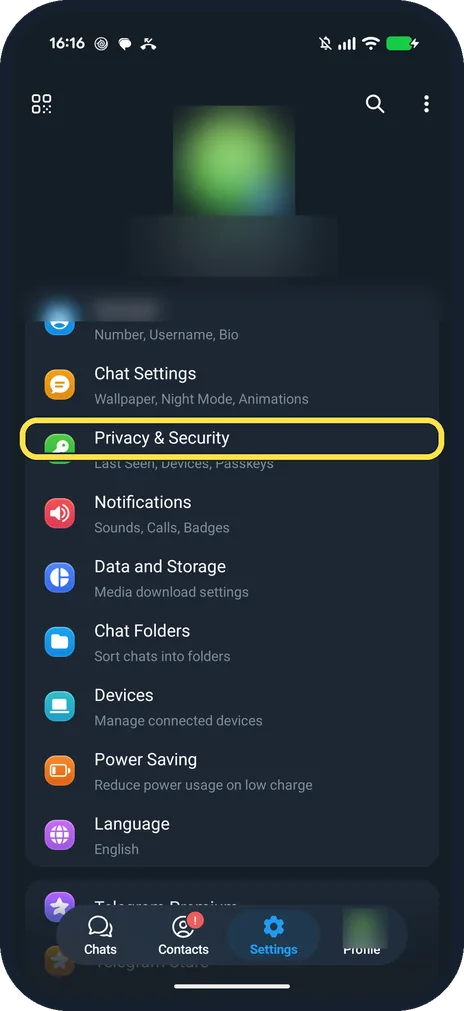
Tap Privacy & Security
It is in the Settings list, below Chat Settings.
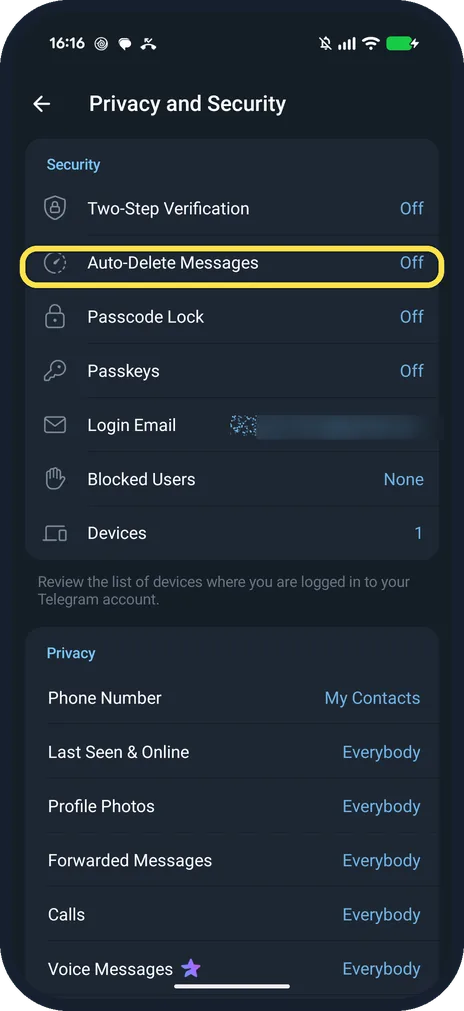
Tap Auto-Delete Messages
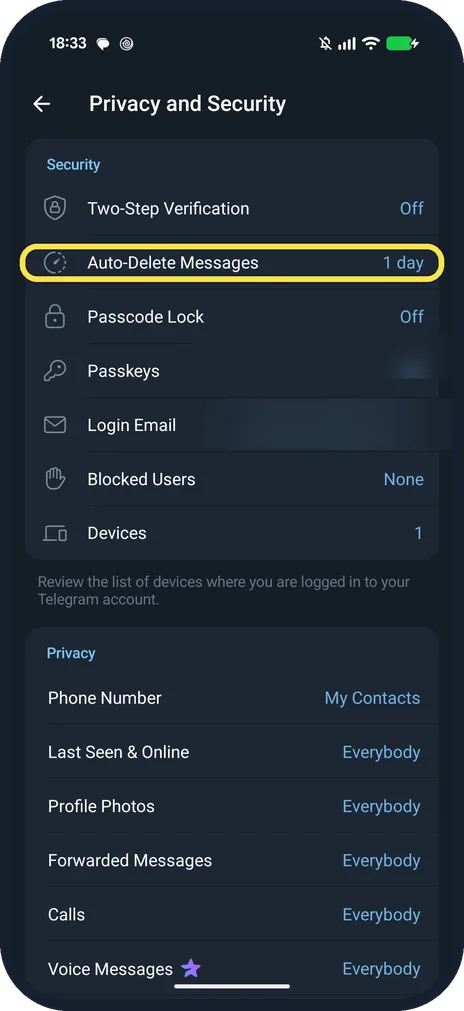
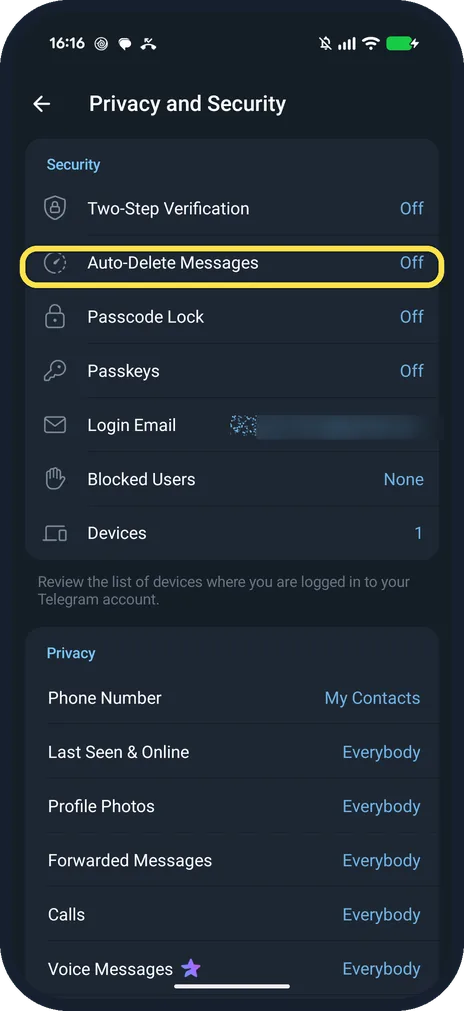
It is under Security, below Two-Step Verification. Ours said Off.
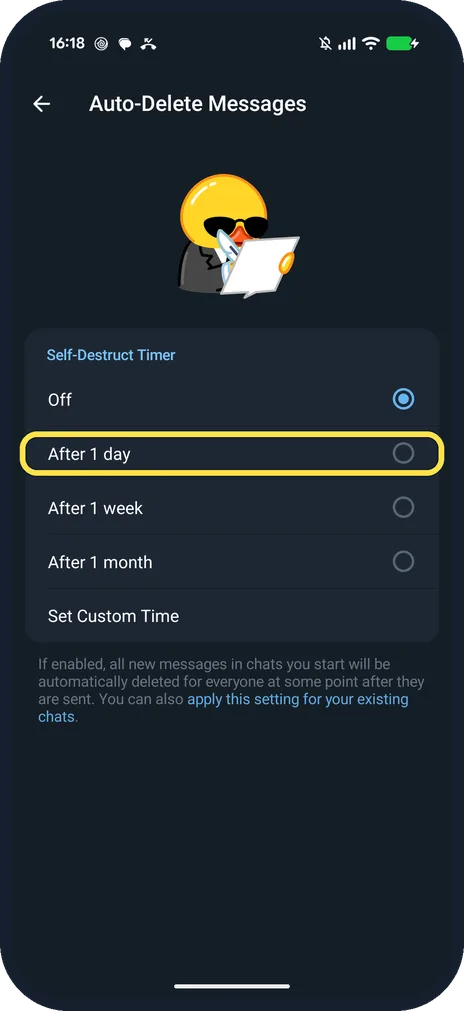
Pick a time
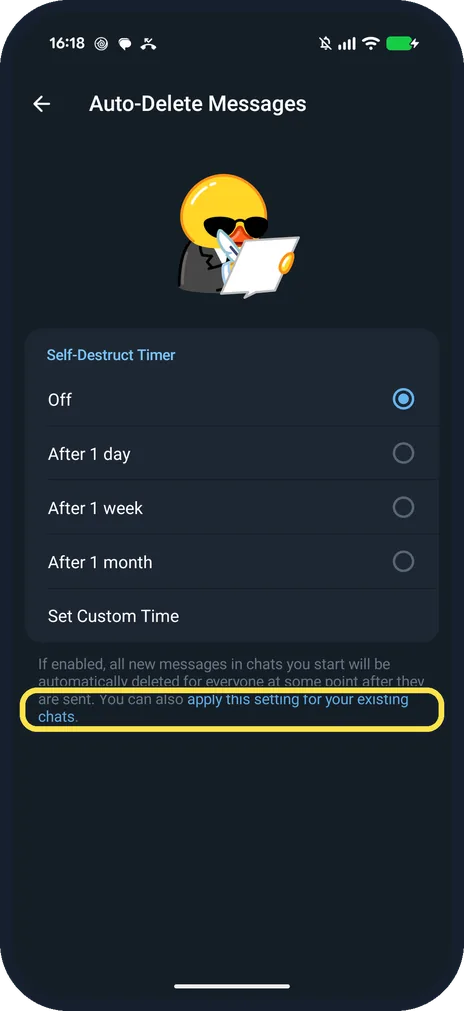
Under Self-Destruct Timer: Off, After 1 day, After 1 week, After 1 month, Set Custom Time.
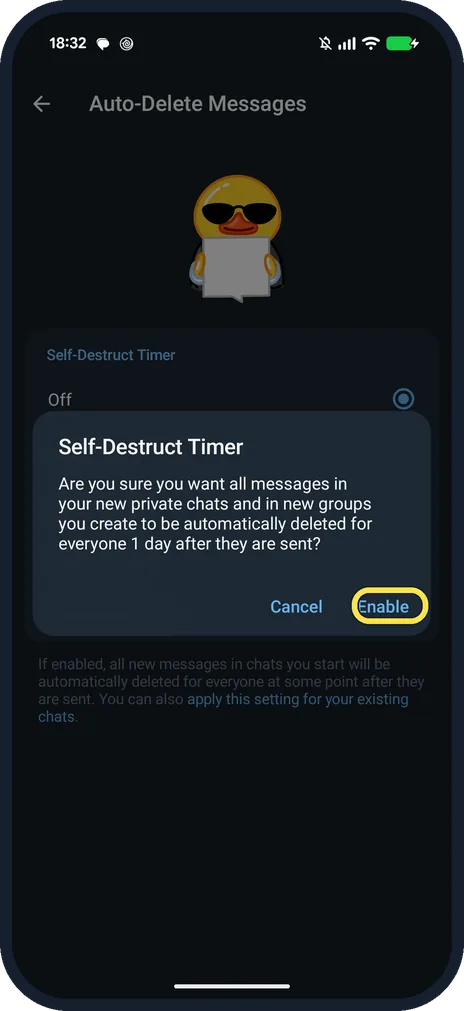
Tap Enable
Ours asked: Are you sure you want all messages in your new private chats and in new groups you create to be automatically deleted for everyone 1 day after they are sent?
Check the row
Back on Privacy and Security, ours said Auto-Delete Messages 1 day.
If you do not see this option
- Want it on chats you already have? Telegram says the timer is for new chats, the ones you start and new groups you create. Use the link at the bottom to apply it to existing chats too. Source: No-SIM Signup, Auto-Delete All Chats, Topics 2.0 and More
- Help page says Privacy and Security? Telegram's blog gives Privacy & Security > Auto-Delete Messages, the same as the row on our Telegram 13.1.1. Source: No-SIM Signup, Auto-Delete All Chats, Topics 2.0 and More
If this does not work
- Messages deleted for the other person too? Telegram says on the page that new messages are deleted for everyone at some point after they are sent.
- Older chats still keep messages? The page says the timer is for chats you start from now on. Existing chats keep their own setting unless you use the link at the bottom. Source: No-SIM Signup, Auto-Delete All Chats, Topics 2.0 and More
About this guide
The page is Auto-Delete Messages; Self-Destruct Timer is the heading above the choices. Ours was Off: we set After 1 day for the screenshots, then Off again.
The screenshots are from Telegram 13.1.1 on our Google Pixel 10a with Android 17, in Dark mode, taken on 25 October 2026.
Good to know
In Signal, see turn on disappearing messages by default in Signal.
To see your other logins, see see which devices are logged in to Telegram.
In short: Telegram, Settings, Privacy & Security, Auto-Delete Messages, pick a time.
Links checked in October 2026. Back up anything you want to keep before you reset or delete. Menus can change after software updates.
📷 See real photos from the Pixel 10a in our Camera Lab, next to 10 other phones.
Did this guide work for you?
Sorry about that. What happened?