
howtosimply.com/guides/how-to-use-circle-to-search-on-an-oppo-phone/ · Checked October 2026 · CPH2689, EEA), ColorOS 16.0.5, Android 16 (build CPH2689_16.0.5.1001(EX01) · OPPO Reno13 5G
In this guide
Touch and hold the gesture bar at the bottom of the screen (or the Home button with three-key navigation), then circle or tap what you want to search. If nothing happens, turn it on in Settings, System & update, System navigation, Circle to Search.
3 of 3 steps with real screenshots · 1 official source below
- Device
- Android
- Shown on
- OPPO Reno13 5G (CPH2689, EEA), ColorOS 16.0.5, Android 16 (build CPH2689_16.0.5.1001(EX01))
- App
- Settings
- Real screenshots
- 3 of 3 steps
- Checked
- October 2026
- Sources
- 1 official, linked below
Step by step
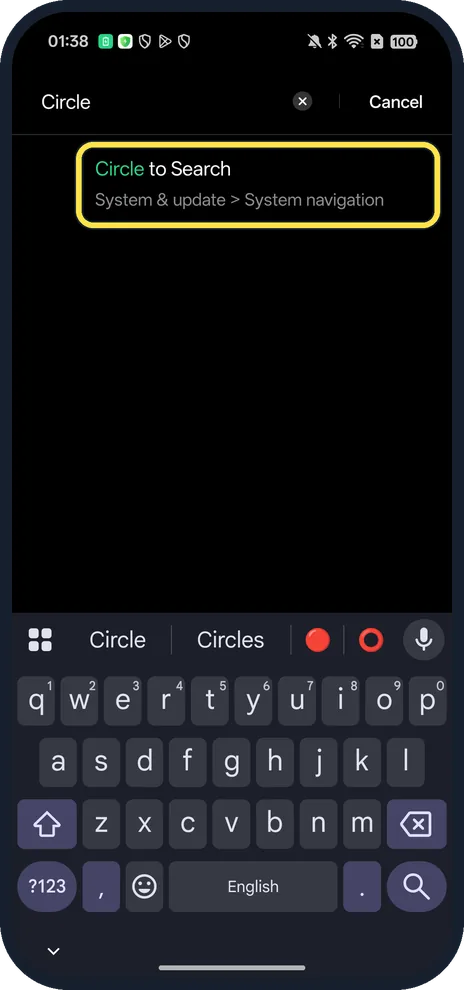
Search Settings for Circle
The result shows its path: System & update > System navigation.
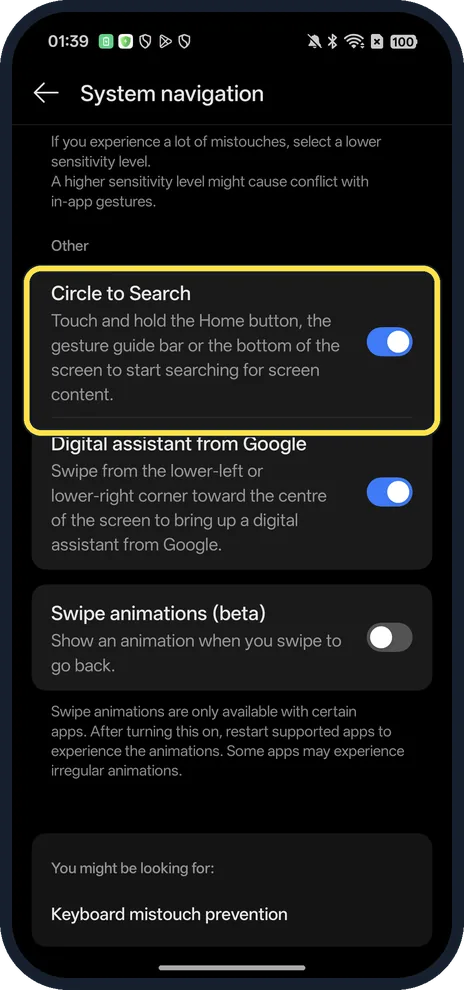
Check Circle to Search is on
Touch and hold the Home button, the gesture guide bar or the bottom of the screen.
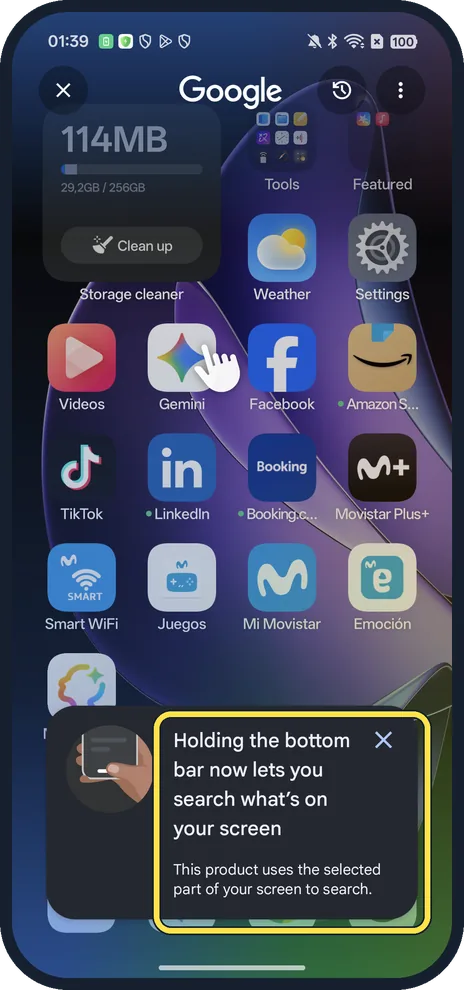
Touch and hold the bottom bar
Google opens over the screen; the first time a card explains it. Then circle what you want to search.
If you do not see this option
- Assistant opens instead? Swiping from a lower corner opens Digital assistant from Google; hold in the middle instead.
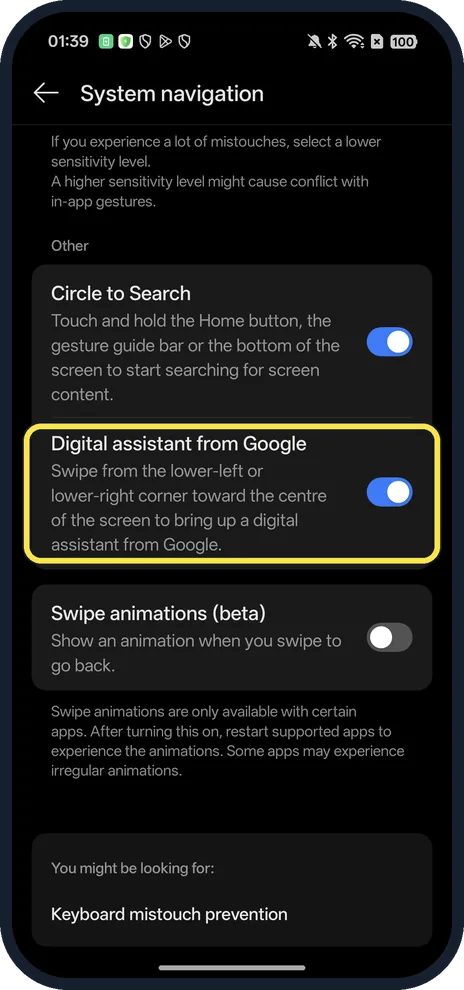
- Using three keys? Google says to touch and hold the Home button or the navigation handle at the bottom of the screen. Source: Search your screen with Circle to Search
If this does not work
- Nothing happens? Hold still; a swipe up goes Home instead.
- No Circle to Search row? Search Settings for Circle to find it.
About this guide
The screenshots are from our OPPO Reno13 5G, the European model CPH2689, with ColorOS 16.0.5 and Android 16 (build CPH2689_16.0.5.1001(EX01)), in Dark mode. Circle to Search was on.
Good to know
To switch navigation style, switch between gestures and buttons.
For a screenshot instead, take a screenshot.
In short: Hold the bottom bar, then circle.
Links checked in October 2026. Menus and features can change after software updates. These steps match the version named at the top.
Did this guide work for you?
Sorry about that. What happened?