GOOGLE PIXEL
How to change the ringtone on a Google Pixel (Android 17)

In short
Open Settings, Sound and vibration, Ringtone. Open a sound collection such as Pixel Sounds or Material Adventures, tap a sound to hear it, then tap Save at the top right. Nothing changes until you tap Save.
4 of 4 steps show a real screenshot from our Pixel 10a. Each step was checked against the maker's own instructions, linked at the end.
Steps
- 1
Open Ringtone
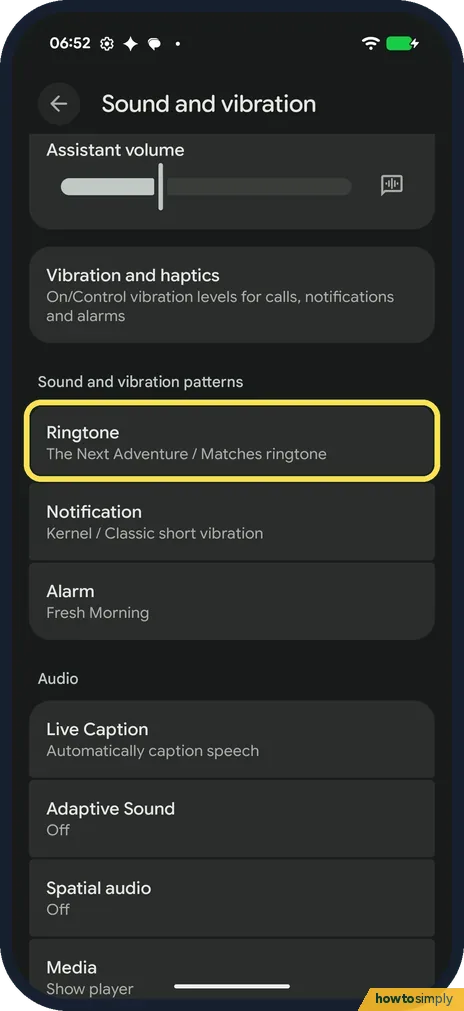
Open Settings and tap Sound and vibration. Under Sound and vibration patterns, tap Ringtone. Ours said The Next Adventure / Matches ringtone.
- 2
See what is set now
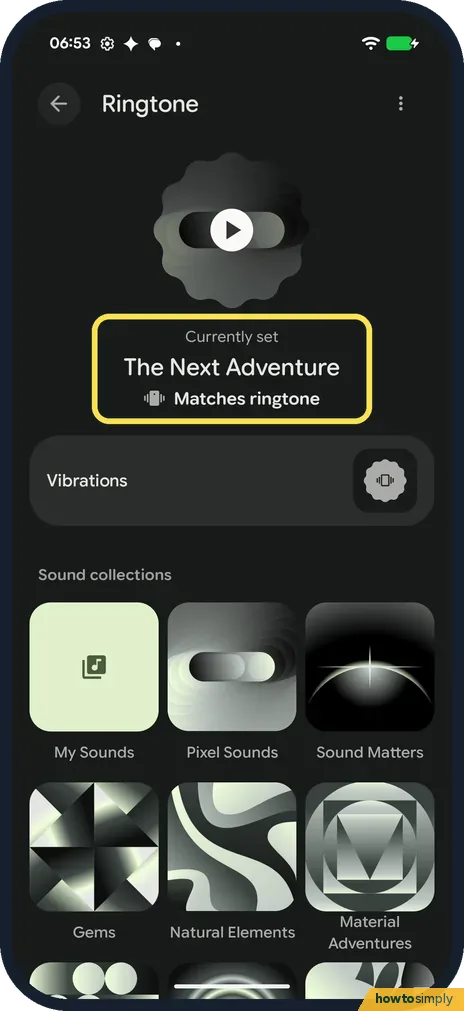
The top of the page shows Currently set: The Next Adventure, with the vibration set to Matches ringtone. Tap the play button to hear it.
- 3
Open a sound collection
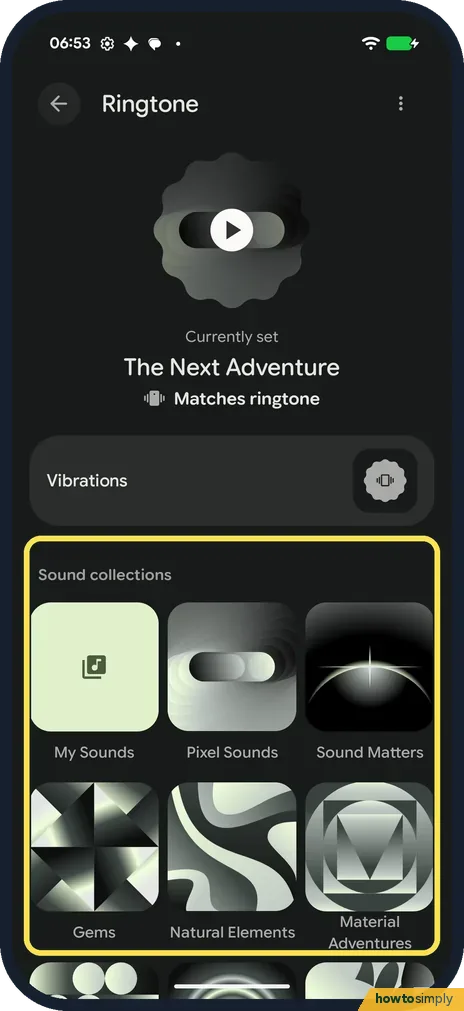
Under Sound collections are My Sounds, Pixel Sounds, Sound Matters, Gems, Natural Elements, Material Adventures and more. Tap one.
- 4
Pick a sound and tap Save
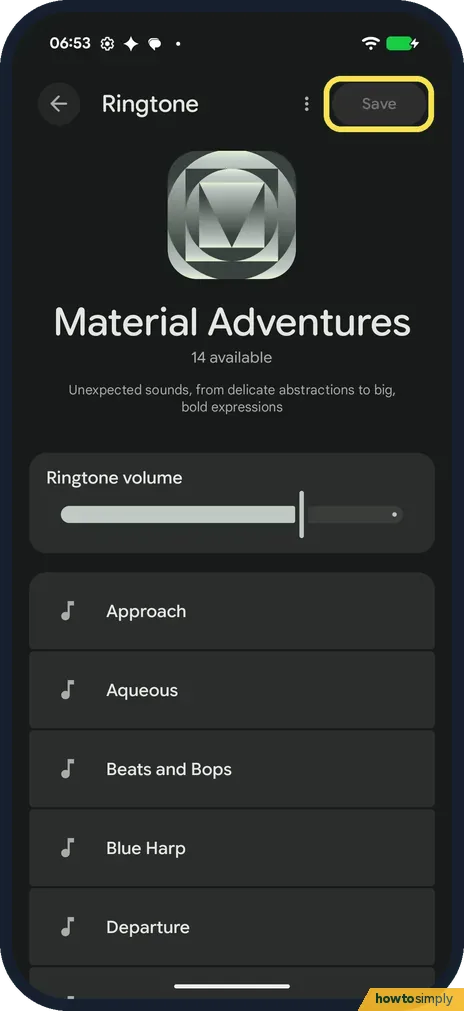
Tap a sound to hear it; Material Adventures had 14. Then tap Save at the top right. Until you tap it, the old ringtone stays. We backed out.
If you do not see this option
- Want your own sound? Google says to connect the phone to a computer with a USB cable and copy the MP3 into the Ringtones folder. My Sounds is the first collection on the Ringtone page. Source: Change volume, sound & vibrate settings on your Pixel phone or Pixel Tablet
- One ringtone for one person? Google says to open the Contacts app, tap the contact, then More, Set ringtone, pick one and tap Save. Source: Change volume, sound & vibrate settings on your Pixel phone or Pixel Tablet
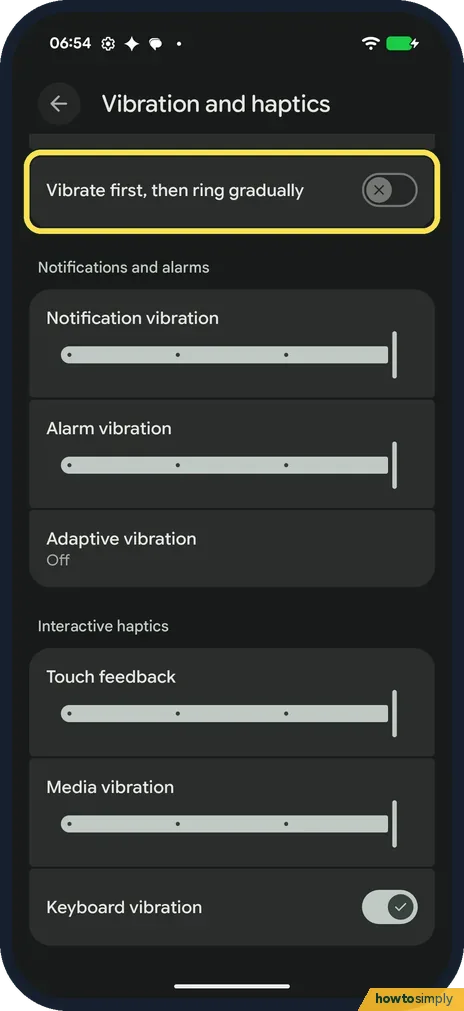
- Want it to vibrate before it rings? Settings, Sound and vibration, Vibration and haptics has Vibrate first, then ring gradually. Ours was off.
If this does not work
- New ringtone didn't stick? You probably backed out without tapping Save. Pick the sound again and tap Save.
- Phone doesn't ring at all? Check Ring volume on Sound and vibration, then see Pixel not ringing: what to check.
- Silent at night? That may be a mode: how to use Do Not Disturb and modes on a Google Pixel.
- Phone vibrates but never rings? The ring mode is probably set to Vibrate. Press a volume button and tap the control above the slider; Google's help describes switching it between Ring, Vibrate and Mute there.
- Your MP3 is not in My Sounds? Check that you copied it into the Ringtones folder, as Google describes, and that you disconnected the phone from the computer afterwards. Then open Ringtone again.
- One caller still has the old tone? That contact has its own ringtone, set in the Contacts app. A contact ringtone wins over the phone's ringtone, so change or remove it in that contact's More menu.
Good to know
Notification and alarm sounds are on the same page, under Notification and Alarm. Ours were Kernel and Fresh Morning.
The new ringtone plays for every incoming call, except for contacts that have their own ringtone. The vibration that goes with it follows the setting shown under the ringtone; ours was Matches ringtone. Notifications and alarms keep their own sounds. To go back, open Ringtone, choose the old sound, which was The Next Adventure on ours, and tap Save.
When a call comes in at a bad moment, Google says pressing a volume button silences the ring without rejecting the call.
About this guide
- Device
- Android
- Shown on
- Google Pixel 10a, Android 17 (build CP3A.261005.005)
- App
- Settings
- Path
- Settings › Sound and vibration › Ringtone
- Real screenshots
- 4 of 4 steps
- Checked
- October 2026
- Sources
- 1 official, linked below
Sources
Links checked October 2026. Menus and features can change with updates.Spotted a mistake? Menus change with updates, and we want every step to match your screen. Email us about this page or use the contact form. We read every report, and fixes are listed on What changed.
Liked this guide?
Follow us for new guides and short how-to videos.
Did this guide work for you?
Sorry about that. What happened?