
howtosimply.com/guides/how-to-uninstall-apps-on-an-honor-phone/ · Checked October 2026 · BRP-NX1M, EEA), MagicOS 10.0, Android 16 (build 10.0.0.169(C430E7R2P1) · HONOR Magic7 Lite
In this guide
Touch and hold the app icon and tap Uninstall, or open Settings, Apps, the app and tap Uninstall. On a built-in app such as Weather, Uninstall asks: Replace this app with the factory version? All data will be removed. That removes its updates, not the app.
3 of 3 steps with real screenshots · 3 official sources below
- Device
- Android
- Shown on
- HONOR Magic7 Lite (BRP-NX1M, EEA), MagicOS 10.0, Android 16 (build 10.0.0.169(C430E7R2P1))
- App
- Settings
- Real screenshots
- 3 of 3 steps
- Checked
- October 2026
- Sources
- 3 official, linked below
Step by step
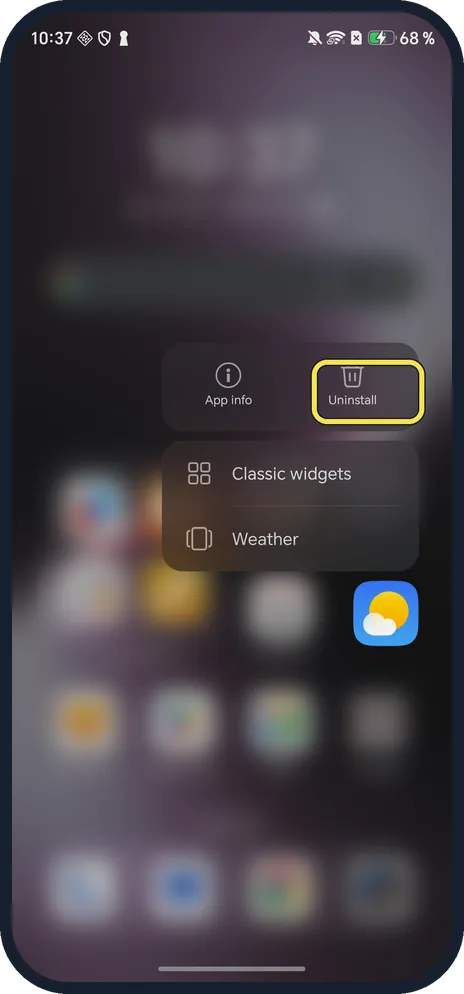
Touch and hold the app icon
A menu opens with App info and Uninstall. Ours was on Weather.
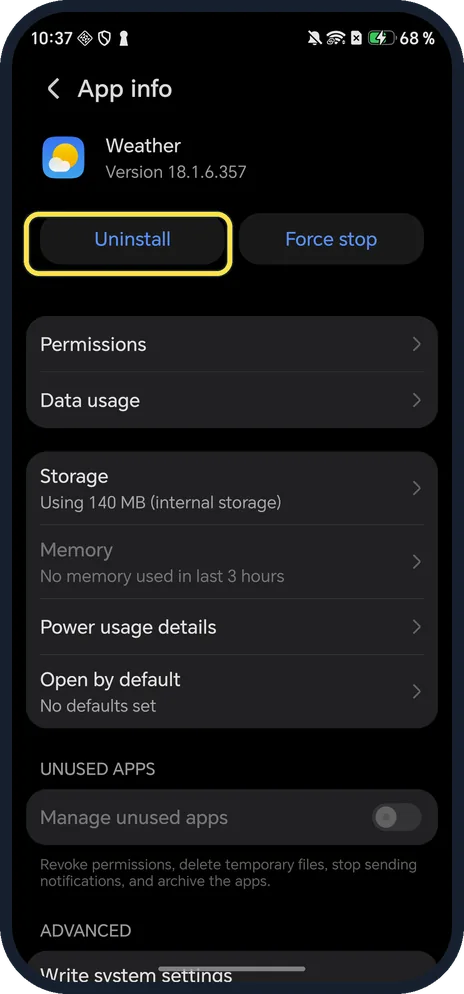
Or tap Uninstall in App info
Settings, Apps, then the app. Weather had Uninstall and Force stop at the top.
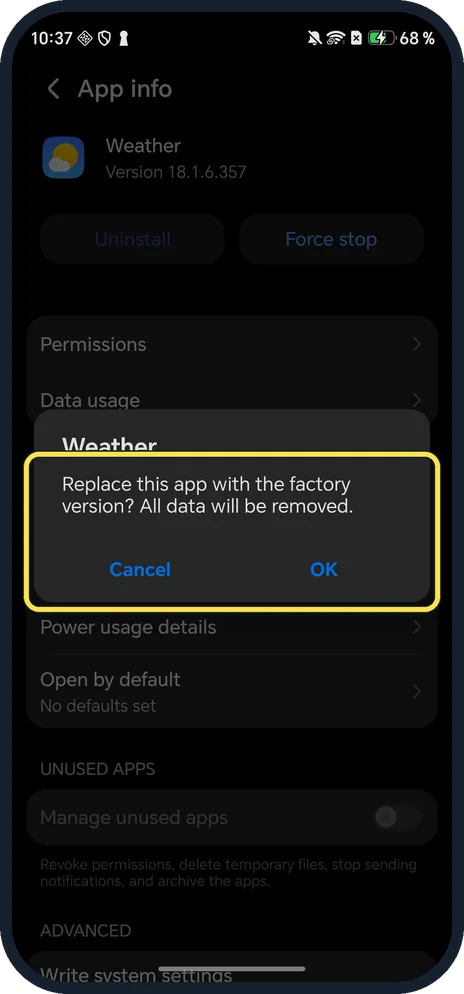
Read the question, then OK
For Weather: Replace this app with the factory version? All data will be removed. For an app you installed it removes the app.
If you do not see this option
- Built-in app gone for good? HONOR says some pre-installed system apps can't be uninstalled, and on MagicOS 7.0 and later you can swipe down on the Home screen, type the app name and tap Restore. Source: Once deleted, pre-installed system apps cannot be restored
- Only want the update gone? HONOR says to open Settings, Apps, the app, and tap Uninstall updates to go back to the factory version. Source: Some app icons are missing from the home screen
- Disable instead? Google says some apps that came with the phone can be disabled instead of deleted. Source: Delete, disable and manage unused apps on Android
If this does not work
- Worried about data? The dialog warns that all data will be removed, so back up first.
- App still on the Home screen? A built-in app goes back to its factory version and stays; only apps you installed disappear. Source: Some app icons are missing from the home screen
About this guide
The screenshots are from our HONOR Magic7 Lite, the European model BRP-NX1M, with MagicOS 10.0 and Android 16 (build 10.0.0.169(C430E7R2P1)), in Dark mode. We tapped Cancel; nothing was uninstalled.
Good to know
To hide apps instead, see App Lock and hidden apps.
For space, see free up storage.
In short: Hold the icon, Uninstall; built-in apps go back to the factory version.
- HONOR Support: Once deleted, pre-installed system apps cannot be restored
- HONOR Support: Some app icons are missing from the home screen
- Google Play Help: Delete, disable and manage unused apps on Android
Links checked in October 2026. Menus and features can change after software updates. These steps match the version named at the top.
Did this guide work for you?
Sorry about that. What happened?