
howtosimply.com/guides/how-to-change-default-apps-on-an-honor-phone/ · Checked October 2026 · BRP-NX1M, EEA), MagicOS 10.0, Android 16 (build 10.0.0.169(C430E7R2P1) · HONOR Magic7 Lite
In this guide
Open Settings, Apps, Default apps and tap the type to change: Browser app, Caller ID and spam app, Digital assistant app, Home app, Phone app or SMS app. Pick the app you want.
5 of 5 steps with real screenshots · 3 official sources below
- Device
- Android
- Shown on
- HONOR Magic7 Lite (BRP-NX1M, EEA), MagicOS 10.0, Android 16 (build 10.0.0.169(C430E7R2P1))
- App
- Settings
- Path
- Settings › Apps › Default apps
- Real screenshots
- 5 of 5 steps
- Checked
- October 2026
- Sources
- 3 official, linked below
Step by step
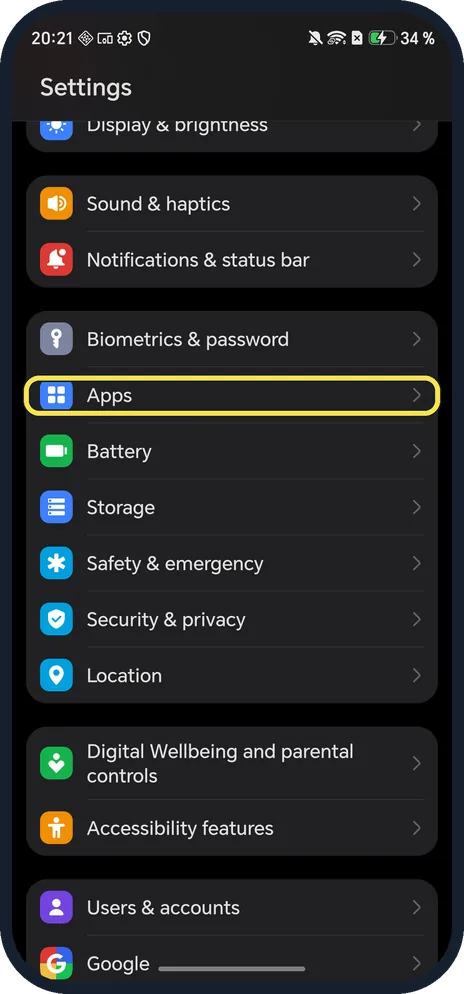
Open Apps
Open Settings and tap Apps; it is below Biometrics & password.
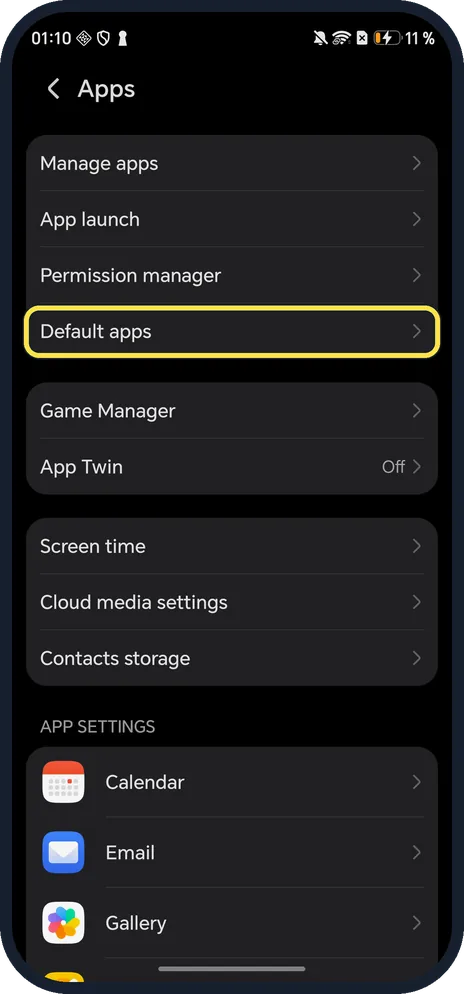
Tap Default apps
Below Permission manager.
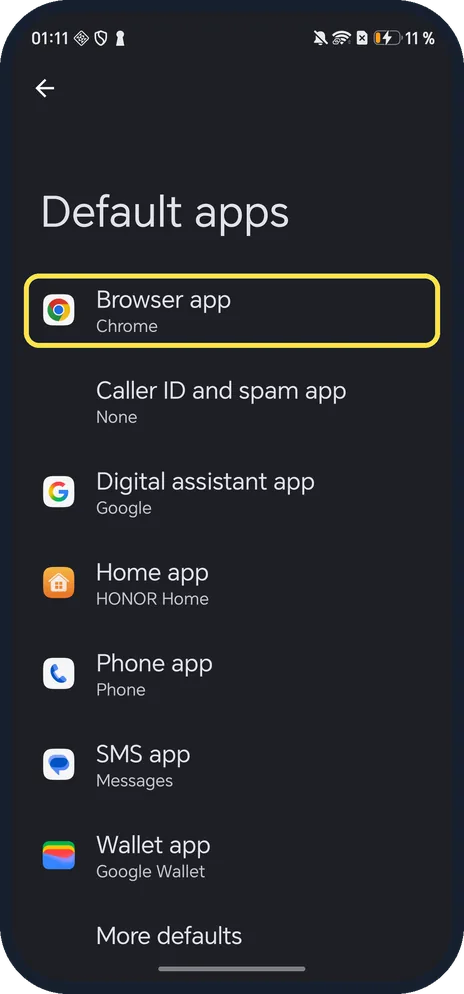
Tap the app type
Ours: Browser app Chrome, Home app HONOR Home, Phone app Phone, SMS app Messages.
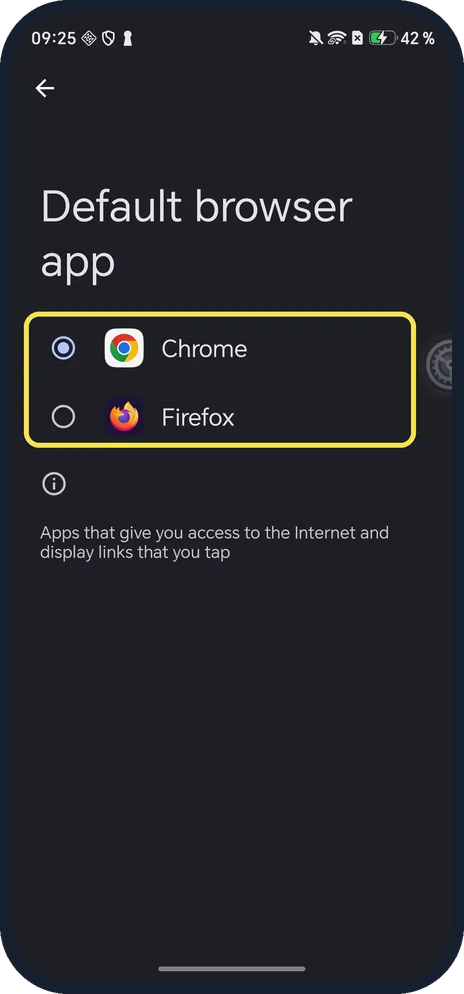
Pick the app
Only installed apps that can do the job are listed. Ours listed Chrome and Firefox.
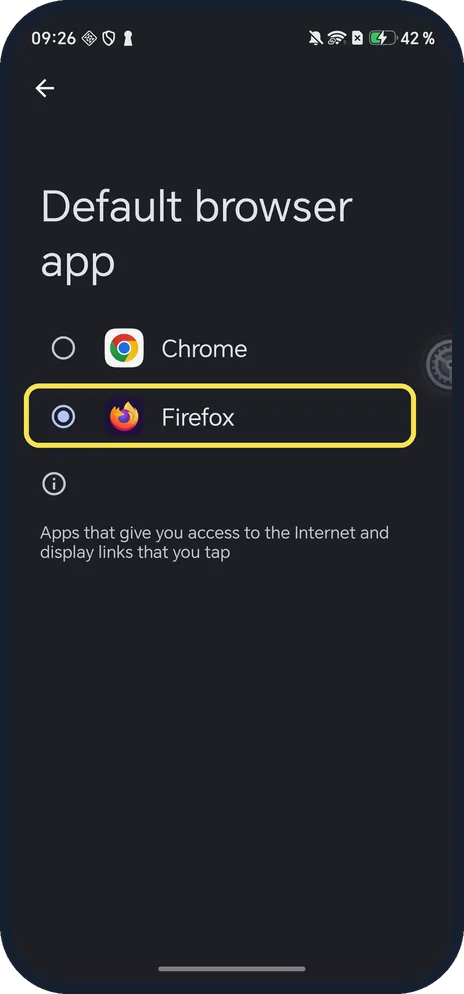
Check the dot moved
The selected app is the new default. Ours showed Firefox selected.
If you do not see this option
- Looking for Launcher? HONOR's older support pages call the Home app row Launcher (Settings, Default apps, Launcher, Honor Home). Ours calls it Home app and shows HONOR Home. Source: Some app icons are missing from the home screen
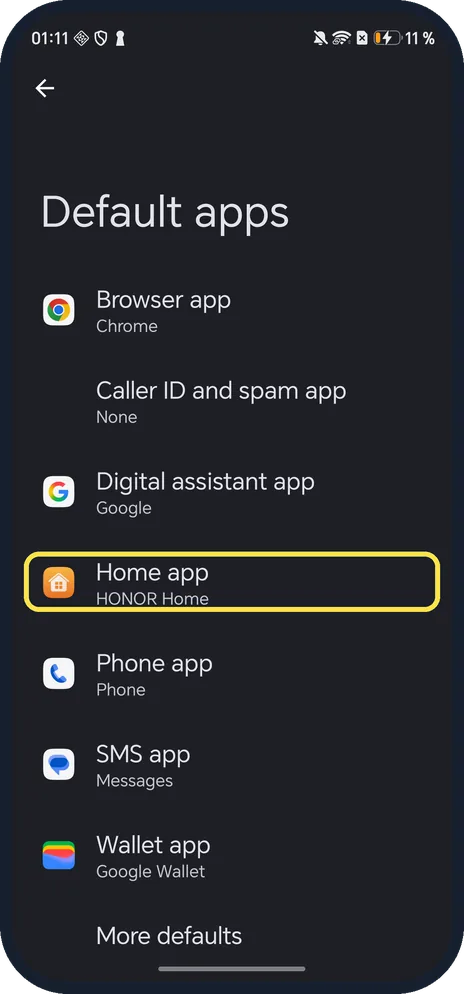
- No Default apps under Apps? Search Settings for Default apps; HONOR gives that route for older versions. Source: Some app icons are missing from the home screen
- Links keep opening the wrong app? Open App info for that app and check Open by default.
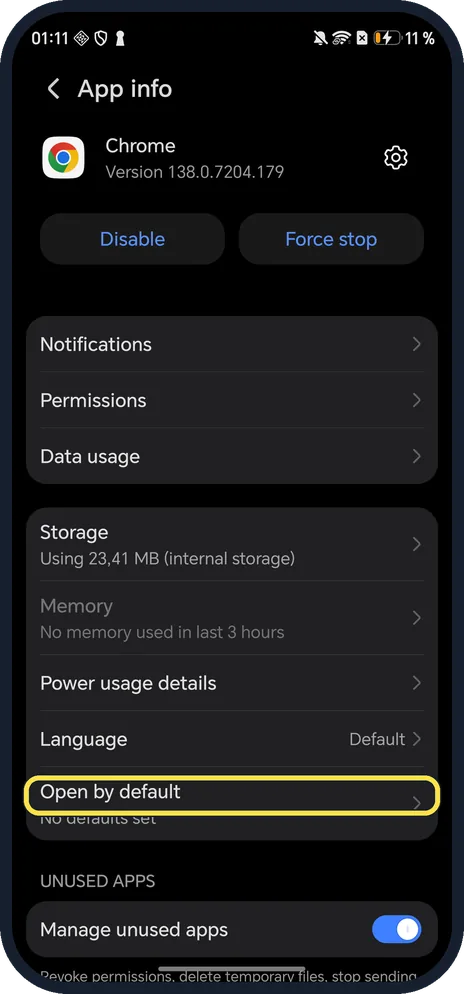
If this does not work
- Links in Messages won't open? HONOR says this happens when the default browser is disabled. Check Browser app here, then go to Apps, open that browser and tap Enable. Source: Unable to Open Links in Messages
- Only one choice? Only installed apps that can do the job are listed; before we installed Firefox, ours listed only Chrome. Install another app of that type first.
- Icons missing after changing Home app? HONOR says some apps may not show with a third-party launcher and recommends HONOR Home. Source: Some app icons are missing from the home screen
About this guide
The screenshots are from our HONOR Magic7 Lite, the European model BRP-NX1M, with MagicOS 10.0 and Android 16 (build 10.0.0.169(C430E7R2P1)), in Dark mode. Chrome was our only browser, so we installed Firefox for steps 4 and 5, then set Chrome back as default and uninstalled Firefox.
Good to know
To control what apps can access, change app permissions.
To use two accounts, use App Twin.
In short: Settings, Apps, Default apps.
- HONOR Support: Unable to Open Links in Messages
- HONOR Support: Some app icons are missing from the home screen
- Android Help: Learn how to change your default browser
Links checked in October 2026. Menus and features can change after software updates. These steps match the version named at the top.
Did this guide work for you?
Sorry about that. What happened?