
howtosimply.com/guides/how-to-uninstall-or-disable-apps-on-a-nothing-phone/ · Checked October 2026 · 4a) Pro (A069P, EEA), Nothing OS 4.1, Android 16 (build FroggerPro-B4.1-260907-1153-EEA · Nothing Phone
In this guide
Swipe up to the app drawer, touch and hold the app, tap the bin icon and OK. Preinstalled apps such as Keep notes can't be uninstalled: open App info, tap Disable, then Disable app.
5 of 5 steps with real screenshots · 1 official source below
- Device
- Android
- Shown on
- Nothing Phone (4a) Pro (A069P, EEA), Nothing OS 4.1, Android 16 (build FroggerPro-B4.1-260907-1153-EEA)
- App
- Phone
- Real screenshots
- 5 of 5 steps
- Checked
- October 2026
- Sources
- 1 official, linked below
Step by step
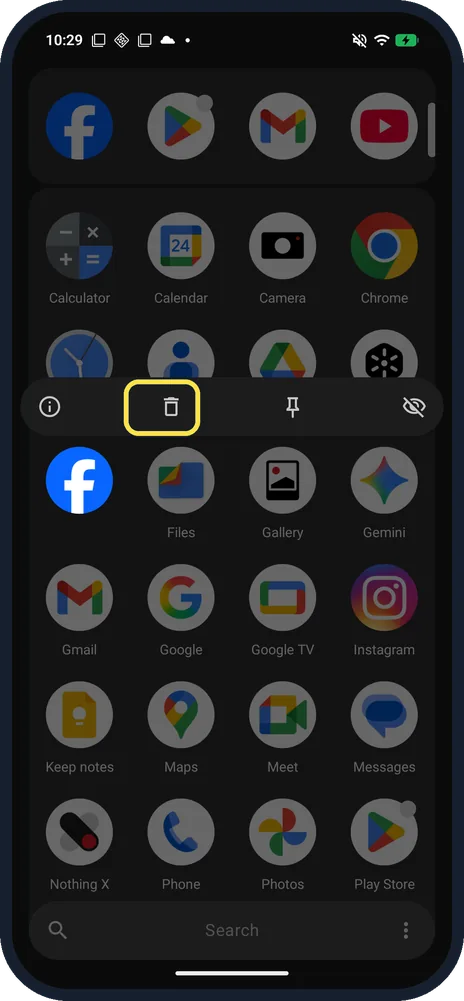
Touch and hold the app, then tap the bin
In the app drawer, touch and hold the app. A row of icons opens; tap the bin (Uninstall). Ours, on Facebook: App info, the bin, Pin to top and Hide icon.
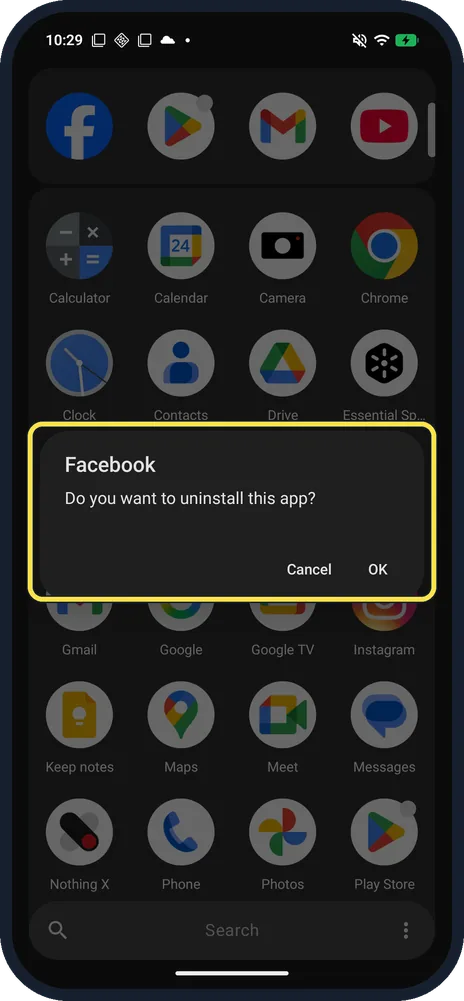
Tap OK
It asks: Do you want to uninstall this app? We tapped Cancel.
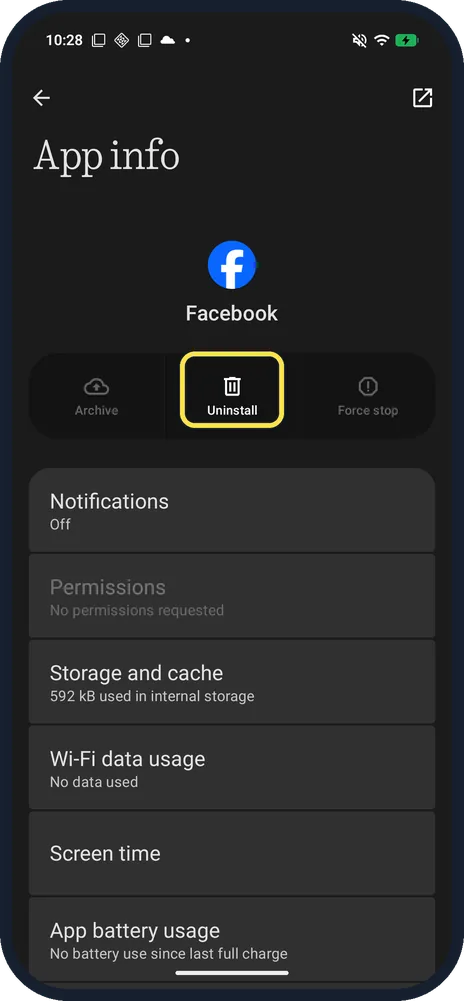
Or use App info
Tap the i in the same menu, then Uninstall at the top.
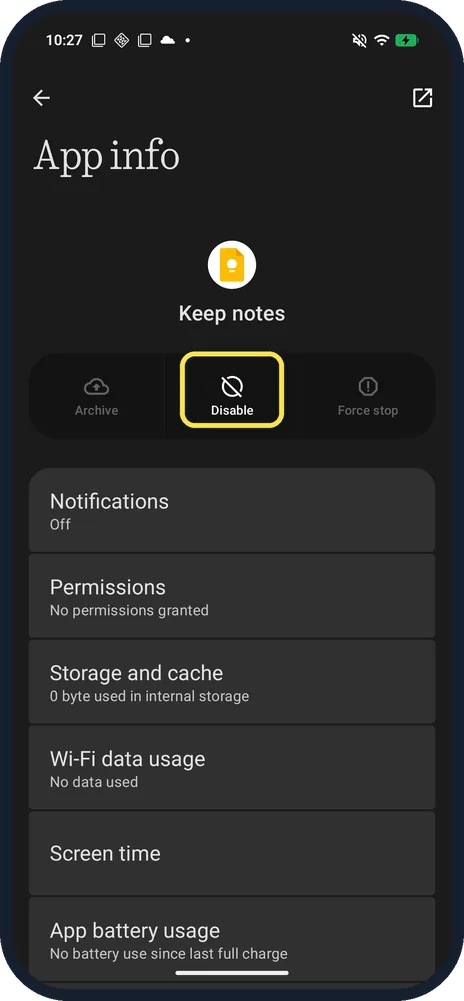
Preinstalled app? Tap Disable
Keep notes had Archive, Disable and Force stop, and no Uninstall.
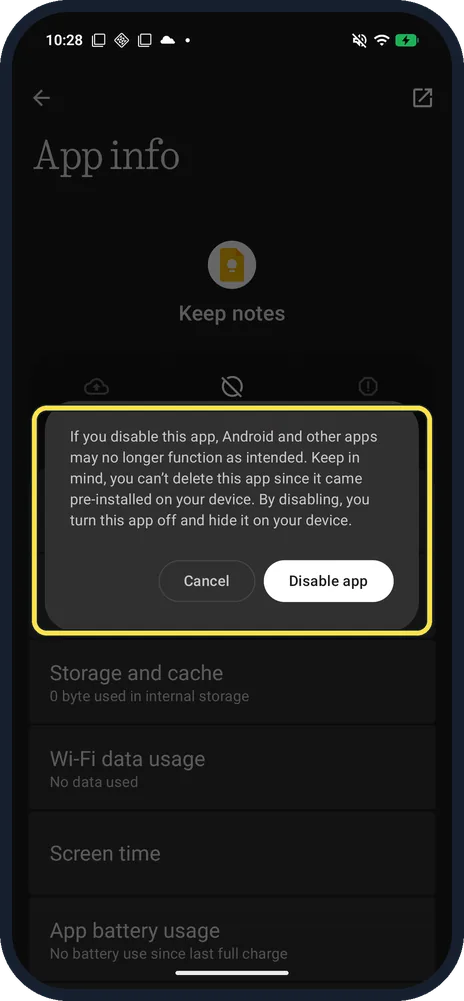
Tap Disable app
The warning: Android and other apps may no longer function as intended. You can't delete this app since it came pre-installed; disabling turns it off and hides it.
If you do not see this option
- No bin icon when you hold the app? Nothing says some built-in apps don't support uninstallation. Keep notes showed only Widgets, App info, Pin to top and Hide icon. Source: How do I uninstall an app?
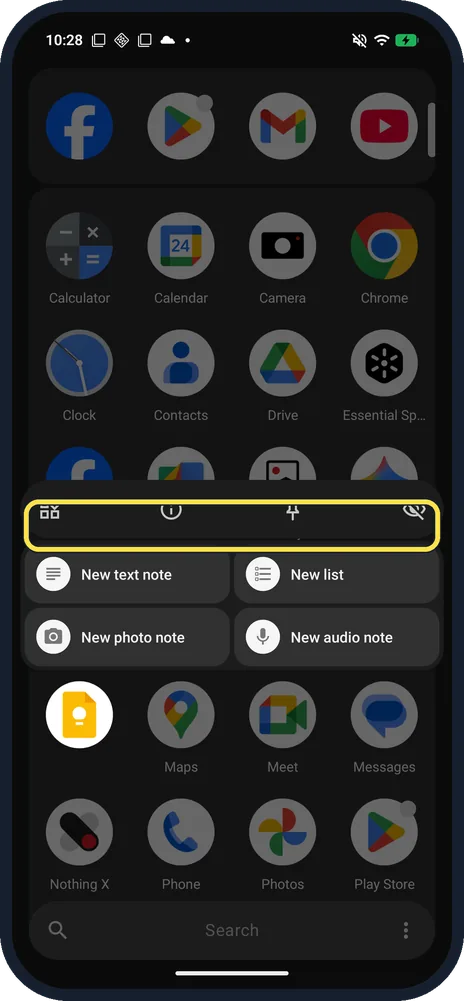
- No Uninstall in App info either? Built-in apps show Disable in its place. Keep notes had Archive, Disable and Force stop; Facebook had Archive, Uninstall and Force stop.
- Prefer Settings? Nothing says Settings, Apps, See all apps, tap the app, then Uninstall. Source: How do I uninstall an app?
- Just want the icon gone? Hide icon in the same menu moves it to a Hidden folder; see hide apps.
If this does not work
- Worried about losing data? Nothing says uninstalling clears the app's data, so back it up first. Source: How do I uninstall an app?
- Something stopped working after you disabled an app? The Disable warning on ours says Android and other apps may no longer function as intended. Open the app's App info in Settings, Apps, See all apps, and turn it back on.
- App misbehaving rather than unwanted? Try clearing its cache before removing it; see clear app cache.
About this guide
The screenshots are from our Nothing Phone (4a) Pro, the European model A069P, with Nothing OS 4.1 and Android 16 (build FroggerPro-B4.1-260907-1153-EEA), in Dark theme. We tapped Cancel at every confirm; nothing was uninstalled or disabled.
Good to know
To hide apps instead, see hide apps.
For space, see free up storage.
In short: App drawer, hold the app, bin, OK. Preinstalled: App info, Disable.
Links checked in October 2026. Menus and features can change after software updates. These steps match the version named at the top.
Did this guide work for you?
Sorry about that. What happened?