
howtosimply.com/guides/how-to-clear-app-cache-on-an-honor-phone/ · Checked October 2026 · BRP-NX1M, EEA), MagicOS 10.0, Android 16 (build 10.0.0.169(C430E7R2P1) · HONOR Magic7 Lite
In this guide
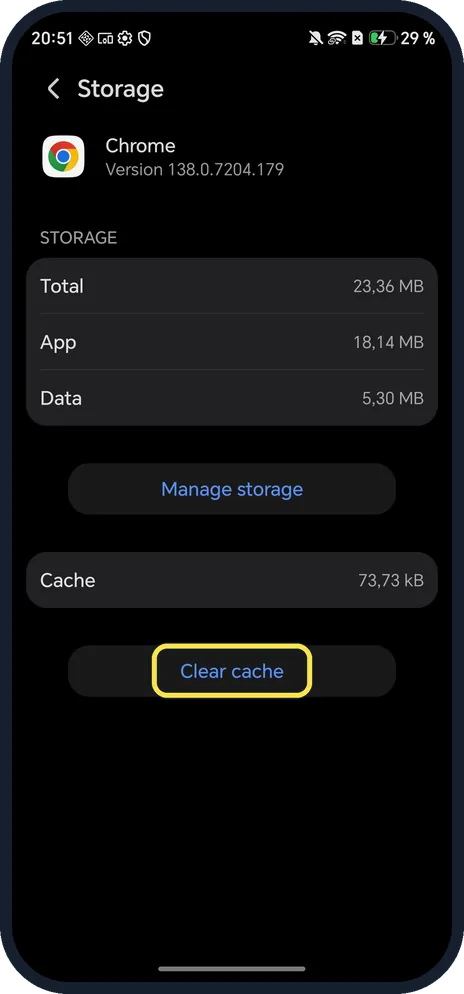
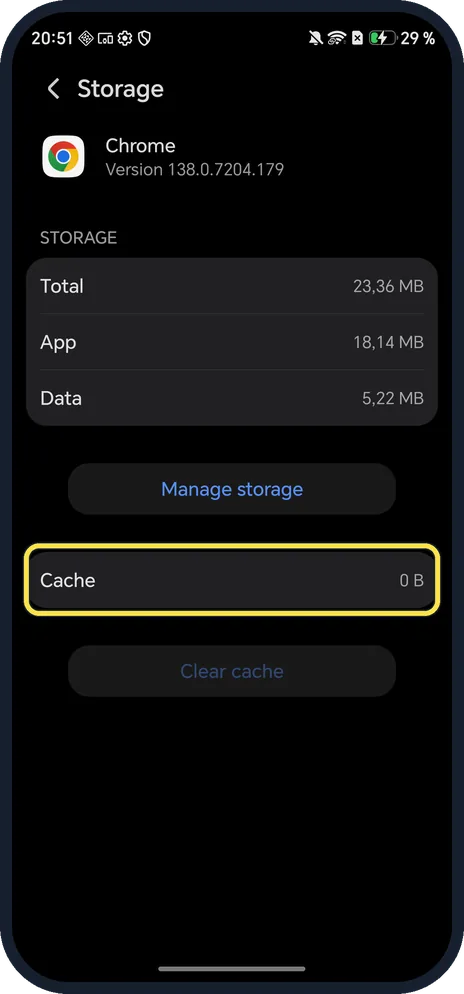
Open Settings, Apps, Manage apps, tap the app, tap Storage and then Clear cache. Chrome's cache on ours went from 73,73 kB to 0 B. Manage storage, above it, wipes the app's data instead.
6 of 6 steps with real screenshots · 4 official sources below
- Device
- Android
- Shown on
- HONOR Magic7 Lite (BRP-NX1M, EEA), MagicOS 10.0, Android 16 (build 10.0.0.169(C430E7R2P1))
- App
- Settings
- Path
- Settings › Apps › Manage apps
- Real screenshots
- 6 of 6 steps
- Checked
- October 2026
- Sources
- 4 official, linked below
Step by step
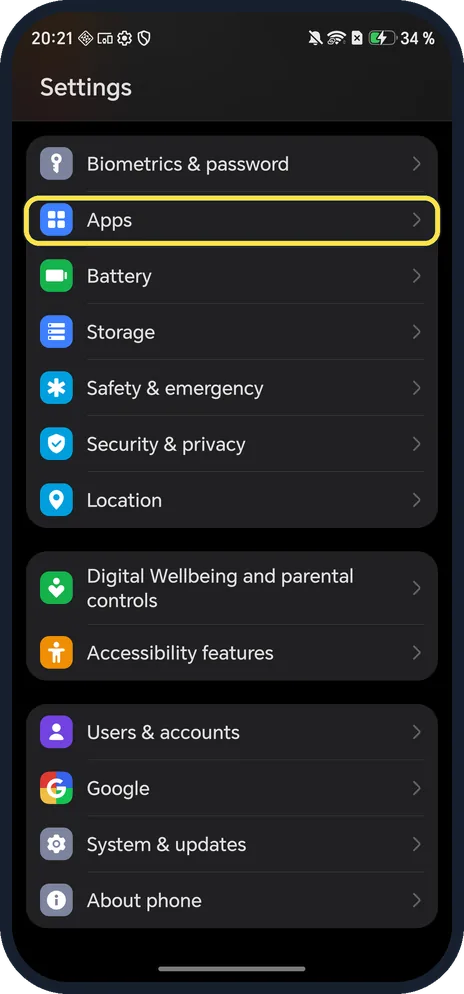
Open Apps
Open Settings and tap Apps.
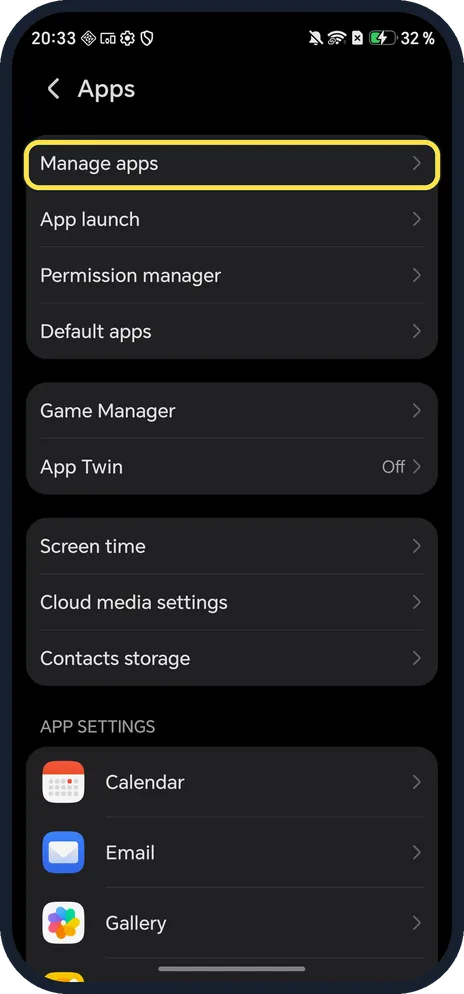
Tap Manage apps
It is the first row.
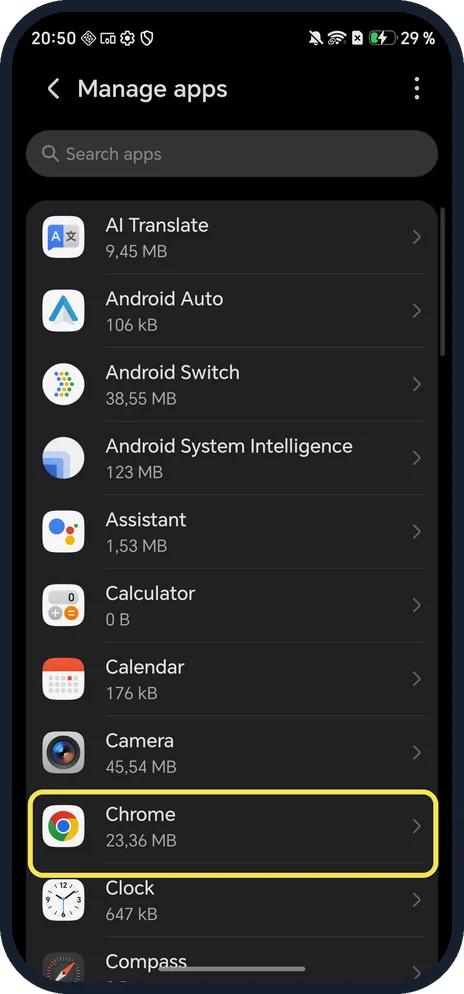
Tap the app
We tapped Chrome. You can also search at the top.
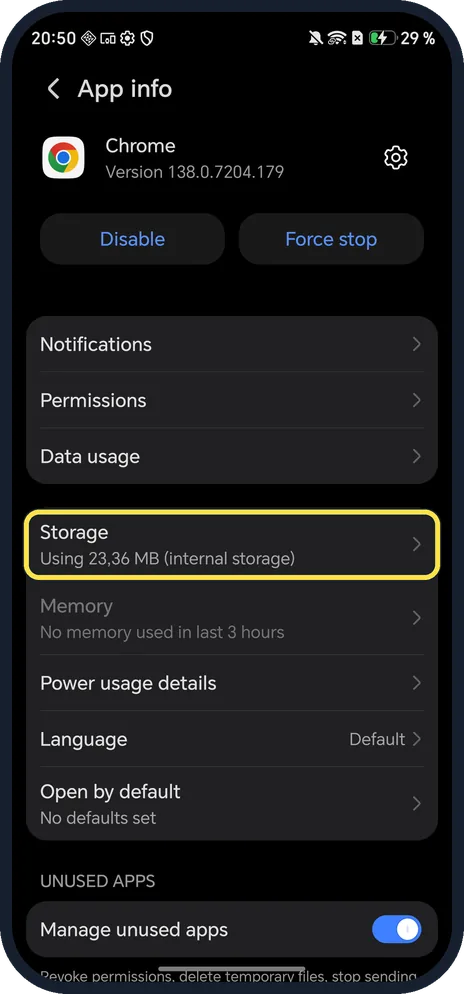
Tap Storage
It shows how much the app uses.
Tap Clear cache
Ours showed Cache 73,73 kB before. Don't use Manage storage unless you want to wipe the app's data.
Check the result
Cache now reads 0 B and Clear cache is greyed out. Data went from 5,30 MB to 5,22 MB.
If you do not see this option
- No Manage apps row? HONOR's guide gives Settings, Apps, Apps, the app, Storage, CLEAR CACHE on other versions. Ours said Manage apps. Source: App Basics
- Can't find the app in the list? System apps can be hidden: HONOR's steps tap the menu and Show system processes, then search for the app. Source: Background apps are forced to close
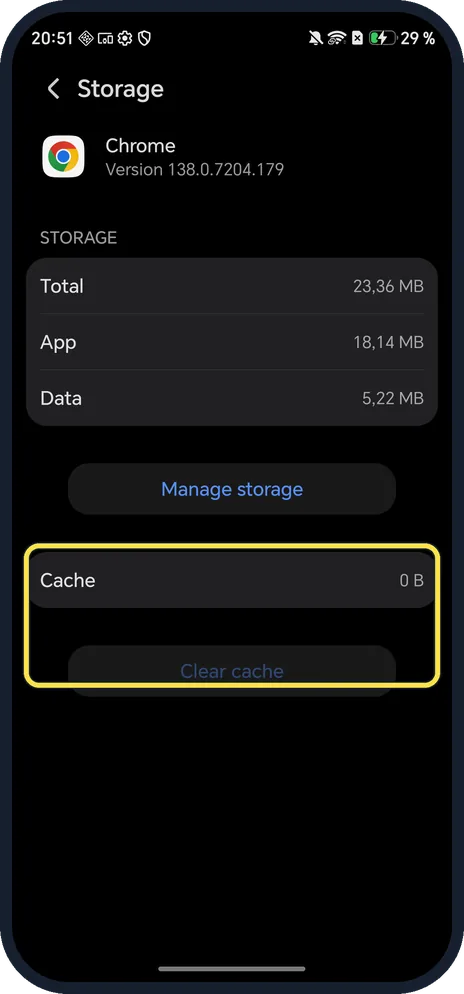
- Clear cache does nothing? It is greyed out when the cache is already 0 B, as ours was after clearing.
If this does not work
- App still crashes? Tap Force stop on App info, then reopen it. If that fails, Manage storage clears the app's data; Google notes this deletes its files and settings, so you may need to sign in again. Source: Free up space
- Background app keeps closing? HONOR says to update the app, turn off Manage automatically for it in App launch, and allow it in Battery optimisation. Source: Background apps are forced to close
- Need to free a lot of space? Cache is usually small. HONOR says to uninstall apps you rarely use and clean up storage instead. Source: Phone indicated to not have sufficient storage space
About this guide
Clearing cache fixes many crashing or misbehaving apps without signing you out.
The screenshots are from our HONOR Magic7 Lite, the European model BRP-NX1M, with MagicOS 10.0 and Android 16 (build 10.0.0.169(C430E7R2P1)), in Dark mode. We cleared Chrome's cache.
Good to know
To free more space at once, free up storage on an HONOR phone.
To keep apps working well, update an HONOR phone.
In short: Settings, Apps, Manage apps, the app, Storage, Clear cache.
- HONOR Support (MY): App Basics
- HONOR Support (ZA): Background apps are forced to close
- HONOR Support (MEA): Phone indicated to not have sufficient storage space
- Google Android Help: Free up space
Links checked in October 2026. Menus and features can change after software updates. These steps match the version named at the top.
Did this guide work for you?
Sorry about that. What happened?