
howtosimply.com/guides/how-to-turn-on-developer-options-on-a-nothing-phone/ · Checked October 2026 · 4a) Pro (A069P, EEA), Nothing OS 4.1, Android 16 (build FroggerPro-B4.1-260424-1447-EEA · Nothing Phone
In this guide
Open Settings, About phone, tap the NOTHING OS card, then tap Build number seven times. Developer options appears in Settings, System.
6 of 6 steps with real screenshots · 4 official sources below
- Device
- Android
- Shown on
- Nothing Phone (4a) Pro (A069P, EEA), Nothing OS 4.1, Android 16 (build FroggerPro-B4.1-260424-1447-EEA)
- App
- Settings
- Path
- Settings › About phone › NOTHING OS card
- Real screenshots
- 6 of 6 steps
- Checked
- October 2026
- Sources
- 4 official, linked below
Step by step
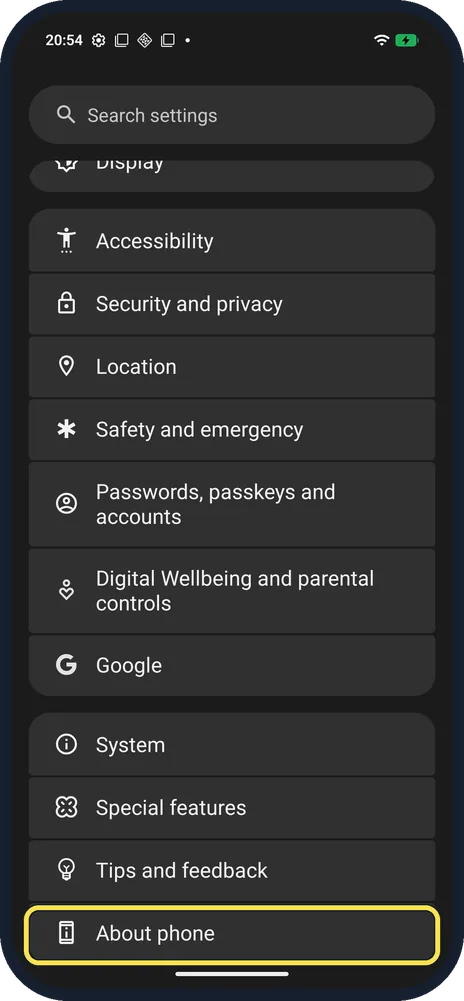
Open About phone
Open Settings and scroll to the bottom.
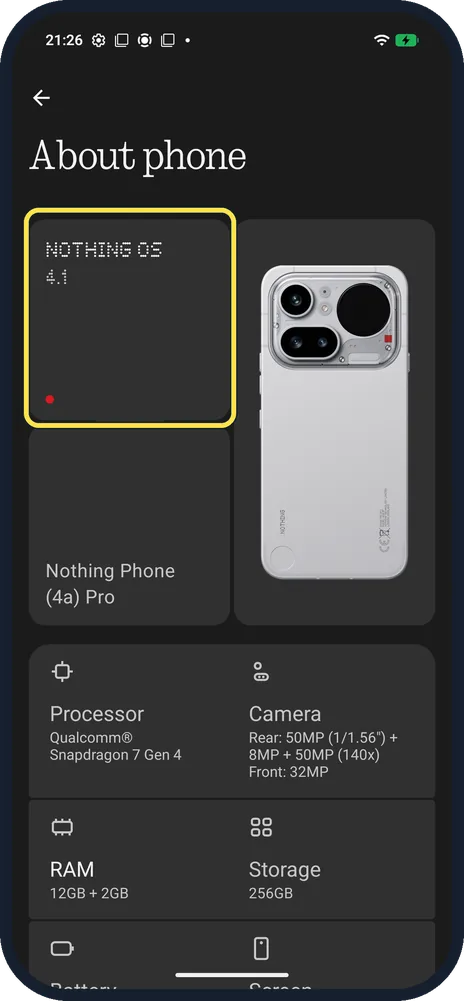
Tap the NOTHING OS card
Top left; ours showed 4.1.
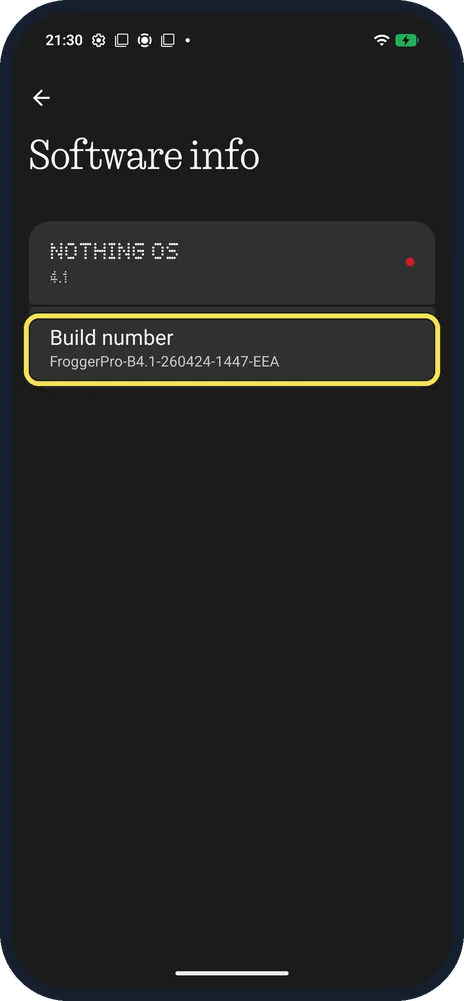
Tap Build number 7 times
Ours: FroggerPro-B4.1-260424-1447-EEA. Enter your screen lock if asked.
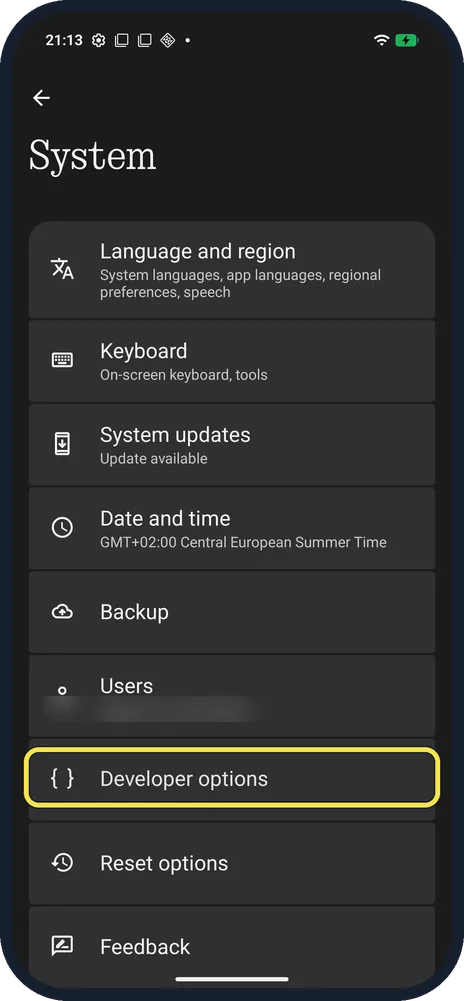
Open System, Developer options
Back in Settings, tap System.
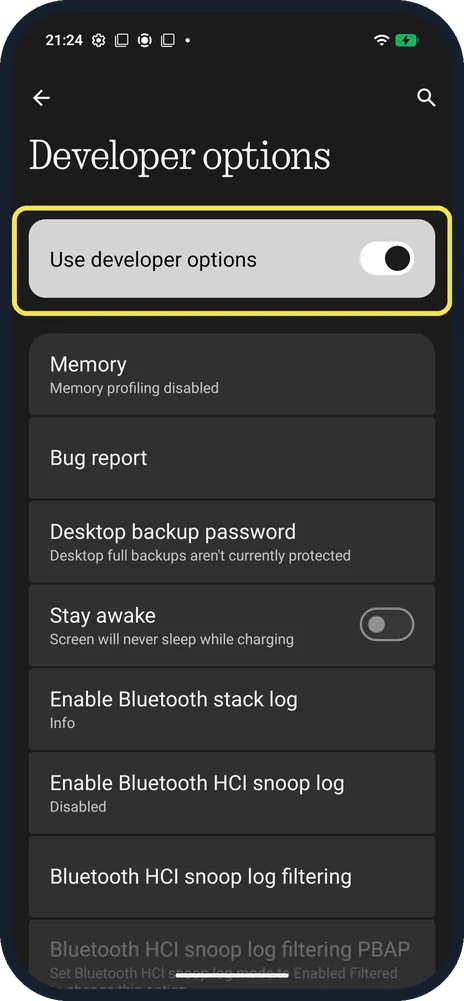
Use the switches you need
Use developer options is the main switch at the top.
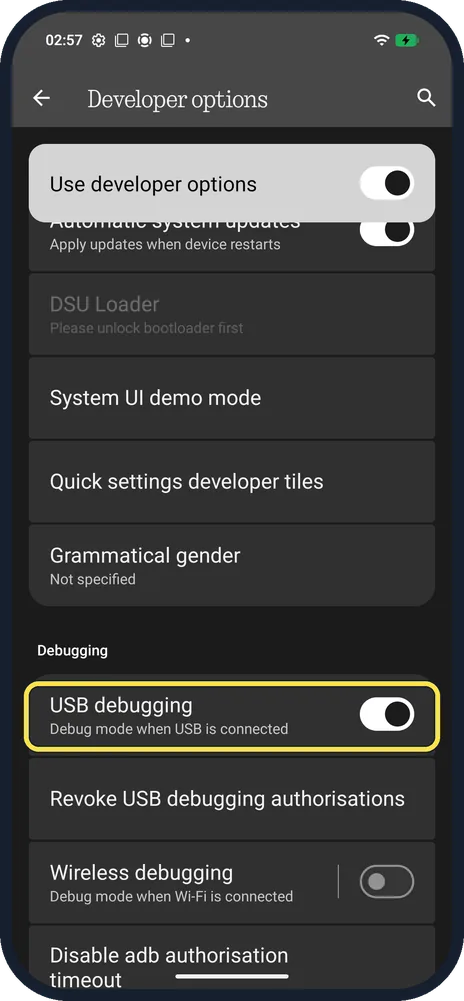
Turn on USB debugging (optional)
Scroll down to Debugging. It is needed to connect the phone to a computer over adb; it was on in ours.
If you do not see this option
- No Developer options under System? It only appears after the seven taps. Nothing says to keep tapping Build number until "You are in developer mode" appears, then look in System, Developer Options. Source: How do I enable USB debugging?
- No NOTHING OS card in About phone? Nothing's steps name it Software info: About phone, Software info, Build number. Source: How do I enable USB debugging?
- What does USB debugging do? Nothing says it lets a computer send commands and files over USB and pull logs from the phone. It is off by default. Source: What is USB debugging?
- Want it gone? Turn off Use developer options. Source: Configure on-device developer options
If this does not work
- Stay awake left on? It keeps the screen on while charging; turn it off when you're done.
- Apps showing "not responding"? Nothing recommends turning developer options off if apps show Application not responding while they are on. Source: One of my apps isn't responding. What can I do?
About this guide
On Nothing phones the Build number is one level down, on the Software info page behind the NOTHING OS card.
The screenshots are from our Nothing Phone (4a) Pro, the European model A069P, with Nothing OS 4.1 and Android 16 (build FroggerPro-B4.1-260424-1447-EEA), in Dark theme. Developer options was already on; we changed nothing.
Good to know
Next, keep the phone current: update the phone.
In short: Settings, About phone, NOTHING OS card, Build number x7; then System, Developer options.
- Nothing Support: How do I enable USB debugging?
- Nothing Support: What is USB debugging?
- Android Developers: Configure on-device developer options
- Nothing Support: One of my apps isn't responding. What can I do?
Links checked in October 2026. Menus and features can change after software updates. These steps match the version named at the top.
Did this guide work for you?
Sorry about that. What happened?