
howtosimply.com/guides/how-to-edit-pin-or-delete-a-telegram-message-on-android/ · Checked October 2026 · Google Pixel 10a, Android 17, Telegram 13.1.1
In this guide
Tap your message to open its menu: Reply, Copy, Forward, Pin, Edit and Delete. Edit changes the text and adds an edited label. Pin keeps it at the top of the chat. Delete asks you to confirm.
7 of 7 steps with real screenshots · 1 official source below
- Device
- Android
- Shown on
- Google Pixel 10a, Android 17, Telegram 13.1.1
- App
- Telegram
- Real screenshots
- 7 of 7 steps
- Checked
- October 2026
- Sources
- 1 official, linked below
Step by step
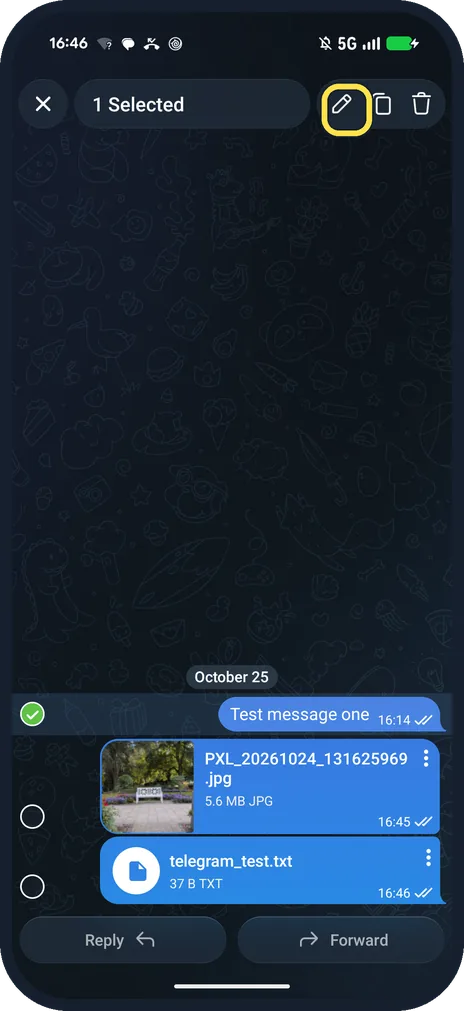
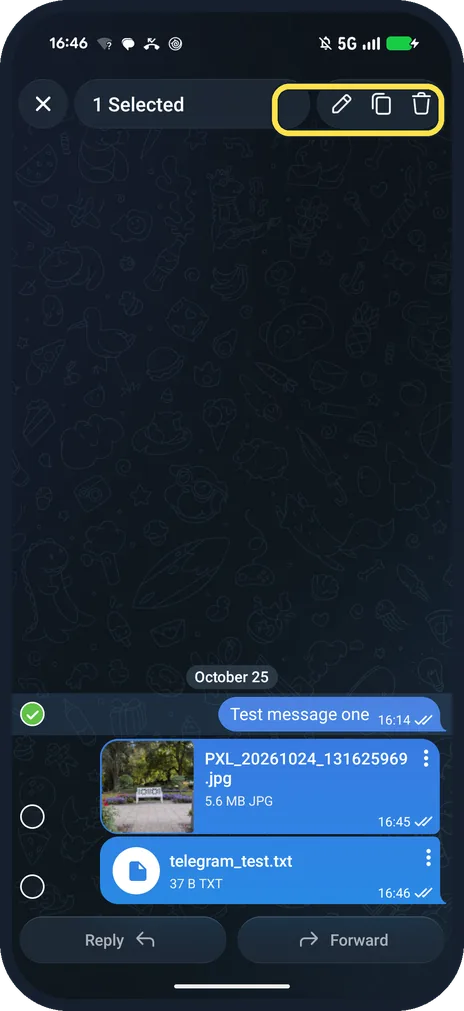
Long-press a message to select it
The top bar shows 1 Selected with a pencil, copy and bin icon. Tap the pencil to edit.
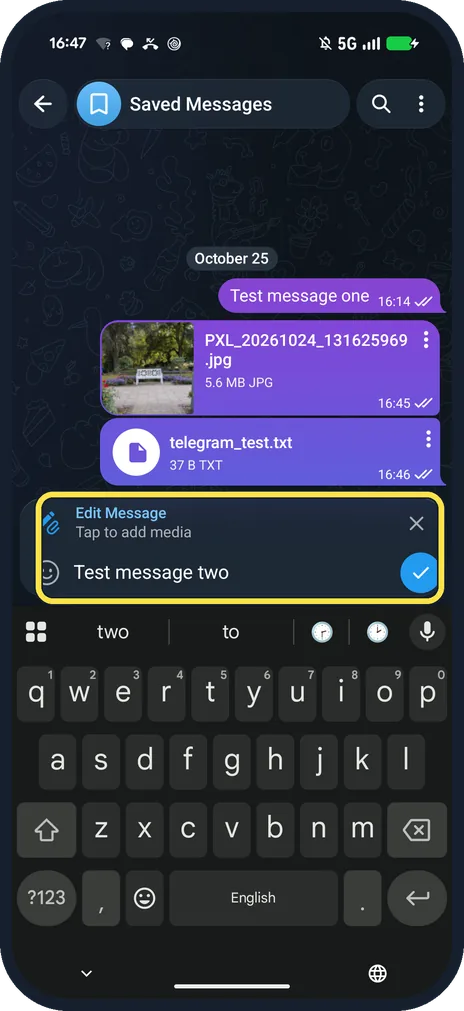
Change the text, then tap the tick
Above the keyboard it says Edit Message. We changed one to two.
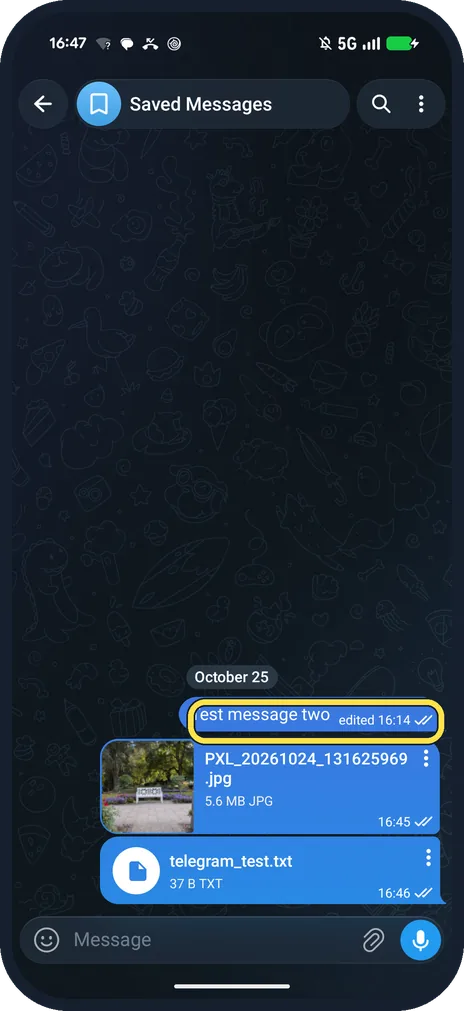
Check the edited label
Ours showed Test message two, edited 16:14.
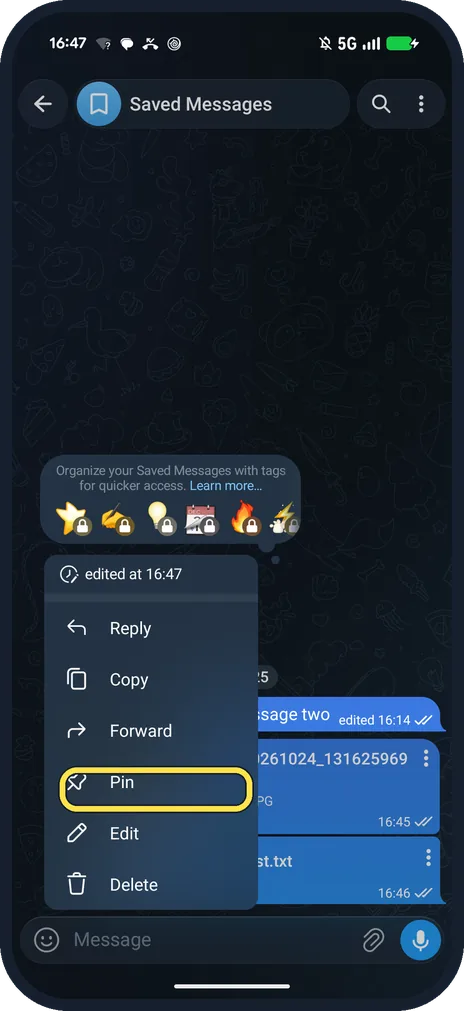
Tap a message, then Pin
A plain tap opens Reply, Copy, Forward, Pin, Edit and Delete, with edited at 16:47 on top.
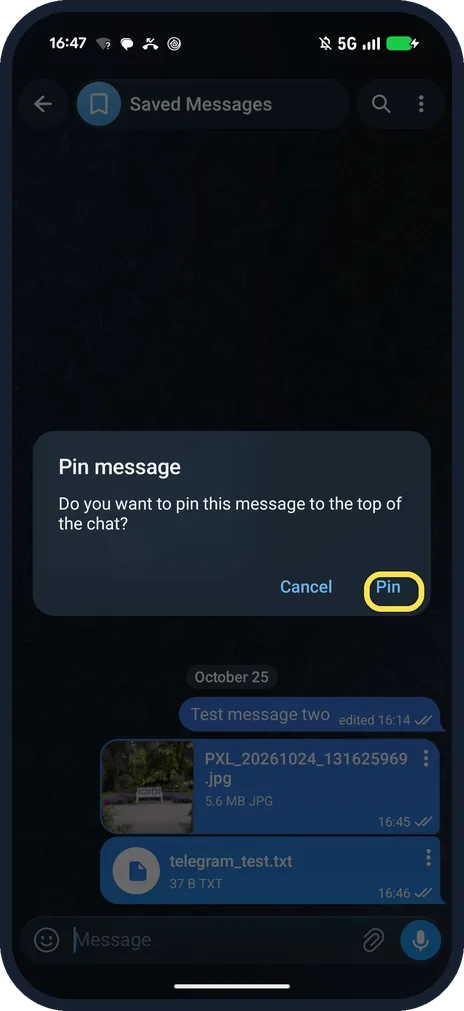
Confirm with Pin
Telegram asks: Do you want to pin this message to the top of the chat?
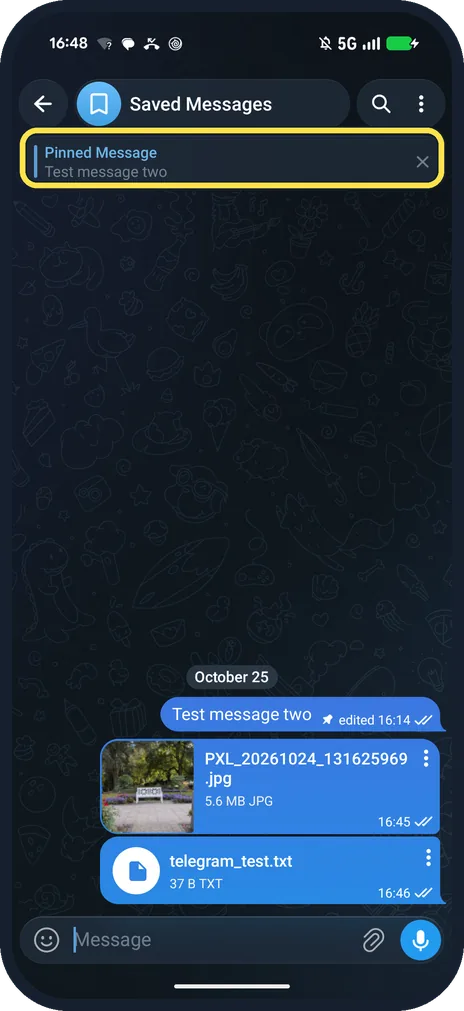
See the pinned bar
Pinned Message with its text sits under the chat name. Tap the X to unpin.
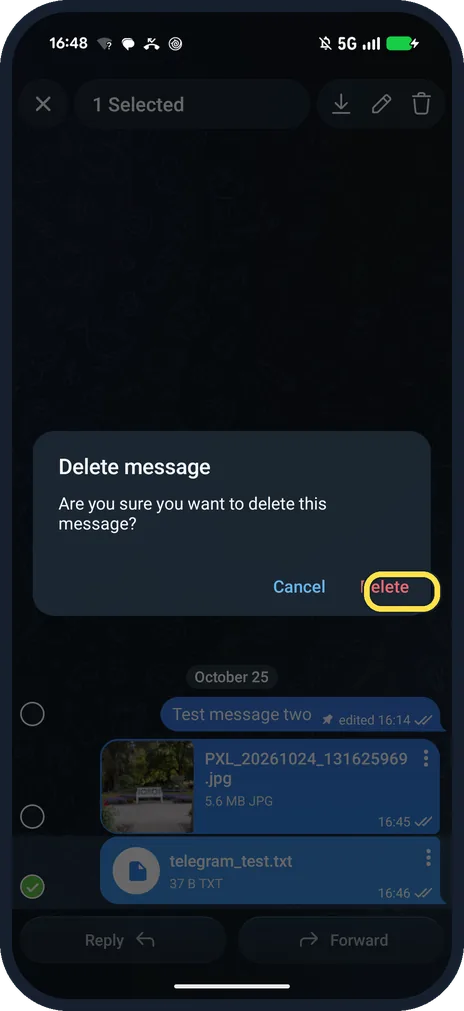
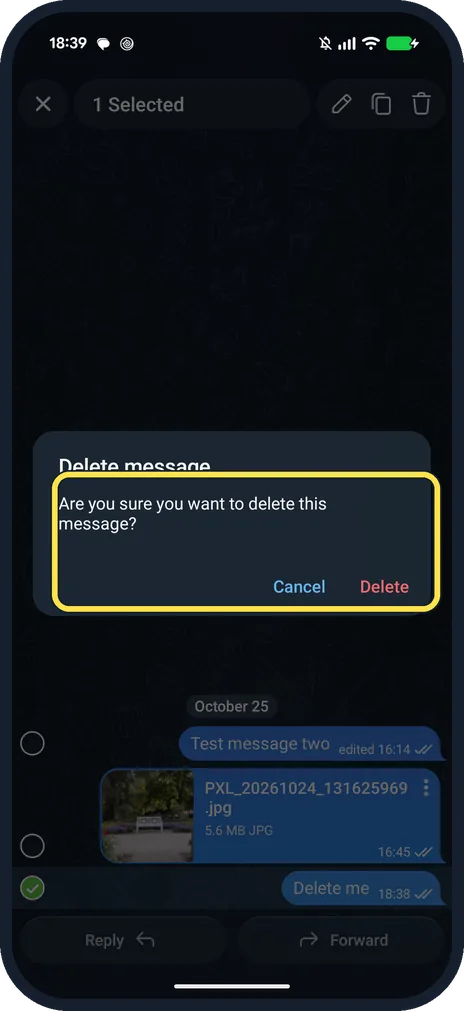
To delete, select it and confirm Delete
Telegram asks: Are you sure you want to delete this message? We deleted our test file.
If you do not see this option
- No pencil on a message? Ours had the pencil on our own messages, in both the long-press bar and the tap menu (Edit). In Saved Messages every message is yours.
- Delete for everyone in a group? Telegram says in one-on-one chats you can delete any message, sent or received, for both sides; in groups only your own. Saved Messages only has you, so ours had no delete-for choice: just Cancel and Delete. Source: Can I delete my messages?
If this does not work
- Deleted the wrong one? The dialog has Cancel. Once deleted, our file was gone from the chat.
- Other person still sees a trace? Telegram says deleted messages do not leave a mark in the chat. Source: Can I delete my messages?
About this guide
Long-press selects the message instead and shows a pencil, copy and bin icon at the top.
The screenshots are from Telegram 13.1.1 on our Google Pixel 10a with Android 17, in Dark mode, taken on 25 October 2026. We used our own Saved Messages chat.
Good to know
To save notes to yourself, see use Saved Messages in Telegram.
To make messages delete themselves, see turn on auto-delete in Telegram.
In short: Tap a message: Edit, Pin or Delete; confirm.
Links checked in October 2026. Back up anything you want to keep before you reset or delete. Menus can change after software updates.
📷 See real photos from the Pixel 10a in our Camera Lab, next to 10 other phones.
Did this guide work for you?
Sorry about that. What happened?