
howtosimply.com/guides/how-to-change-or-turn-off-telegram-notifications-on-android/ · Checked October 2026 · Google Pixel 10a, Android 17, Telegram 13.1.1
In this guide
Open Telegram Settings, Notifications. Switch off Private Chats, Groups or Channels, or tap one to change its sound. To silence Telegram fully, switch off All Telegram notifications in the Pixel's app settings.
5 of 5 steps with real screenshots · 2 official sources below
- Device
- Android
- Shown on
- Google Pixel 10a, Android 17, Telegram 13.1.1
- App
- Telegram
- Real screenshots
- 5 of 5 steps
- What we did
- Performed: we made the change on our device and show the result
- Checked
- October 2026
- Sources
- 2 official, linked below
Step by step
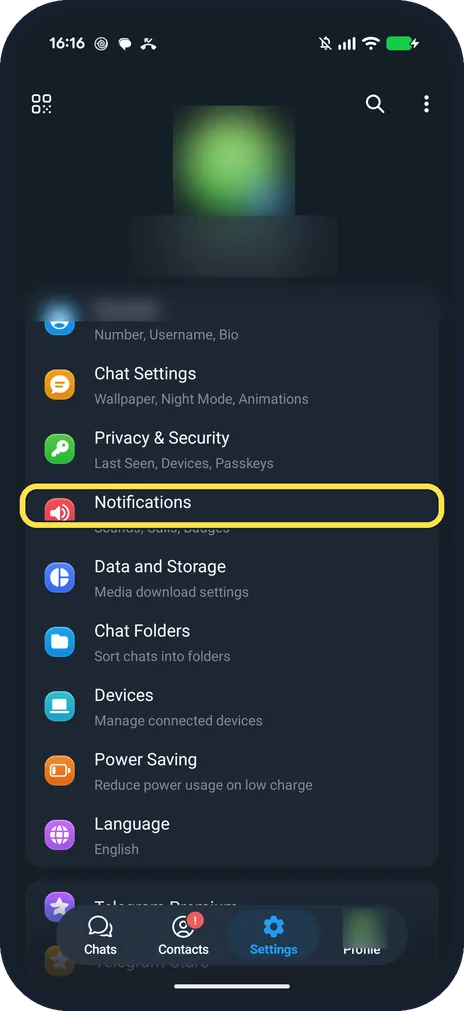
Tap Notifications
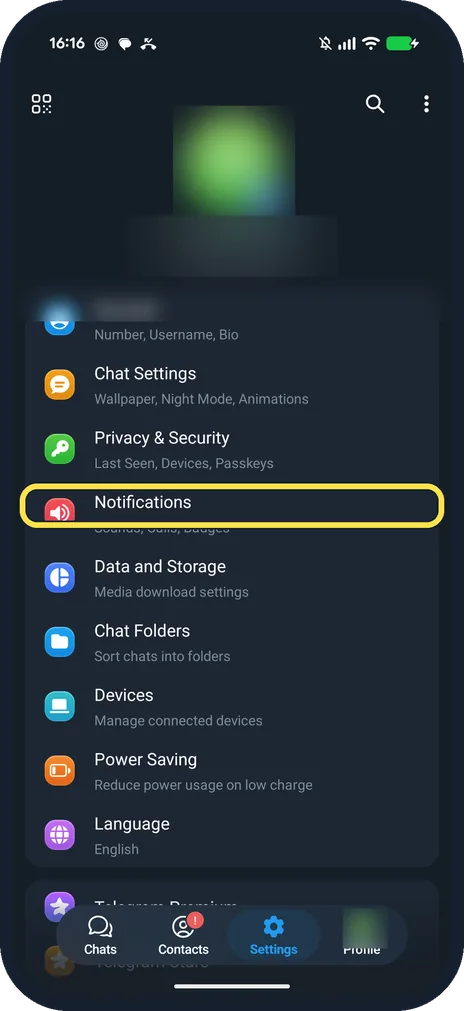
Open Settings in Telegram. It is below Privacy & Security.
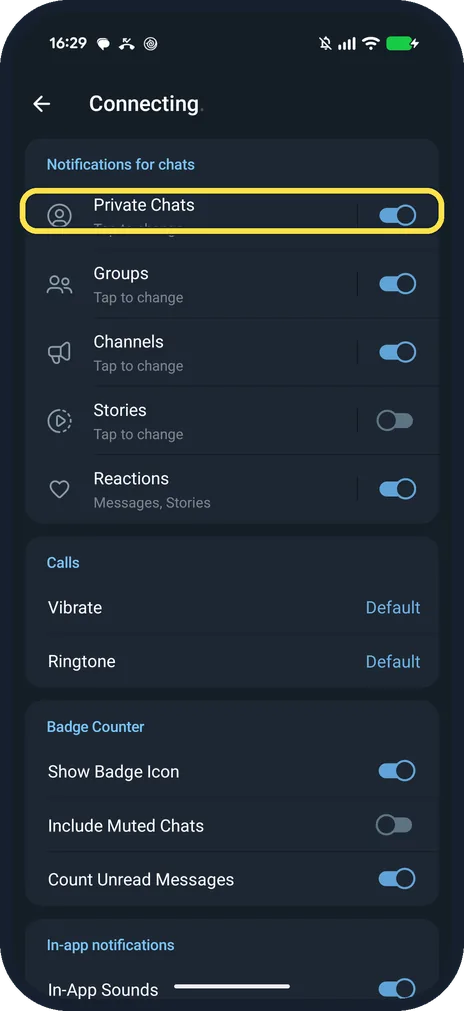
Switch a chat type off, or tap it
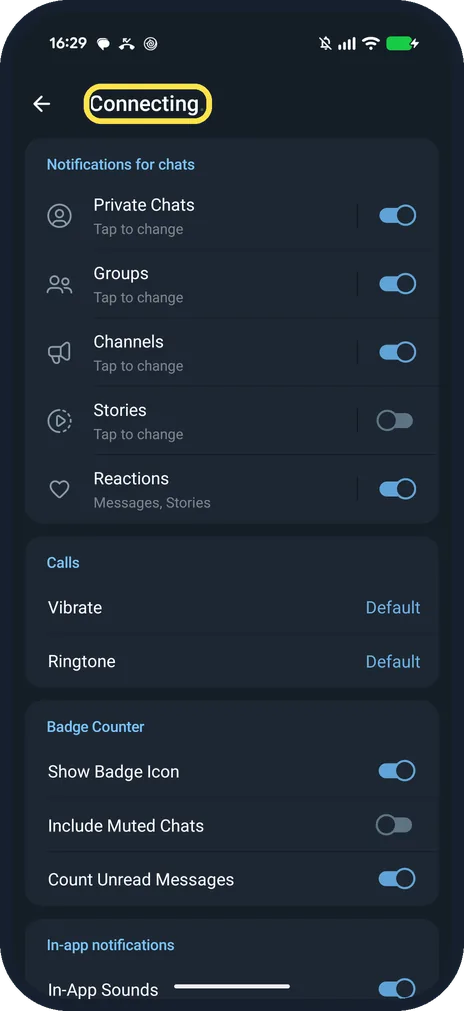
Private Chats, Groups, Channels, Stories and Reactions each have a switch. Ours had Stories off.
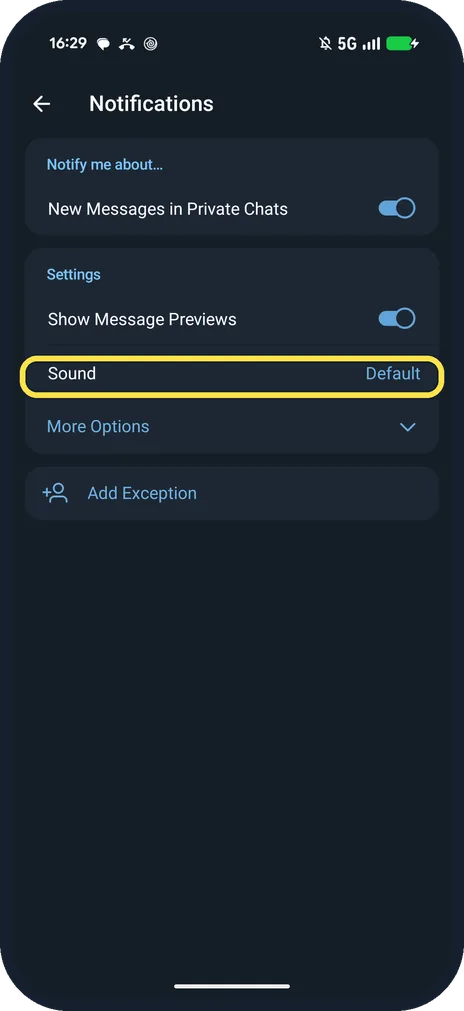
Change the sound or previews
In Private Chats: Show Message Previews, Sound (Default), More Options and Add Exception.
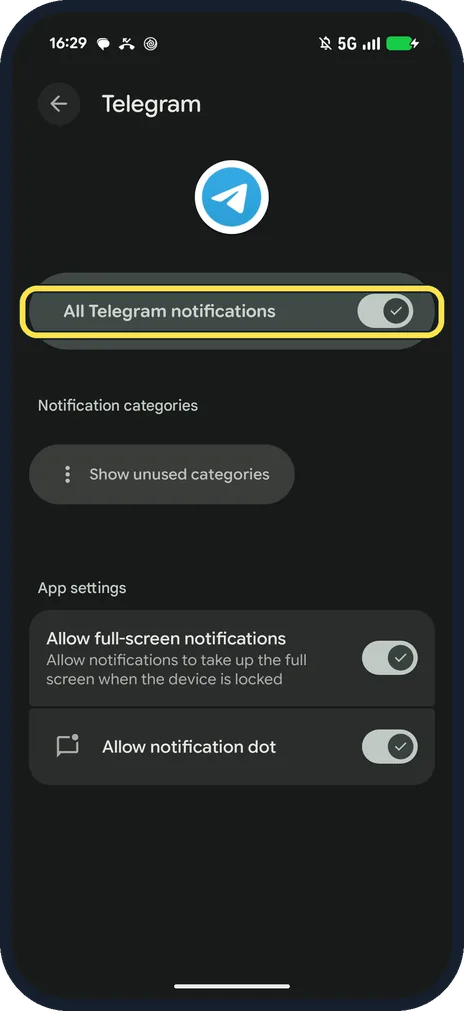
Turn off all Telegram notifications
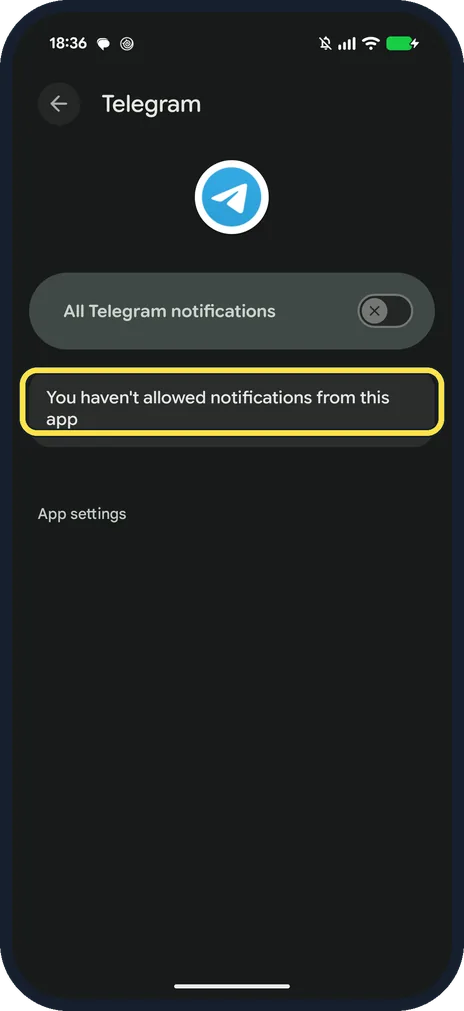
On the Pixel: Settings, Notifications, App notifications, Telegram. Switch off All Telegram notifications.
Check it is off
Ours then said: You haven't allowed notifications from this app. We switched it on again.
If you do not see this option
- Help page says Notifications and Sounds? Telegram's FAQ still calls it Settings, Notifications and Sounds. On our Telegram 13.1.1 the row is just Notifications. Source: Notification problems
- Page title says Connecting? Ours did while the Pixel had no connection: the title shows Connecting instead of Notifications. The switches still work.
- Different phone, different path? Telegram says the Android setting can be called Importance or Behaviour depending on the phone. On our Pixel it is Settings, Notifications, App notifications. Source: Notification problems
If this does not work
- No notifications at all? Telegram says to check notifications are on with Importance High, that the chat is not muted, that Google Play Services is installed, and that battery saving apps allow Telegram. On ours, Private Chats, More Options showed Priority Urgent. Source: Notification problems
- Battery settings blocking it? On our Pixel with Android 17, Apps, Telegram, App battery usage has a single switch, Allow background usage, with no Optimized or Restricted choice. Ours was on: keep it on. Source: Notification problems
- Xiaomi or Huawei phone? Telegram says their task killers block its notifications. Xiaomi: Security, Permissions, Autostart, then turn on Telegram. Huawei: Phone Manager, Protected Apps, add Telegram. Source: Notification problems
About this guide
Telegram has its own switches per chat type, and Android has one switch for the whole app.
The screenshots are from Telegram 13.1.1 on our Google Pixel 10a with Android 17, in Dark mode, taken on 25 October 2026.
Good to know
For Signal, see change or turn off Signal notifications.
To stop media downloads, see stop Telegram auto-downloading.
In short: Telegram, Settings, Notifications; or Pixel Settings, Telegram, notifications off.
Links checked in October 2026. Menus and features can change after software updates. These steps match the version named at the top.
📷 See real photos from the Pixel 10a in our Camera Lab, next to 10 other phones.
Did this guide work for you?
Sorry about that. What happened?