
howtosimply.com/guides/how-to-see-which-devices-are-logged-in-to-telegram-on-android/ · Checked October 2026 · Google Pixel 10a, Android 17, Telegram 13.1.1
In this guide
Open Telegram Settings, Privacy and Security, Devices. This device is at the top, with any other logins below it. Telegram says to end a session there if a phone is lost.
3 of 3 steps with real screenshots · 1 official source below
- Device
- Android
- Shown on
- Google Pixel 10a, Android 17, Telegram 13.1.1
- App
- Settings
- Path
- Settings › Privacy and Security › Devices
- Real screenshots
- 3 of 3 steps
- Checked
- October 2026
- Sources
- 1 official, linked below
Step by step
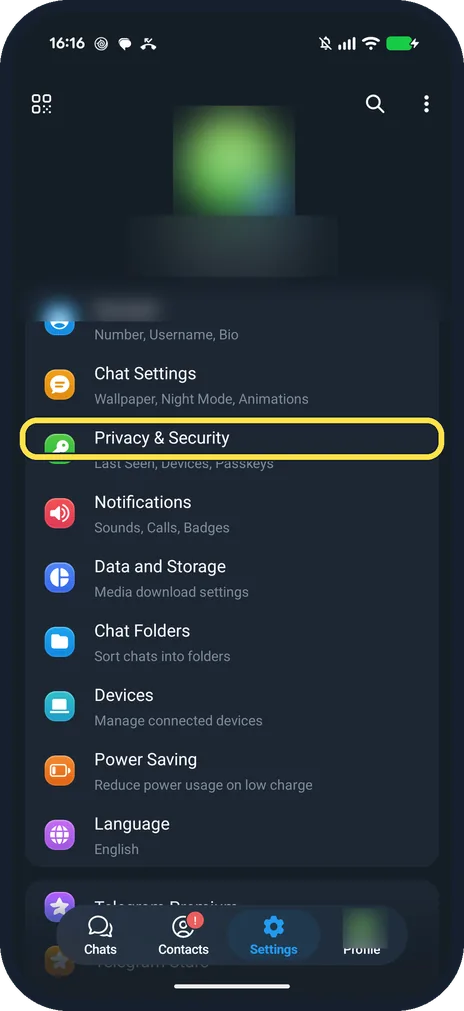
Tap Privacy & Security
It is in the Settings list, below Chat Settings.
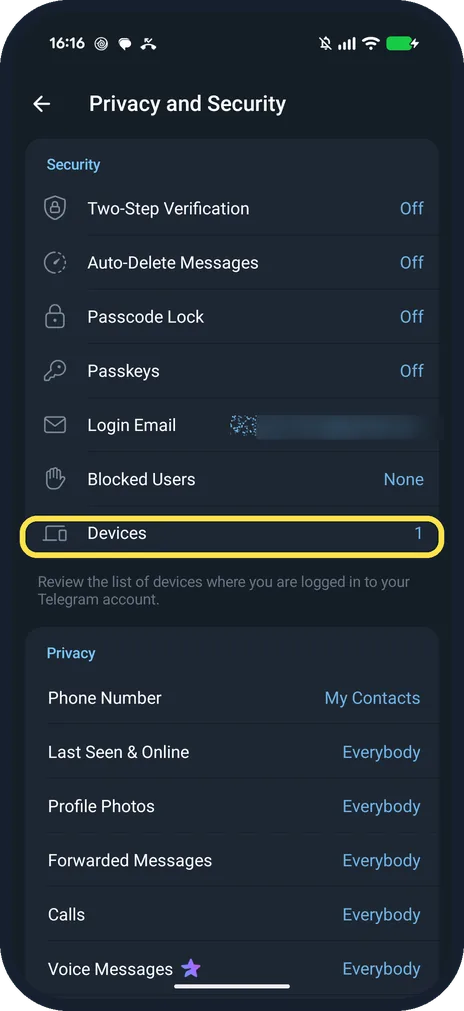
Tap Devices
It is under Security. Ours said 1.
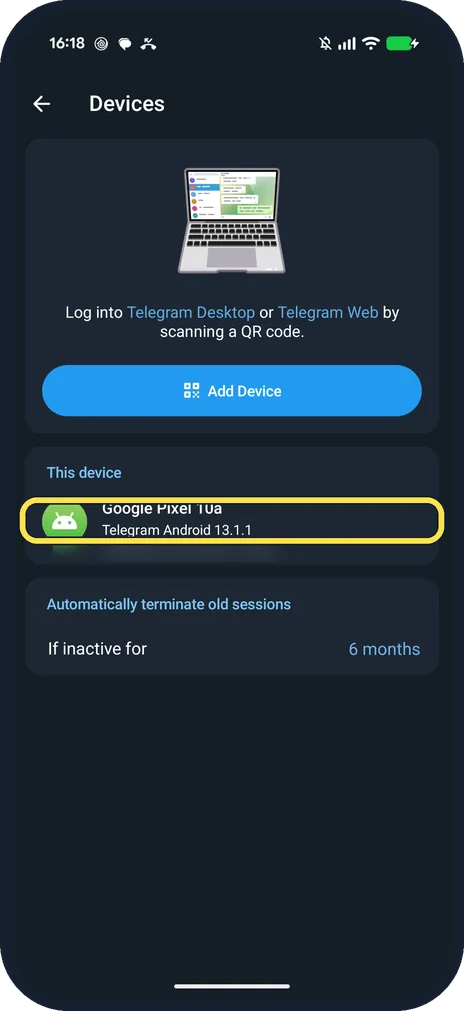
Read the list
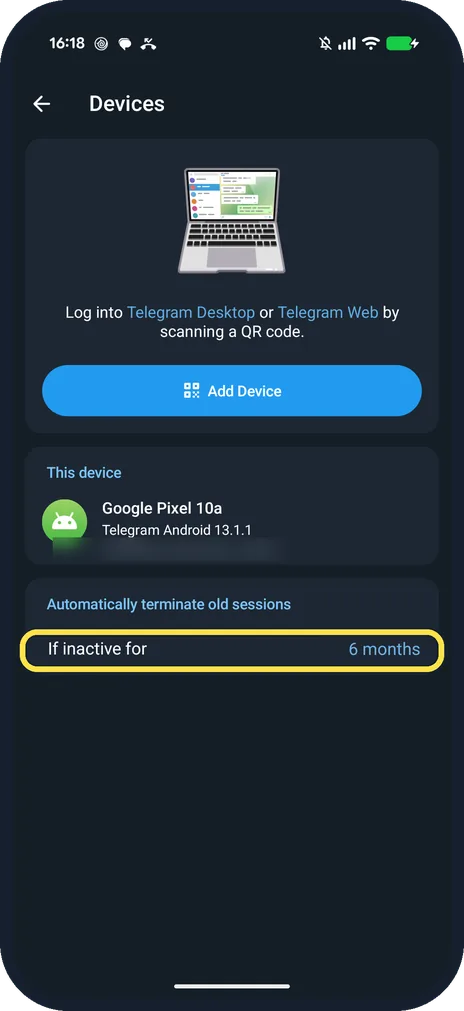
This device shows the phone and the Telegram version. Other logins appear below with their app and place.
If you do not see this option
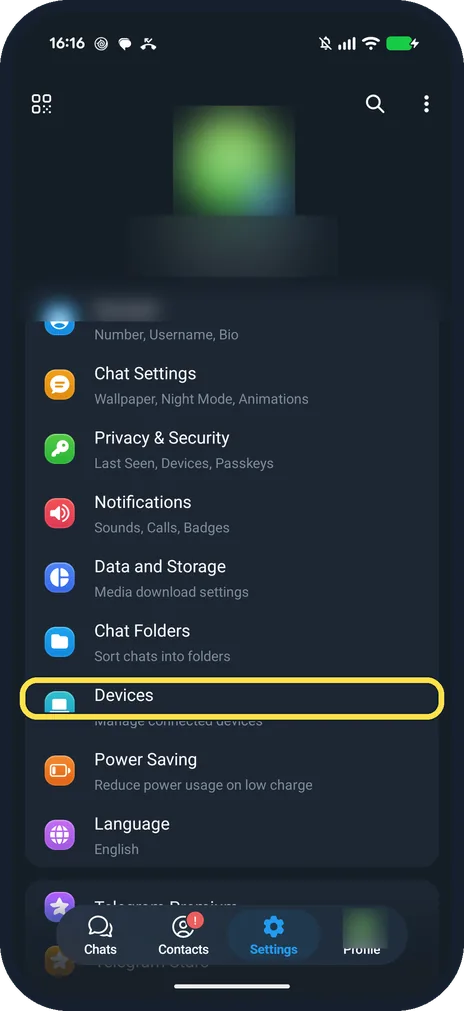
- Settings has a Devices row too? Yes, on ours Devices was also on the main Settings list: the same page.
- Want old logins to end on their own? Under Automatically terminate old sessions, If inactive for: ours said 6 months.
If this does not work
- Phone lost or stolen? Telegram says to end that session from Devices on another device where you are logged in. Source: My phone was stolen, what do I do?
- Want to log in on a computer? Add Device opens a QR scanner for Telegram Desktop or Telegram Web.
About this guide
Ours showed one device: Google Pixel 10a, Telegram Android 13.1.1. We did not end any session.
The screenshots are from Telegram 13.1.1 on our Google Pixel 10a with Android 17, in Dark mode, taken on 25 October 2026.
Good to know
To turn on auto-delete, see turn on auto-delete in Telegram.
To hide your number, see hide your phone number on Telegram.
In short: Settings, Privacy and Security, Devices.
Links checked in October 2026. Menus and features can change after software updates. These steps match the version named at the top.
📷 See real photos from the Pixel 10a in our Camera Lab, next to 10 other phones.
Did this guide work for you?
Sorry about that. What happened?