
howtosimply.com/guides/how-to-turn-off-now-brief-on-a-samsung-galaxy/ · Checked October 2026 · SM-S942N, Korean model), One UI 9, Android 17 (build S942NKSS4BZIG · Samsung Galaxy S26
In this guide
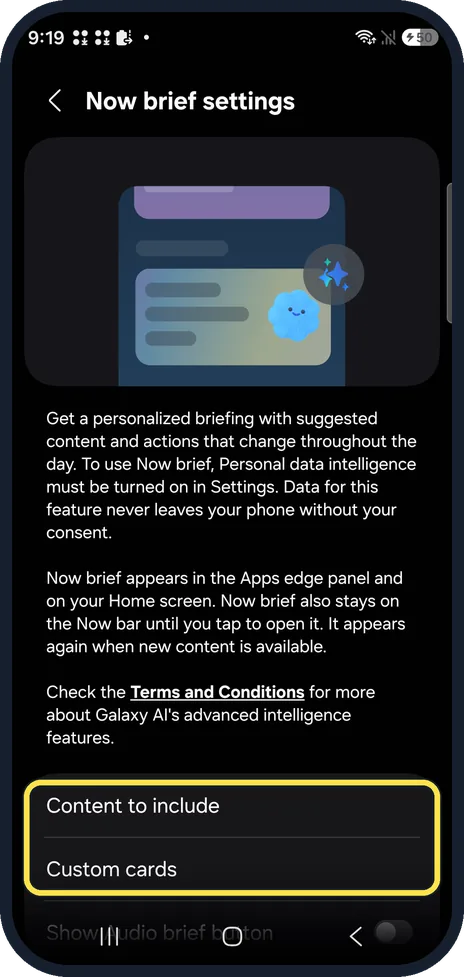
Open Settings, Lock screen and AOD, Now bar, scroll down and turn off Now brief. On our Galaxy S26 the off switch is there; Galaxy AI, Now brief only sets what the brief shows. Searching Settings for Now brief finds both.
4 of 4 steps with real screenshots · 1 official source below
- Device
- Android
- Shown on
- Samsung Galaxy S26 (SM-S942N, Korean model), One UI 9, Android 17 (build S942NKSS4BZIG)
- App
- Settings
- Path
- Settings › Lock screen and AOD › Now bar
- Real screenshots
- 4 of 4 steps
- Checked
- October 2026
- Sources
- 1 official, linked below
Step by step
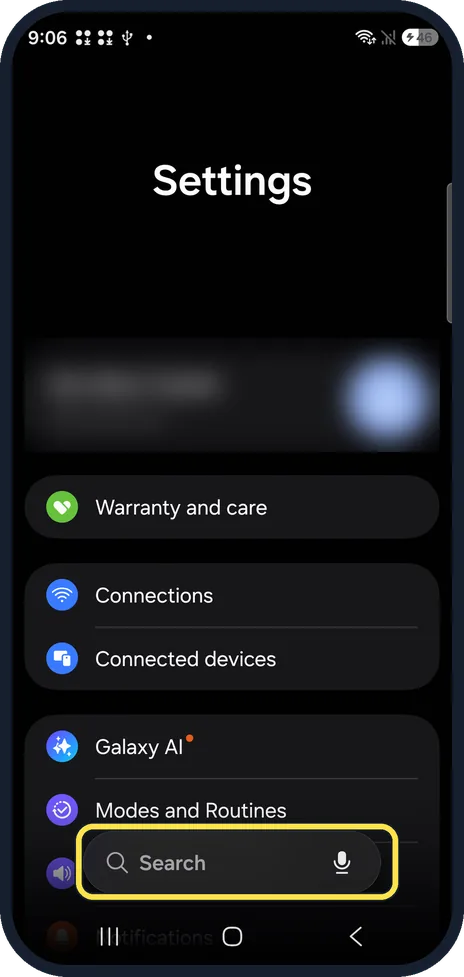
Search Settings
Open Settings and tap Search at the bottom. Type Now brief.
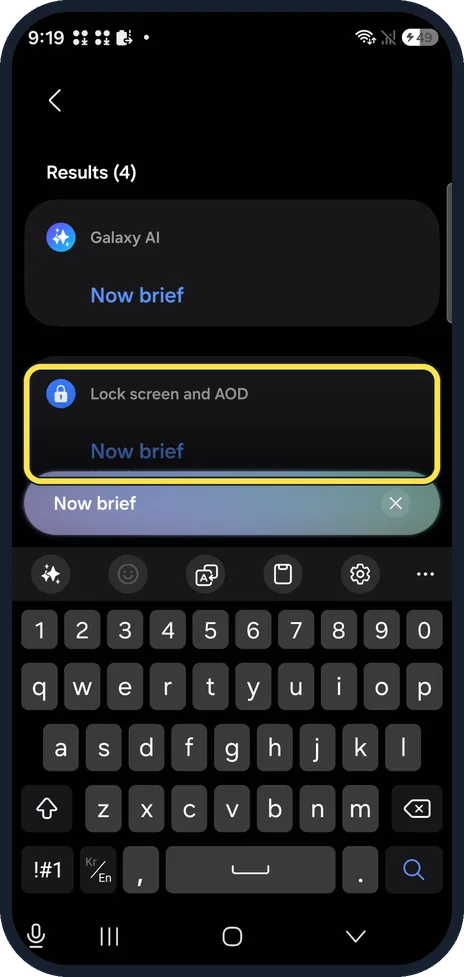
Tap Now brief under Lock screen and AOD
Ours found Now brief twice: under Galaxy AI and under Lock screen and AOD. Tap the one under Lock screen and AOD. Without search: Settings, Lock screen and AOD, Now bar.
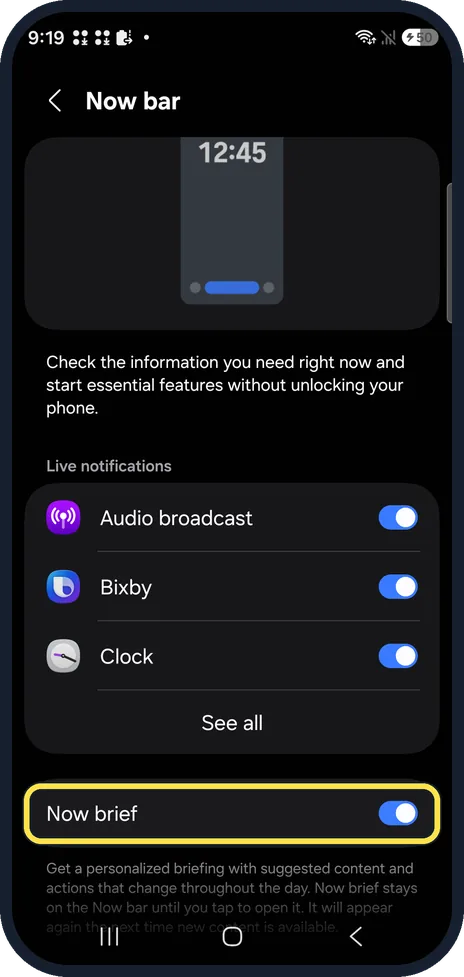
Scroll to Now brief on the Now bar page
The Now bar page lists Live notifications first. Now brief is below them, with a switch.
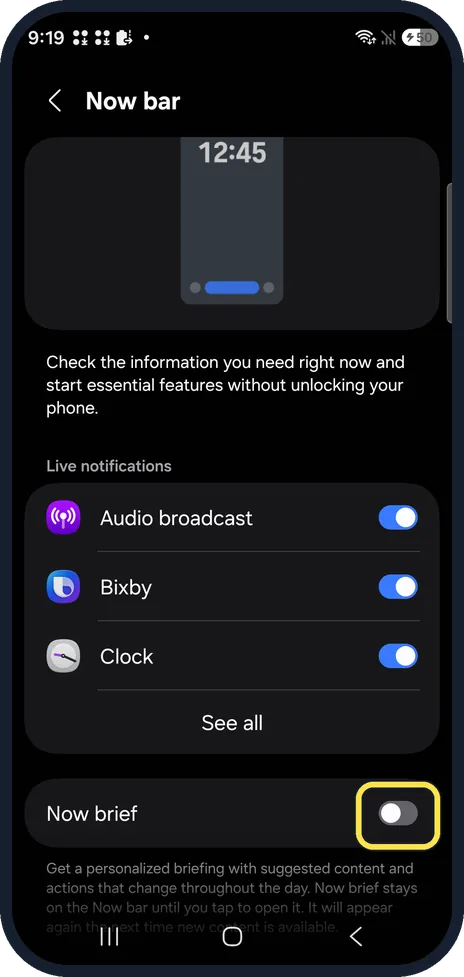
Turn off Now brief
Tap the switch so it turns grey. Turn it on again the same way.
If you do not see this option
- Galaxy AI, Now brief has no switch? That page, Now brief settings, picks what goes in the brief: Content to include and Custom cards. It also says Personal data intelligence must be turned on. The off switch is on the Now bar page. Source: Use features with Galaxy AI on your Galaxy phone and tablet
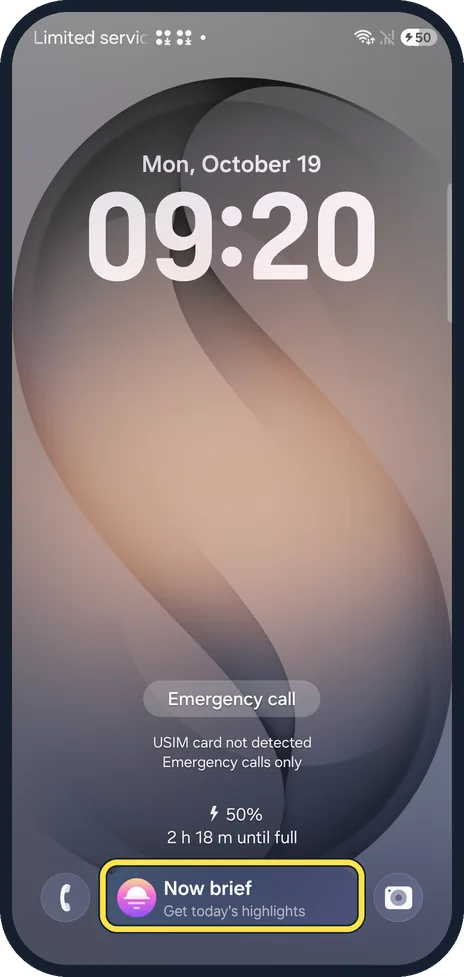
- Not sure you have Now brief? On ours, a Now brief pill with Get today's highlights showed at the bottom of the lock screen. Samsung says Now brief is on select phones with One UI 7 or later. Source: Use features with Galaxy AI on your Galaxy phone and tablet
If this does not work
- Want less in it rather than none? Keep it on and open Settings, Galaxy AI, Now brief, Content to include, and untick what you don't want. Source: Use features with Galaxy AI on your Galaxy phone and tablet
- Search finds several Now brief entries? Ours found four, under Galaxy AI and under Lock screen and AOD, Now bar. Only Lock screen and AOD, Now bar, Now brief has the switch.
About this guide
Now brief is the personalised summary card on the Home screen and the pill on the lock screen. The setting with its name under Galaxy AI has no off switch, which is why people look in the wrong place.
The screenshots are from our Samsung Galaxy S26, the Korean model SM-S942N, with One UI 9 and Android 17 (build S942NKSS4BZIG), in Dark mode. Menus can differ on models sold in other regions. We switched Now brief off and back on.
Good to know
More Galaxy AI settings: how to make Galaxy AI process data only on your Galaxy.
The lock screen while the screen is off: how to turn Always On Display on or off on a Samsung Galaxy.
In short: Settings, Lock screen and AOD, Now bar, Now brief off. Galaxy AI, Now brief only sets the content.
Links checked in October 2026. Menus and features can change after software updates. These steps match the version named at the top.
Did this guide work for you?
Sorry about that. What happened?