
howtosimply.com/guides/how-to-increase-touch-sensitivity-on-a-samsung-galaxy/ · Checked October 2026 · Samsung Galaxy A57 (One UI 9, Android 17 (build A576BXXU6BZIE)) and Samsung Galaxy S26 (One UI 9, Android 17 (build S942NKSS4BZIG))
In this guide
Open Settings, Display and turn on Increase touch sensitivity, near the bottom below Accidental touch protection. Samsung suggests it when a screen protector is fitted. Our A57 and S26 have no Screen resolution row, only Screen zoom.
5 of 5 steps with real screenshots · 3 official sources below
- Device
- Android
- Shown on
- Samsung Galaxy A57 (SM-A576B), One UI 9, Android 17 (build A576BXXU6BZIE), Samsung Galaxy S26 (SM-S942N, Korean model), One UI 9, Android 17 (build S942NKSS4BZIG)
- App
- Settings
- Path
- Settings › Display
- Real screenshots
- 5 of 5 steps
- Checked
- October 2026
- Sources
- 3 official, linked below
Step by step
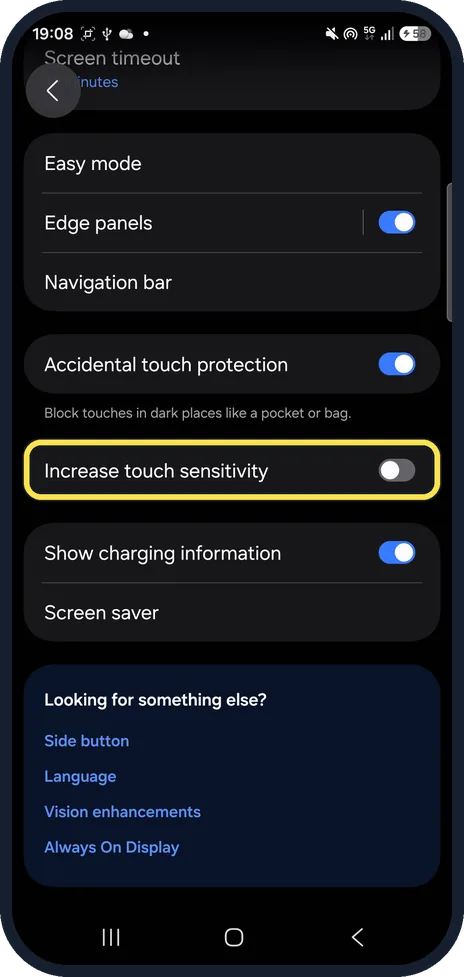
Open Display and scroll down
Open Settings and tap Display. Increase touch sensitivity is low on the page, below Accidental touch protection. Ours was off.
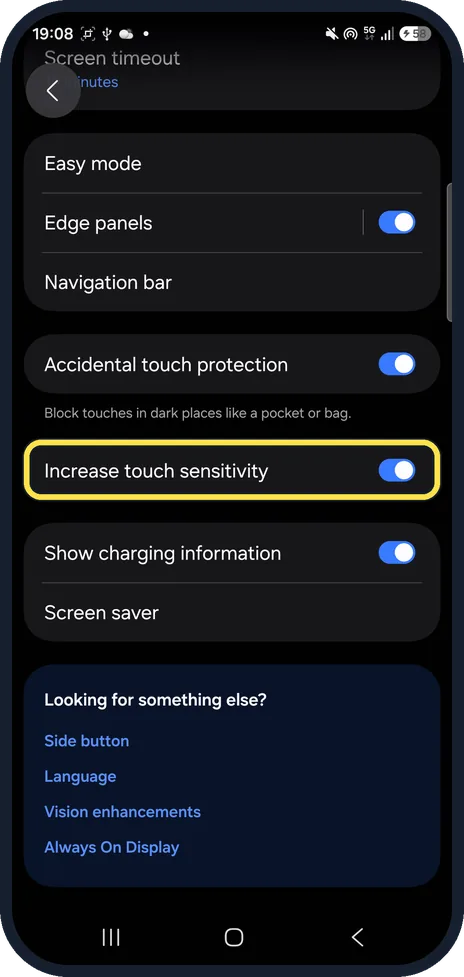
Turn on Increase touch sensitivity
Tap the switch so it turns blue. It works right away; there is no confirm box.
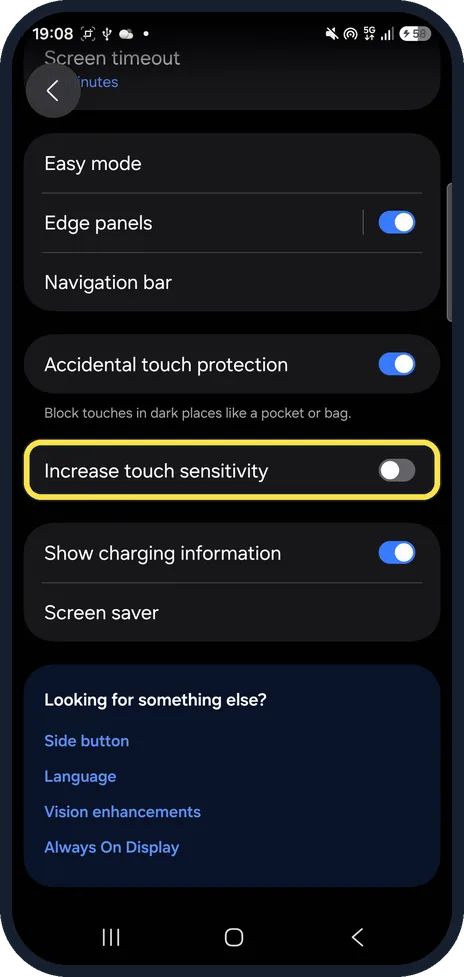
Turn it off again if you remove the protector
Tap the Increase touch sensitivity switch again to turn it grey. We put ours back to off.
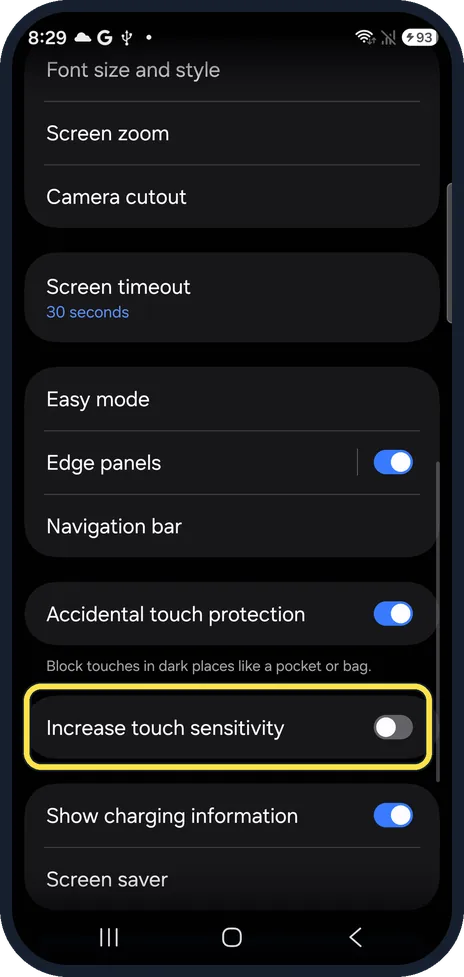
Same switch on the Galaxy S26
On our S26 the row is in the same place on Display: Increase touch sensitivity, just below Accidental touch protection.
Or search for touch sensitivity
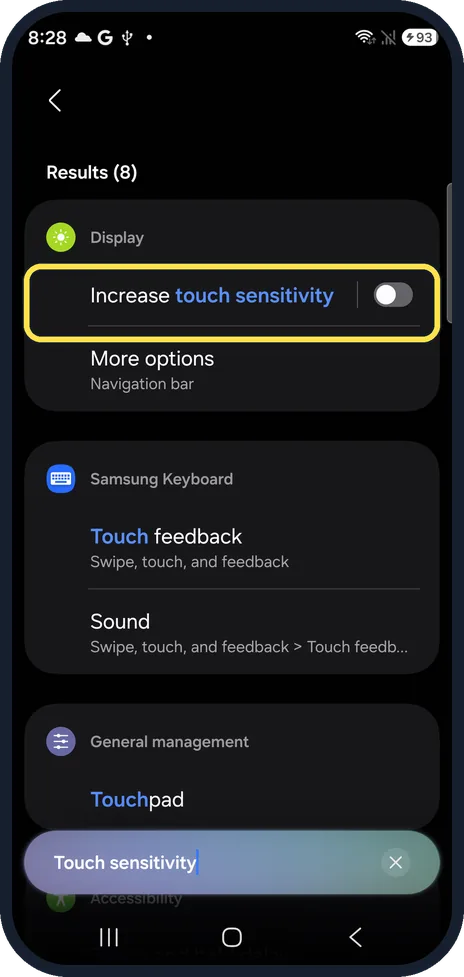
Tap Search in Settings and type Touch sensitivity. Display, Increase touch sensitivity is the first result, with its switch.
If you do not see this option
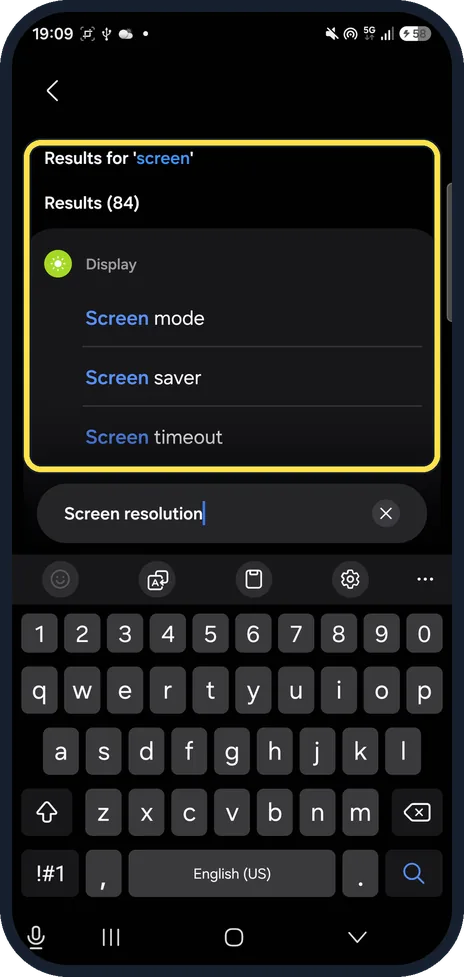
- No Screen resolution row? Neither of our phones has one. On the A57, Screen resolution fell back to Results for 'screen': Screen mode, Screen saver and Screen timeout, no resolution.
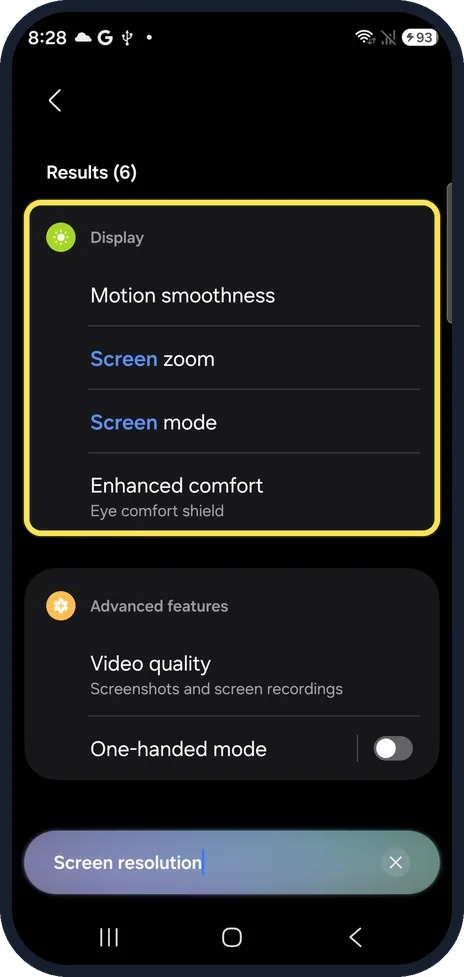
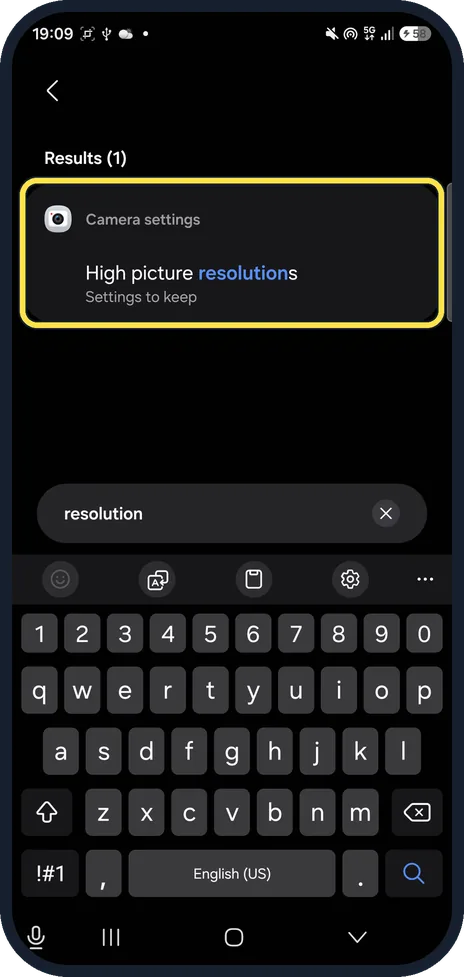
- Searched for resolution? Our A57 found only Camera settings, High picture resolutions. Our S26 found Motion smoothness, Screen zoom and Screen mode, but no resolution setting.
- Want things bigger instead? Screen zoom on the Display page makes everything on the screen bigger or smaller. For text only, see change the font size on a Samsung Galaxy.
If this does not work
- Taps still missed with the switch on? Samsung says screen protectors and cases can affect touch, and non-genuine ones can affect the touchscreen: take it off and check again. Source: How to solve the touchscreen issue on your Samsung Galaxy device
- Screen ignores touches in the dark? That is Accidental touch protection, the row above. Samsung says it uses the proximity sensor in low light to tell if the phone is in a pocket. Source: How to block accidental touches on your Galaxy smartphone
- Touch not working at all? Samsung's touchscreen help starts with a restart, then accessibility settings such as TalkBack. More: Samsung Galaxy touchscreen not responding? 6 fixes. Source: How to solve the touchscreen issue on your Samsung Galaxy device
About this guide
Samsung says screen protectors and cases can affect touch sensitivity. One UI 9 has one switch for that, Increase touch sensitivity, on the Display page.
The screenshots are from our Samsung Galaxy A57 (SM-A576B) with One UI 9.0 and Android 17 (build CP2A.260605.016.A576BXXU6BZIE), taken on 26 October 2026, and our Galaxy S26, the Korean model SM-S942N, with One UI 9.0 and Android 17 (build CP2A.260605.016.S942NKSS4BZIG), taken on 27 October 2026, both in Dark mode. We turned the switch on on the A57 and off again.
Good to know
Samsung's help calls the switch Touch sensitivity; on One UI 9 it is Increase touch sensitivity.
In short: Settings, Display, Increase touch sensitivity on. No Screen resolution row on our A57 or S26; Screen zoom resizes instead.
- Samsung LB: How to solve the touchscreen issue on your Samsung Galaxy device
- Samsung Latin: How to block accidental touches on your Galaxy smartphone
- Samsung US: Prevent accidental screen touches on your Galaxy phone
Links checked in October 2026. Menus and features can change after software updates. These steps match the version named at the top.
📷 See real photos from the Galaxy S26 in our Camera Lab, next to 10 other phones.
Did this guide work for you?
Sorry about that. What happened?