
howtosimply.com/guides/samsung-galaxy-overheating-7-things-to-check/ · Checked October 2026 · Samsung Galaxy A57 5G (SM-A576B), One UI 8.5, Android 16
In this guide
Some warmth during charging, games, video calls or navigation is normal. If the phone gets hot at other times, close apps with Device care, Optimize now, take off the case while charging, lower the brightness, turn on Power saving and install software updates. Let a very hot phone cool before charging.
5 of 7 steps with real screenshots · 2 official sources below
- Device
- Android
- Shown on
- Samsung Galaxy A57 5G (SM-A576B), One UI 8.5, Android 16
- App
- Settings
- Real screenshots
- 5 of 7 steps
- What we did
- Observed: looked at each screen, changed nothing
- Our phone
- Shown on Galaxy A57, One UI 8.5
- Checked
- October 2026
- Sources
- 2 official, linked below
Step by step
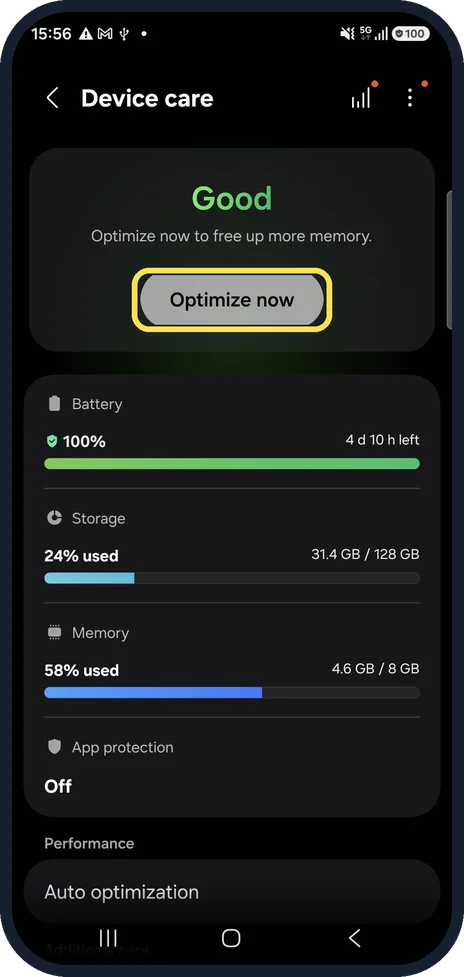
Close what is running
Open Settings, Device care and tap Optimize now. It closes background apps and frees memory. Our phone showed Good, with 58% of the memory in use.
Watch these steps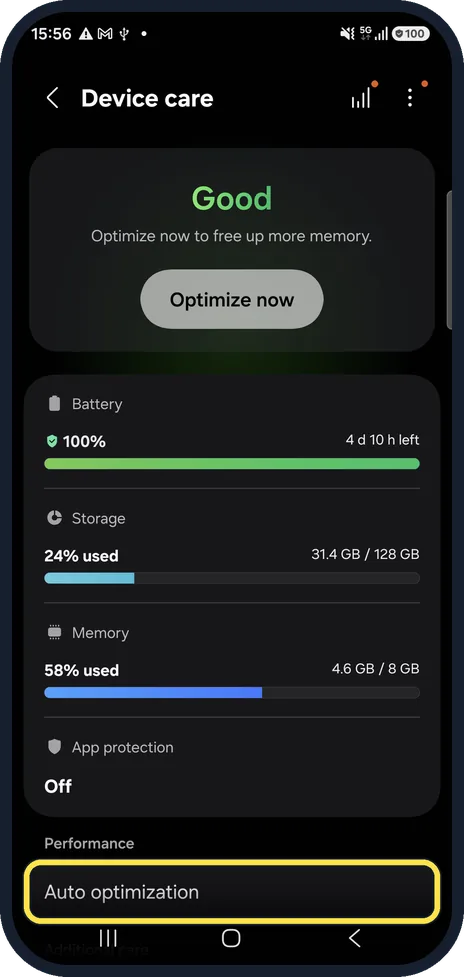
Know what One UI 8.5 offers
On our A57, the Performance section of Device care only has Auto optimization. There is no Performance profile or Processing speed setting to turn down.
Take the case off while charging
A thick case holds heat in. Charge on a hard surface, not on a bed or sofa, and out of direct sun.
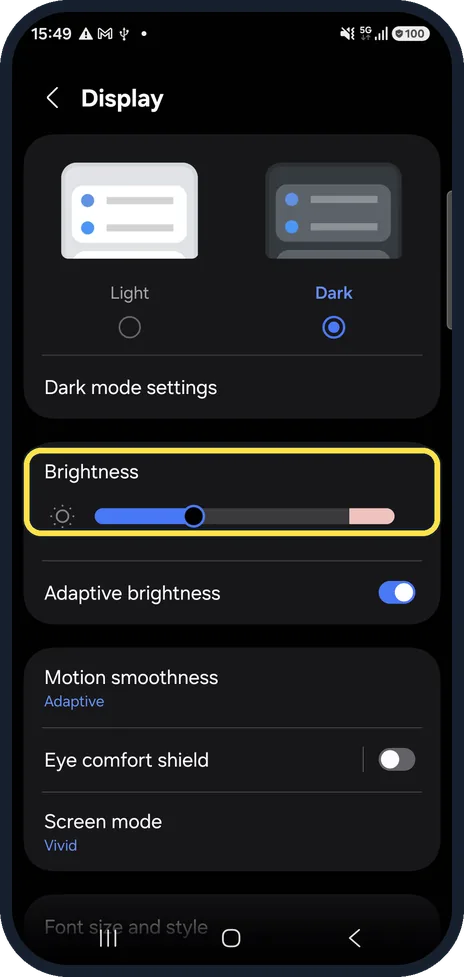
Lower the brightness
A bright screen is one of the biggest heat sources. Drag the slider down, or switch on Adaptive brightness so the phone dims itself.
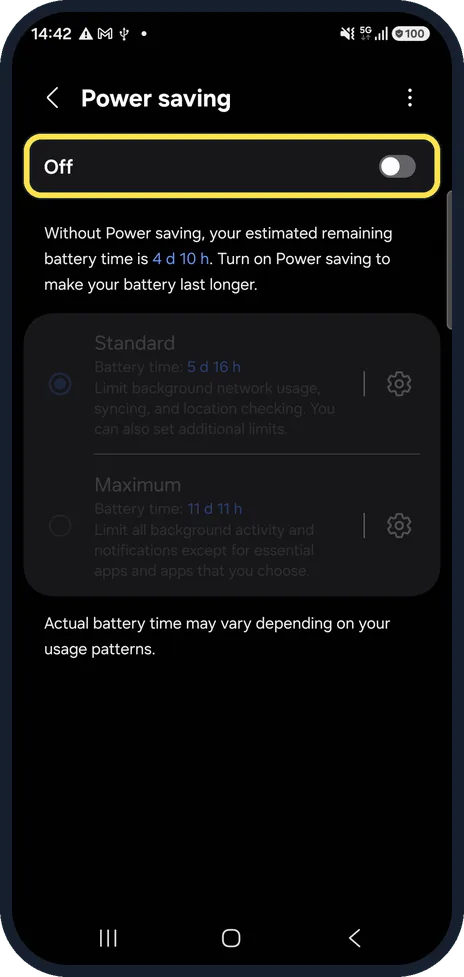
Turn on Power saving
Settings, Battery, Power saving limits background activity, which also cuts heat.

Install software updates
Settings, Software update, then tap Check for updates. Updates fix apps and system parts that run too hard. Ours was on One UI 8.5 when we took these step pictures, and it updated to One UI 9.0 on 16 Oct 2026.
Still hot when idle? Get it checked
If the phone is hot while doing nothing, or the back swells, stop charging it and take it to a Samsung service centre. A failing battery can cause both.
Watch these steps
If you do not see this option
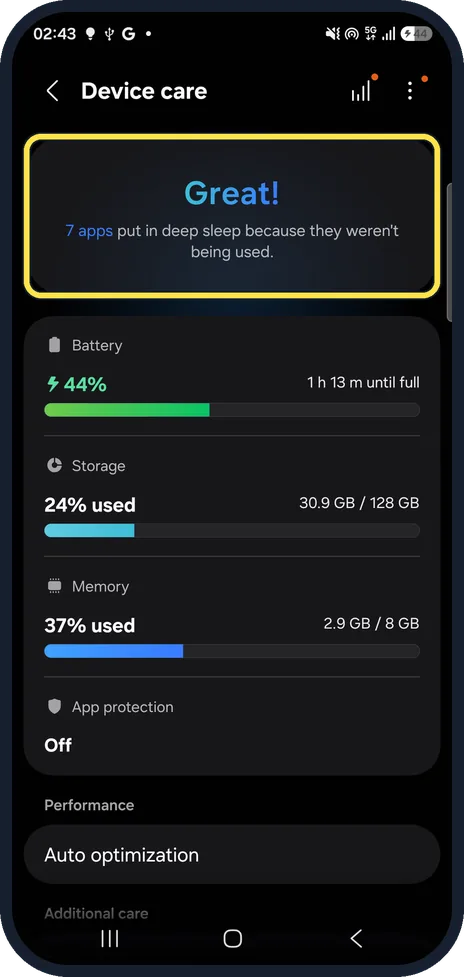
- Your Galaxy runs One UI 9. Device care has no Optimize now button. On our Galaxy A57 after the One UI 9.0 update, the top card said Great! and that 7 apps were put in deep sleep because they weren't being used. Storage and Memory are listed below it, and Auto optimization further down.
- You never see a temperature warning Samsung says the overheating warning is only on supported models, and its wording may vary by model. Source: Why is my Samsung phone overheating or getting hot
- The warning says Cooling down Samsung lists the messages as Cooling down, "Your device is overheating. It will now power off to cool down" and "It powered off to prevent damage". The wording may vary by model. Source: Keep your Galaxy device at its normal operating temperature
If this does not work
- It got hot after setup or an update Samsung lists the first setup, moving data from an old phone, and system updates among the causes of a warm phone. Source: Keep your Galaxy device at its normal operating temperature
- It heats up on a wireless charger Samsung says to remove anything metal or magnetic between the phone and the charger, such as cards in a case, and to try a Samsung-approved charger and cable. Sources: Keep your Galaxy device at its normal operating temperature, Why is my Samsung phone overheating or getting hot
- It switched itself off Samsung says a second warning means the phone turns off to cool down. Do not use it again until it has cooled. Source: Why is my Samsung phone overheating or getting hot
About this guide
Samsung says a Galaxy warms up during heavy use and fast charging, and protects itself when it gets too hot by slowing down, dimming the screen or pausing charging. The checks below find the cause when it happens without a reason.
Good to know
When the phone shows a temperature warning, unplug it, close the apps and leave it in a cool place until the warning clears.
Battery draining fast as well? Samsung Galaxy battery draining fast? 6 fixes.
In short: Device care, Optimize now; case off while charging; lower brightness; Power saving; software update; get it checked if hot while idle.
- Samsung UK: Why is my Samsung phone overheating or getting hot
- Samsung US: Keep your Galaxy device at its normal operating temperature
Links checked in October 2026. Menus and features can change after software updates. These steps match the version named at the top.
📷 See real photos from the Galaxy A57 in our Camera Lab, next to 10 other phones.
Did this guide work for you?
Sorry about that. What happened?