
howtosimply.com/guides/how-to-stop-signal-auto-downloading-media-on-android/ · Checked October 2026 · Google Pixel 10a, Android 17, Signal 8.32.3
In this guide
Tap your profile picture in Signal, then Data and storage, When using mobile data, and untick Images and Audio. Wi-Fi and roaming have their own lists. Signal always downloads voice messages and small stickers.
5 of 5 steps with real screenshots · 1 official source below
- Device
- Android
- Shown on
- Google Pixel 10a, Android 17, Signal 8.32.3
- App
- Signal
- Real screenshots
- 5 of 5 steps
- Checked
- October 2026
- Sources
- 1 official, linked below
Step by step
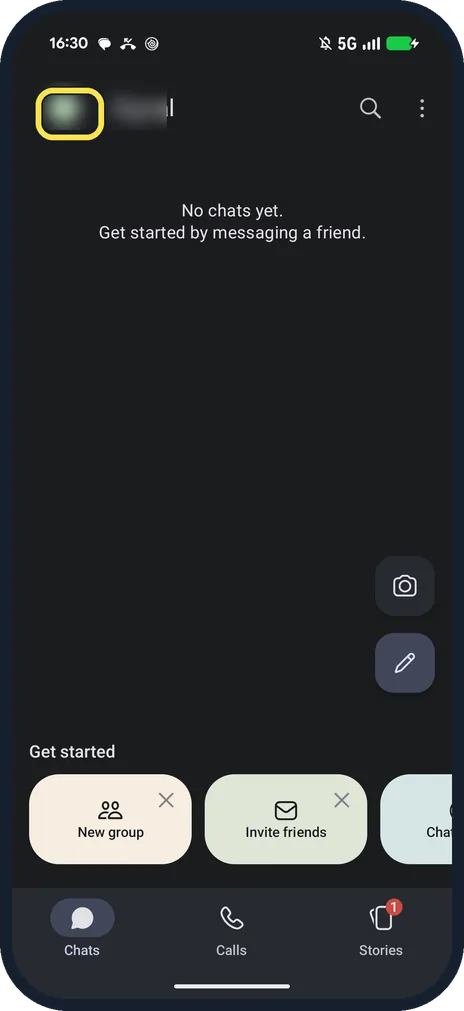
Tap your profile picture
It is at the top left of the Chats screen and opens Signal Settings.
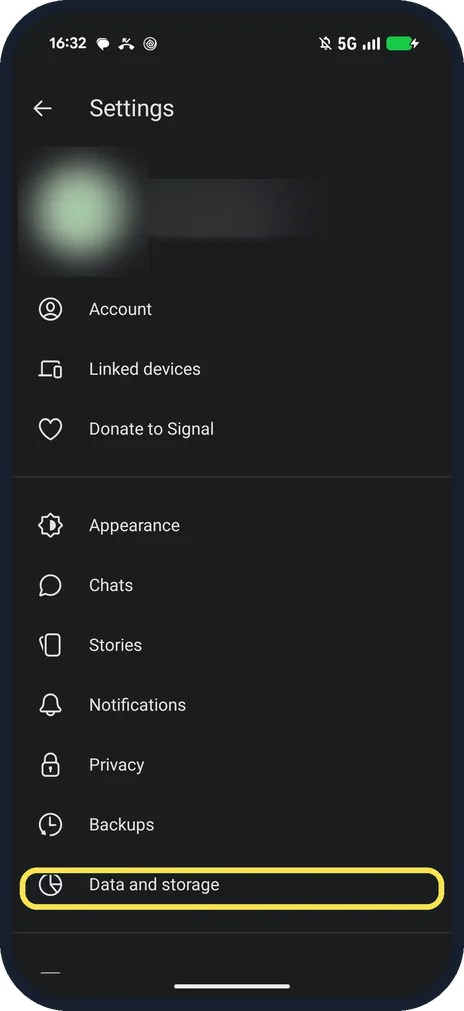
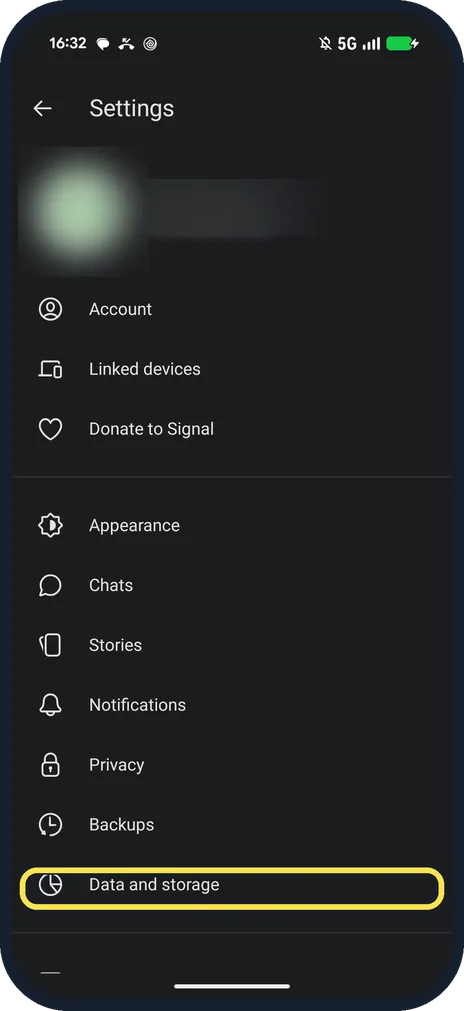
Tap Data and storage
It is in Signal Settings, below Backups.
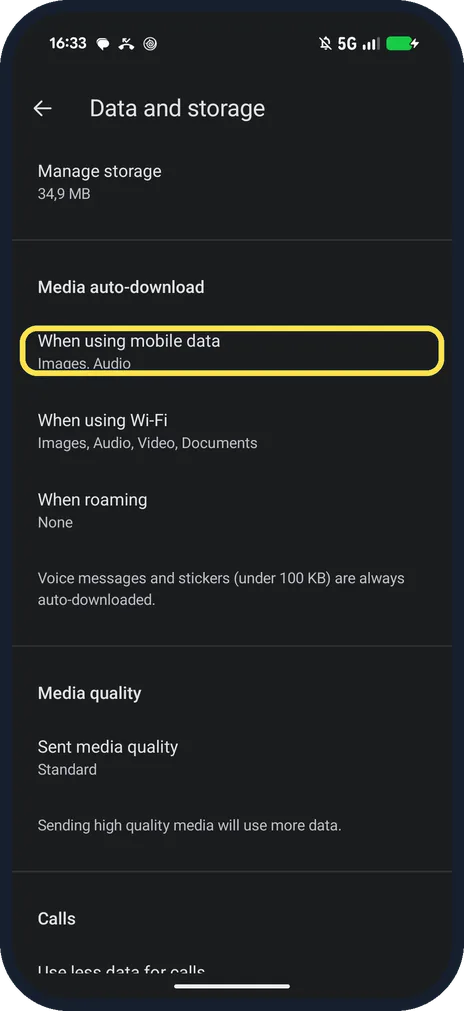
Tap When using mobile data
It is under Media auto-download. Ours said Images, Audio.
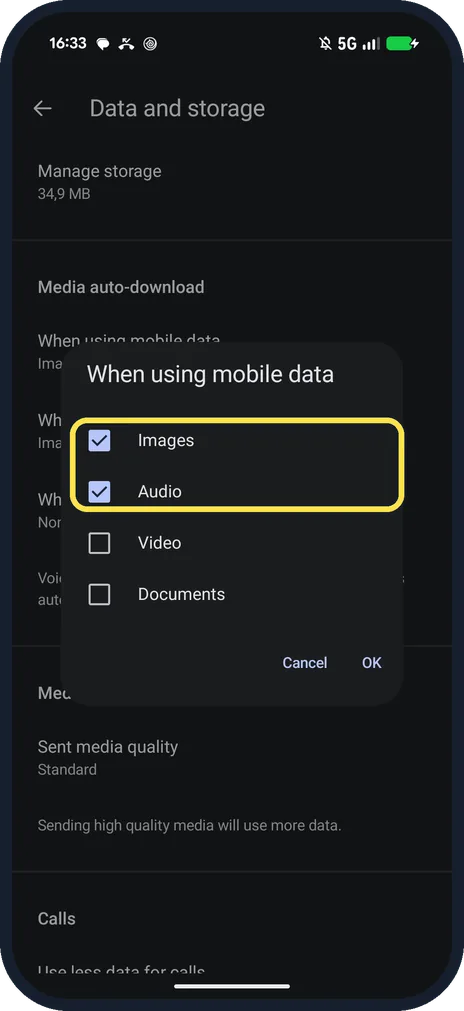
Untick what you don't want, then OK
The list: Images, Audio, Video, Documents. Ours had Images and Audio ticked.
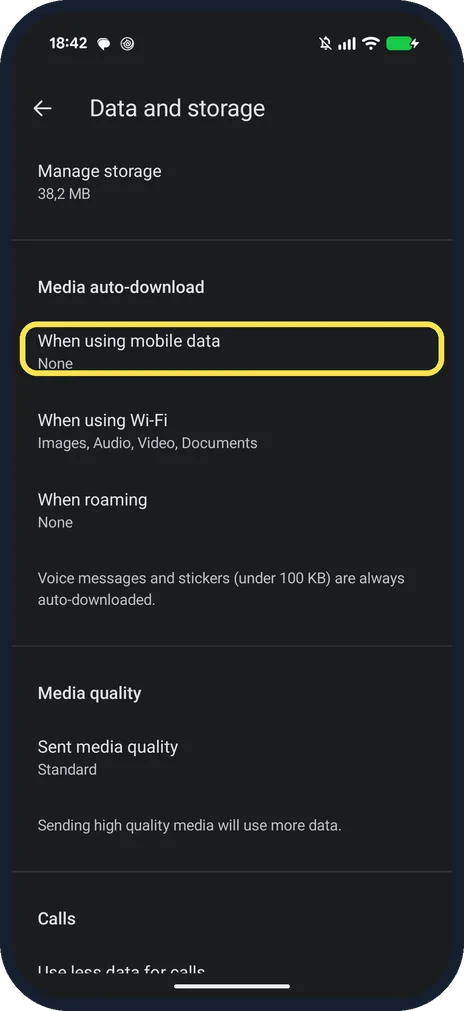
Check the row
With both unticked, ours said None under When using mobile data.
If you do not see this option
- On an iPhone? Signal says it is under your profile, Settings, Data Usage there, with a Never, Wi-Fi, or Wi-Fi and Cellular choice per attachment type. Source: Data Usage Options (Wi-Fi & Cellular)
- Help page says Data Usage? That is the iPhone name. On our Android Signal 8.32.3 it is Data and storage, below Backups. Source: Data Usage Options (Wi-Fi & Cellular)
If this does not work
- Media still downloads on Wi-Fi? Wi-Fi has its own list. Ours had Images, Audio, Video and Documents ticked for When using Wi-Fi.
- Voice messages still download? Signal says voice messages, view-once media and stickers under 100 KB always download, whatever you untick. Source: Data Usage Options (Wi-Fi & Cellular)
About this guide
Ours downloaded Images and Audio on mobile data; Images, Audio, Video and Documents on Wi-Fi; nothing when roaming. We unticked mobile data for the screenshots, then ticked it again.
The screenshots are from Signal 8.32.3 on our Google Pixel 10a with Android 17, in Dark mode, taken on 25 October 2026.
Good to know
On Telegram, see stop Telegram auto-downloading.
To clear Telegram's cache, see clear the Telegram cache.
In short: Profile picture, Data and storage, When using mobile data, untick, OK.
Links checked in October 2026. Menus and features can change after software updates. These steps match the version named at the top.
📷 See real photos from the Pixel 10a in our Camera Lab, next to 10 other phones.
Did this guide work for you?
Sorry about that. What happened?