
howtosimply.com/guides/how-to-stop-whatsapp-auto-downloading-media-on-android/ · Checked October 2026 · Google Pixel 10a, Android 17 (build CP3A.261005.005), WhatsApp 2.26.41.77
In this guide
Open WhatsApp Settings, Storage and data. Under Media auto-download, tap When using mobile data, When connected on Wi-Fi and When roaming in turn, untick Photos, Audio, Videos and Documents, and tap OK. Voice messages always download.
5 of 5 steps with real screenshots · 1 official source below
- Device
- Android
- Shown on
- Google Pixel 10a, Android 17 (build CP3A.261005.005), WhatsApp 2.26.41.77
- App
- Real screenshots
- 5 of 5 steps
- Checked
- October 2026
- Sources
- 1 official, linked below
Step by step
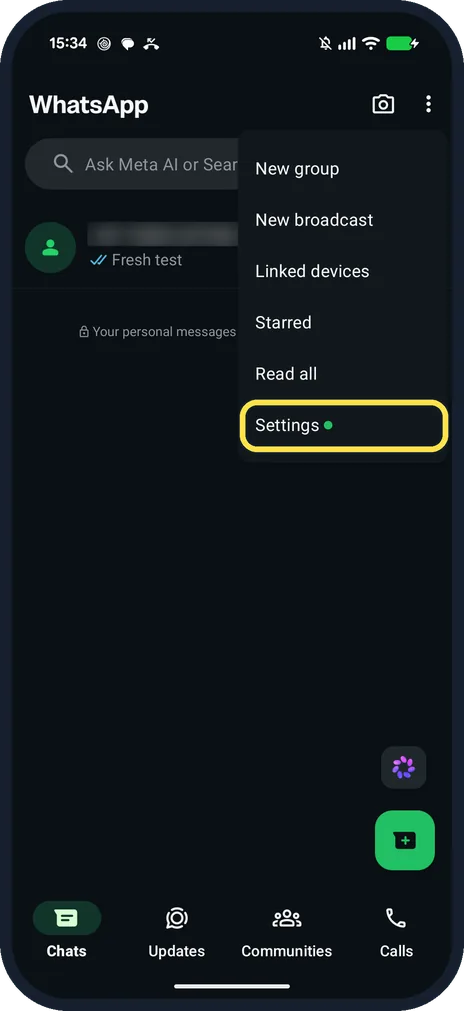
Open WhatsApp Settings
On the Chats tab, tap the three dots at the top right, then Settings.
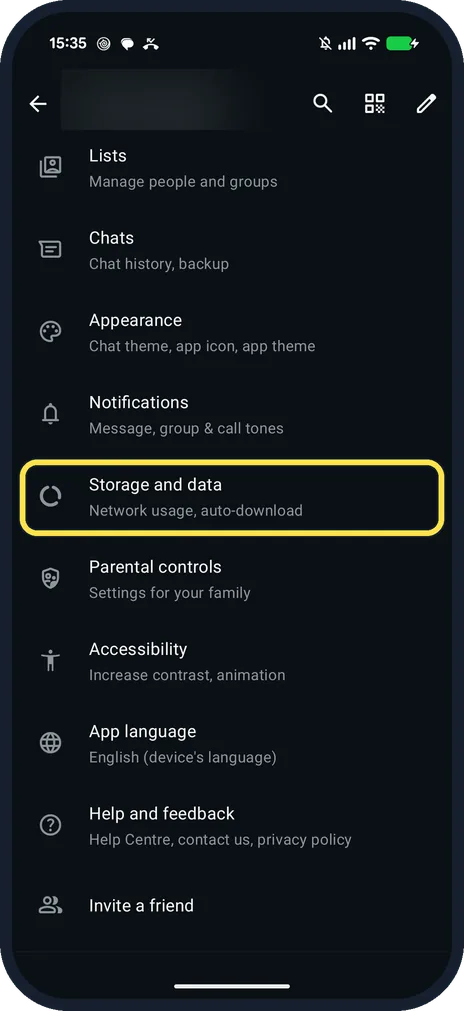
Tap Storage and data
It is below Notifications: Network usage, auto-download.
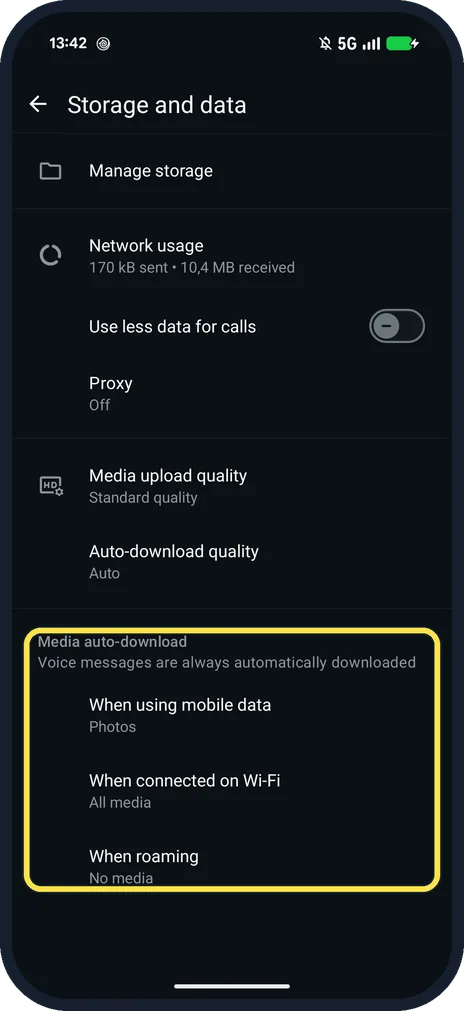
Tap When using mobile data
It is under Media auto-download, which says: Voice messages are always automatically downloaded.
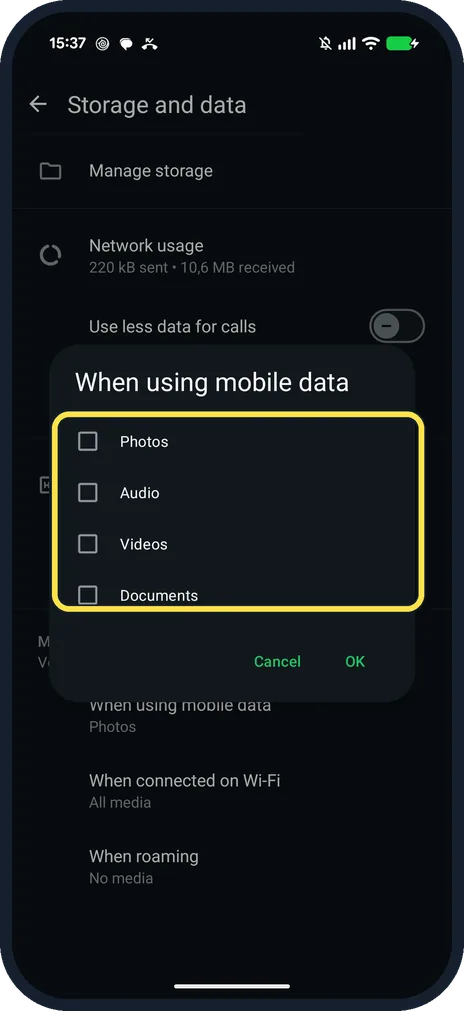
Untick the media and tap OK
Ours had only Photos ticked. With all four unticked: Photos, Audio, Videos and Documents.
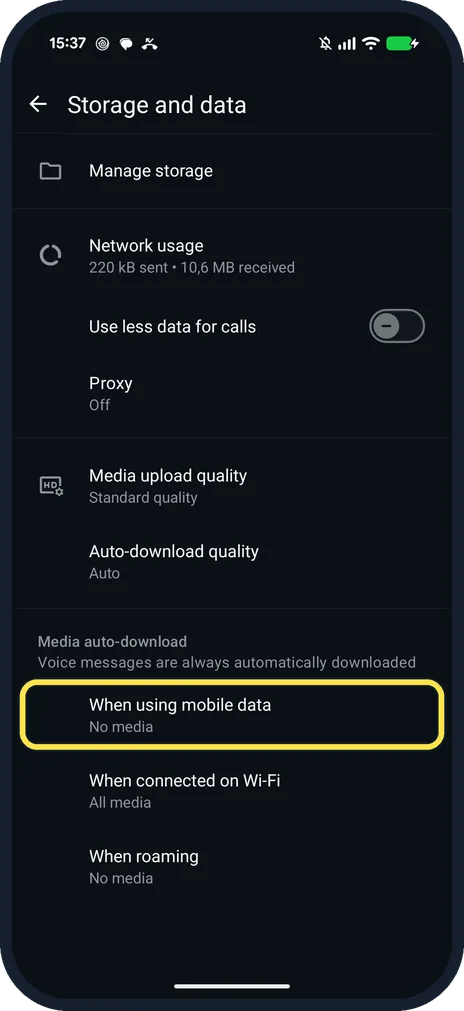
Check the row says No media
Then do the same for When connected on Wi-Fi and When roaming.
If you do not see this option
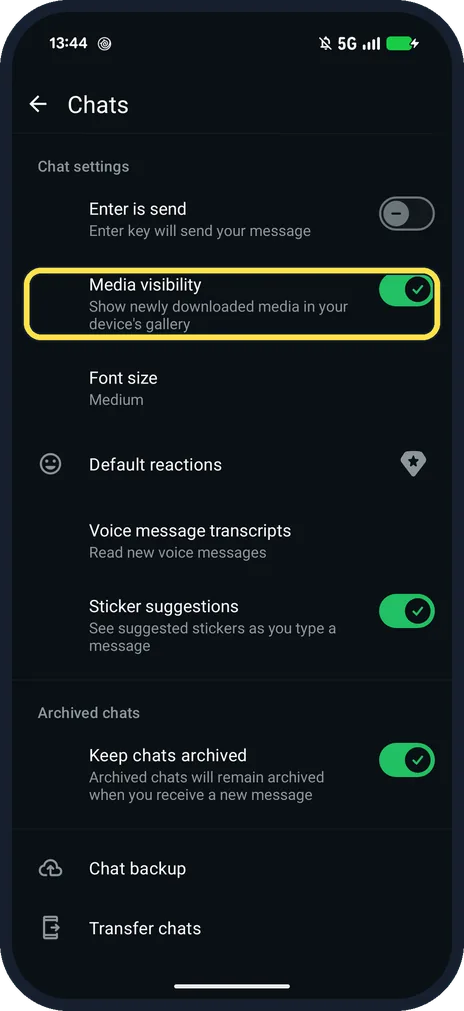
- Photos still appear in the gallery? That is Media visibility in Settings, Chats: Show newly downloaded media in your device's gallery. Ours was on.
- On an iPhone? WhatsApp's iPhone help: Settings, Storage and data, then tap a media type under Media auto-download and pick Never, Wi-Fi or Wi-Fi and cellular. Source: How to configure auto-download
If this does not work
- Need one photo after turning it off? WhatsApp says to tap the photo or video in the chat and tap the download button. Source: How to configure auto-download
- Roaming costs? WhatsApp warns that auto-download when roaming might increase charges from your mobile provider. Source: How to configure auto-download
About this guide
There are three separate lists: mobile data, Wi-Fi and roaming. Ours started at Photos on mobile data, All media on Wi-Fi and No media when roaming.
The screenshots are from our Google Pixel 10a with Android 17 and WhatsApp 2.26.41.77, in Dark mode, taken on 25 October 2026. We unticked the mobile data list for the shots, then ticked Photos again.
Good to know
To see what WhatsApp already stores, see free up WhatsApp storage.
In short: WhatsApp, three dots, Settings, Storage and data, Media auto-download, untick, OK.
Links checked in October 2026. Menus and features can change after software updates. These steps match the version named at the top.
📷 See real photos from the Pixel 10a in our Camera Lab, next to 10 other phones.
Did this guide work for you?
Sorry about that. What happened?