ONEPLUS
How to stop an app using mobile data or Wi-Fi on a OnePlus (OxygenOS 16)

In short
Open the app's App info and tap Data usage. Switch on Disable mobile data or Disable Wi-Fi. Switch Background data off to stop it using data when you're not using it.
6 of 6 steps show a real screenshot from our Nord 5. Each step was checked against the maker's own instructions, linked at the end.
Steps
- 1
Open Data usage
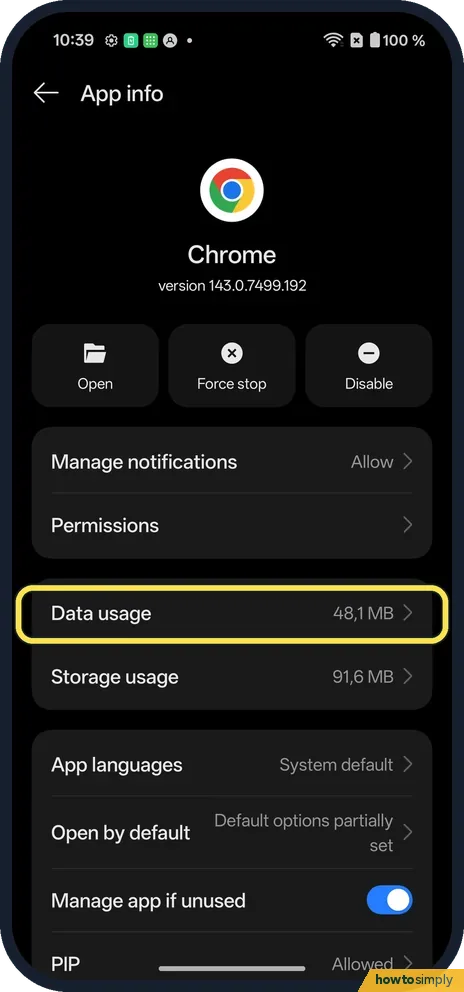
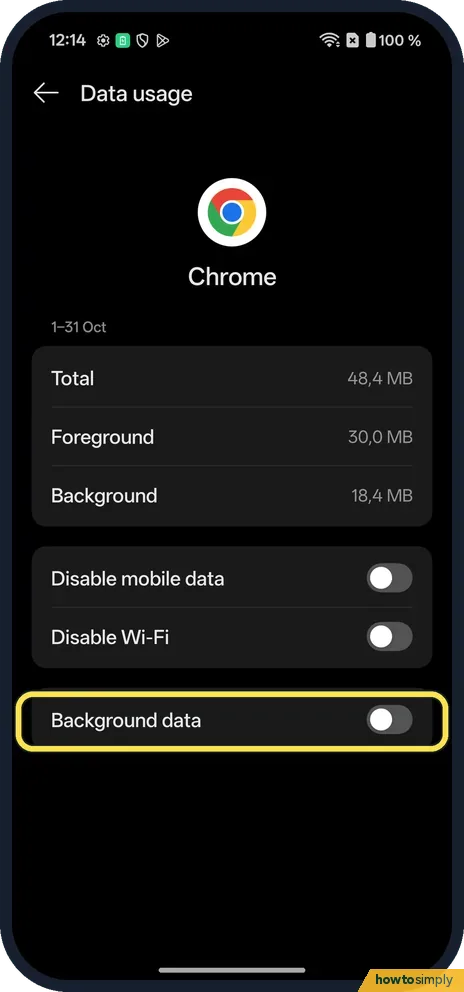
In Settings, Apps, open the app's App info and tap Data usage.
- 2
See how much it used
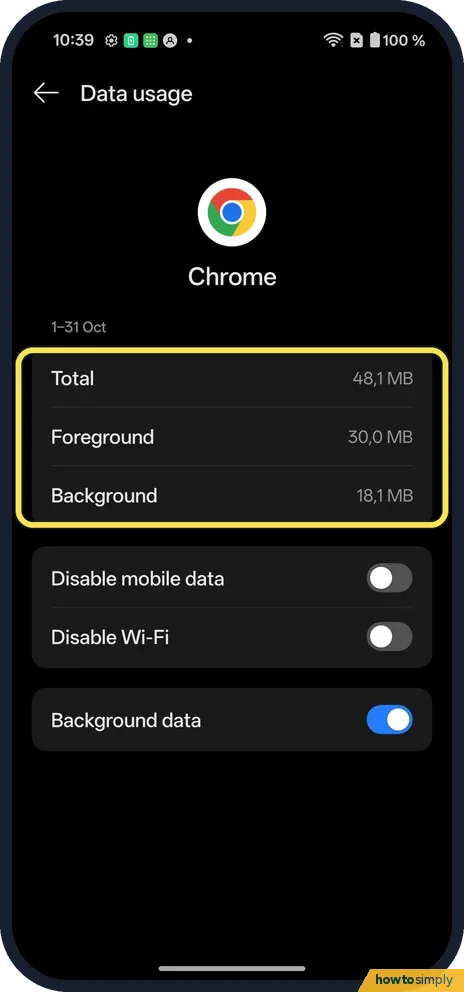
Chrome used 48.1 MB on ours: 30.0 MB foreground, 18.1 MB background.
- 3
Block Wi-Fi
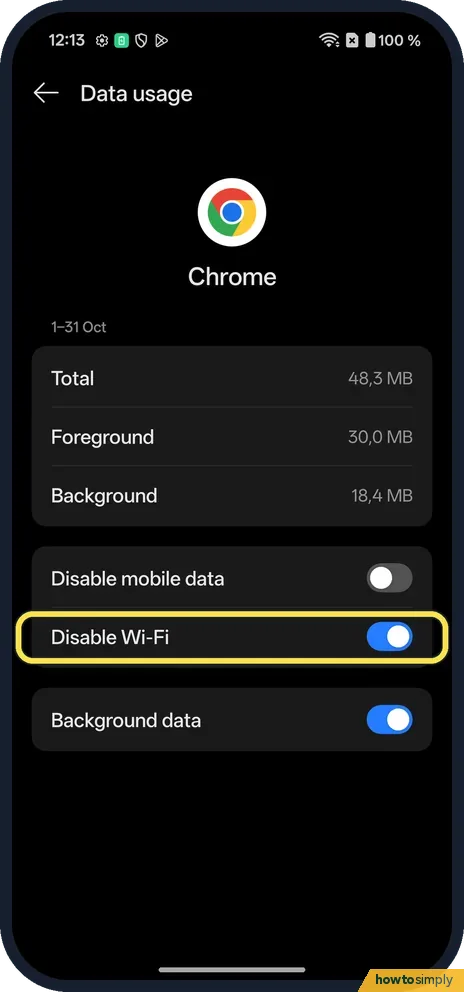
Switch Disable Wi-Fi on. There was no confirm box.
- 4
Check the app
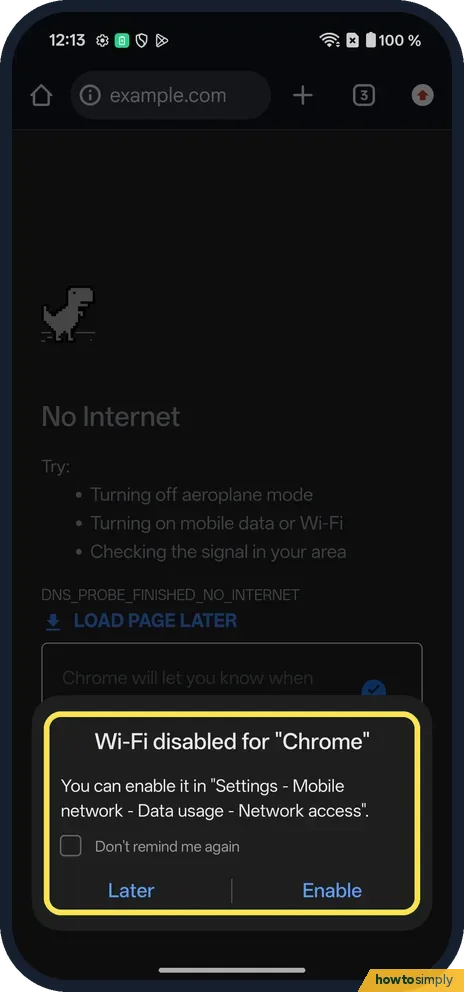
Chrome showed No internet, and a box: Wi-Fi disabled for "Chrome", with Later and Enable. Disable mobile data works the same way.
- 5
Stop background data
Switch Background data off. The app still works when open. We switched both back.
- 6
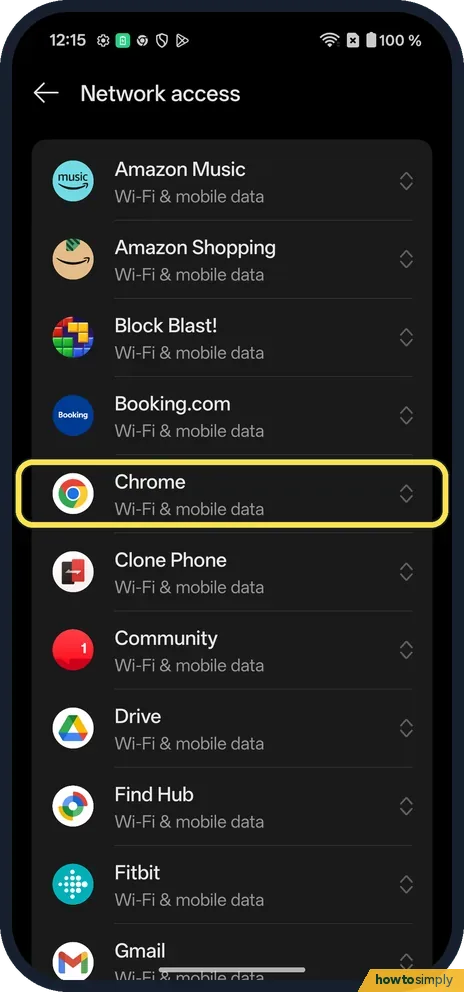
Or set every app at once
Settings, Mobile network, Data usage, Network access lists each app with its Wi-Fi & mobile data setting.
If you do not see this option
- OxygenOS 14 (OnePlus manual)? The manual's route is Settings, Mobile network, Data usage, Network access, then the app. That route still works on ours. Source: OxygenOS 14.0 User Manual
- Unrestricted data? There is no row on the app's page. Unrestricted apps is in Mobile network, Data usage, Data saving, and is greyed out while Data saving is off.
If this does not work
- App says no internet? Disable Wi-Fi or Disable mobile data is on. Tap Enable in the box, or switch it off.
- Messages arrive late? Background data is off. Switch it on.
- App still uses data after blocking? Make sure you blocked the right connection. Disable mobile data still lets the app use Wi-Fi, and Disable Wi-Fi still lets it use mobile data. To cut it off completely, switch both on.
- Phone's figure differs from your bill? Google notes that some operators measure usage differently, so your carrier's count may not match the phone's. Use the operator's figure for billing questions.
- Want to cap data for the whole phone? The OxygenOS 14 manual describes a Data usage limit in Settings, Mobile network, Data usage, with daily or monthly limits and a choice of how you are told when it is exceeded.
Good to know
See Wi-Fi data usage by app on a OnePlus.
The block applies straight away and stays after a restart until you switch it off. The app keeps all its data and settings; it simply cannot connect on the blocked network. Notifications that depend on the internet, such as new messages, stop arriving on that connection. Blocking a heavy app's background data can save battery as well as data, because it wakes the phone less often.
For a broader approach, the OxygenOS 14 manual says Data saving restricts apps from using mobile data in the background and also switches off personal hotspot and tethering while it is on, with Unrestricted apps letting chosen apps keep working. See turn on data saving on a OnePlus. To undo this guide, open the app's Data usage page again and switch the blocks off, or switch Background data back on.
About this guide
- Device
- Android
- Shown on
- OnePlus Nord 5 (CPH2709), OxygenOS 16.0.5.1201, Android 16
- App
- Settings
- Path
- Settings › Apps › App info › Data usage
- Real screenshots
- 6 of 6 steps
- Checked
- October 2026
- Sources
- 2 official, linked below
Sources
Links checked October 2026. Menus and features can change with updates.Spotted a mistake? Menus change with updates, and we want every step to match your screen. Email us about this page or use the contact form. We read every report, and fixes are listed on What changed.
Liked this guide?
Follow us for new guides and short how-to videos.
Did this guide work for you?
Sorry about that. What happened?